Tmailor
 Which Websites Accept Temporary Email, and Which Ones Block It in 2026
A practical, honest map of where a disposable address sails through, where it gets rejected, and what to do in each case.
Quick access
Key Takeaways
Where temp mail fits, where it does not, and what to do when a form says no.
- Temp mail fits low-stakes signups best: forums, downloads, trial tools, test accounts, and one-time verification codes.
- Acceptance varies by website and by domain, and it changes over time.
- Social, dev, and AI tools are usually mixed but often friendly; finance, government, healthcare, and primary accounts are not suitable.
- If a low-stakes form rejects an address, try another Tmailor domain; for accounts you must keep, use your real email.
- Save the access token in case you need to reopen the same inbox later.
Why do some sites block temp mail?
It is a deliberate filter, not a glitch.
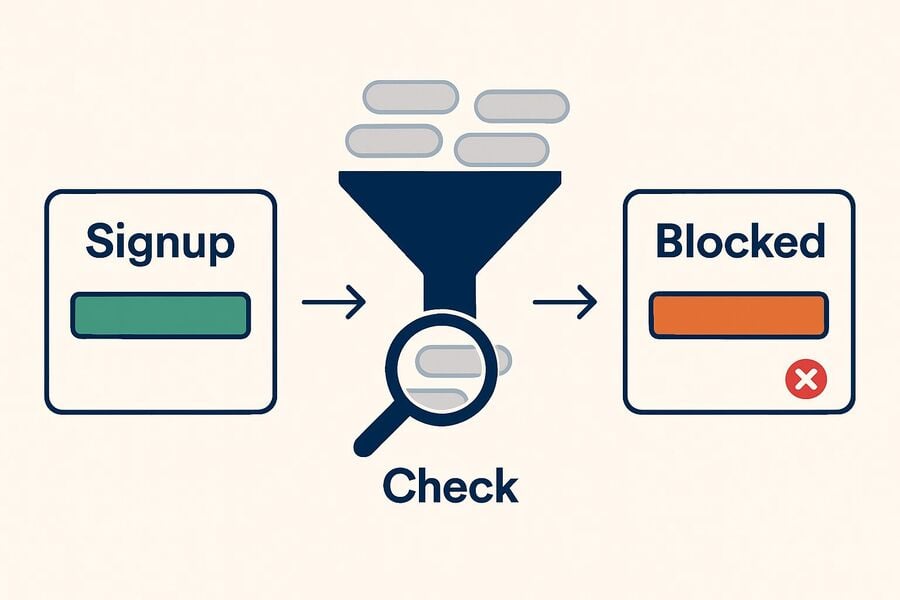
Some websites block temporary email addresses because disposable domains are often associated with spam, fake signups, or accounts with unreliable recovery. They compare the domain part of an address against disposable email blocklists, so a domain that worked yesterday can be refused today. The rule is site-specific: one service may accept a Tmailor address while another rejects it. For the full mechanism behind these blocks, see "why websites block temp mail domains" — this guide focuses on which sites and what to do.
Quick status: where temp mail usually works vs struggles
A category-level map; the detailed directory follows below.
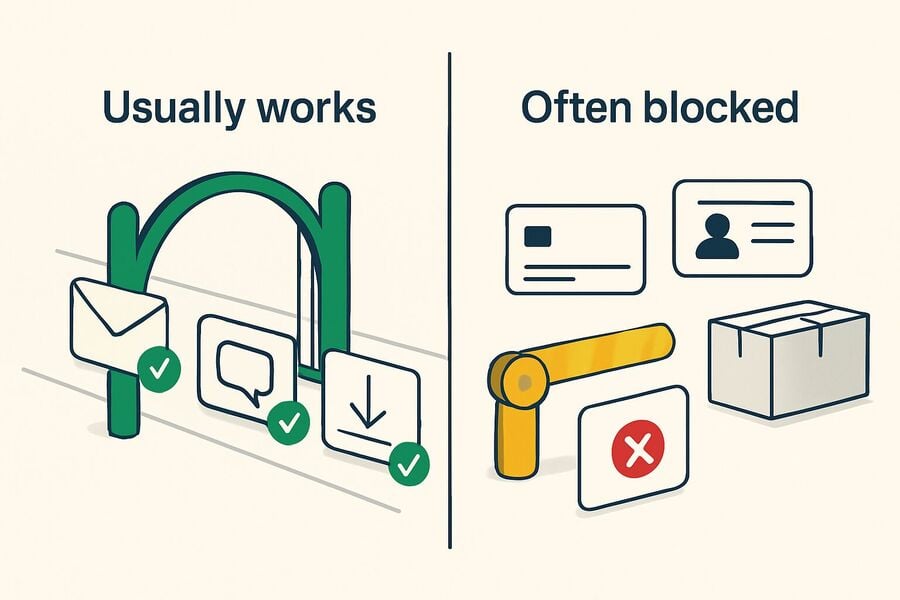
Temporary email works best on low-stakes forms: forums, downloads, trial tools, test accounts, and one-time verification. It is mixed on social networks and stricter on professional platforms. It is the wrong tool for banking, PayPal, government, healthcare, and primary accounts that need secure recovery. Treat the table as a starting point, since any site can change its policy.
| Category | Temp mail usually… | Notes |
|---|---|---|
| Forums, communities, downloads | Works | Low friction; ideal use case |
| Free trials & streaming | Often works for the trial email | You lose access when the inbox expires; not for the paid subscription |
| Social platforms | Mixed | Acceptance varies; other verification checks may apply |
| Developer and AI tools | Often works for testing | Common clean-inbox use case, but not guaranteed |
| Shopping receipts & returns | Works for receipts | Not for the primary store account |
| Banking, PayPal, government, healthcare | Not suitable | Use your real email |
Temp mail by site: practical acceptance directory
Editorial disclosure: Tmailor runs this blog and recommends its own temp-mail service. Because major platforms rarely publish a disposable-email allowlist or blocklist, this section is limited to what each platform's official page documents plus a conservative editorial takeaway.
Most major platforms do not publish a public list of the disposable-email domains they accept or block. To keep this page factual, do not label a platform as officially "mixed," "strict," or "friendly" unless the platform itself says so. The safer format is: official page checked, public disposable-email policy found or not found, then the recovery-minded takeaway.
Social media
Official signup and help pages for social platforms describe account creation, verification, and recovery, but they do not publish a temp-mail acceptance matrix. That means this page should not present Instagram, TikTok, X, or Discord as verified "Mixed" or "Strict" cases. Use temp mail only if the form accepts it, and use a real email for any account you expect to recover later.
| Site or service | Official page checked | Public disposable-email policy found? | Safer editorial takeaway |
|---|---|---|---|
| Signup page checked | No public policy found | Use temp mail only if the form accepts it; use a real email for a personal profile. | |
| TikTok | Help Center account-creation page checked | No public policy found | Fine for low-stakes testing only if allowed; use a real email for any account you keep. |
| X (Twitter) | Help page says sign up with phone or email and verify what you use | No public policy found | Do not promise acceptance; use a real email for a durable account. |
| Discord | Getting Started page says to use an email you can access and maintain | No public policy found | Use a real email for your main identity or any server access you cannot lose. |
| ChatGPT | OpenAI help page checked | No public policy found | Reasonable only for non-critical testing if the form accepts it; use a real email for paid or work use. |
| Cursor & developer tools | Official docs checked | No public policy found | Keep temp mail to isolated testing; use work email for production or billing-linked accounts. |
| Signup page accepts email or phone number | No public policy found | Use a real professional email for any account tied to reputation or job history. | |
| Coursera & education platforms | Official signup page checked | No public policy found | Use a real or institutional email for coursework, certificates, and ongoing access. |
| Netflix / Spotify & streaming accounts | Official help pages focus on account email and recovery | No public policy found | Use a real email for paid subscriptions and long-term account recovery. |
| Amazon | Official register page checked | No public policy found | Use a real email for orders, returns, saved cards, and account recovery. |
| PayPal / banking / government / healthcare | Official PayPal help plus category-level security needs checked | No public policy found | Do not use temp mail here; use a real email only. |
| Crypto exchanges & wallets | No platform-specific official policy documented here | Not established | Use a real, secure email with strong 2FA for any security-sensitive account. |
Social platforms and account-heavy services usually document signup, verification, and recovery, not disposable-domain filtering. That is why the safest promise this article can make is conditional: temp mail may be fine for a low-stakes test if a form accepts it, but use a real email for anything you expect to recover later. See the overview of temp mail for social signups, plus the Instagram signup guide, the TikTok signup guide, the X signup guide, and the Discord signup guide.
Dev & AI tools
Developer and AI platforms are among the friendliest to disposable email.
Tools aimed at developers and testers usually accept temp mail, which is handy for clean signup or QA inboxes you do not want tied to your work address. This audience expects throwaway test accounts, so signup forms are rarely hostile to disposable domains, and verification codes usually arrive quickly. It is a genuine fit for trying a tool, spinning up isolated test users, or keeping experiments out of your primary inbox. It is not the right choice for a paid or work account that needs invoices, support, or long-term recovery; for those, use your real email and save the Access Token if you plan to return to a non-critical account. See guides for the ChatGPT signup guide and the Cursor signup guide.
Work, education & freelancing
Professional and academic platforms are stricter, and some require a verified address.
Career and learning sites are more likely to require a stable or institutional email address. Because LinkedIn profiles, freelance marketplaces, and course accounts hold a reputation, payment history, or coursework you build over time, a vanishing inbox works against you the moment you need a password reset. A verified .edu or institutional address cannot be replaced by temp mail at all. Use a disposable address only for an initial look if a platform allows it, and sign up with your real email for anything you will return to. See notes for the LinkedIn signup guide, Coursera and disposable email, and freelance marketplaces.
Shopping, gaming & travel
Great for receipts, trial keys, and deal alerts you do not want in your main inbox.
For one-off purchases, game-key redemptions, and promotional alerts, a disposable address keeps the marketing flood out of your personal inbox. The useful line to draw is receipt versus account: a temp address is great for catching an order confirmation, a download key, or a fare alert, but the account that stores your saved cards, order history, returns, and warranty should be linked to your real email. Gaming is a middle case, since a throwaway profile is fine for a trial, but a library you build over the years is not. See privacy-first e-commerce, gaming accounts, and travel deal alerts.
Where temp mail is not the right tool
Some accounts are too important to trust to a short-lived inbox.
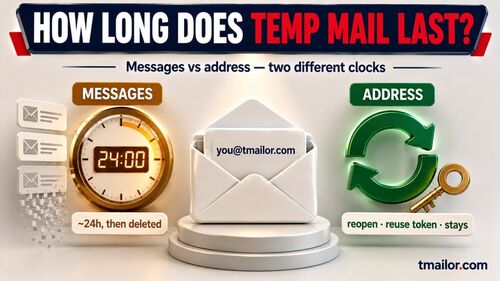
Do not use temp mail for accounts tied to money, identity, healthcare, government services, or long-term recovery. That includes banking, PayPal, government and healthcare portals, your primary Amazon or marketplace account, crypto exchanges and wallets, and your main social or professional identity. These accounts depend on stable email access for security alerts and password resets, and a Tmailor inbox auto-deletes its messages after about 24 hours. The address is a quick, semi-private mailbox, not a long-term private one, so a lost inbox can mean a locked account with no way back. If recovery matters at all, use your real email. Crypto is covered in more depth in crypto exchange guide.
What to do if a site blocks your address
A quick fix for the common case, and the right call for accounts you keep.
If a low-stakes form rejects one temporary address, the fix is to generate a new random address rather than hand-pick a replacement — and the reason is worth knowing. A temp mail provider's full domain list is exactly what anti-disposable vendors want, because one scrape lets them blocklist the whole pool at once. So the domains a provider exposes for you to hand-pick are, by definition, the visible ones — and therefore the ones most likely to already be on a blocklist. A random address is drawn from the larger, unpublished rotation rather than that short visible list. Acceptance still varies by site, so there is no guarantee — but it is the cheapest thing to try before giving up on the signup. Domain rotation exists partly to reduce these rejections and keep verification codes flowing. If a code still does not arrive, wait a minute and confirm the site actually sent it before switching again. If the account is one you intend to keep, use your real email or save your access token so you can reopen the same inbox later. The goal is to choose the right email for the account type, not to break a website's rules.
Frequently Asked Questions
Why is my temp mail blocked on some sites?
Those sites match new addresses against public blocklists of known disposable domains to reduce spam and fake accounts. It is a deliberate filter that varies by site, so an address rejected on one form may be accepted on another.
Which sites accept temporary email?
Forums, downloads, free trials, most developer and AI tools, and many one-time verifications accept temp mail. Social platforms are mixed, while banking, payment, government, and healthcare services generally are not. Acceptance can change, so treat any list as a guide.
What do I do when a site rejects my temp mail?
For a low-stakes signup, switch to a different Tmailor domain and try again, since acceptance varies by domain. For an account you plan to keep, use your real email or save the Access Token so you can return to the same inbox. Always follow the site's own rules.
Should I use temp mail for PayPal or banking?
No. Banking, PayPal, and similar accounts need a stable address for security alerts and recovery. A Tmailor inbox auto-deletes after about 24 hours and is not strictly private, so use your real email for anything financial or important.
Can I use temp mail for streaming trials?
Often, for the trial signup and its email alerts. But because the inbox expires, it is the wrong place for a paid subscription you intend to keep, which requires recovery and billing notices. Use your real email for the ongoing account.
Is temp mail safe for accounts I need to recover?
No. Recovery depends on stable, private email access, and a temp inbox auto-deletes after about 24 hours. If you need to reset a password or receive a security alert later, use your real email address, or, at a minimum, save the Tmailor Access Token for non-critical accounts.
The Bottom Line
Temp mail is a clean fit for low-stakes signups, trials, and verification codes, and a different domain usually clears the occasional block. Keep your real email for banking, payments, and any account you may need to recover later. Acceptance changes often, so treat this as a practical guide, not a guarantee. When you need a quick, private address, create a temp mail address and save the Access Token for anything you might revisit.
Jordan Mills has covered disposable email, OTP delivery and online privacy since 2018. He writes Tmailor's guides on staying anonymous, avoiding spam, and getting verification codes to land every time.