Temp Mail for Online Gaming: Protect Your Identity on Steam, Xbox & PlayStation
Gaming accounts hold more value than most people realize — purchased games, in-game currency, achievement history, and friend lists built over years. They're also prime targets for phishing, credential stuffing, and data breaches that start with your email address. A temporary email keeps your gaming identity separate from your personal and work inboxes. This guide walks through setting up accounts on Steam, Xbox, and PlayStation with temp mail, handling platform-specific OTP and 2FA requirements, telling a delivery problem apart from a platform that does not accept disposable addresses, and knowing when an account becomes valuable enough to migrate to a permanent address.
Quick access
TL;DR / Key Takeaways
- Temp mail is a good front door for gaming sign-ups: beta keys, store promos, and the fallout from a small storefront’s breach stay out of your primary inbox.
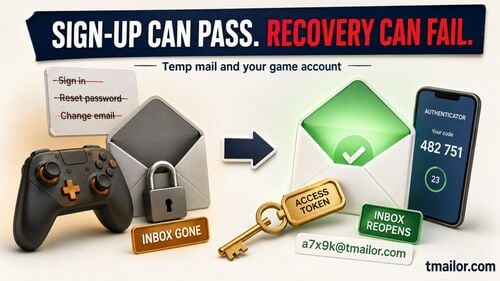
- It is a poor home for the account itself. Password resets go to the address on file, so an inbox you can no longer open is a game library you can no longer recover.
- If one address is not receiving the code, generating a fresh random one is ordinary troubleshooting. If the service states that disposable email is not allowed, that is a policy rather than a delivery fault — use a real address you control.
- Platform notes: Steam (Steam Guard, trade and Market holds), Xbox (Microsoft security info), PlayStation (the sign-in ID has to stay reachable). All three treat the email address as a recovery factor, not a contact field.
Protect Your Gamer Identity
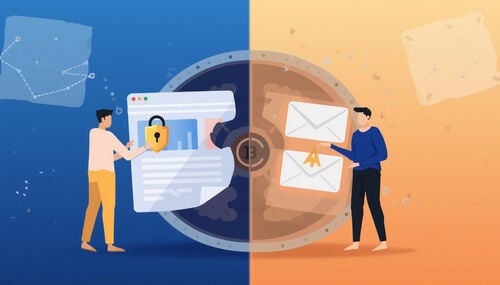
A temp mail address gives a gaming sign-up its own identity: promo mail, beta invites, and the fallout from any breach at a small game portal land somewhere that is not the inbox you actually live in. Use it for registrations and verifications you do not expect to revisit — not for the account that holds your purchases.
Why Email Privacy Matters in Gaming
Giveaways, beta keys, and marketplace promos are fun—until your primary inbox floods. Many storefronts and third-party sellers also subscribe you to newsletters, and over time a noisy inbox buries the receipts and security alerts that actually matter. Worse, a breach at a smaller game portal can expose your address, and attackers feed leaked addresses straight into credential-stuffing attempts elsewhere. A dedicated disposable inbox for gaming keeps your primary address out of that blast radius and makes a genuine security alert easier to spot.
Consider starting with a dedicated free temp mail inbox that you use only for gaming sign-ups and verifications. It separates identity, stops automated promo drips from drowning your primary inbox, and keeps all game traffic in one predictable place. Free temp mail
When Temp Mail Is the Better Fit
- New titles & timed events: Claim keys, sign up for betas, and test new stores without exposing your primary address.
- Separate accounts a platform allows: Where a game or storefront permits more than one account—a test account, a different household member—a separate address keeps those identities from tangling. Check the game’s own rules first; plenty of them restrict extra accounts.
- Marketplace trials: A throwaway address is a sensible buffer when you are trying an unfamiliar third-party key shop or reseller for the first time.
- Community tools & mods: Some small sites require email to download or post—keep them off your primary inbox.
The pattern in all four: the address is doing one job, briefly. The moment an account starts holding money or a library, that is the moment to stop using temp mail for it.
Get OTPs Delivered Reliably
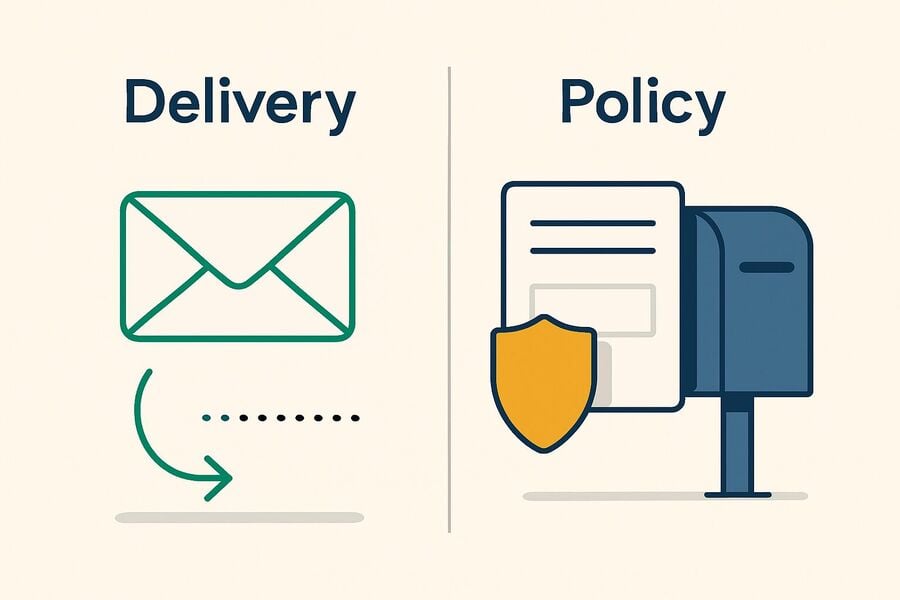
When a code does not arrive, work out which of two things happened. If one address simply is not receiving mail, a fresh randomly generated address is ordinary troubleshooting. If the service tells you it does not accept disposable or temporary email, that is a stated policy — cycling through addresses to get around it is not troubleshooting, and the right answer is a real address you control.
Domain Choice & Rotation
Gaming platforms filter inbound mail by reputation, so a domain that has been hammered by sign-ups can see codes delayed or dropped. How you create the address matters here. On Tmailor, the random button draws from a large rotating pool of domains that is deliberately unpublished, while the custom-name tab exposes only a handful. Those few custom domains are the ones anti-disposable vendors see most often, which makes them the easiest to put on a blocklist—so when a code stalls, generate a new random address rather than hand-picking a domain you have used before.
Treat that for what it is: a fix for a delivery problem on one domain. It is not a way to work around a service that has told you disposable addresses are not welcome. Acceptance varies between platforms and can change without warning, which is why it is worth knowing which categories of site tend to accept temp mail and which reject it outright. sites that block temp mail
What to Try If OTP Doesn’t Arrive
- Wait 60–90 seconds, then resend once. Many platforms throttle bursts; hammering the button can make delivery worse rather than better.
- Check the address character by character. Copy and paste the whole string—no trailing space, no missing character.
- Refresh and watch the list. Tmailor has no spam folder and no filters: every inbound message appears in the one list and stays visible for about 24 hours from arrival. If it is not there, it has not arrived.
- Restart the sign-up flow once. Some forms cache the first attempt; reopening the flow clears that state.
- Then—and only for a delivery problem—try one new random address. If a domain is not receiving, a fresh random address is a reasonable next step.
- Read what the site actually said. “We could not send your code” is a delivery problem. “Please enter a valid, non-temporary email address” is a policy—stop there and use a real address.
For more on receiving codes reliably, see this short explainer on OTP codes. Receive OTP codes
One-Time vs Reusable Addresses
- One-time: Fast and low-friction for a sign-up or event you never expect to return to.
- Reusable: Better when you may need to receive something at the same address again—but “reusable” on Tmailor means you can get the address back with an Access Token. It does not mean the messages are still there. Anything you will want later has to be copied out of the inbox while you can still see it.
Steam, Xbox, and PlayStation — What’s Different
The three platforms differ in the fine print, but they agree on the part that matters here: the email address on the account is a security and recovery factor, not just a contact field. Each of them sends codes, sign-in alerts, and password resets to it. That is the lens through which to judge each platform.
Steam Patterns
Expect sign-up confirmations, purchase receipts, and Steam Guard codes—Steam Guard sends those to the account’s email address unless you move the step into the Steam Guard Mobile Authenticator. Valve’s own trade and Market documentation shows how seriously it treats that continuity: items can be held for up to 15 days, and the hold lifts only once the Mobile Authenticator has been active on the account for at least seven days—specifically so the owner of a compromised account has time to cancel a fraudulent trade.
Tip: If the account will trade, use the Community Market, or simply hold a library you paid for, treat email access as part of account security. That is an argument for a permanent address, not a rotating one.
Xbox (Microsoft Account)
Xbox sign-in runs on a Microsoft account, and Microsoft’s documentation calls the email address and phone number on that account its security info—the details it uses to send verification codes and to confirm your identity when there is an account problem. Microsoft’s guidance is to keep that information up to date, and to keep more than one piece of it on file. Read that plainly: Microsoft expects the address to still work later. A disposable inbox is at odds with the design.
Tip: Before you attach a subscription, store credit, or a console to the account, move it to an address you will still control in two years.
PlayStation (PSN)
Sony is the most explicit of the three. Your PlayStation sign-in ID is an email address, and Sony’s support pages recommend using one that is up to date and accessible. Changing it later is possible but not casual: you have to click a verification link sent to the new address, a notice goes to the old one, and you are signed out of every device. If you cannot open the inbox you originally signed up with, that change gets considerably harder.
Tip: Use temp mail for a throwaway PSN sign-up if you like. For the account that holds your purchases, give Sony what it is asking for—an address you can still reach.
Reuse One Address Across Events
Reuse on Tmailor means one specific thing: an Access Token can bring you back to the same address. It is a recovery key, not a password and not a lock—it does not keep anyone else out; nobody can recover it for you if you lose it, and it does not keep your old mail alive. Messages stay visible for about 24 hours from arrival, token or no token.
Access Tokens & Persistent Inboxes
Store the token the way you would store a recovery code: in a password manager, or offline on paper. Then be honest with yourself about what it buys. It buys the address—useful when a store needs to send a second code to the same place next month. It does not buy the archive. If a receipt, a key, or an order number matters, copy it out of the inbox the day it lands. What an access token is
And note the failure mode, because it is the whole risk in one sentence: lose the token, lose the address; lose the address, and the password reset for the account behind it goes to an inbox nobody can open. lost password and lost token
Naming Patterns for Multiple Libraries
If you do run several gaming inboxes, name them so you never have to guess which is which:
- Platform-based: steam_[alias]@…, xbox_[alias]@…, psn_[alias]@…
- Game-based: eldenring_[alias]@…, cod_[alias]@…
- Purpose-based: events_[alias]@… vs backup_[alias]@…
One trade-off to know before you lean on this: choosing your own local part means using the custom-name tab, and that tab offers only a few domains. They are the most visible ones, so they are also the ones a strict sign-up form is most likely to already know. A random address gives up the tidy naming in exchange for drawing from the larger, unpublished pool. Pick whichever trade-off you would rather live with.
Recovery Considerations
Here is the part most temp mail guides skip. When a support team has to decide whether an account is yours, the address on file is the anchor. If that address is a disposable inbox you have lost access to, you are arguing from a much weaker position than someone who can simply receive a code.
So draw the line by value, not by habit. A beta sign-up, a key giveaway, a forum you will visit twice: temp mail is a good fit. An account with a library, a subscription, trading inventory, stored payment details, or years of progress: put it on a permanent address you control, and do it before anything goes wrong. Migrating an account you can still access is a settings change. Migrating one you are locked out of is a support case, and it may not go your way.
Safe Practices for Purchases, DLC, and Refunds
Use the temp inbox to receive the message, then move anything that matters somewhere permanent. Two Tmailor facts force this: messages are visible for about 24 hours from arrival, and inbound attachments are stripped—so a receipt or a key sent as a PDF will not be openable at all.
Keep the Essentials
The moment an order confirmation, a license key, a refund reference, or a subscription notice arrives, copy the text into your own notes or password manager. Tmailor has no folders, no labels, and no filters—there is nothing to file a message into, and in about a day it will no longer be on screen. Treat the inbox as a window, not a filing cabinet. And if a store sends the important part as an attachment, that content will not reach you here at all; use a real address for that purchase.
Minimize Noise
Keep short-lived sign-ups on one address and anything you might revisit on another. When a sender turns into a firehose, retire that address for new registrations rather than trying to tame it—there are no filters to tame it with. For genuinely one-shot sign-ups, a short-lived 10-minute inbox is fine; just never put a purchase behind one. 10-minute inbox
Chargebacks & Disputes
What actually helps in a dispute is the order number, the transaction date, the payment method, and an address the platform can still reach you at. Only the last of those lives in your email, and only for about a day. If an account has ongoing value, move it to a permanent address long before you need this workflow—a chargeback is a bad moment to discover your inbox expired.
Multi-Device & Family Setups
Shared consoles create one specific mess: several people, one inbox, and codes arriving with no obvious owner. Separate addresses fix that. But the account holding the payment method and the parental controls is not the place to experiment—that one belongs on a permanent address.
Manage OTPs for Shared Consoles
If everyone on a family console shares one inbox, OTPs pile up and nobody can tell whose code is whose—and because Tmailor shows every message in a single list with no folders, there is no way to sort them apart afterwards. Give each profile its own address instead, keep the Access Token for each one, and let each person watch their own address on their own device.
Parental Controls
Keep the family-manager account—the one with the payment method, the spending limits, and the approval requests—on a permanent, accessible email. That is the account that has to still work in three years, and the one you cannot afford to be locked out of. Temp mail is fine for a low-risk secondary profile or a console you are only trying out. If you are catching time-sensitive codes away from the console, Tmailor works on mobile or through a lightweight Telegram bot. on mobile • Telegram bot
Troubleshooting & Hardening
Most stalled codes come down to one of three things: timing, a typo, or a single domain that is not receiving. There is a fourth cause that looks identical from the outside and is not: the site does not accept disposable email at all. The first three you can fix. The fourth is not a bug to be fixed, and treating it like one is how people end up locked out of accounts they cared about.
OTP Still Missing?
- Wait 60–90s → resend. Respect the platform’s backoff; do not lean on the button.
- Copy and paste exactly. No stray space, no truncation.
- Refresh the list. There is no spam folder to check—if it is not in the list, it has not arrived.
- Restart the sign-in. Close and reopen the auth window to clear a cached attempt.
- Change transport. If the site offers app or SMS verification as an alternative, try that once.
- One new random address—if the symptom is delivery. Not if the site has said it does not accept temporary email. That is the line.
When to Switch to a Real Email
Switch as soon as any of these becomes true: the account holds purchases or a game library, a subscription renews on it, it carries trading inventory or in-game currency, it manages a family or a payment method, or you would simply be upset to lose it. Do it while you still have inbox access, not after. On PlayStation that means changing the sign-in ID and verifying the new address; on Steam and Xbox it means updating the contact email in account settings.
What If the Platform Requires Phone or App 2FA?
Then give it what it asks for. Temp mail covers the email step; it cannot stand in for the Steam Guard Mobile Authenticator, a Microsoft verification code, or PlayStation’s 2-step verification. When a platform wants a phone number or an authenticator app to protect an account you care about, that is not an obstacle to route around—it is the platform doing its job, and generating more email addresses will not answer it.
Phishing Awareness
Treat every link in a receipt or an alert as suspect until you have checked the sender domain. Hover to preview URLs, and never enter credentials from an email link—open the platform’s app or type the store address yourself. A separate gaming inbox helps here in one narrow way: mail arriving there is mail you can attribute to a gaming sign-up, which makes an out-of-place message easier to distrust. It does not screen anything for you—Tmailor has no spam filter at all, so every message that arrives is shown to you exactly as it was sent.
2FA & Password Hygiene
Pair temp mail with an authenticator app wherever the platform supports one. Use a long, unique password per account, stored in a password manager. And do not reuse a gaming password on forums or mod sites—those get breached constantly, and a reused password is exactly what turns one small leak into a stolen library.
How to Set Up (Step-by-Step)
Generate a random address, verify once, copy out anything you will need later, and know the exit condition—the point at which this account should not be on temp mail any more.
Step 1: Open your temp mail tool and generate a random address. Random draws from the large rotating pool rather than the handful of domains on the custom-name tab.
Step 2: Start the sign-up on Steam, Xbox, or PlayStation and request the OTP to that address.
Step 3: Confirm the email, then save the Access Token if you want the address back later. It returns the address, not the old messages, and nobody can recover it for you if you lose it.
Step 4: Copy the useful parts out—order numbers, keys, support reference IDs—into your notes or password manager while the message is still on screen. There are no folders to file them into, and there is only about a day before the message is gone.
Step 5: If the code is late, resend once, then try one fresh random address if the symptom is delivery. If the site has told you it does not accept disposable addresses, stop: that is a policy, and the answer is a real address, not another domain.
Step 6: Decide the exit point now rather than later. The day the account holds a purchase, a subscription, or anything you would miss, move it to a permanent email you control.
FAQs
Is using temp mail allowed for gaming accounts?
That is decided by each platform’s own rules, not by us. Temp mail is generally fine for a low-risk sign-up or a one-off verification on a service that accepts it. Where a service states that disposable or temporary addresses are not allowed, use a real address instead — cycling through addresses to get around that rule is not a workaround; it is a good way to lose the account later. Acceptance also varies between platforms and can change without warning.
Will I still get purchase receipts and DLC emails?
The messages will arrive, but read them the same day. On Tmailor a message stays visible for about 24 hours from arrival, and inbound attachments are stripped — so if a store sends the receipt or the key as a PDF, you will not be able to open it. Copy order numbers and codes into your own notes as soon as they land, and keep real purchases on a permanent address.
What should I do if the OTP doesn’t arrive?
Wait 60–90 seconds and resend once. Check the address for a typo and refresh the inbox — there is no spam folder, so if it is not in the list it has not arrived. If one domain simply is not receiving, generating a fresh random address is ordinary troubleshooting. But if the site told you it does not accept temporary or disposable email, that is a policy rather than a delivery fault: switch to a real address you control instead of trying another domain.
Can I reuse the exact address later?
Yes, if you saved the Access Token. It is a recovery key, not a password — it lets you return to the address; it does not keep anyone else out, and it cannot be recovered by anyone if you lose it. It also does not preserve your old mail: the address comes back, the messages do not.
Does temp mail help against phishing?
A little, and only by separation. Gaming mail arriving in a dedicated inbox is easier to reason about, and your primary address is not sitting in the next game-portal breach. But Tmailor has no spam filter and shows every message it receives, so nothing is screened for you. Check sender domains, and never sign in from a link inside an email.
Is a VPN necessary if I use temp mail?
No. They solve different problems: temp mail separates your email identity, while a VPN covers network privacy. Use both if you want layered protection, but a VPN is not required for temp mail to work.
How do I recover an account if I used temp mail?
Recovery runs through the address on file, so it works only if you can still open that inbox — which means still holding the Access Token. If the token is gone, the password reset goes to an inbox nobody can read, and support is unlikely to hand over a game library on the strength of a disposable address. That is the reason to move any account you care about to a permanent email before you need help, not after.
Can a family share one temp mail setup?
Give each profile its own address rather than sharing one — a shared inbox makes it impossible to tell whose code just arrived, and there are no folders to sort them with. The family-manager account, the one holding the payment method and the parental controls, belongs on a permanent, accessible email.
Conclusion — Keep Gaming, Keep Privacy
Temp mail earns its place at the front of a gaming account: it keeps promo mail, beta spam, and the fallout from a small storefront’s breach away from the inbox you actually live in. Just be clear about what it is not. It is receive-only, it strips inbound attachments, it shows a message for about a day, and the Access Token that brings an address back can be lost for good. A Steam library, an Xbox subscription, or a PlayStation purchase history is worth more than the convenience of a throwaway inbox—so use temp mail to sign up, then put the account that matters on an email you will still control years from now. And if a platform tells you disposable addresses are not welcome, believe it, and use a real one.

Marcus Lee writes Tmailor's step-by-step guides — signing up to apps and platforms with temp mail, using the mobile app and Telegram bot, custom domains, reusing addresses, and getting the most out of disposable email day to day.