Temp Mail for Instagram: Create an Account Safely (Step-by-Step)
Create an Instagram account with temp mail in 2026 — when a disposable address works, how to get the verification code, how to reuse the address via an Access Token, and when a permanent email is safer.
Quick access
Key Takeaways
Temp mail lets you create an Instagram account without exposing your personal inbox.
Temp mail for Instagram covers the email step of signup: you enter a disposable address, Instagram sends a verification code, and you confirm it in the throwaway inbox. Use a provider with many domains so the code arrives, and save the Access Token in case you need to verify or reset the account later. Because disposable messages are cleared after 24 hours, temp mail is best for throwaway or test accounts — not for a main profile.
- Fast, spam-free signup. A disposable inbox keeps promotional mail out of your personal email. New to the idea? Start with free temp mail.
- Save the Access Token so you can reopen the same address later for a code or a reset. If you lose the Access Token, Tmailor cannot recover it for you.
- Know the limits. Messages stay visible for about 24 hours from arrival; the service is receive-only, and a disposable address is not always accepted at signup.
- Recovery is the weak point. Old reset emails are deleted, so using a temp address is risky for an account you want to keep.
- Instagram may add a phone check for some accounts — temp mail only handles the email step.
Does Temp Mail Work for Instagram?
Yes — temp mail can work for Instagram’s email verification when the address is accepted at signup. Instagram sends a verification message to the address you enter, and you confirm it in the temp inbox. If the first disposable address is refused or no message arrives, try another Tmailor domain. A separate phone check, if Instagram asks for one, needs a real number.
If you search for “temp mail for Instagram,” “temp mail Instagram,” or “Instagram temp mail,” the workflow is the same: pick a disposable address that Instagram accepts, then confirm the verification code in that inbox. Searchers may also call it temp email for Instagram, temporary email for Instagram, temporary mail for Instagram, or tempmail for Instagram; the practical requirement is identical — the address must be accepted at signup, and the code must arrive while the inbox is still open.
Why Use Temp Mail for Instagram?
Use temp mail for Instagram when you want a quick throwaway signup, privacy from promotional email, or a reusable test inbox you can reopen later. It suits low-stakes accounts. It is the wrong setup for a main, business, or creator profile, because recovery depends on an inbox that clears after about 24 hours.
Three motivations drive most temp mail Instagram signups, and each is a legitimate, privacy-focused use.
- Privacy. You keep your real Gmail or Outlook address off yet another platform, so your identity is not linked across services.
- Spam control. New accounts attract promotional mail; a disposable inbox that clears itself keeps that noise out of your primary mailbox.
- Testing and experimentation. Marketers, developers, and QA testers spin up short-lived profiles for campaigns or research without creating a new Gmail each time. To run several at once, see multiple Instagram accounts.
How Instagram Uses Your Email
Your Instagram email matters well beyond signup: it is the address verification, recovery, and any future account check run through. A disposable inbox can handle the initial email step, but it is a weak long-term contact point once old messages clear and the address is harder to reopen.
- Verification at signup: Instagram uses the address you enter for the email part of account creation.
- Password recovery: a future reset depends on you still controlling the address tied to the account.
- Future account checks: if Instagram later asks you to confirm the account again, a temporary inbox is a weaker fallback than a permanent email.
How to Create an Instagram Account with Temp Mail (Step by Step)
The whole sequence rarely takes more than a few minutes.
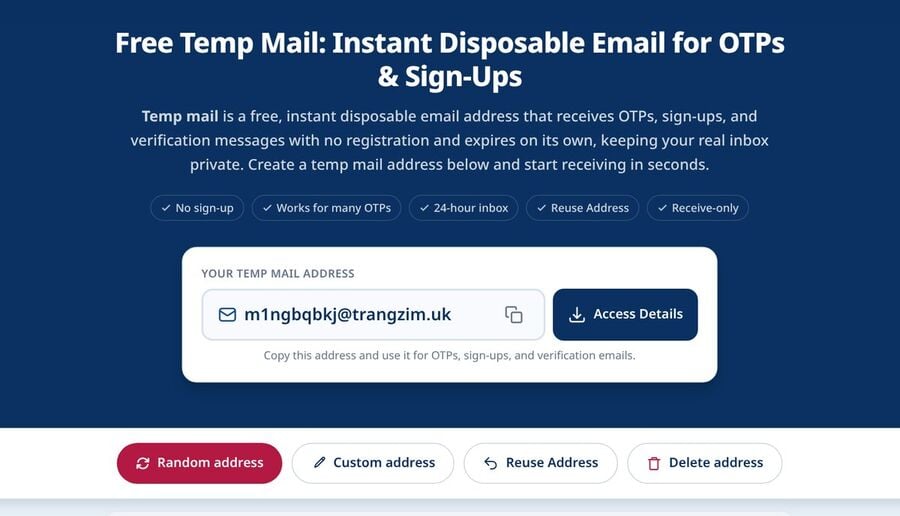
Step 1: Generate a temporary address
Open free temp mail for a random inbox and copy the address. Keep the tab open so the code appears live.
Step 2: Begin the Instagram signup
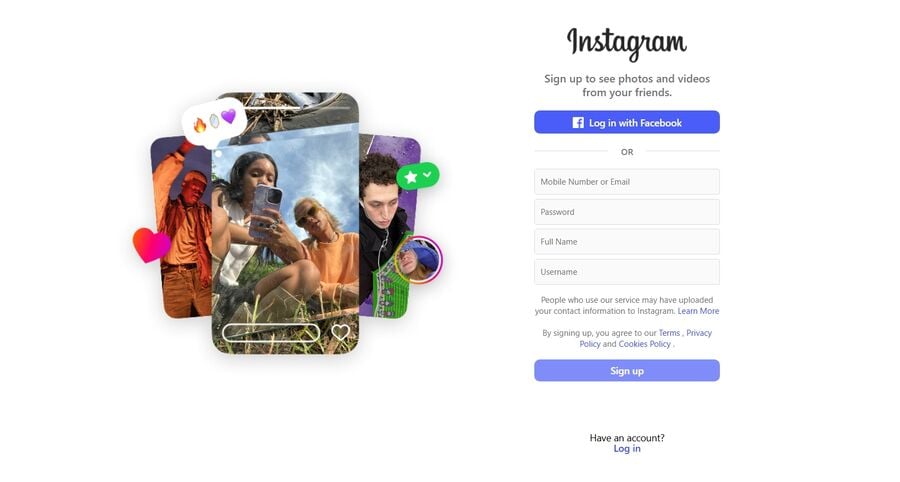
Open Instagram’s registration page at instagram.com and start the signup with your temporary email address, following the fields Instagram shows for that session.
Step 3: Provide account details
Enter your name, create a username, set a strong password, and add your date of birth as required.
Step 4: Check for Instagram’s code
Switch back to the temp inbox. The Instagram email often arrives quickly; if it does not, wait briefly and refresh before requesting a resend.
Step 5: Confirm the account
Copy the code, paste it into Instagram’s verification form, and finish the flow.
Step 6: Save your Access Token
To keep using the same address, save the Access Token so you can reopen the inbox later for a new code or reset.
Instagram’s verification message often arrives quickly, but timing and format can vary. Copy the code or follow the verification prompt as soon as it appears, because the message is cleared from the inbox after about 24 hours. If nothing shows up, request a resend and refresh before switching to another domain.
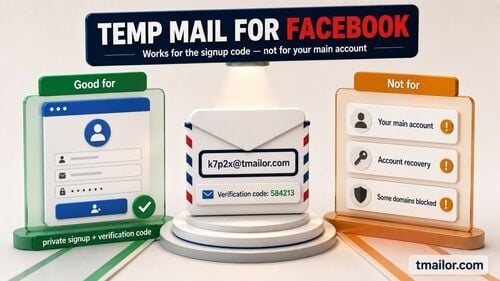
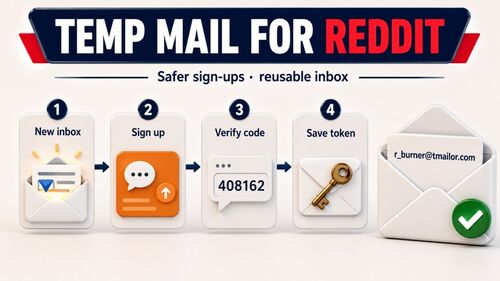
The same workflow applies to other platforms — see Facebook account with temp mail or a Discord account with temp mail.
Temp, Throwaway, or Reusable: Which Instagram Setup Fits
Match the address lifespan to how long the Instagram account matters. A one-time address suits a quick test; a reusable one suits anything you may need to return to.
The account-centric terms all describe the same lightweight setup using a disposable inbox: a temp Instagram account for a single test, campaign, or throwaway profile. A temporary Instagram account or disposable Instagram account follows the same logic — use it for low-stakes experiments, not for an identity you need to keep. A throwaway or burner Instagram account should never house your main identity, business page, or ad billing. For Instagram temp mail that you want to reopen later, save the Access Token — otherwise, the address is lost once you leave.
The Password-Recovery Catch (Why Temp Mail Suits Throwaways)
Password recovery is the real limitation. You can reopen the address using the Access Token, but the inbox only shows messages for about 24 hours, so a reset code sent two days ago is already gone. For an account you intend to keep, that is a dealbreaker; a forgotten password or a routine login check can end in a lockout.
Extra verification can still happen on some signups. Plan for three practical failure modes: the reset email arrives after the 24-hour window and is already gone; you lose the Access Token and can no longer reopen the address; or Instagram later asks you to confirm the account again and you no longer control the inbox you used at signup. Any one of them can lock you out. Use temp mail for experiments and short-term profiles, not for a presence you cannot afford to lose.
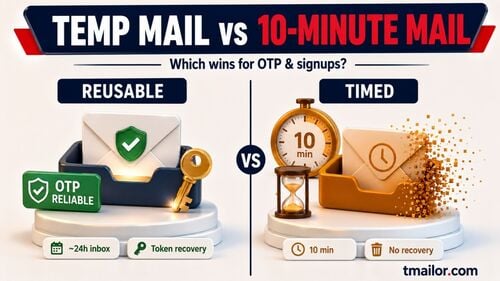
Temp Mail vs 10-Minute Mail vs Permanent Email for Instagram
Disposable email is not one thing. The right choice depends on how long the account needs to live and whether you will need to recover it.
| Setup | Best for | Reuse / recovery | When to avoid |
|---|---|---|---|
| Reusable temp mail | Test profiles, secondary logins, short campaigns | Yes, if you saved the Access Token (messages still clear after 24h) | Main identity, business/creator account, ad billing |
| 10-minute mail | A single sign-up finished in one sitting | No practical recovery after the session | Anything that may need a later reset |
| Permanent email | Your main Instagram, long-term or professional use | Best recovery path | When you only need a low-stakes test account |
Verdict: for most low-stakes Instagram signups in 2026, the best temp mail for Instagram is a reusable address with a saved Access Token and many domains. Use a 10-minute inbox only for a one-sitting throwaway profile, and a permanent email for a main, creator, business, or ad-linked account.
Safer Alternatives for a Long-Term Instagram
For an Instagram profile you intend to keep, the safer setup is a permanent inbox you control, with two-factor authentication and a recovery method you can still reach in a year. Temp mail is for the accounts you can afford to walk away from — not for the ones that hold your audience, your work, or your money.
For an account you want to keep, a stable email is the responsible choice. Gmail and Outlook remain the standard, and Gmail’s plus-addressing (name+ig@gmail.com) gives you endless variations that still land in one inbox.
If you want disposable-style flexibility with real ownership, a custom private domain lets you manage aliases on a domain you control while keeping recovery more durable than a public disposable inbox. That reduces the biggest temp mail risk: losing access when Instagram later asks you to confirm the address. For the Gmail route, see creating a temp Gmail account.
When a Domain Is Rejected (and Best Practices)
If a disposable address is refused at signup or the verification message does not arrive, the fixes are simple. In Tmailor, every inbound message lands in the same inbox view — there is no spam folder and no custom filter to check — so wait briefly, refresh, request a resend, or switch to another Tmailor domain.
- Try another domain. If one address is rejected or slow, generate a new one on a different Tmailor domain.
- Save the Access Token immediately and verify the account the same day you register.
- Copy codes and reset links the moment they arrive — they clear after 24 hours.
- Never tie a business or creator identity to a disposable address; move it to a permanent email if the account becomes important.
- Keep the use legitimate. Temp mail is for privacy, testing, and short-term profiles — not for spam, automation, or returning after an account enforcement action.
Frequently Asked Questions
Does temp mail work for Instagram?
Yes, for the email step. Instagram sends a verification code to the disposable address, and you confirm it in the temp inbox. If a domain is rejected, try another Tmailor domain. A phone check, if Instagram asks for one, needs a real number.
Does Instagram block temporary email domains?
Some temporary email addresses do not work consistently at signup. A provider with many domains helps — if the first address is refused or the message does not arrive, switch to a different Tmailor domain.
What if the Instagram verification code is not arriving?
Open the inbox before requesting the code, wait briefly, and request a resend. If it still does not arrive, try a different Tmailor domain, since acceptance and delivery can vary.
Can I reuse the same temp address for Instagram later?
Yes, if you saved the Access Token, reopen it to reuse your temp mail address. Note that messages older than 24 hours are not retained.
Why is password recovery unreliable with temp mail?
Because reset emails are cleared after about 24 hours. If you request a reset days later, the message is gone — which is why temp mail suits throwaway accounts, not a main profile.
Can I switch from temp mail to Gmail after signing up?
Yes — and you should, if the account matters. Replace the temporary address with a permanent email you control as soon as you can, so future recovery no longer depends on an inbox that clears.
Is 10-minute mail enough for an Instagram signup?
It works for the one-time verification but not for recovery, since the inbox disappears quickly. For anything you may revisit, use a reusable address. See 10 Minute Mail.
Is temp mail okay for my main Instagram account?
Not recommended. Use a disposable address for tests and short-term profiles; keep your main, business, or creator account on a permanent email with strong 2FA.
The Bottom Line
Temp mail for Instagram is a fast, spam-free way to create a test or throwaway account without touching your personal inbox. Open the disposable inbox first, use a provider with many domains so the verification message arrives, and save the Access Token in case you need to reopen the same address. But because messages clear after 24 hours and recovery is fragile, keep any account you actually care about on a permanent email — a temp address is a convenience tool, not a foundation.

Marcus Lee writes Tmailor's step-by-step guides — signing up to apps and platforms with temp mail, using the mobile app and Telegram bot, custom domains, reusing addresses, and getting the most out of disposable email day to day.