Temp Mail for X (Twitter): Spam-Free Sign-Ups, Reliable OTPs & Private Reuse
A practical 2026 guide to signing up for X with a reusable temporary email — which addresses work, how to get OTP codes to arrive reliably, and when to move to a permanent inbox.
Quick access
Key Takeaways
Temp mail for X (Twitter) lets you create an account without exposing your personal inbox.
Temp mail for X (Twitter) covers the email step of signup. X lets you sign up with an email address or a phone number, and it also offers separate Google and Apple options. If you choose email, X sends a confirmation message to that inbox. A temporary address works only when X accepts it and the message arrives while the inbox is open. Save the Tmailor Access Token if you may need that address again.
- Keep signup mail separate. A disposable inbox lets you create an X account without handing over your primary email. New to the idea? Read how temp mail works.
- Save the Access Token and know what it does. The token reopens the address, not old messages: messages clear about 24 hours after arrival, and a lost Access Token cannot be recovered unless the address is saved to your free Tmailor account, where you can open it from Created Emails. Anyone who has the token can open that inbox, so keep it private.
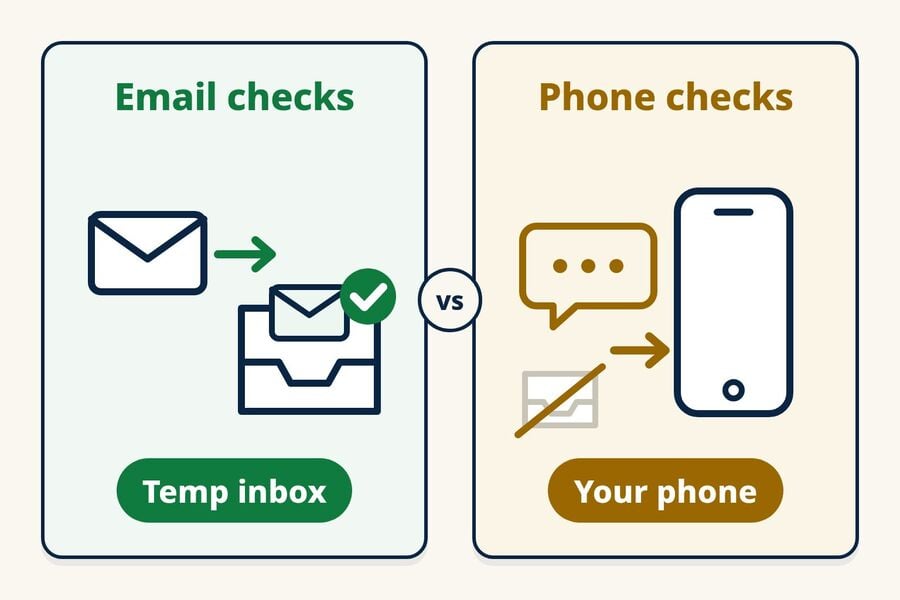
- Phone checks are separate. X may later ask for a phone number, for example to unlock an account or to qualify for a Premium checkmark. Tmailor is receive-only email, so it cannot receive SMS or voice calls.
- Match the inbox to the account. A short-lived inbox can cover a one-off, low-stakes confirmation; an account you plan to keep needs a reusable address with the token stored safely.
- Acceptance is not guaranteed. X decides which addresses it accepts and when it sends mail, so no temp mail provider can promise that every X message will arrive.
Does Temp Mail Work for X (Twitter)?
Yes, temp mail often works for X (Twitter) when you choose the email option at signup and X accepts the disposable address. X's Help Center says you can sign up with an email address or a phone number, and that an email address is confirmed through a message X sends to it. If X rejects the address, you can try one other Tmailor domain; if X keeps rejecting temporary addresses or asks for a phone number, use a method X accepts.
Three details from X's Help Center matter here. Your email address is not shown on your public profile, although people who already have the address may find your account if email discoverability is turned on. An email address can be linked to only one X account at a time. And the Help Center does not publish a list of accepted or blocked email providers, so results can change; our guide to which sites accept or block temp mail explains why.
Whether you search for temp email for X, temp mail for Twitter, or a temp X account for a low-stakes project, the workflow is identical. X is the current name for Twitter, and no provider can promise a temp mail that works with X every time, because X decides which addresses to accept and whether to ask for more verification.
When X Asks for a Phone Number Instead
Depending on why an account was locked, X may require verification by email, phone, or reCAPTCHA. The phone path sends a code by text message or voice call and links that number to the account. X Premium's blue checkmark also requires a confirmed phone number. Tmailor can receive email only, so if X asks for a phone check, use a number you control or stop there.
Getting X OTP Codes to Arrive Reliably
X's Help Center says a verification code may take a few minutes to reach your email inbox. Whether it arrives at all depends on X accepting the address and sending the message, and then on the inbox provider receiving it. Open the disposable inbox before you request anything, check the address carefully, and keep a second way to watch the inbox in case you step away.
- Be ready before the code is sent. A verification code is only useful while it is still valid, so watch the inbox while X sends it. Tmailor uses Google-MX infrastructure for inbound mail; the background is in why inbound mail uses Google MX. That helps with receiving mail, but X still controls whether it sends the message.
- Continuity matters later. If X asks you to confirm the address again, the Access Token reopens the same inbox so the exact address keeps working.
- Match lifespan to the job. A quick sign-up can use a short-lived address; an account you plan to keep needs a reusable inbox with the Access Token stored safely.
- Handle late codes calmly. Request one resend, wait a few minutes, and use the most recent message X sends. More on receiving OTP with temp mail.
X/Twitter OTP Code Not Received? Quick Checks
If the X/Twitter verification code does not show up, run these checks in order before you try anything else:
- Check the address. Compare the address in X's form with the one in your temp inbox; a missing character sends the code nowhere.
- Wait a few minutes. Keep the inbox open; new messages appear on their own.
- Resend once. Request one new code and use the most recent message, rather than tapping resend repeatedly.
- Switch method if needed. If nothing arrives after that, try one other Tmailor domain, or use the email or phone method X accepts.
For a deeper platform-by-platform diagnosis, see the full OTP troubleshooting checklist.
Best Practices for Temp Mail on X
Keep the sign-up address separate from everything else you use. Your X email is where future security and password messages go, so a separate address keeps that mail out of your primary inbox and avoids reusing your main email across services. It does not make the account anonymous: X can still associate it with a phone number, account activity, or a later email change. A few habits keep the setup clean and low-risk.
- Keep the identity front door private. A sign-up address you use nowhere else means your X email does not match the one on your other accounts.
- Use a distinct address for each account you actually run. X allows up to 10 accounts only for different, non-duplicative purposes, and it prohibits attempts to work around its account-creation limits. Temp mail should not be used for duplicate accounts or to return after a suspension.
- Don't hoard inboxes. Disposable mailboxes are short-lived by design, so copy codes promptly and retire an address once it attracts noise.
- Use mobile as a backup path. With Tmailor's Android and iOS apps, you can still see a code that lands while you are away from your laptop.
Know the limits before you rely on it: Tmailor is receive-only, so it cannot send mail, and inbound attachments are stripped, so you cannot receive files; messages stay visible for about 24 hours from arrival. That makes it good for incoming verification mail, not for a permanent mailbox.
Reusable Temp Mail: The Practical Default for X
For any X account you intend to keep, a reusable temporary email sits between a one-time burner and a full personal email. The Access Token lets you reopen the same disposable address later, so X's email checks can still reach you without tying the account to your main inbox. It separates the signup inbox, not your identity: X keeps the account details you provide.
- Separation, not aliasing. Plus-addressing (name+twitter@…) still ties everything to one personal mailbox; a disposable inbox creates a distinct address with clean separation.
- Treat the Access Token as a recovery key. Keep it in your password manager so a future reset or account check is one step away. It is not a password; anyone who has it can open the inbox, and a lost Access Token for a guest address cannot be recovered.
- Know how X password resets work. X's Help Center says resetting a password requires access to the email address or phone number on the account. A reset email includes a code that stays valid for 60 minutes, and without the email or phone, X says recovery options are limited.
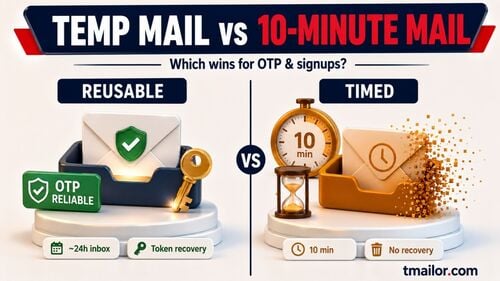
- Pick the tool by how long you need it. A 10-minute inbox can handle a quick test, but it may leave you unable to receive later login, lock, or password-reset messages. For a long-term handle, use a reusable address and save the Access Token.
- Plan for login checks. For a later X login or re-verification, the reusable address only helps if you saved the Access Token before leaving the inbox.
- Move important accounts while you still have access. When you change the email on an X account, X asks you to confirm the new address and sends a notice to the previous one, so switch to a permanent email while your Access Token still works.
How to Create an X Account with Temp Mail (Step by Step)
To create an X account with temp mail, generate a disposable address, choose the email option in X's signup flow, confirm the address from the temp inbox, and save the Access Token if the account matters beyond a one-off test. How long it takes depends on X, which controls address acceptance, message delivery, and any extra verification; saving the token is the part that pays off later.
Step 1: Generate a fresh disposable inbox
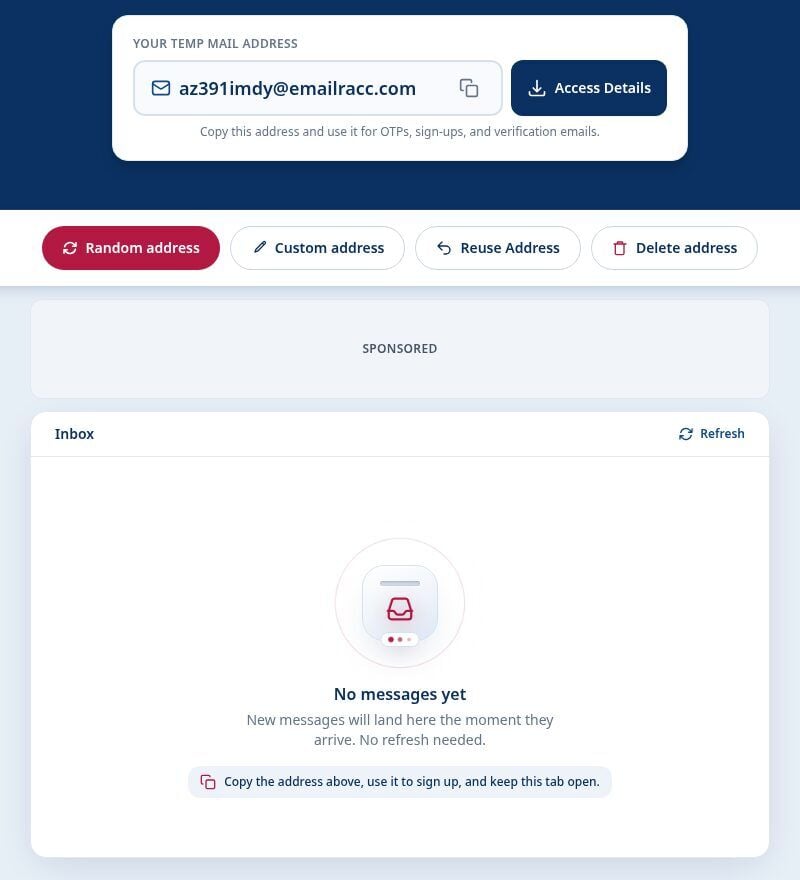
When you're ready, create a free temp mail address and copy it. Keep the inbox page open so the X message appears as soon as it arrives.
Step 2: Begin the X sign-up
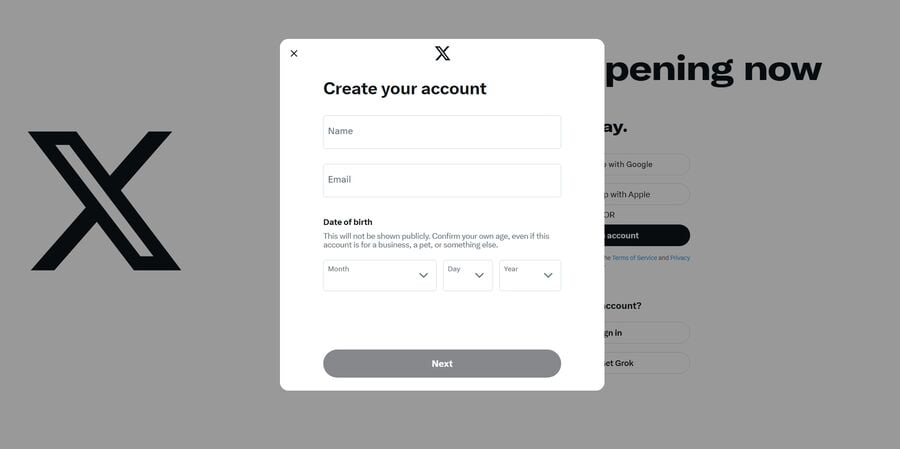
In X's official "Create your account" flow at x.com or in the X app, choose the email option, enter your name and disposable address, and continue with the fields X shows. The form may also ask for your date of birth.
Step 3: Request the verification code
X sends a confirmation message to the address. Request it once, wait briefly, then check your temp inbox instead of mashing the resend button.
Step 4: Retrieve and apply the OTP
Copy the code as soon as it arrives and enter it in X. You can watch the inbox on the web or in the mobile app; using both makes the message easier to notice, but it does not change when X delivers it.
Step 5: Save the Access Token (critical for reuse)
If you plan to keep the X handle, save the Access Token for that disposable address now, in a password manager or secure notes, so you can reopen the exact inbox later for resets or checks. The Access Token is a recovery key, not a password, and a lost one cannot be recovered for a guest address. If you create a free Tmailor account, addresses you create while signed in are saved to it, so you can reopen them without the token. Learn how to reuse your temp mail address.
Step 6: Decide on lifespan
- Just a one-off test? A short-lived address via 10 Minute Mail can cover the first confirmation, but it will not receive later X messages.
- Ongoing account? Keep the reusable disposable address and change it only when you move the account to a permanent email.
Step 7: Hygiene tips
Use one disposable address per account, avoid excessive resends, and if a code doesn't arrive after a short wait and one resend, try one other Tmailor domain or use the method X accepts.
Temp Mail vs 10-Minute Mail vs Personal Email for X
The right email strategy depends on how long the X account matters to you. Reusable temp mail suits handles you keep, as long as the Access Token is saved; a 10-minute inbox suits one-off tests; and a personal address remains best for core identity, business, and billing.
| Feature / Scenario | Reusable Temp Mail (Access Token) | Short-Lived Temp (10-minute style) | Personal Email or Aliases (plus/dot) |
|---|---|---|---|
| Privacy & separation | High: kept apart from your main mailbox | High for one-offs; auto-expires | Moderate: still tied to your personal account |
| X email checks | Works when X accepts the address | May work for the first confirmation | Usually accepted; depends on your provider |
| Continuity weeks/months later | Yes, if the Access Token is saved | No: the mailbox expires | Yes: it's your mailbox |
| Inbox clutter | Low: a separate space you can retire | Very low: disappears on its own | Higher: signup and marketing mail lands in your main inbox |
| Best for | Low-stakes handles you keep, occasional resets | One-off signups, quick tests | Core identity, business, and billing |
| Setup time | Seconds | Seconds | None (already set up) |
| Correlation risk across services | Low: use different disposable addresses | Low: a one-off address | Higher: everything maps to you |
Rule of thumb: if you'll use the X account for more than a week, pick reusable temp mail and store the Access Token. A short-lived address is simpler if you're only testing a feature today.
For most low-stakes X/Twitter signups in 2026, the best temporary email setup is a reusable address from a provider with many domains, plus a saved Access Token. Use a 10-minute inbox only for short-lived tests, and a permanent email for a core identity or business account.
Why Some Providers Deliver X Codes Faster
Two providers can both offer disposable inboxes yet see X messages arrive at different speeds or not at all. The usual differences are whether X accepts the domain, how the provider handles inbound mail, and how many requests you send.
- Inbound handling affects how quickly an accepted message reaches the inbox; Tmailor receives mail on Google-MX infrastructure.
- Domain acceptance is decided by X: if one domain is rejected, one other Tmailor domain is a reasonable try, and after that, use the method X accepts.
- Fewer resends help: one extra request is fine; then use the most recent message.
When Not to Use Temp Mail for X
Don't use a disposable inbox for banking, government, healthcare, or any account where long-term control of the mailbox is essential. If your X profile becomes a core asset (business, ads, Premium, brand reputation), move it to a durable address you fully control while keeping disposable addresses for short-term experiments. And don't use temp mail to open a new account after X suspends one: X prohibits ban evasion and may suspend other accounts it links to the same person. Skim the temp mail FAQ for retention behavior and general patterns.
Frequently Asked Questions
Can I use temp mail for X (Twitter)?
Often, yes. X lets you sign up with an email address or a phone number, so temp mail works when you choose the email option and X accepts the disposable address. Keep the inbox open for X's confirmation message, and save the Access Token if you may need to reopen the same address later. If the address is rejected or X asks for another method, follow that requirement.
Will I miss X verification codes using a disposable inbox?
You can miss one if X rejects the address, does not send the message, or delivery fails, so no disposable inbox can promise every code. Keep the inbox open, check the copied address, and allow a few minutes, since X says a code can take that long. Request one resend if needed; if nothing arrives, try one other Tmailor domain or use the verification method X requires.
What if the X/Twitter verification email is not arriving?
Check that the address in X matches your temp inbox, wait a few minutes, and request one resend if needed. If it still does not arrive, try one other Tmailor domain, since acceptance can vary. If X asks for a permanent email or a phone number, use the method X requires.
Can I reuse the same disposable address for future X verifications?
Yes. Save the Access Token, and you can reopen the exact inbox later to receive new messages; older messages still clear about 24 hours after arrival. Step-by-step: reuse your temp mail address.
Should I use a short-life or reusable address for X?
If you keep the account, pick a reusable address. 10 Minute Mail can cover a one-time, low-stakes confirmation, but it cannot receive later login or password-reset messages.
Do disposable inboxes hurt deliverability?
They can. Some services filter disposable domains, so a message may be delayed or never sent. When X does send to an accepted address, how the provider handles inbound mail matters too; Tmailor receives mail on Google-MX infrastructure, but no provider can guarantee every code.
Is there a broader social-network guide?
Yes. An overview covering X (Twitter), Facebook, TikTok, and Instagram lives in the temp mail for social signups guide.
Can I create an X account without a phone number?
Often, yes. X offers an email option at signup, so a phone number is not always needed at the first step. X may still ask for a phone number during signup, for a later security check, or for features such as the Premium checkmark, and temp mail cannot receive SMS or voice calls.
The Bottom Line
Temp mail for X (Twitter) is a clean way to sign up without inviting marketing mail into your personal inbox. Open the disposable inbox first, expect that X decides which addresses it accepts, and save the Access Token whenever you may need the same address again. For a one-off test, a 10-minute inbox can work; for a handle you plan to keep, choose a reusable address, store the Access Token somewhere safe, and move the account to a permanent email if it becomes important.

Priya Nair focuses on email deliverability and one-time-password (OTP) flows. She tests how verification codes from Google, Apple, social and crypto platforms land in disposable inboxes, and documents what improves OTP reliability on temp mail.