Temporary Email for Freelance Marketplaces: Upwork, Fiverr & Freelancer.com
Freelance platforms send a lot of emails: project invitations, client messages, payment notifications, review requests, promotional campaigns, and OTP codes every time you log in from a new device. Most freelancers use their primary inbox and accept the noise, but that means mixing client-critical messages with platform spam. This guide covers how to use temporary email on Upwork, Fiverr, and Freelancer.com — which platforms accept disposable domains, how to keep OTP codes reliable for login, what happens to your account if the email disappears, and the exact point where a permanent address becomes the safer choice for protecting your earnings and client history.
Quick access
TL;DR / Key Takeaways
Temp mail is safe on Upwork, Fiverr, and Freelancer.com at the low-risk edge — job alerts, cold outreach, and an email-only OTP, where the marketplace accepts a disposable address. It is the wrong home for the account that holds your money: Tmailor is receive-only, strips every inbound attachment, and clears messages after about 24 hours, so it can never hold a contract, an invoice, or a recovery link you need next month.
- Use a freelance temp email to ring-fence job alerts, cold outreach, and promo noise away from your personal inbox — that is where it earns its keep.
- Do not make a temp inbox the home for the account that holds your money. Your Upwork, Fiverr, or Freelancer.com login is tied to payouts and identity checks; it needs a real, recoverable address.
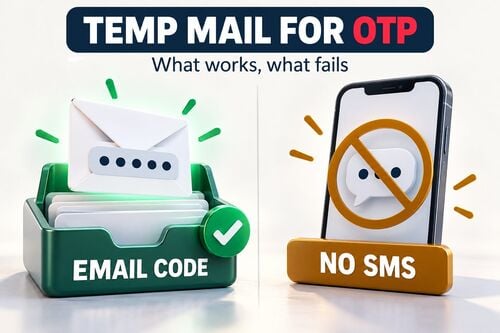
- For OTPs, resend once after 60–90 seconds. If a platform rejects disposable email as a matter of policy, use a real address rather than hunting for a domain that slips through.
- The Access Token reopens the same address, not old mail. Messages clear after about 24 hours and inbound attachments are stripped, so a temp inbox cannot hold contracts, invoices, or signed scopes.
- Switch to a real or branded address the moment a client relationship becomes real — and keep the formal record inside the platform, which is the better archive anyway.
Why Freelancers Need a Privacy Layer
Prospecting and platform alerts generate heavy email volume—isolating that stream protects identity and focus.
A temp address helps most at the top of the funnel: job alerts, gated downloads, one-off forms, and early outreach. It keeps noisy acquisition traffic out of your main inbox and gives you an address you can abandon the moment a source turns spammy. That is the whole job — and it is a different job from running the account that pays you.
Spam From Proposals, Lead Magnets, and Promotions
Pitching generates noise fast: job alerts, newsletter swaps, free "lead magnets," and cold outreach replies. A disposable layer keeps that traffic from contaminating your primary inbox, so the client emails that matter are easier to spot.
Data Brokers and Resold Lists
Using a throwaway address minimizes the blast radius if a list leaks or gets resold. When unwanted mail ramps up on one address, you can simply abandon it instead of auditing dozens of unsubscribes on your real inbox.
Compartmentalize Prospecting and Delivery
Run early prospecting and trial interactions through a separate inbox. Once a client signs, move to a professional address tied to your brand. If you are new to the tool, start with the temp mail guide.
How to set up a Temporary Email for freelance Work
Match the mailbox to the risk. Discovery is one thing; the account that holds your earnings is another.
Setup is less about tools than about drawing one clear line: a temp inbox handles the low-risk edge — alerts, first-contact forms, an email-only verification — and a real inbox handles anything that touches money, files, or account recovery. Get that line right and the rest is labeling.
One-Off vs Reusable Inboxes
- One-off inbox: best for quick trials, passive job alerts, or a single verification you will not need again.
- Reusable inbox: best when you expect a short follow-up to the same address and want to reopen it. It does not create a permanent archive — messages still clear after about 24 hours.
Access Tokens and What They Actually Preserve
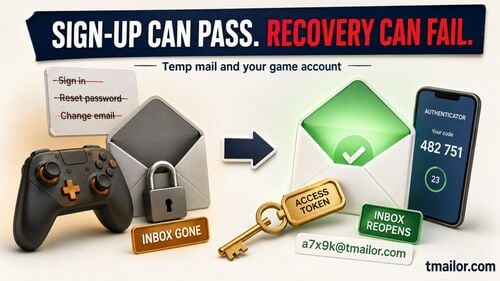
Save the Access Token for any address you plan to revisit. Be clear on what it does: it is a recovery key that reopens the same address — not a password, not a lock, and not an archive. It does not extend the roughly 24-hour message window, and a lost token cannot be recovered by anyone. You can reuse a temp mail address this way for short-term continuity, but not to keep a paper trail.
Inbox Hygiene and Labeling
Label by platform and stage: Upwork — Discovery, Fiverr — Briefs, Freelancer — Alerts. Store the address and its Access Token in your password manager. Anything file-based or long-term — invoices, signed scopes, payout notices — belongs in a real inbox or the platform's own workspace, not here.
Platform-Specific Playbooks
Read this section as one rule with three examples: the account that holds your money does not live in a disposable inbox.
Here is the honest picture. Upwork, Fiverr, and Freelancer.com are not newsletters — money moves through them, and on marketplaces that pay out, identity checks are a common part of the flow. Assume the address on that account is load-bearing: on services like these, the account email is typically the fallback when you reset a password or get locked out, so treat it as an address you must still control next year. That is the one promise a temp inbox cannot make. If you lose the Access Token it cannot be recovered by anyone, and if a message lands after the roughly 24-hour window it is gone. Losing inbox access to the account that pays you is not a risk worth taking to dodge a little spam. Use temp mail at the discovery edge; put the account itself on a real, recoverable address. Acceptance of disposable email also varies between platforms and can change without warning, so if a marketplace refuses your address, that is your cue to use a real one — not to go looking for a domain that slips through.
Upwork — Verification and Job Invites
In practice, the Upwork flow runs from proposals through interviews and offers into payment administration, with identity verification a common step somewhere along the way. Use temp mail only at the very start — an email-only check or a job alert — and only if Upwork accepts it. The account that ends up carrying your contract and payout notices needs a durable inbox you will still control next year.
Fiverr — Inbound Requests and Delivery Threads
Day to day, Fiverr mixes on-platform messaging with orders, revisions, and file delivery. A temp address can isolate an early inquiry if Fiverr accepts it, but once orders and payments start, keep the critical thread in the Fiverr inbox and move files and long-term client contact to a stable real address. Buyers read email stability as accountability, too.
Freelancer.com — Bids, Awards, and Milestones
A Freelancer.com project typically moves through bids, an award, and milestone funding and release — all money-adjacent. Use temp mail only for low-risk setup or alerts, if permitted. For anything touching milestones, payouts, disputes, or recovery, use a durable email and keep the formal record on-platform, where it actually persists.
Build a Clean, Professional Workflow
Use temp mail for low-risk intake, check it on a regular schedule, and hand off serious work before its limits start to matter.
Prospecting vs Clients: When to Switch
Use a disposable inbox during pitching, experiments, and early discovery. Once a client relationship becomes real — or files need to move — transition to a professional address, so approvals, support, and account recovery no longer depend on a temporary inbox.
Avoid Missed Messages
Set a predictable check cadence (morning, lunch, late afternoon) and enable browser or mobile notifications. One thing temp mail cannot do is forward: there is no forwarding rule and no shared-mailbox feature. If you need mail to route to a teammate or a backup inbox, that is a job for a real email account, not a temp one.
Receipts, Contracts, and Compliance
Treat temp mail as short-term intake only. Copy any code, link, or text you need right away, and send signed scopes, invoices, tax and payout notices, attachments, and dispute records to a real inbox or the platform workspace. A temp inbox is not an audit folder — it cannot hold attachments and it does not keep messages past about a day, which is the opposite of what a record needs to do.
OTP Reliability and Deliverability
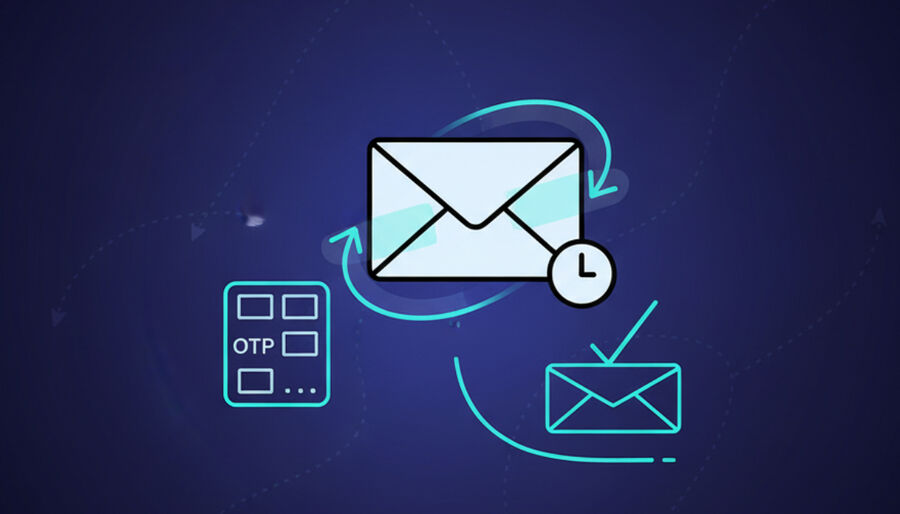
Small habits dramatically increase the chance your codes arrive the first time.
OTP success depends on the sender and on the platform's policy, and those need different responses. Troubleshooting a delayed message is fine. Cycling through disposable addresses after a platform has clearly refused temp mail is not — if the platform requires a real address, use one.
Domain Choice and Rotation
A sender may delay or ignore one domain while accepting another. If a code stalls, generate a fresh random address and try once more, rather than assuming any small set of domains stays accepted — acceptance varies by sender and changes without notice. For a deeper walk-through, read what works for OTP delivery.
If OTP Doesn't Arrive
Wait 60–90 seconds, tap resend, confirm the exact address, and if one domain seems stuck, generate a new random address. There is nowhere else to look: a Tmailor inbox has no spam or promotions folder, so every message that arrives is already in the one list. If nothing lands after a second address, the platform is refusing disposable email — stop there and use your real inbox.
Naming Conventions for Multiple Inboxes
Use simple, memorable labels—upwork-discovery, fiverr-briefs, freelancer-alerts—and save the matching Access Token beside each label to reopen the same address.
Trust and Professionalism With Clients
Privacy shouldn't undercut credibility—polish the touchpoints that matter.
Email Signatures That Reassure
Include your name, role, a portfolio link, time zone, and a clear response window. No heavy branding required—just tidy, consistent elements that show you're organized.
Hand-Off to Branded Email After Signature
When a client signs a scope, move all delivery and support threads to your professional address. This improves continuity if the project grows or needs long-term maintenance.
Clear Boundaries in Proposals
State preferred channels (platform chat for quick pings, email for approvals, a project hub for assets). Boundaries reduce miscommunication and help you ship faster.
Privacy, Terms, and Ethical Use
Temp mail is a privacy layer, not a loophole. Use it to cut spam, and default to a real inbox whenever the rules, the money, or the recovery path say so.
Disclosure: Tmailor operates this blog and the temp mail service referenced throughout this article, so the limitations below matter as much as the benefits.
Limitations: Tmailor is receive-only (it cannot send or reply, and inbound attachments are stripped, so you cannot receive files), messages stay visible for about 24 hours from arrival, there is no spam folder or custom filtering, and a lost Access Token cannot be recovered.
- Use a disposable inbox for sign-ups, discovery, and low-risk trials — never to get around a platform's rules, identity checks, or payment policies.
- If a marketplace requires a real address or phone verification, comply with it. Cycling temp addresses against a stated policy risks the account, and on a freelance platform that account is your income.
- Keep the records that matter — contracts, invoices, approvals, dispute logs — in a real inbox or on-platform, not here. A temp inbox cannot store them, so this is not a place to "retain" anything.
Cost and Time Savings for Freelancers
Less spam, fewer distractions, and less time lost to inbox chores add up quickly.
- Inbox overhead drops: fewer unsubscribes and less manual filtering.
- Onboarding speeds up. Reuse the same pattern on any new marketplace.
- ROI improves. Time saved on inbox chores goes straight into billable work.
How To — Set Up Your Freelance Temp Email (Step-by-Step)
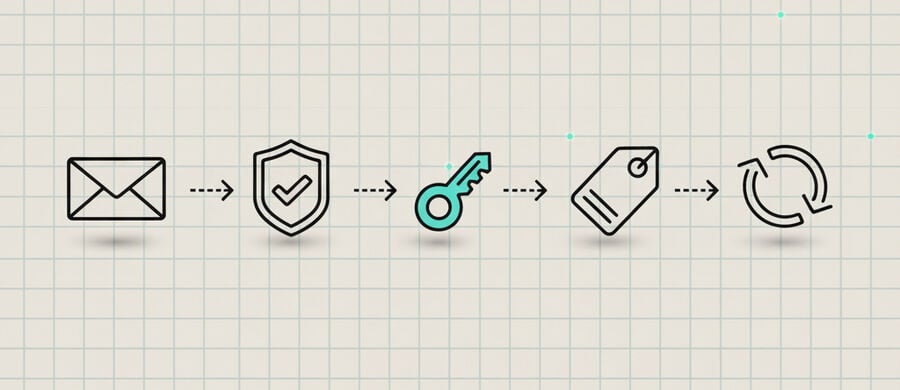
A repeatable, platform-agnostic setup you can apply today.
- Create a temp address with free temp mail on web, Android, iOS, or through the Telegram bot.
- Verify the account by sending the platform's OTP to that address — but only for low-risk discovery, and only if the marketplace accepts disposable addresses.
- Save the Access Token straight away if you expect to reopen the same address, so you can reuse a temp mail address later. Lose it and it is gone for good.
- Label the address and token in your password manager by platform and stage.
- Copy anything you need right away. Messages clear after about 24 hours and attachments are stripped, so do not count on a code or file being there tomorrow.
- Set a check cadence — two or three times a day, plus notifications — so codes and alerts do not sit unread.
- Troubleshoot once, then switch tools. If an OTP stalls, resend and try a fresh address; a 10-minute inbox suits one-off trials. If the platform refuses disposable email, use a real address rather than hunting for a domain that gets through.
- Move to a real or branded inbox the moment contracts, files, payouts, or long-term support enter the picture. That account holds your money; give it an address you can recover.
Comparison: Which Inbox Model Fits Each Phase?
The distinction that matters is continuity versus record-keeping. A saved temp address gives you a short window to catch a follow-up message; it does not archive anything. Contracts, invoices, attachments, and account recovery belong in a durable real inbox — the disposable models are simply not built for them, and no amount of saving the token changes that.
| Use Case / Feature | One-Off Temp Inbox | Saved Temp Address | Real or Branded Inbox |
|---|---|---|---|
| Quick trials & alerts | Best | Good | Good |
| Email-only OTPs & re-verification | Good | Best | Good |
| Contracts, invoices & files | Weak | Weak (no attachments, ~24h) | Best |
| Message continuity past 24 hours | Weak | Better, but messages still expire | Best |
| Spam isolation | Strong | Strong | Moderate |
| Trust with clients | Lowest | Medium, admin-only | Highest |
| Setup & maintenance | Fastest | Fast | Moderate |
FAQ
Is a temporary email allowed on freelance platforms?
Acceptance varies between platforms and can change without notice, so there is no blanket yes or no. A temp address may work for a low-risk sign-up or an email-only check. If Upwork, Fiverr, or Freelancer.com rejects it or requires a standard email, that is a policy decision — use a real address rather than trying to get around it.
Will I miss client messages if I use temp mail?
Not if you use it only for short-term intake, keep a check cadence, and turn on notifications. But do not run the client relationship from a temp inbox: messages clear after about 24 hours, so move real client threads to a durable address or keep them inside the platform, where they persist.
How do I gracefully switch from temp to branded email?
Once the relationship is real, update your account email and signature, and direct all future files, approvals, and support to the branded address. Do not keep the temp inbox for receipts — it cannot hold attachments and clears daily. Let the platform or a real inbox be the record.
What should I do if the OTP doesn't arrive?
Resend after 60–90 seconds and confirm the exact address. If one domain seems stuck, generate a new random address and try again. There is no spam or promotions folder to check — every message that arrives is already in the list. If a second address also fails, the platform is refusing disposable email; use your real inbox.
Can I keep contracts and invoices in a temp inbox?
No. Tmailor messages stay visible for only about 24 hours and inbound attachments are stripped, so a PDF contract or invoice can never be opened from a temp address in the first place. Keep contracts, invoices, and dispute records in a real inbox or the platform's own workspace.
How many temp inboxes should I maintain?
Start with one for discovery, and add a second saved address only if you expect a short follow-up. Contracts and payments do not belong on a temp inbox at all — those live on your real, recoverable address. Do not multiply temp inboxes when a real inbox or the platform's own messaging would be clearer.
Does temp mail hurt my professional image?
It can if you leave it in front of a client too long. Keep it behind the scenes for discovery or verification, then hand off to a branded or real address once the project is active. Clients read a stable, professional address as a sign that you are accountable.
How do I stay compliant with platform terms?
Use temp mail for privacy and spam control, not to get around platform rules. If a platform requires a real address, phone verification, identity checks, or on-platform communication, follow that requirement — the account holds your earnings, and it is not worth the risk just to save a little inbox clutter.
Conclusion
A freelance temp email workflow works best as a short-term privacy layer: it keeps job alerts, cold outreach, and promo noise out of your personal inbox during discovery. That is a real win, and it is the whole win. The account that holds your earnings and your identity verification is a different matter — it needs a real, recoverable address, because a lost Access Token cannot be recovered and messages clear in about a day. Use temp mail for the scouting; save the Access Token only when you need the same address again soon; and move contracts, invoices, files, and long-term client support to a durable inbox the moment the work becomes real.

Marcus Lee writes Tmailor's step-by-step guides — signing up to apps and platforms with temp mail, using the mobile app and Telegram bot, custom domains, reusing addresses, and getting the most out of disposable email day to day.