Create a TikTok Account with Temp Mail: Private, Quick, and Reusable
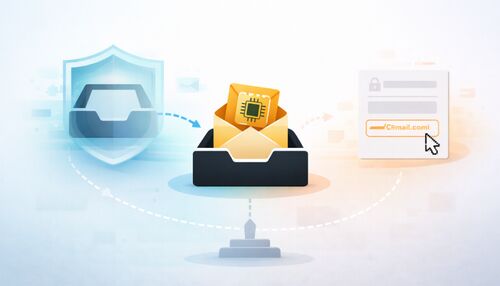
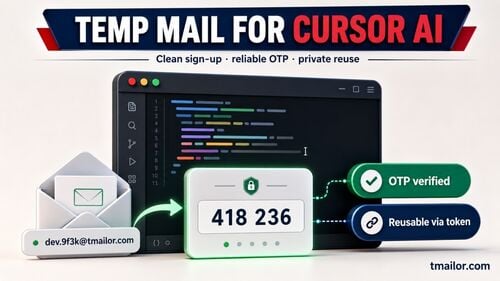
Use temp mail for TikTok when you want a private, low-stakes account without exposing your primary inbox. TikTok can send verification and reset codes to email, while a reusable Tmailor address keeps that inbox available later via Access Token. For creator, Shop, business, or long-term accounts, use a permanent email you control.
Quick access
TL;DR
- It can work for the email step. TikTok supports email-based account access and email verification codes, but acceptance of disposable domains can vary by domain, session, and account security flow.
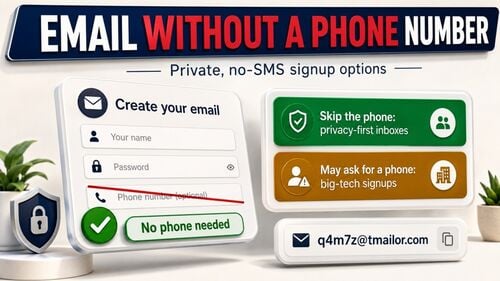
- Phone can still come later. TikTok may ask for phone verification or another account security check in certain flows; a temporary email cannot complete an SMS check.
- Pick a strong provider. A large Google-MX domain pool (500+ domains) improves OTP acceptance and speed, and lets you switch domains if one is filtered.
- Reusable beats throwaway. Save your Access Token so you can reopen the exact inbox later for a login code or password reset.
- Know the limits. Use a permanent email for creator, Shop, or business accounts you monetize or intend to keep.
Does TikTok accept temp mail?
TikTok lets you create an account with email and sends verification codes to email addresses. TikTok does not publish a disposable-domain policy, so temp mail success is case-by-case rather than guaranteed. If an address is refused or no code arrives, generate a new Tmailor address, and save the Access Token so you can reopen the inbox later.
People search this workflow as temp mail for TikTok, TikTok temp mail, temp TikTok account, TikTok temporary account, temporary TikTok account free, temporary email for TikTok, or temp email for TikTok—the practical question is the same: the email domain must be accepted, and the code must arrive while the inbox is open. For a low-stakes trial, the best temporary email for TikTok signup 2026 is a reusable address with an Access Token, not a one-off inbox you can never reopen. If one address is refused, generate a new one on a different domain and retry. What actually trips people up is not the email but later verification and account recovery, which the rest of this guide covers. For how one-time inboxes work, see temp mail fundamentals.
How to create a TikTok account with temp mail
The whole flow takes a couple of minutes. The one step most guides skip is saving your Access Token—do not skip it.
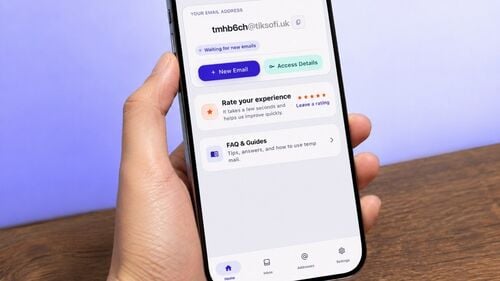
Step 1 — Generate a receive-only inbox. Open a temp mail service and create a new address, then keep the inbox tab open; TikTok’s verification email lands here. Favor a provider with hundreds of domains on Google’s mail infrastructure to maximize OTP delivery and acceptance.
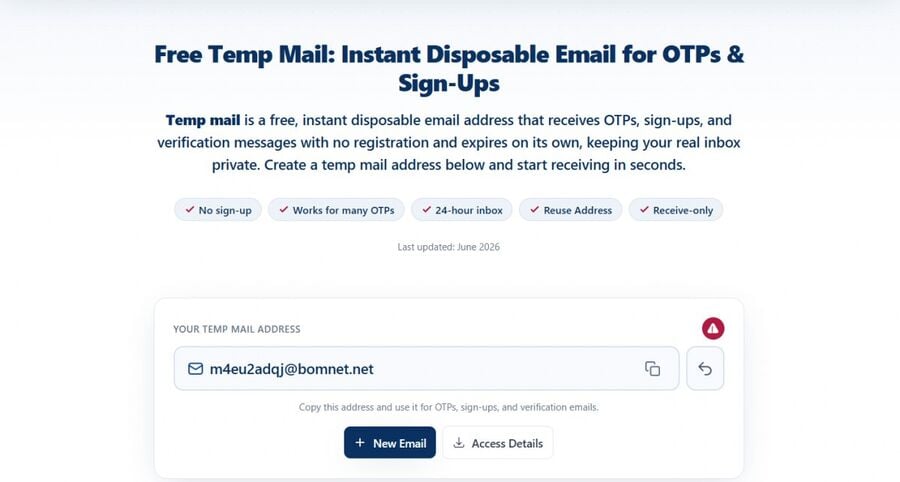
Step 2 — Start the TikTok signup. Open TikTok’s signup flow in a separate tab or on your phone, choose to register with email, paste the disposable address, set a strong password, and complete any CAPTCHA. This triggers TikTok’s verification message (an OTP code or a confirmation link).
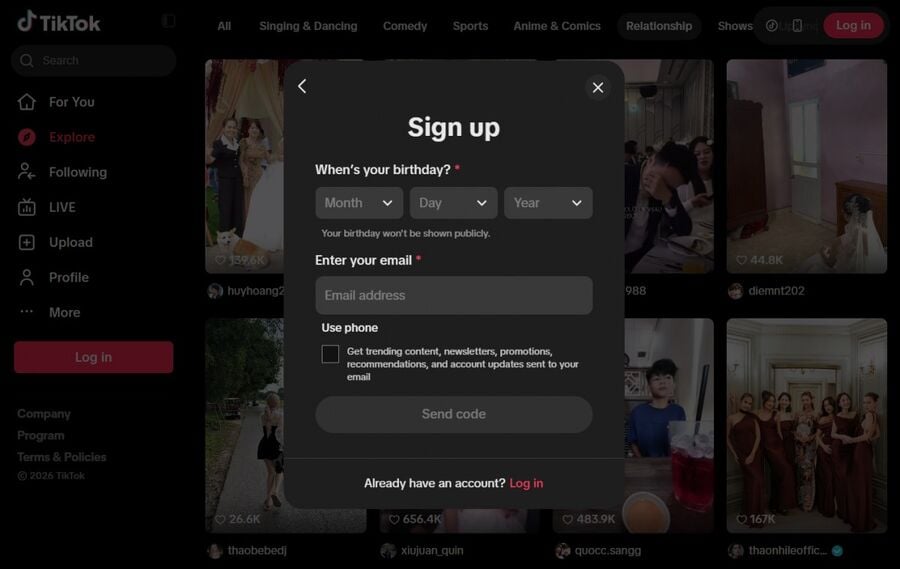
Step 3 — Verify the email. Return to your temp inbox, refresh, and open the message from TikTok. Click the verify link, or paste the OTP into the app. Codes often arrive quickly, but timing varies by domain and TikTok’s email delivery flow.
Step 4 — Set a strong password. Store it in a password manager. You will need it to log back in once the verification email is long gone.
Step 5 — Save your Access Token. If your provider supports it, copy the Access Token now—it lets you reopen the same inbox later for a password reset or a new-device login code. Keep it with the password. The full mechanism is in reuse your temp mail address.
Step 6 — Move on, don’t archive. Disposable inboxes are short-term tools; received messages auto-purge after about 24 hours. Copy what you need, then leave—never store sensitive information in a throwaway mailbox.
When TikTok asks for a phone number
Email may be enough to get started, but TikTok can ask for phone verification or another account security check later—this is the part that most temp mail guides leave out. When it does, the check is separate from the email step and needs a phone number, not an inbox.
Two honest limits follow from that. First, a temporary email cannot satisfy a phone check—temp mail and temp phone are different things. Second, if you reach a genuine phone step, use a real number you control rather than trying to work around it. Treating temp mail as a privacy layer for the email step—not as a way around identity or safety checks—keeps your account on the right side of TikTok’s rules.
Reuse the same inbox for TikTok logins and resets.
Signing up is the easy part; the real question is whether the same inbox still works for you weeks later. This is where a reusable address beats a classic throwaway by design. You sign up, the account works, and then the inbox expires—until TikTok asks you to confirm a login from a new device or you click “reset password,” and the email goes to an address that no longer exists.
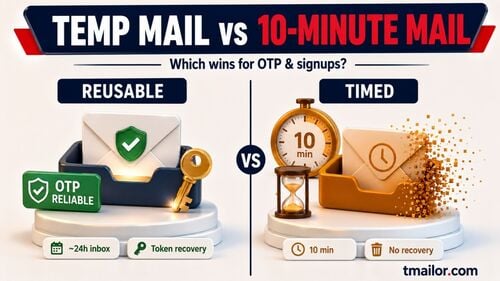
Because a Tmailor address persists and can be restored with your Access Token, any email TikTok sends afterward—such as a reset link or a one-time login code—arrives in that same inbox when you reopen it on the web or on a second phone. Act on time-sensitive codes promptly: messages are retained for about 24 hours, so a reset link ignored for a day will be gone. And keep the Access Token itself safe, because it is the recovery method: lose it and the inbox cannot be restored. For the security trade-offs of durable vs short-life inboxes, see reusable vs short-life temp mail.
Troubleshooting TikTok OTPs
- No code yet? Confirm you pasted the address without trailing spaces, hit resend once, then switch to another Tmailor domain. Tmailor shows every inbound message in one list, so there is no spam folder to check.
- Code already expired? OTP windows are short; request a fresh code with the inbox tab and the TikTok app both open so you can paste immediately.
- Codes arriving inconsistently? Stick with a provider running a large pool (Tmailor has 500+ domains on Google-MX infrastructure) so you always have another address to try, and avoid firing off requests in quick succession.
- Closed the browser and lost the inbox? Restore it with your Access Token; without it, you will need a new address, so save Access Tokens in a password manager.
If codes are consistently slow or missing, our guide on temp mail OTP delivery covers the usual causes and fixes across platforms.
When you should not use temp mail for TikTok
Honesty serves you better than a sales pitch here. A temporary email is the wrong tool when losing access to the address would be costly. Use a permanent email you control for:
- Creator, Shop, or monetized accounts—payouts, tax/admin messages, policy notices, and recovery flows need a durable inbox.
- Business or brand accounts and anything tied to advertising or client work.
- An account you plan to keep—followers, saved videos, and drafts you would hate to lose to a failed recovery.
A good rule of thumb: temp mail to evaluate TikTok or keep a casual, private account separate from your identity; a dedicated (but still non-primary) email for anything you monetize or intend to grow. The same approach works for other apps—see how it plays out for Instagram sign-up guide and our X sign-up guide.
Use temp mail responsibly.
Disposable email is for privacy and convenience, not for evading bans or abuse—follow TikTok’s Terms and Community Guidelines, and do not use throwaway inboxes to open duplicate accounts or get around enforcement. A receive-only design with attachments disabled is a safer default: it focuses the inbox on codes and links and reduces malware exposure from unknown senders. Prefer services with clear retention windows and transparent, GDPR/CCPA-aligned policies. For broader policy and safety questions, our temp mail FAQ covers the common guardrails.
Frequently asked questions
Is temp mail allowed for TikTok signups?
Using a separate email to protect your primary inbox is normal privacy hygiene, and TikTok supports email-based registration. TikTok does not publish a disposable-domain policy, so success is never guaranteed — if one address is refused, try another. Always follow TikTok’s Terms and Community Guidelines; do not use temp mail to open duplicate accounts or get around a ban.
Do I need a phone number to sign up for TikTok?
Not always. Email verification is often enough at initial sign-up, but TikTok may ask for phone verification or another account security check later. A temporary email cannot complete an SMS check, so use a real number you control at that step.
Will TikTok block disposable email addresses?
TikTok does not publish a disposable-domain list or acceptance policy. In practice, some temporary addresses work and others do not. A provider with a large pool (Tmailor has 500+ domains on Google MX) simply means you always have another address to try. If one is refused, generate a new one on a different domain, and use a permanent email for any account you plan to keep.
What if the TikTok OTP doesn’t arrive?
Resend once, keep the inbox tab and the TikTok app both open, and if no message arrives, generate a new Tmailor address on another domain. If repeated attempts fail and the account matters, use a permanent email you control.
Can I reuse the same temp-mail address for TikTok later?
Yes, if your provider supports token-based reuse. Save the Access Token to reopen the same inbox for re-verification or a password reset email. Without the Access Token, that specific inbox cannot be restored.
How long do emails stay in a disposable inbox?
Messages are typically kept for about 24 hours each. Copy OTPs and links promptly, and request a new email if you miss the window.
Should I use a temporary email for a TikTok creator or Shop account?
Generally no. Monetized accounts involve payouts, tax forms, and account recovery, all of which require a durable email address. Evaluate with temp mail if you like, then switch to a permanent address before you start earning.
The bottom line
Temp mail can work for TikTok’s signup email step, phone verification is separate, and the main long-term risk is losing access later. Keep a casual, free TikTok account separate from your primary inbox, save your Access Token, and switch to a permanent email for anything you monetize or plan to keep. Grab a free temporary email and start.

Marcus Lee writes Tmailor's step-by-step guides — signing up to apps and platforms with temp mail, using the mobile app and Telegram bot, custom domains, reusing addresses, and getting the most out of disposable email day to day.