Temp Mail for Discord: Create a Discord Account Safely (Step-by-Step)
Create a Discord account with temp mail in 2026 — get the verification email, save the Access Token, and know when Discord needs a phone or permanent email.
Quick access
Key Takeaways
Temp mail for Discord lets you create an account without exposing your personal inbox.
Temp mail for Discord covers the email step of signup: you enter a disposable address, Discord sends a verification email, and you confirm the account from the throwaway inbox. Use a provider with many domains so the message arrives, and save the Access Token if you may need to verify or reset the same account later. Discord can also require phone verification as part of its safety systems, which a temporary email does not cover.
- Fast trials, clean inbox. A disposable inbox is ideal for testing servers, bots, or short-term communities without exposing your personal email.
- Save your token. Keep the Access Token to reopen the same mailbox for re-verification or a password reset.
- Short vs long horizon. Use a quick inbox for one-off signups; choose a reusable address for multi-week projects.
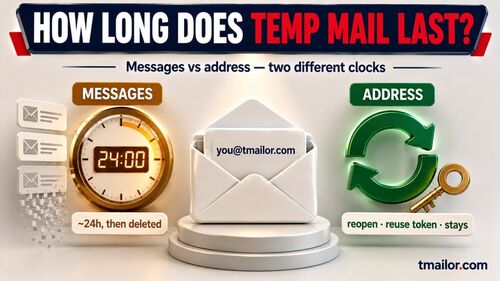
- Know the limits. Messages stay visible for about 24 hours from arrival, the service is receive-only, and it does not accept attachments.
- Phone checks are separate. Discord may require phone verification for some accounts — temp mail only handles the email step.
Do you know if Temp Mail works for Discord?
Yes, temp mail works for Discord’s email verification when Discord accepts the address at signup and the verification email arrives. Discord emails the verification link to the address you enter, and you open it in the temp inbox to confirm the account. If an address is rejected at signup, generate a new one on another Tmailor domain and retry. Discord may separately ask for phone verification as part of its safety systems, and that step needs a real number rather than an email.
If you search for “temp mail for Discord,” “temp mail discord,” or “does temp mail work with Discord,” the workflow is the same: pick a disposable address that Discord accepts, then confirm the verification email in that inbox. For Discord temp mail use, the practical test is simple: the address must be accepted at signup and the verification message must arrive fast enough to finish the flow.
Before You Start
Before you create a Discord account with temp mail, decide how long the account needs to live. A one-off inbox is enough for a quick test; if you may need to verify or reset the account later, save the Access Token; if the account will carry anything that matters, start with a permanent email instead.
- Read the basics on free temp mail so you understand how addresses and inbox windows work.
- For ultra-short tasks (minutes), 10-minute mail may be faster.
- If you need to return to the same address later (for example, to reset a password), plan to reuse the same address via your saved token.
Related onboarding guides: for platform-specific walkthroughs, see Facebook account with temp mail, Instagram account with temp mail, or temp mail for X (Twitter).
Step by Step: Create a Discord Account with Temp Mail
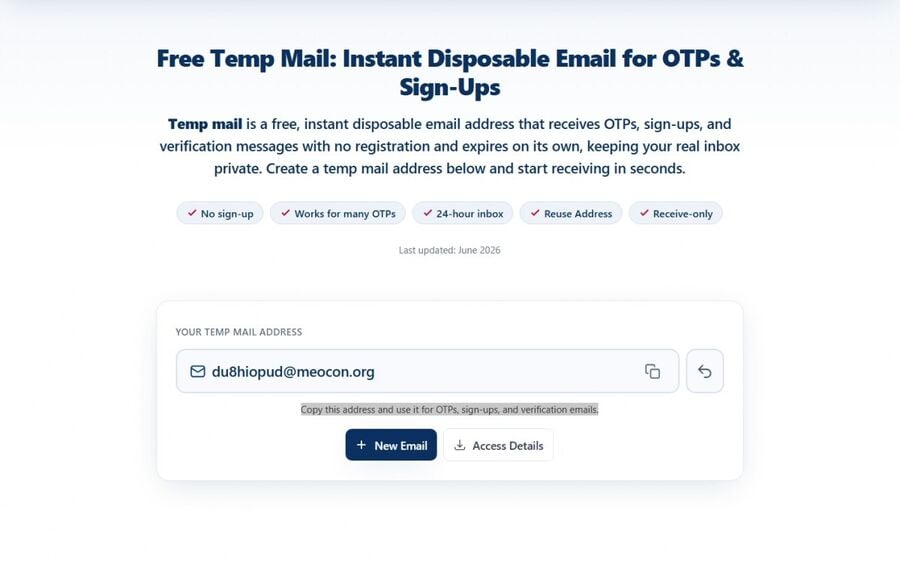
Step 1: Generate an inbox
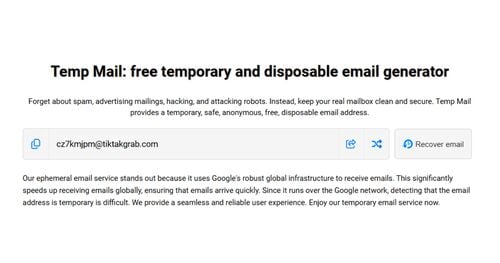
Open the free temp mail page and create an address. Keep the mailbox tab open so the verification email arrives in view.
Step 2: Start the Discord signup
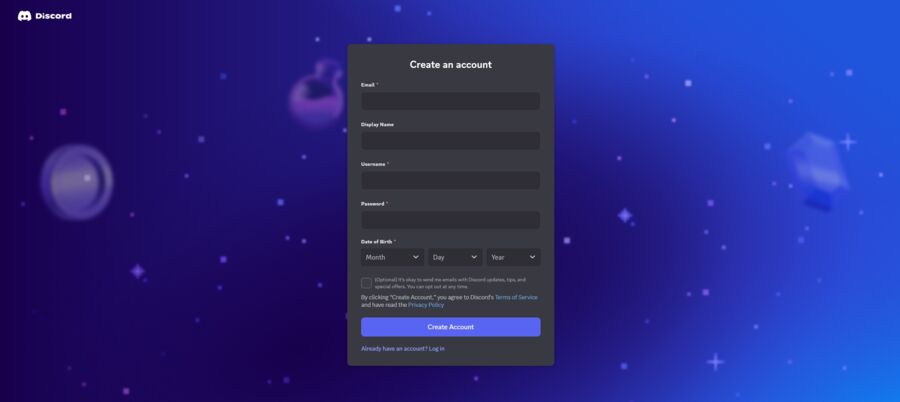
Go to Discord’s official Sign Up page at discord.com/register. Enter the disposable address, pick a strong password, and provide a compliant date of birth.
Step 3: Verify your email
Return to your temp inbox, open the Discord message, and follow the verification link in the email. Complete the on-screen flow.
Step 4: Save the Access Token
If this account will live beyond today (testing a bot, moderating a pilot server, coursework), save the Access Token so you can reopen the same mailbox later.
Step 5: Harden security
Enable app-based 2FA (authenticator codes), store recovery codes in your password manager, and avoid relying on email for resets when possible.
Step 6: Organize and document
Note which temp address corresponds to which server or project. If it graduates to production, migrate the account email to a durable address.
Which Temp Mail Works with Discord (and When a Domain Is Rejected)
The temp mail that works with Discord is the one Discord accepts at signup and whose inbound mail is reliable. The practical test has two parts: the address must be accepted at signup, and the verification email must arrive quickly enough to finish setup. If an address fails at either step, generate a new one on another Tmailor domain and retry — with 500+ domains, there is always another address to try.
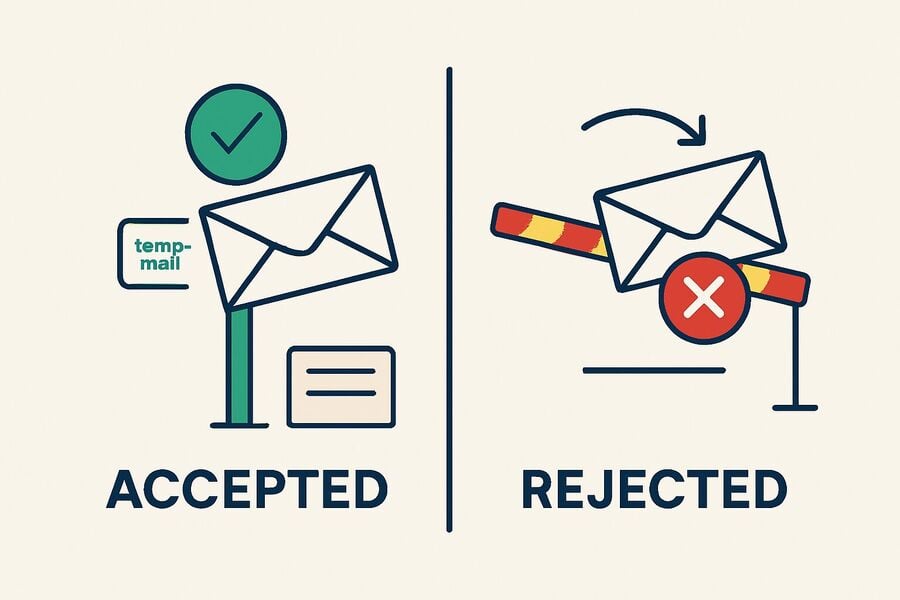
- Try another address if one is rejected. If an address is refused at signup, generate a new one on a different Tmailor domain and retry.
- Watch delivery, not just acceptance. Reliable inbound routing means the verification email lands quickly; see why inbound mail uses Google MX.
- Use a durable inbox for accounts that matter. If the account will outlive a short test, move it to a permanent email you control — temp mail is best for low-stakes, short-term signups.
Burner, Throwaway, or Reusable: Which Discord Setup Fits
Pick the lifespan based on how long the Discord account needs to last. A burner or throwaway address suits a single test; a reusable address suits anything you plan to return to.
These terms all describe the same lightweight setup created with a disposable inbox: a temp Discord account for a single-server test, bot trial, class demo, or short event. A throwaway Discord account, disposable Discord account, or burner Discord account should never carry Nitro, billing, school records, or a long-term identity.
- Burner/throwaway (one-off). For a single test server, giveaway, or demo, a short-lived inbox is enough and disappears on its own.
- Reusable (token). For a multi-week project or a bot you maintain, keep the Access Token so the same address continues to work for re-verification.
- One address per project. Using a separate disposable address per server or bot keeps identities cleanly separated if one is ever exposed.
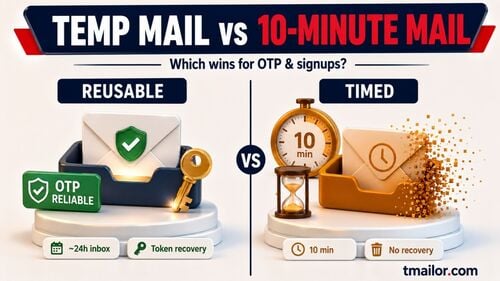
Temp Mail vs 10-Minute Mail vs Permanent Email for Discord
How long does the Discord account actually need to last, and will you need to recover it later?
| Setup | Best for | Reuse / recovery | When to avoid |
|---|---|---|---|
| Reusable temp mail | Multi-week tests, bots, class projects, pilot communities | Yes, if the Access Token is saved | Primary identity, Nitro, billing, school, or work records |
| 10-minute mail | One sitting, one short test, quick Discord verification | No practical recovery after the session | Anything that may need a password reset later |
| Permanent email | Main Discord account, paid features, long-term communities | Best recovery path | When you only need a low-stakes test account |
Smart Use Cases (and What to Avoid)
A temp Discord account fits low-stakes situations: testing a bot, joining a community for a single event, or trying a server you do not plan to keep. It is a poor fit for anything tied to payments, school or work identity, or an account you would be upset to lose, because recovery depends on an inbox that clears.
Great fits
- Standing up test servers for role and permission experiments.
- Trying bots or integrations on a non-primary account.
- Joining short campaigns, events, or giveaways where you expect marketing follow-ups.
- Classroom demos, hackathons, or research sprints that last days or weeks.
Avoid for
- Your primary identity, Nitro billing, or anything tied to real-world services.
- Workflows that need attachments or email replies (this is a receive-only service).
- Long-term communities where you will care about history and account recovery.
Troubleshooting: Discord Verification Email Not Arriving
If the Discord verification email is not arriving, work through the checks below before giving up on the disposable inbox. Discord provides a resend option for the verification email, and that is the fastest thing to try when the first message never lands.
- Resend it from Discord. Use Discord’s resend-verification-email option, then refresh the temp inbox.
- Email not arriving. Wait about 30–60 seconds and refresh the inbox. If it still does not appear, generate another address on a different Tmailor domain. Read more about receiving verification codes with temp mail.
- Address refused at signup. Some sites filter disposable domains. If the form refuses your address, generate a new one on another Tmailor domain, or use a durable email for that specific account.
- You need old messages. Each email stays visible for 24 hours from arrival. Keep your token, and store essential info (reset links, 2FA setup) outside the mailbox.
- You must upload attachments. Disposable inboxes here do not support attachments or sending — use a different workflow.
Safety & Policy Notes
Use temp mail for privacy and inbox hygiene, not as a way around Discord’s rules. A disposable address keeps your primary inbox out of a signup you may never return to; it is not a substitute for a real inbox on an account that holds a purchase, a role, or a reputation you care about.
- Don’t use a throwaway address for accounts that carry billing, school records, or sensitive data. Keep those on a durable email with strong 2FA.
- Set a simple policy for classrooms and research labs: trials and demos may use disposable email addresses; anything official should use the institutional identity.
- Discord supports switching between multiple accounts, but rule violations can affect related accounts. Use temp mail for privacy on legitimate signups, not to return after a server or account enforcement action.
Frequently Asked Questions
Does temp mail work for Discord?
Yes, for the email step. Discord sends a verification link to the disposable address, and you confirm it in the temp inbox. If the address is refused at signup or the email never lands, try another Tmailor domain. A separate phone check, if Discord asks for one, needs a real number.
Which temp mail works with Discord?
One that Discord accepts at signup and that receives the verification email reliably. A provider with many domains helps, because you can switch to another address if the first one is refused.
What if the Discord verification email is not arriving?
Wait 30–60 seconds and refresh the inbox. If it still does not arrive, generate a new address on a different Tmailor domain and request the verification email again. If the account matters beyond a short test, use a durable inbox you control.
Does Discord require a phone number?
Not always. Discord can require phone verification as part of its safety systems, and that check needs a valid mobile number. Temp mail only covers the email step.
Can I reset my Discord password later using the same temp address?
Yes, if you saved the Access Token. Use the reuse flow to reopen the same mailbox and complete the reset.
Can I use 10-minute mail for a Discord signup?
Yes. For a one-off account, you can finish in a single sitting. If you need to verify again later, use a reusable address instead so you can reopen it. See 10 Minute Mail.
How long are messages visible?
New emails display for 24 hours, so capture codes and links promptly. The address itself can be reopened later with the token, but old messages are not retained.
Is this okay for my primary Discord identity?
Not recommended. Use a disposable email for tests and short-term needs; keep your primary account on a durable address with app-based 2FA.
The Bottom Line
Temp mail for Discord is a clean way to create an account for tests, bots, and short-term communities without exposing your personal inbox. Open the disposable inbox first, use a provider with many domains so the verification email arrives, and save the Access Token if you may need to verify or reset the account later. For a one-off, a 10-minute inbox is enough; for anything you plan to keep, use a reusable address — and remember that a phone check, if Discord asks for one, still needs a real number.

Marcus Lee writes Tmailor's step-by-step guides — signing up to apps and platforms with temp mail, using the mobile app and Telegram bot, custom domains, reusing addresses, and getting the most out of disposable email day to day.