Temp Mail for Travel: Grab Flight Deals & Hotel Alerts Without Inbox Chaos
Every trip starts with a flood of fare alerts, hotel promos, and "last-chance" upgrade emails — and most of them end up burying the one schedule change that actually matters. This guide shows you how to use a reusable temporary email address to capture travel deals, flight price drops, and hotel newsletters while keeping your primary inbox clean and your real bookings safe. You'll learn a simple three-layer email system that separates noise from critical itinerary updates, so you never miss a gate change or lose a refund receipt again.
Quick access
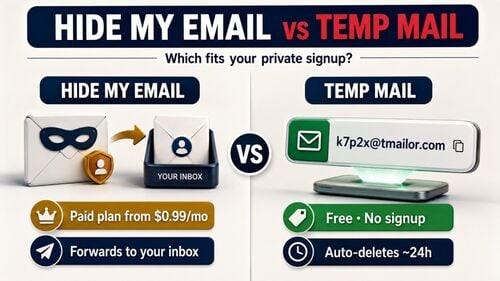
Here is the whole article in one line: use a temporary email for travel newsletters, fare alerts, and low-risk deal sign-ups — and never for a ticket, a boarding pass, an invoice, or a visa form. The split is not about privacy. It is about what a disposable inbox physically cannot do: on Tmailor, the mailbox is receive-only, each message is visible for only about 24 hours, and every inbound attachment is stripped. A hotel confirmation or a boarding pass sent as a PDF, in other words, leaves you with nothing you can open.
That single limitation decides almost every question in this guide. A deals newsletter you skim and delete fits a temp inbox perfectly. An actual booking — the thing you may need to produce at a check-in desk or for a refund six months later — belongs in your permanent inbox. The rest of this piece is about building a simple system that keeps those two streams apart.
TL;DR
- Most travel emails are low-value promotions that often bury critical messages, such as schedule changes and invoices.
- A layered setup, comprising a primary inbox, a reusable temporary email, and a true throwaway, keeps travel spam away from life-critical accounts.
- Use a temporary email for flight deals, newsletters, and low-risk alerts, not for tickets, visas, or insurance claims.
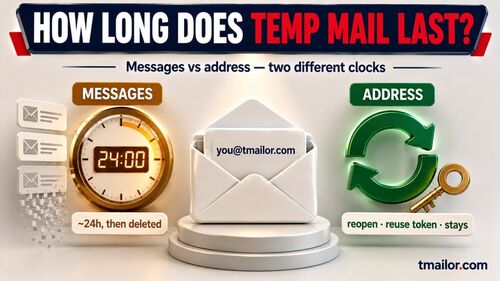
- A reusable service like tmailor.com lets you reopen the same address later with an Access Token — but each message is only visible for about 24 hours, and a lost token for a guest address cannot be recovered.
- A boarding pass or booking PDF cannot be opened from a Tmailor inbox at all, because inbound attachments are stripped. Keep bookings on your real address.
- Before using a disposable address on any travel site, ask: "Will I still need this email trail in six to twelve months?"
Understand Travel Inbox Chaos

Travel generates a noisy, never-ending email trail, and only a few of those messages truly matter once your trip is over.
Why Travel Emails Pile Up So Fast
Every trip creates a miniature email storm. You start with fare alerts and destination inspiration, then move into booking confirmations, followed by a wave of "last chance" upgrades, loyalty campaigns, survey requests, and cross-sells. Multiply that by a couple of trips per year and a handful of airlines, and your inbox quickly looks like a low-budget travel magazine you never wanted to subscribe to.
Behind the scenes, each booking and newsletter sign-up is just another entry in a database that points back to your email address. The more services you use with a single address, the more that identifier gets shared, synced, and targeted. If you want to understand this flow in detail — MX records, routing, and inbox logic — a technical deep dive, such as how temporary email works, will show you exactly what happens to every travel message from send to delivery.
The Hidden Cost of a Messy Travel Inbox
The apparent cost is irritation: you waste time deleting promos you never read. The less obvious cost is risk. When your inbox is noisy, essential messages can easily get lost in the clutter: a gate change email, a rebooked connection after a delay, a room cancellation due to a failed card, or an expiring voucher that genuinely matters to you.
A messy travel inbox also blurs the line between legitimate operational messages and phishing attempts. When you receive dozens of lookalike "urgent" emails from airlines, OTAs, and loyalty programs, it becomes harder to spot the one dangerous message that slipped through your filters.
Types of Travel Emails You Actually Need
Not all travel emails deserve the same level of care. It helps to classify them before you decide where each type should land:
- Mission-critical: tickets, boarding passes, schedule changes, cancellation notices, hotel check-in details, invoices, and any email that could be needed for refunds, insurance, or compliance.
- Valuable but non-essential: loyalty point summaries, upgrade offers, "Your seat has Wi-Fi," destination guides from your airline or hotel chain, and receipts for small add-ons.
- Pure noise: generic destination inspiration, routine newsletters, blog digests, and "we thought you might like this package" messages.
A temporary email is most potent when it filters out the noise and some of the "useful but non-essential" traffic. At the same time, your primary inbox handles the mission-critical aspects of your travel life.
Map Your Travel Email Flow
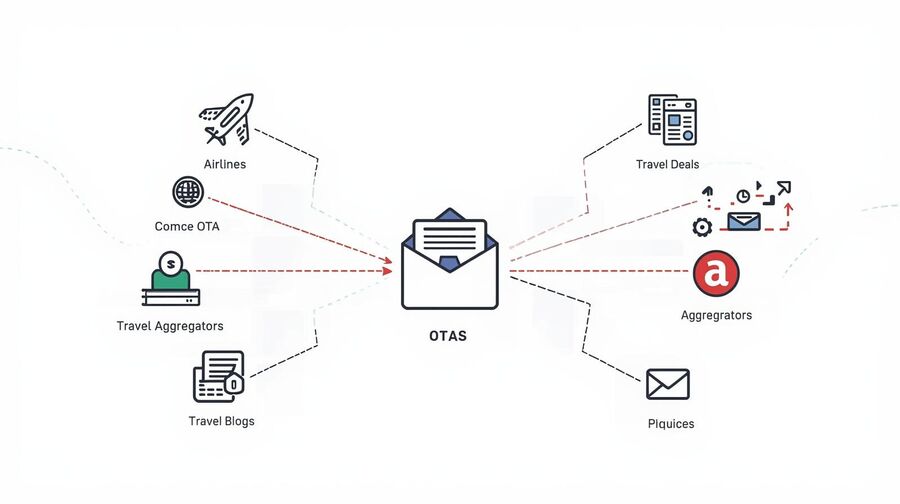
Before you redesign anything, you need to see every place where travel brands capture and reuse your email address.
Where Airlines and OTAs Capture Your Email
Your email address enters the travel world at several points. It might be collected directly by an airline during booking, captured by an online travel agency (OTA) such as Booking.com or Expedia, or saved by meta-search tools that offer "price drop" alerts. Each layer adds another potential stream of promos and reminders.
Even if you never complete a booking, simply starting a checkout flow can create a record that later drives cart-abandonment reminders and follow-up offers. From a privacy and inbox management perspective, those "almost bookings" are prime candidates for a temporary email.
How Hotel Chains and Loyalty Programs Lock You In
Hotel groups have a strong incentive to stay in touch with you after your stay. They use your email to connect bookings across properties, award points, send feedback surveys, and dangle targeted offers. Over a few years, that can turn into hundreds of messages, many of which are only marginally relevant.
Some travelers enjoy this relationship and want a complete history tied to their primary inbox. Others prefer to route these communications to a separate address. For the second group, a reusable temporary email address tied to hotel loyalty accounts can keep promotions and surveys out of their everyday inbox without losing access to online accounts.
Newsletters, Deal Sites, and "Best Fare" Alerts
There is an entire ecosystem of travel blogs, deal newsletters, and "best fare" alert services that trade deals for your email address. They promise insider fares or mistake deals, but they also rely on high email frequency to stay top of mind. That makes them perfect candidates for a dedicated disposable or reusable inbox.
Identify What Belongs in Your Main Inbox
Once you map your travel email sources, the rule of thumb is simple: if losing access to a message could cost you money, disrupt a trip, or create legal or tax problems, it belongs in your primary inbox. Everything else can be pushed into a secondary or temporary address.
For a more comprehensive look at how temporary email supports privacy across various channels, you can read about temp mail and online privacy and apply those ideas specifically to travel.
Use Temp Mail for Travel Deals
Use a temporary email as a pressure valve that absorbs aggressive marketing and "maybe useful" offers before they ever touch your primary inbox.
Travel Deal Sites That Should Never See Your Main Email
Some websites exist almost entirely to generate clicks and email lists. They aggregate deals from real providers, wrap them in loud calls to action, and then retarget you for weeks. These are ideal places to use temporary email addresses. You can still click through to genuine deals, but you do not owe them long-term access to your inbox.
When comparing services, a guide to temp mail providers can help you weigh retention rules, reuse options, and how each one handles domains. One useful thing to know about Tmailor: a random address is drawn from a large, deliberately unpublished pool, while the custom-name tab exposes only a few domains. That variety helps when one domain has a delivery hiccup — but if a travel site has simply decided it does not accept disposable email, the right move is your real address, not another domain.
Signing Up for Fare Alerts with a Temporary Email
Fare alert tools are often low-risk: they watch prices and ping you when something drops. The annoyance comes from the constant follow-up after you have booked or when you are no longer interested in a route. Using a temporary address allows you to aggressively test multiple alert tools without committing your permanent identity to any of them.
When an alert service consistently finds routes and prices you actually use, you can either keep it at arm's length in a reusable temp mailbox or promote it to your primary inbox. The point is to make that a conscious decision, not a default outcome of your first sign-up.
Managing Limited-Time Promos in a Disposable Inbox
Flash sales, weekend specials, and "24 hour only" bundles thrive on urgency. In practice, most of these offers repeat in cycles. Letting those messages live in a temp inbox gives you space to evaluate deals on your own schedule. When you are in trip-planning mode, you can open that inbox and quickly scan for relevant promos without digging through your work or personal email.
When a Travel Deal Justifies a Permanent Address
There are cases where a travel-related account warrants a legitimate email address, such as premium fare subscriptions, complex round-the-world booking services, or multi-year lounge membership programs. If an account becomes an integral part of your travel routine rather than a one-off experiment, it is usually safer to migrate it from a temporary email address to your primary inbox or a stable secondary address.
For inspiration on how to structure "one-off sign-ups that should never spam you again," the approach used for ebooks and educational freebies in the reusable temp mail playbook translates almost directly to travel newsletters and fare alerts.
Separate Alerts From Real Tickets
Draw a hard line between notifications you can afford to miss and messages that must always arrive, even years after you book.
What Absolutely Must Go to Your Primary Email
Your definitive list of "never to temp mail" items should at least include:
- Flight tickets and boarding passes.
- Schedule change notifications and rebooking confirmations.
- Hotel and rental car confirmations, especially for business trips.
- Invoices, receipts, and anything that might matter for refunds, insurance, or tax deductions.
These messages form the official record of your trip. If there is a dispute with an airline or hotel six months later, you want those threads in an inbox you control for the long haul. There is also a hard technical reason, not just a preference: a Tmailor inbox is receive-only and strips every inbound attachment, so a boarding pass, an e-ticket PDF, or an invoice file emailed to that address never actually reaches you. And even a plain-text confirmation is only visible for about 24 hours. For anything with a barcode or a file attached, a temp address is not a weaker choice — it is a non-option.
Using Reusable Temp Mail for Low-Risk Flight Alerts
By contrast, many "flight alert" or route tracking services are only valid before you buy. Once you have a ticket, they primarily send generic content. A reusable temporary address works well here: you can keep it active across multiple trips, but if the noise becomes too much, you can stop checking that mailbox without affecting any essential accounts.
Common Mistakes Travelers Make with Temporary Emails
The most painful mistakes usually follow a pattern:
- Booking a major long-haul trip using a short-lived disposable mailbox that expires before the trip even begins.
- Using temp mail for an airline account that later becomes the primary loyalty profile with miles and vouchers attached.
- Mixing OTP-protected logins with temp addresses, then losing access because the mailbox is no longer recoverable.
Whenever one-time passwords or security checks are involved, think carefully before inserting temporary email addresses into the flow. Guides focused on temp mail for OTP codes can help you decide when OTP plus temp mail is workable and when it is a recipe for future lockouts.
Backup Strategies for Critical Itineraries
For complex itineraries, redundancy is your friend. Even if you keep tickets in your primary inbox, you can:
- Save PDFs of tickets to a secure cloud folder or password manager.
- Use your phone's wallet app for boarding passes where supported.
- If a booking turns out to matter more than you thought, change the account's contact email to your primary address while you still can — you cannot forward a message out of a receive-only temp inbox, so fix it at the source instead.
This way, a mistake with one email address does not automatically bring your entire trip to a halt.
Organize Hotel and Loyalty Emails
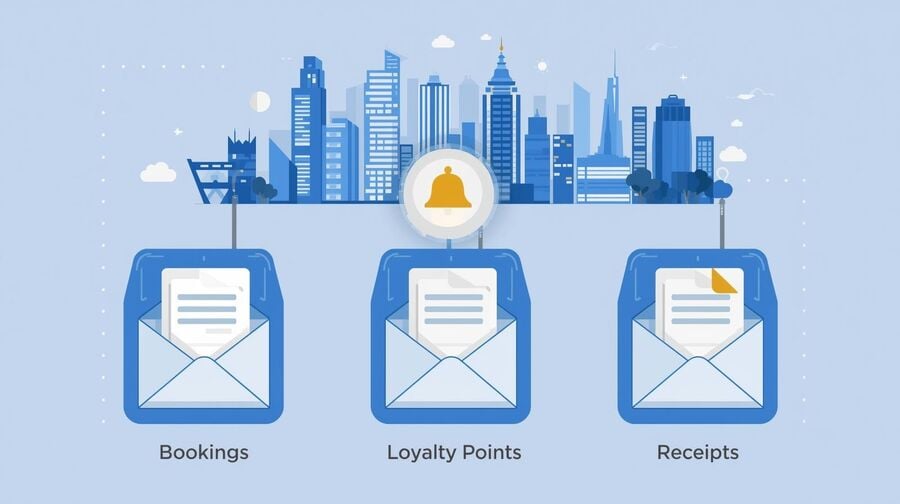
Let hotel and loyalty messages live in their own lane so they never drown out timely updates from airlines or ground transportation.
Using Temp Mail for Hotel Account Creation
When you open an account for a single stay — especially with independent hotels or regional chains — there is a good chance you will never stay with them again. Creating an account with a temporary or secondary address reduces long-term noise without affecting your ability to manage the upcoming stay.
Segmenting Loyalty Programs with Reusable Addresses
For larger chains and meta-loyalty programs, a reusable temp address can act as a buffer: log in with it and let promos and points digests collect there instead of in your main inbox. What you cannot do is rescue the good ones afterward. A Tmailor inbox is receive-only, so nothing can be forwarded, replied to, or sent out of it — and a message you leave behind is gone in about a day. Decide up front instead: newsletters and points offers on the temp address, and anything you would need to keep — a booking, a receipt, an invoice — pointed at your primary inbox from the moment you create the account.
Handling Receipts, Invoices, and Business Trips
Business travel is a special case. Expense reports, tax records, and compliance audits all rely on a clear and searchable record of invoices and confirmations. For this reason, most travelers should avoid using temporary email addresses entirely for corporate bookings.
If you already manage online shopping with a privacy layer, you have seen this pattern before. An e-commerce-oriented playbook, such as safer e-commerce checkouts, demonstrates how to separate receipts and order confirmations from marketing noise; the same logic applies to hotels and long-term rental platforms.
Turning Hotel Newsletters into a Curated Deal Feed
Used well, hotel newsletters and loyalty emails can save significant money on future trips. Used poorly, they become another drip of FOMO. Routing these messages into a dedicated temporary inbox allows you to treat them like a curated deal feed: you open it deliberately before planning a trip, rather than being passively nudged every few days.
When your inbox is not overflowing, it becomes easier to notice the rare, genuinely valuable deals among the usual promotions, especially if you combine this with a structured approach to online receipts, such as the system described in this guide to keeping receipts clean.
Build a Nomad-Proof Email System
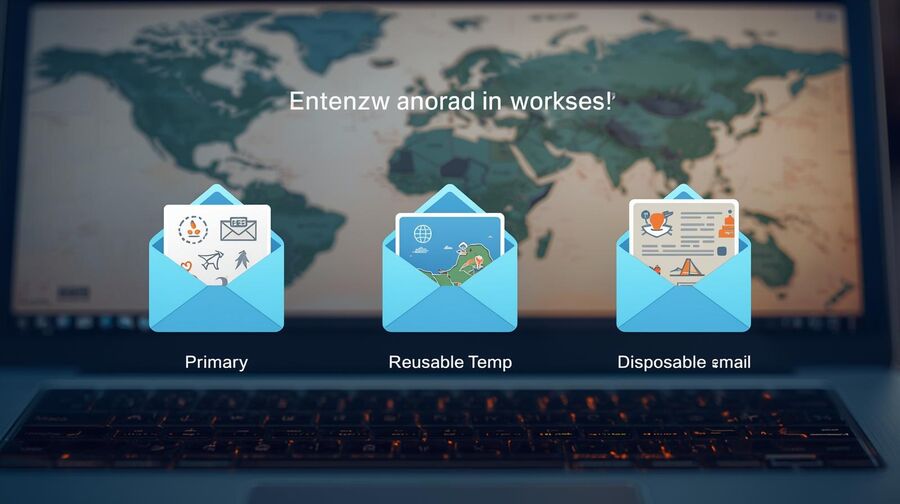
A simple three-layer email setup can support years of travel, remote work, and location changes without turning into a maintenance nightmare.
Designing a Three-Layer Travel Email Setup
A durable travel email architecture usually has three layers:
- Layer 1 – Primary inbox: long-term accounts, government IDs, banking, visas, insurance, and serious travel providers you plan to use for years.
- Layer 2 – Reusable temp address: loyalty programs, recurring newsletters, travel blogs, and any service you might want to revisit but that does not deserve a direct path into your primary inbox.
- Layer 3 – One-off disposable addresses: low-trust deal sites, aggressive marketing funnels, and experimental tools you are not sure you will keep.
Services like tmailor.com fit this layered model: you can spin up a receive-only address in seconds and reopen the same one later on another device with its Access Token, so you get past the "ten minutes and it is gone" anxiety of a pure burner. Keep the trade-off in view, though. The address can persist, but each message is only visible for about 24 hours, inbound attachments are stripped, and if you lose the Access Token nobody can recover the inbox for you. That is exactly why Layer 2 is for newsletters and loyalty promos, not for the emails you would be upset to lose.
Comparing Email Options for Travel
The table below summarizes how each email type behaves in typical travel scenarios.
| Use Case | Primary Email | Reusable Temp Address | One-Off Disposable |
|---|---|---|---|
| Flight tickets and schedule changes | Best for long-term access and reliability. | Risky for complex itineraries or long lead times. | Should be avoided; the mailbox may disappear. |
| Flight and hotel price alerts | It can cause noise and distraction. | Good balance for serious deal hunters. | Works for short tests; no long-term history. |
| Hotel loyalty and newsletters | Quickly clutters the main inbox. | Ideal for ongoing promos and points digests. | Usable for one-time accounts you will abandon. |
| Travel blogs and general deal sites | High noise, low unique value. | Fine if you regularly check the feed. | Perfect for one-click trials and experiments. |
Using Labels and Filters with Temp Mail
Do the labeling in your primary inbox, not the temp one — a receive-only address can't forward anything out, so there is nothing to auto-route from it. The workable pattern is the reverse: send mission-critical travel accounts straight to your permanent address from the start and auto-label them "Travel – Confirmations," and let the temp address quietly collect the newsletters and promos you never need to file.
Syncing Travel Emails Across Devices Securely
Digital nomads often bounce between laptops, tablets, phones, and shared machines. Whenever you log into a temporary email account on a public device, assume that device is untrusted: avoid saving login tokens, log out fully, and never reuse the same password across different services. A temporary email address reduces the blast radius of a compromise, but it cannot address poor device hygiene.
When to Migrate a Temp-Based Account to a Permanent Email
Over time, some accounts outgrow their temporary status. Signs that it is time to migrate include:
- You have stored payment methods or large balances in the account.
- The service now forms a core part of how you plan trips.
- You will need records from the account for tax, visa, or compliance reasons.
At that point, updating the login to a stable address is safer than continuing to rely on a temp mailbox, no matter how convenient it felt at first.
Avoid Common Travel Email Risks
Use a temporary email as a shield, not as a crutch that hides essential consequences of your bookings and purchases.
Refunds, Chargebacks, and Documentation Problems
When things go wrong — such as refund disputes, schedule disruptions, or cancellations — the strength of your documentation matters. If your only proof of purchase or communication with a provider lives in a forgotten throwaway inbox, you have made life harder for yourself.
Using temp mail is not inherently irresponsible, but you should be deliberate about which transactions leave a paper trail tied to your long-term identity and which ones can safely remain in a more disposable channel.
Using Temp Mail for Insurance, Visa, and Government Forms
Most formal processes, such as visa applications, residency applications, tax filings, and various types of travel insurance, require a stable financial situation. They assume the email address you provide will be reachable for months or years. This is not the place for disposability. A temporary address may be suitable for an initial quote, but final policies and official approvals should be stored in a permanent inbox that you control for the long term.
How Long Should Temporary Inboxes Stay Accessible
If you rely on a temp mailbox for any travel-related communication beyond pure promotions, keep it accessible at least until:
- Your trip has come to an end, and all refunds and reimbursements have been processed.
- Chargeback windows have closed for major purchases.
- You are confident that no additional documentation will be requested.
A reusable system like tmailor.com separates the life of the address from the life of a message: as long as you keep the Access Token, you can reopen the same address later — but individual emails are only visible for about 24 hours before they age out of the interface. So the address surviving is not the same as the message surviving. For refunds, chargebacks, and any documentation you might be asked for weeks or months out, that is precisely why the record needs to live in a permanent inbox, not here.
A Simple Checklist Before Using Temp Mail on Any Travel Website
Before entering a temporary email address on a travel site, ask yourself:
- Is money or legal responsibility attached to this transaction?
- Will I need to provide proof of any of these details within six to twelve months?
- Does this account hold points, credits, or balances I care about?
- Will I need to pass OTP or 2FA checks to regain access later?
- Is this provider stable and trustworthy, or just another aggressive lead funnel?
If you answer "yes" to the first four questions, use your primary inbox. If most answers are "no" and it appears to be a short-term experiment, a temporary address is probably appropriate. For more inspiration on edge cases and creative uses, see these unexpected temp mail use cases.
A temporary email can make your travel life quieter, safer, and more flexible as long as you keep the line clear between the noise you are happy to discard and the records you cannot afford to lose.
How to Set Up a Travel-Friendly Email System
Step 1: Map your current travel email sources
Open your primary inbox and list airlines, OTAs, hotel chains, deal sites, and newsletters that send you travel emails. Note which ones you care about long term and which ones you barely remember subscribing to.
Step 2: Decide what must stay in your primary inbox
Mark anything related to tickets, invoices, visas, insurance, and formal travel documents as "primary only." These accounts should never be created or managed through short-lived, disposable email.
Step 3: Create a reusable temp address for travel
Use a service like tmailor.com to create a reusable temporary inbox you can reopen later with its Access Token. Reserve this address for loyalty programs, newsletters, and travel blogs so their messages never touch your primary inbox — and remember each message is only visible for about 24 hours.
Step 4: Redirect low-value sign-ups to temp mail
The next time a site asks for your email to "lock in a deal" or send general travel inspiration, use your reusable temp address instead of your main one. This covers fare alerts, destination newsletters, and early-access sales. If a site instead makes clear it won't accept a disposable address, use your real email rather than cycling through temp domains.
Step 5: Reserve one-off disposables for experiments
When testing an unknown deal site or aggressive funnel, spin up a single-use disposable address. If the experience is poor or spammy, you can walk away without any long-term inbox damage.
Step 6: Build simple labels and filters
In your primary inbox, create labels such as "Travel – Confirmations" and "Travel – Finance." Point your critical travel accounts at your permanent address from the start so those messages land pre-sorted, and leave the promos and newsletters in the temp address where they belong.
Step 7: Review and clean your setup after each trip
After each significant journey, review which services were actually helpful. Promote a few to your primary inbox if they earned long-term trust, and quietly retire temp addresses tied to services you no longer plan to use.
FAQ

Is it safe to use a temporary email for flight deal alerts?
Yes, flight deal and price alert tools are a good match for a temporary email because they usually send informational messages rather than critical tickets. Just ensure that you do not route actual booking confirmations or boarding passes through a short-lived, disposable inbox.
Can I use temp mail for actual flight tickets and boarding passes?
It is technically possible, but rarely wise. Tickets, boarding passes, and schedule changes should be sent to a stable inbox that you will control for years, especially if you may need refunds, chargebacks, or documentation for visas and insurance.
What about using a temporary email for hotel bookings?
For casual leisure stays booked through well-known brands, a reusable temp address can work as long as you keep access to that inbox throughout the trip. For corporate travel, longer stays, or matters related to tax and compliance, it is recommended to use your primary email.
Do temporary email addresses expire before my trip finishes?
It depends on the service. Some disposable inboxes vanish after minutes. With a reusable one like tmailor.com, the address itself can be reopened later as long as you saved its Access Token — but that is not the same as the message surviving. On Tmailor each email is only visible for about 24 hours from arrival, and a lost Access Token for a guest address cannot be recovered. So for any itinerary you might need to reference days or weeks later, keep it in a permanent inbox.
Should I use a temporary email for travel insurance or visa applications?
Generally no. Insurance policies, visa approvals, and government documents expect a stable point of contact. You can use temporary email addresses for initial quotes or research, but final policies and formal paperwork should be sent to an inbox you will not abandon.
Can airlines or hotels block temporary email domains?
Some do maintain lists of known disposable domains and refuse sign-ups from them; acceptance varies between providers and can change without warning. If one specific domain fails but the site does not seem to ban disposable email outright, one fresh random address is reasonable troubleshooting. But if a travel site clearly refuses temporary email as a matter of policy, use a real address rather than cycling through domains — and for essential bookings or loyalty accounts, a permanent inbox is the safer choice anyway.
Is a temporary email valuable for digital nomads who travel full-time?
Yes. Digital nomads often rely on multiple booking platforms, coworking spaces, and travel tools that love to send emails. Using temporary email addresses for newsletters, promotional-heavy services, and one-off trials helps keep the primary inbox focused on financial, legal, and long-term accounts.
Can I forward travel emails from a temp inbox to my primary email?
Not from a Tmailor inbox. It is receive-only, so you cannot send, reply, or forward a message out of it. The right move is to plan ahead: keep marketing and newsletters on the temp address, and if a travel account starts sending things you need to keep, change its contact email to your permanent inbox before the next important message arrives — rather than trying to rescue individual emails after the fact.
What if I lose access to my reusable temp address while traveling?
On Tmailor, losing the Access Token for a guest address means the inbox cannot be recovered by anyone. If the address is saved to your free Tmailor account, sign in on any device and open it from Created Emails. If you only used the address for deals, alerts, and newsletters, the damage is minor — you just stop getting promotions. It only becomes a real problem when tickets, invoices, or OTP-gated accounts were tied to that address, which is exactly why those belong on a permanent inbox from the start.
How many travel-related temp addresses should I create?
You do not need dozens. Most people do well with one reusable travel address and occasional one-off disposables for experiments. The goal is simplicity: if you cannot remember what a temp address is for, you will not remember to check it when something important happens.

Marcus Lee writes Tmailor's step-by-step guides — signing up to apps and platforms with temp mail, using the mobile app and Telegram bot, custom domains, reusing addresses, and getting the most out of disposable email day to day.