Tmailor
 Temp Mail Limits and Risks: What Temporary Email Can't Do Safely
Temp mail is a great tool for the right situations — but it has hard limits that catch people off guard. You can't send emails, some OTPs never arrive, and losing your Access Token means losing the inbox forever. Using a disposable address for your bank or primary social account is a mistake you only make once.
Quick access
This guide covers everything temp mail can't do safely: the technical limitations, the real-world risks of relying on disposable addresses for important accounts, the difference between timed and reusable inboxes, and a clear framework for deciding when temp mail is the right choice and when your real email is the only responsible option. New to the concept? Start with the complete guide to temporary email first.
Quick Reality Check — What Temp Mail Does and Doesn't Do
Before diving into specifics, here is a clear picture of where temporary email services deliver and where they fall short. The table below separates what works reliably from what will get you into trouble.
| ✅ What Temp Mail Can Do | ❌ What Temp Mail Can't Do |
|---|---|
| Receive emails, OTP codes, and verification links | Send emails or reply to messages |
| Sign up for forums, free trials, and downloads | Recover accounts if you lose the Access Token |
| Shield your real inbox from spam and marketing | Guarantee OTP delivery on every platform |
| Create multiple addresses for different services | Replace a permanent email for banking or insurance |
| Reuse addresses via Access Tokens on tmailor.com | Store emails permanently — messages are deleted after 24 hours |
| Work on mobile, desktop, and through the Telegram bot | Provide end-to-end encrypted communication |
If your use case fits neatly in the left column, temp mail is the right tool. If it touches anything in the right column, keep reading — the risks are real.
The 7 Hard Limits of Temporary Email
These are not edge cases or rare bugs. They are fundamental limitations built into how disposable email works. Knowing them up front saves you from learning the hard way.
1. Receive-Only — You Cannot Send Emails
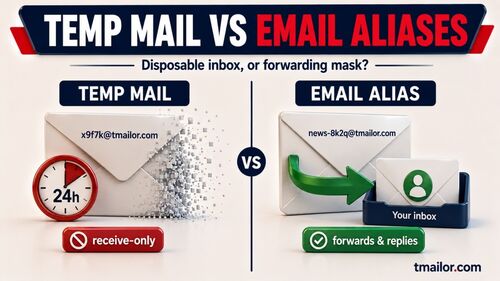
On tmailor.com, temp inboxes are receive-only. You cannot compose, reply to, or forward messages from a Tmailor address, so any workflow that depends on two-way email will fail.
Tmailor also cannot receive files. Inbound attachments are stripped before they reach the inbox, so you will never be able to open or download a file sent to that address. If a signup, support flow, or document handoff depends on attachments, use a real email account or another provider that explicitly supports them.
2. 24-Hour Email Expiry
On tmailor.com, every message is automatically and permanently deleted 24 hours after it arrives. There is no archive, no trash folder, and no recovery after deletion. Saving the Access Token lets you reopen the same address later, but that only brings back the address — it does not bring back messages that have already aged out.
The risk is straightforward: if you receive an important verification link, a download URL, or a confirmation code and don't act on it within 24 hours, that information is gone forever. Always copy what you need immediately after receiving it.

3. No Password Recovery for Important Accounts
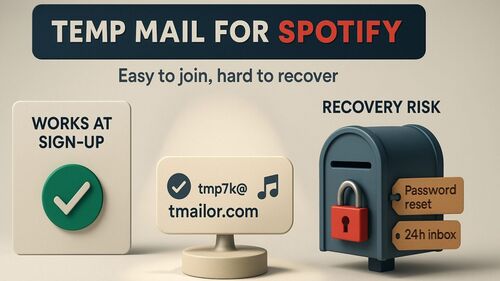
This is where people get burned. You sign up for a social app, marketplace, or forum with a temp address; the account becomes useful, and months later you forget the password. The reset link goes to the old temp inbox, but you no longer have the address or its Access Token.
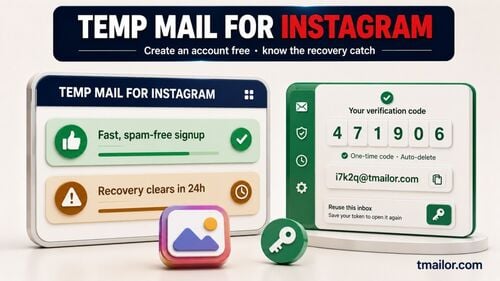
The result can be a locked account and a slow, uncertain recovery process. Some platforms offer backup recovery steps, but those options vary and are not guaranteed. For a real-world example, read the Facebook recovery risks.
4. OTP Delivery Is Not Guaranteed
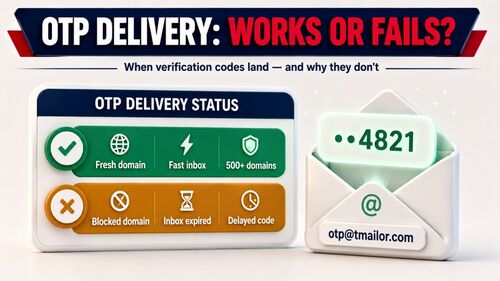
Most websites accept temp mail addresses and deliver verification codes without issues. But some platforms maintain blocklists of known disposable email domains, and if your address lands on one, the OTP simply never arrives.
Tmailor draws random addresses from a large rotating pool of domains and uses Google MX for inbound delivery, which is the mechanism — but no provider can promise a code will arrive, and none should. If a single domain happens to sit on a site's blocklist, a fresh random address may go through. If the site has decided as a matter of policy that it does not accept disposable email, that is not a delivery problem to route around: use a real address. For the general failure modes, see why OTP codes fail to arrive.
5. No End-to-End Encryption
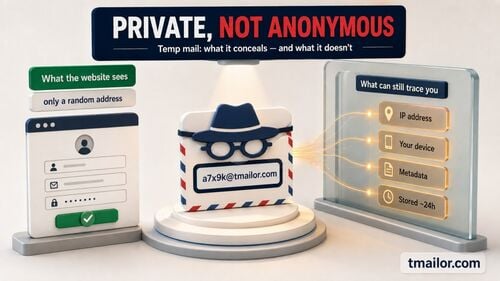
Temp mail inboxes are not end-to-end encrypted the way a Proton Mail or Tuta message is. The inbox is a privacy buffer, not a private vault. It is important to be precise about the Access Token here, because it is widely misread: the Access Token is a recovery key, not a password. It is what lets you return to an address later — it is not what keeps anyone else out. That is perfectly fine for throwaway signups and OTP codes, and it is exactly why you should never use a temp address to receive sensitive personal, medical, financial, or legal information.
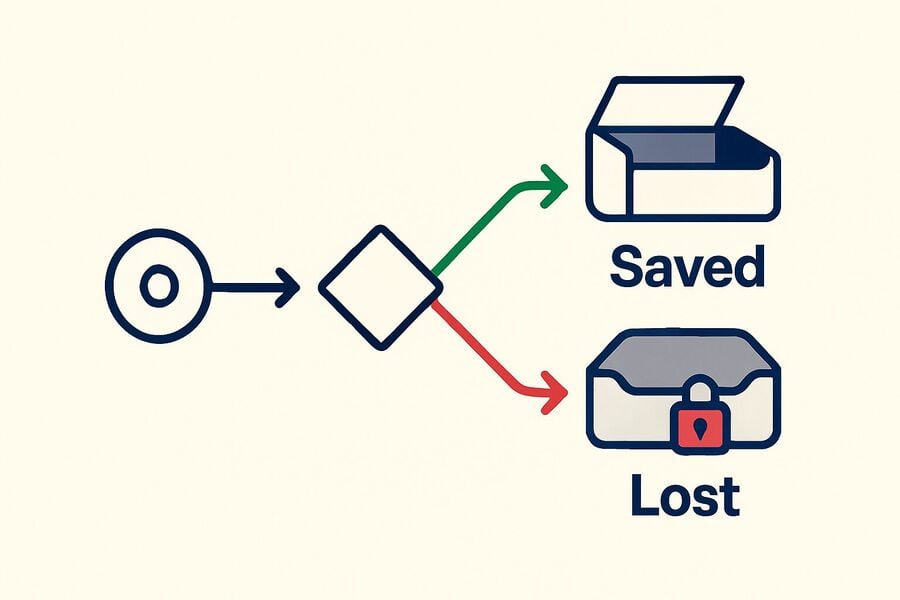
6. Access Token Lost = Inbox Lost Forever
The Access Token is the only way back to a tmailor.com address once you have navigated away. There is no "forgot Access Token" button, no support ticket, no alternative recovery path — an administrator cannot reissue it, and that is deliberate. Lose the Access Token and the address is gone for good.
Note what this does and does not buy you. It means there is no account, no password, and nothing tying the inbox to your identity — but that is not the same as anonymity, and the Access Token is not a lock protecting the inbox. If you want that distinction laid out properly, see whether temp mail is really anonymous.
Save your Access Token as soon as you create a new temp address. Store it in a password manager, a note app, or another place where you won't lose it. This one habit prevents the most common frustration that temp mail users experience.
7. Not Accepted Everywhere
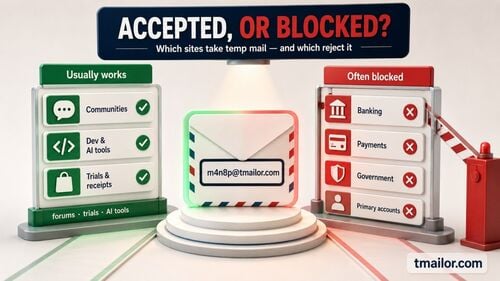
Some websites go beyond simple domain blocklists and use behavioral analysis, CAPTCHA challenges, or phone number verification to prevent disposable email signups entirely. Financial services, government portals, and some enterprise SaaS platforms are particularly aggressive at filtering temp mail.
No temp mail provider — regardless of how many domains they offer — can bypass a platform that fundamentally requires a permanent, verified email address. When you hit this wall, the platform is telling you that it needs accountability, and a disposable address doesn't provide it.
Timed vs Reusable Inboxes — Why It Matters
Not all temp mail services work the same way. A timed inbox is built to disappear on a countdown; a reusable one is built to let you come back to the same address later. Exact session lengths and recovery options differ from provider to provider, so treat the table below as the general shape of the trade-off rather than a spec sheet.
| Feature | Timed Inboxes (commonly observed) | Reusable Inboxes (e.g., tmailor.com) |
|---|---|---|
| Lifespan | A short countdown measured in minutes; the exact timer and any extend option vary by provider | Address can be reopened with a saved Access Token |
| Return to the inbox later | Usually not once the session has ended | Yes, with a saved Access Token |
| Receive delayed emails | Risky — the session can end before the email lands | More forgiving — the address stays reachable |
| Use on another device | Depends on how the provider ties the inbox to the session | Re-enter the saved Access Token to reopen the same address |
| Best for | One-off, low-stakes signups you will never revisit | Low-stakes signups and codes you may need to revisit |
Timed inboxes create a specific risk: if the verification email takes longer than the timer, you can lose both the email and the address. Reusable inboxes on a free temp mail service take the timing pressure off, because the address itself does not expire — but that is a smaller claim than it sounds. Address reuse and message retention are separate limits: messages are still deleted about 24 hours after they arrive, and a reusable address is no more likely to be accepted by a site that rejects disposable email.
When You Should NOT Use Temp Mail
The clearest way to avoid problems is to know which accounts should never be connected to a disposable address. Here is the list — no exceptions.
Financial accounts: Banks, credit cards, PayPal, crypto exchanges, investment platforms. These require password resets through email, and losing access means losing money. For crypto specifically, read temp mail and crypto exchanges to understand the nuances.
Government and healthcare portals: Tax filings, health insurance, medical records, government ID services. These often require identity verification and will lock you out permanently if you can't access the email on file.
Primary social media accounts: If you've built a following, created content, or connected professional relationships to an account, that account has value. Tie it to a real email. If you want privacy for a throwaway social profile, temp mail is fine — but recognize the trade-off.
Professional and work accounts: Anything related to your career, clients, or employer requires a permanent, reliable email address. Temp mail has no place here.
Any account you'd be upset to lose: That's the simplest test. If losing the account would cause you stress, frustration, or financial harm, use your real email.
For situations where you want privacy without the risks of temp mail, consider a dedicated secondary email for privacy or explore alternatives to temporary email.
Safe Usage Checklist
Follow these rules, and temp mail will serve you well without creating headaches later.
Before you sign up:
- Ask yourself: "Would I be upset if I lost access to this account?" If yes, use your real email.
- Check whether the platform requires email replies or only clickable links and codes.
- If OTP delivery matters, make sure the platform isn't known for blocking temp mail domains.
During signup:
- Save your Access Token immediately — before doing anything else.
- Copy OTP codes and verification links as soon as they arrive.
- If a code doesn't arrive, work out why before you retry. If one domain is on the site's blocklist, another address may be accepted. If the site's terms forbid disposable email, that is a policy, not a delivery fault — sign up with a real address instead.
After signup:
- If the account becomes important, migrate to a real email address before you lose access to the temp inbox.
- Don't store sensitive data (passwords, documents, personal details) in emails you receive through temp mail — copy what you need and let the 24-hour deletion handle the rest.
- Keep your Access Token stored in a password manager, not in a browser tab you might close.
What to Do When Temp Mail Won't Work
When a platform blocks disposable domains or your use case requires sending, replying, or permanent access, you have better options than forcing temp mail into a role it wasn't built for.
Disclosure: Tmailor runs this blog. The comparisons below are here to explain trade-offs, not to claim that one provider wins every use case.
A dedicated secondary email: Use a separate long-term inbox for routine signups, newsletters, and accounts you may need to recover later. This gives you permanent access without mixing everything into your main personal inbox. See the secondary email privacy guide for setup details.
Privacy-focused providers: Proton Mail and Tuta both offer encrypted email products, which are a better fit when you need privacy and long-term access rather than a disposable inbox.
Burner email services: If you need to send emails anonymously — not just receive them — a burner email service fills the gap that temp mail can't.
Frequently Asked Questions
Can websites detect that I'm using a temp mail account?
Some can. Many sites check the domain of an address against blocklists of known disposable domains and reject it at signup. If the rejection is just one domain being listed, a fresh random address on another domain may be accepted, and that is ordinary troubleshooting. But if a site has decided as a matter of policy that it will not take disposable email, cycling through addresses until one slips past is not troubleshooting — use a real address you control instead.
Is using temp mail illegal?
Using a temp mail address is not inherently illegal, but the rules that matter are the law and the service's terms. Using any email service to commit fraud, impersonation, harassment, or to break a platform's signup rules can still create legal or account consequences.
Is temp mail less safe than regular email?
Not inherently. Temp mail is less permanent, which is the point. For the use cases it's designed for — throwaway signups, OTP codes, spam avoidance — it's actually safer than using your real email because it limits your exposure. The risk comes from using it for the wrong purposes, which this guide exists to prevent. For a deeper dive, read Are Temporary Emails Safe?
Should I use timed or reusable temp mail?
Reusable, if there is any chance you will need the address again. A timed inbox runs on a countdown, so a slow verification email can arrive after the session is gone. A reusable inbox on a free temp mail service removes that timing pressure: you save the Access Token and reopen the same address later. It does not extend how long the messages themselves last — on Tmailor each message stays visible for about 24 hours from arrival.
How long do emails stay in a Tmailor inbox?
Each message is stored for 24 hours from the moment it arrives, not from when the inbox was created or first opened. After that it is deleted automatically and cannot be recovered, so if you may need a verification code or link later, save the Access Token first and reopen it before the window closes.

Minh Nguyen is the founder of Tmailor and the developer who publishes the Tmailor temp mail apps on the App Store and Google Play. He has built and operated Tmailor's free, receive-only disposable email service since 2022, focusing on reliable OTP delivery, inbox privacy, and reusable temp mail addresses.