Facebook Password Recovery with Temp Mail: Why It's Risky and What to Know
You forgot your Facebook password, and the account is tied to a temporary email address you can no longer access. Facebook wants to send a recovery code to that address, and there's no obvious way around it. This is one of the most common — and most frustrating — consequences of using temp mail for important accounts. This guide explains why password recovery through temp mail is risky, what actually happens when Facebook can't reach the email on file, which alternative recovery methods might still work, and how to set up your accounts going forward so this situation never happens again.
Quick access
TL;DR
- You can sign up for Facebook using a temporary email (temp mail), and that part usually works fine.
- The trouble comes later: on Tmailor, incoming messages are deleted about 24 hours after they arrive, so a reset link sent yesterday is already gone.
- Tmailor lets you reopen your own address with a saved Access Token, which can bring a new reset email back within reach — but only if you still have both the address and the token, or the address is saved to your Tmailor account.
- For an account you intend to keep, temp mail is a weak recovery foundation. Move it to a real inbox before you need it.
- Safer for the long term: Gmail, Outlook, or your own domain with Tmailor.
Why users try temp mail for Facebook
Most people reach for a disposable inbox on Facebook for an ordinary reason: privacy, less spam, or a quick sign-up they do not expect to keep for years. That motive is reasonable. The catch is that the same short-term convenience turns into a long-term problem the day the account starts to matter and the original inbox is gone.
Common reasons include:
- Spam avoidance: keep newsletters and follow-up mail out of a personal inbox.
- Privacy: keep a sign-up separate from a primary email address.
- Low-stakes use: a throwaway inbox for a short-lived account where losing access later would not hurt.
- Quick setup: skip the friction of creating another full Gmail or Outlook account.
That's when temporary email services come into play. With one click you have a random inbox and can sign up right away.
How Facebook password recovery works
Recovery usually begins the same way: Facebook looks up your account and offers to send a reset link or code to the contact method already on file — the email address or mobile number you registered. If you still control one of those channels, the reset is quick. If you do not, it gets much harder.
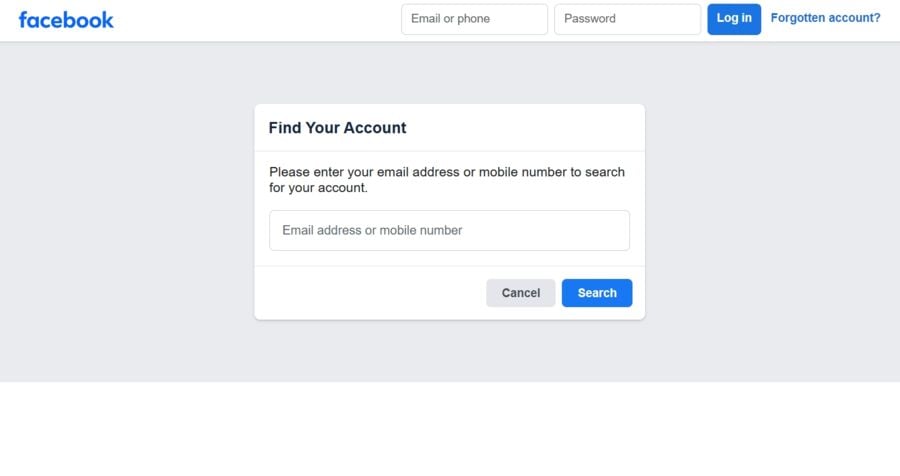
- When you click "Forgot password", Facebook sends a reset link or OTP to the contact method on file.
- You must be able to open that inbox (or that phone) to read the code.
- If the email is lost, inaccessible, or its messages have expired, the reset stalls and you are left with Facebook's other official recovery steps.
This is exactly why a stable, recoverable email matters for any account you plan to keep: the recovery is only ever as reliable as the inbox behind it.
Signing up for Facebook with temp mail (quick recap)
Many people already know you can register a Facebook account with a disposable inbox. The sign-up flow is simple:
- Visit the temp mail generator.
- Copy the random address it hands you.
- Paste it into Facebook's "Create New Account" form.
- Wait for the confirmation code to arrive in your temp inbox.
- Confirm the code, and the account is created.
For a fuller walkthrough, see the Facebook signup guide.
Sign-up works fine. The problems start later, the first time you need to reset the password.
Why temp mail is risky for password recovery
Facebook recovery is only as durable as the inbox on file, and a disposable inbox is built to be the opposite of durable. It can catch the very first verification email, but it makes a poor safety net months down the line — the message history is short, your access depends on still holding the same address and token, and platform acceptance can change without notice.
- Messages expire after about 24 hours: come back a day later and the reset link or OTP is already deleted, with no archive to fall back on.
- Continuity is fragile: many disposable services never let you reopen the same address at all, so the inbox that received your sign-up code is simply gone.
- Acceptance can change: a site may stop accepting a given disposable address at any time. If Facebook or any service tells you to use a real email address, use a real one — that is a policy, not an obstacle to route around.
- A disposable inbox is not private: it has no password of its own, so it was never meant to sit behind an account you need to keep secure.
- Recovery options narrow fast: once you have lost both the temp inbox and any saved reuse key, you are down to Facebook's official recovery flow and nothing else.
In short, temp mail is good for sign-up but bad for recovery.
Can you reuse a temp mail for a Facebook reset?
Sometimes — but only for an account that is already yours, and only under narrow conditions. Reuse is about continuity, not about retrieving old messages and not about getting into an account you cannot otherwise reach. It works when you still have the same address, the Access Token you saved when you created it, and a new reset email sent after you reopen the inbox.
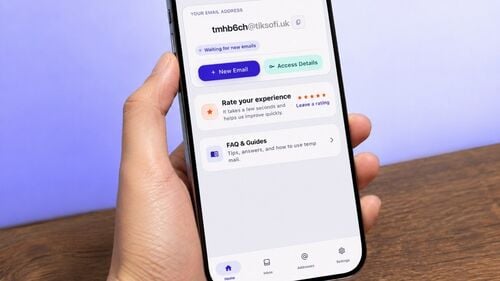
- When you first generate the address, Tmailor issues an Access Token for that inbox.
- If you saved it, you can reopen the same inbox later via reuse temp inbox.
- With the inbox reopened, a fresh reset email that Facebook sends to that address will land where you can read it.
The limitation is the whole point: old emails are gone. If Facebook sent a reset link yesterday, it has already expired. And if you lost the Access Token for a guest address, that inbox cannot be recovered by you, by anyone else, or by Tmailor — which is why reuse rescues some situations and none of the ones where the token is already lost.
Tmailor's token-based system explained
Tmailor solves one specific temp mail problem: getting back to the same address later. It does not turn a disposable inbox into a permanent mailbox. What is reusable is the address; the messages inside it are still short-lived, and the token that reopens it is not recoverable if lost.
- Reopen the same address later with its Access Token.
- Return to it across devices by entering that same Access Token in another browser or on the app.
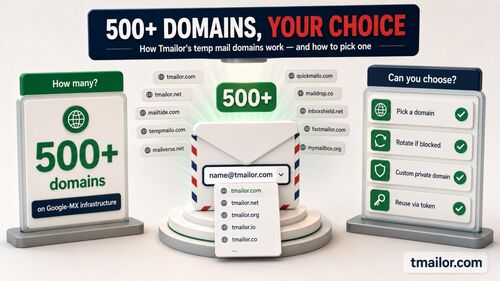
- Draw random addresses from a large, rotating pool of domains, while the custom-name option exposes only a few. That is the mechanism — no provider can promise that a particular site will accept a particular address.
Three things are worth stating plainly:
- The address is reusable.
- The inbox content is not permanent — messages clear about 24 hours after they arrive.
- The Access Token is the key for a guest address. It is a reuse key, not a password and not a lock on the inbox, and if you lose it no one can restore that address. If you created the address while signed in to a free Tmailor account, you can also open it from Created Emails.
So yes, you can ask Facebook to send a fresh reset email to the same address later — but you cannot pull back expired codes, and none of this substitutes for a recoverable inbox on an account you care about.
Safer alternatives for long-term Facebook accounts
If you want a Facebook profile you can actually recover, move it onto a durable inbox before you ever need a reset — while you still have access, not after a forgotten password has already locked you out. Temp mail is best kept for the low-stakes sign-ups it was designed for.
- Gmail or Outlook: mainstream, stable inboxes built for long-term account recovery.
- Gmail plus addressing: an address like name+fb@gmail.com keeps sign-ups easy to filter without giving up a recoverable inbox. For a wider look at options, see the provider comparison guide.
- Custom domain with Tmailor: point a domain you own at custom domain temp mail and receive on addresses you control, with the same receive-only inbox behind them.
If you can still get into your account today, the single most useful thing you can do is add a permanent email address (or phone number) in your settings and confirm it — before a future reset turns into a lockout.
Comparing temp mail vs 10-minute mail vs fake email
For recovery, the question that matters is not which disposable tool feels fastest at sign-up. It is whether you can return to the same address later, how long its messages stay readable, and whether the service is honest about where it stops being useful.
A note on where this sits: Tmailor runs this blog and offers temp mail, so read the comparison below as a plainly stated account of the trade-offs, not a neutral lab ranking.
- Temp mail (Tmailor): the same address can be reopened with an Access Token, but messages are still short-lived.
- 10-minute mail: built for a single sitting; the inbox expires within minutes and is a poor fit for anything you must recover later.
- Fake / burner email: a loose label rather than one consistent product, so reuse and retention vary from service to service.
Tmailor's limits are the same whichever way you use it: it is receive-only, inbound attachments are stripped so a file sent to the address can never be opened, messages stay visible only about 24 hours, and a lost Access Token cannot be recovered. None of these tools is a good home for a long-term login. For that, a permanent email remains the safest choice.
Best practices if you still use temp mail
If you still choose to use temp mail with Facebook, treat it as a short-term convenience and plan your exit early. The safest move is to migrate the account to a durable inbox while you still have access — not after a reset has already become a lockout.
- Save your Access Token the moment the address is created, in a password manager rather than a screenshot.
- Complete verification and copy any important code promptly, because messages usually disappear after about 24 hours.
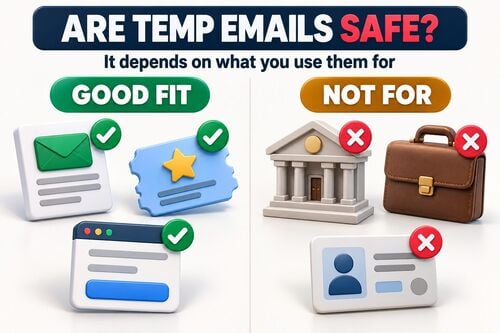
- Do not use temp mail for main, business, or irreplaceable accounts.
- If Facebook or any other service says a disposable address is not allowed, use a real inbox instead of trying to force one through.
- Add a permanent recovery email or phone number as soon as the account becomes something you would mind losing.
Frequently Asked Questions – Facebook Password Recovery with Temp Mail (tmailor.com)
If you're considering a temporary email address for Facebook, the hard part is never the first code — it is what happens later, when you need the same inbox back. These are the questions readers ask most about Facebook password recovery with temp mail and Tmailor's reuse model.
Can I reset my Facebook password with temp mail?
Only if you still control the same address. On Tmailor, reopening your own address with a saved Access Token can let you receive a new reset email, but the old ones are usually gone after about 24 hours.
Why is temp mail risky for Facebook recovery?
Because recovery depends on the contact method on file, while temp mail messages are short-lived and a lost Access Token for a guest address cannot be recovered. Lose access to the inbox and you may lose the reset with it.
Can I reuse a temp mail for password recovery?
Yes, for an address that is already yours. Tmailor can reopen the same inbox with its Access Token, so a new message sent to that address later lands where you can read it.
How long do emails last on Tmailor?
Each message is deleted automatically about 24 hours after it arrives. Saving the Access Token keeps the address reachable, but it does not extend that window for the messages inside it.
What if I lose my Access Token?
If it is a guest address, that inbox cannot be recovered, not by you and not by Tmailor. If the address is saved to your Tmailor account, sign in and open it from Created Emails, where you can also issue a new token. Otherwise, create a new address and save the new Access Token immediately, somewhere you will not lose it.
Does Facebook block disposable emails?
Acceptance varies by platform, domain, and time, and can change without warning. If Facebook or any other service tells you to use a real email address, use a real email address rather than cycling through disposable ones.
Can I switch from temp mail to Gmail later?
Yes. If you still have access to the account, add a permanent email address in Facebook's settings and confirm it before you ever need a future reset.
What's the safest alternative for testing?
For anything you may need to recover later, use plus addressing on a permanent inbox, or a domain you control. Keep disposable addresses for throwaway sign-ups where losing access would not matter.
Is it legal to use temp mail for Facebook?
Using a temporary address to protect your own privacy is legitimate. Using one to create fake, misleading, or abusive accounts violates Facebook's Terms of Service — the tool is fine; that use of it is not.
Can Tmailor receive OTP codes from Facebook reliably?
Tmailor can receive mail sent to a working address. That said, delivery timing and whether an address is accepted at all can vary by sender, domain, and the platform's own rules.
Conclusion
Temp mail can carry a Facebook sign-up over the line, but it is a weak foundation for recovery. If the account will still matter to you next month — not just today — the safer path is to attach a durable email address now and keep temp mail for the low-stakes uses where losing access later is acceptable.
- With Tmailor, you can reuse your own address via an Access Token.
- But the inbox content still disappears about 24 hours after it arrives.
- That combination makes temp mail unreliable for long-term accounts.
Our advice:
- Use temp mail for short-term, low-stakes sign-ups.
- Use Gmail, Outlook, or a custom domain you control for a permanent, recoverable Facebook profile.

Marcus Lee writes Tmailor's step-by-step guides — signing up to apps and platforms with temp mail, using the mobile app and Telegram bot, custom domains, reusing addresses, and getting the most out of disposable email day to day.