Tmailor
 Can I Use Temp Mail for OTP Verification Codes Safely? What Works and What Fails
Yes, temp mail can receive many email OTP codes. They fail when a site refuses disposable addresses, the sender delays, or the inbox becomes unavailable first. See how email codes compare with SMS and authenticator apps, and what to do when a code never arrives.
Quick access
Key Takeaways
Yes. A temporary inbox can receive an OTP or verification code when the service sends it by email, accepts disposable addresses, and delivers it before the message or the inbox becomes unavailable. Temp mail cannot receive SMS codes or authenticator-app codes. If a site refuses disposable email, use a long-term address you control rather than trying to get around the restriction.
- Email only. Temp mail receives codes sent by email. It has no phone number, so it cannot receive text messages, voice calls, or codes generated inside an authenticator app.
- Three conditions. The service must send the code by email, accept the address, and deliver it while you can still open the inbox.
- A refusal is final. When a site rejects disposable email or an account needs recovery later, sign up with a long-term email you control instead.
- Stronger sign-in for accounts that matter. Emailed and texted codes are a weak form of sign-in protection; an authenticator app is stronger, and a passkey resists phishing.
Can Temp Mail Receive OTP Codes?
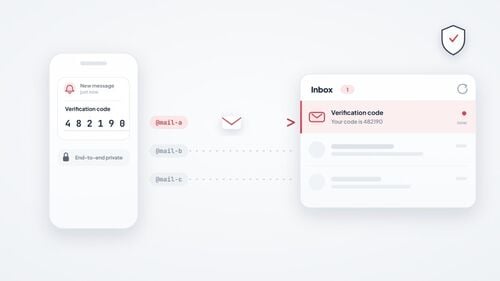
Yes. A temporary email can receive verification codes when the service sends the code by email. A disposable inbox accepts mail over the same standard SMTP path as a permanent mailbox: the service composes the message, its mail server hands it off, and the temp mail server accepts it. If you are new to disposable inboxes, our guide to how temp mail works covers the basics.
Whether the code reaches you depends less on temp mail itself and more on the sender. The service decides whether to accept a disposable address, how fast it sends, and how long the code stays valid. The rest of this page covers when delivery works, why codes fail, how email codes compare with other verification methods, and what to do when one does not arrive.
Email OTP vs SMS OTP, Authenticator Apps, and Passkeys
An email OTP is a one-time code sent to an inbox. An SMS OTP goes to a phone number. An authenticator app (TOTP) generates the code on your own device, and a passkey replaces the typed code with a cryptographic sign-in. Temp mail can only help with the first one. For accounts you care about, a passkey or authenticator app protects you better than any code that has to be delivered to you.
Two different jobs share the word "code." An emailed code often just confirms that you control an email address during signup. A login code, by contrast, is part of signing in. NIST's digital identity guidelines (SP 800-63B-4) say email must not be used for out-of-band authentication, while codes that only confirm an email address, or recovery codes, fall outside that rule. Many services follow a similar split: they email a code to confirm a new address, then offer a phone, an app, or a passkey for sign-in.
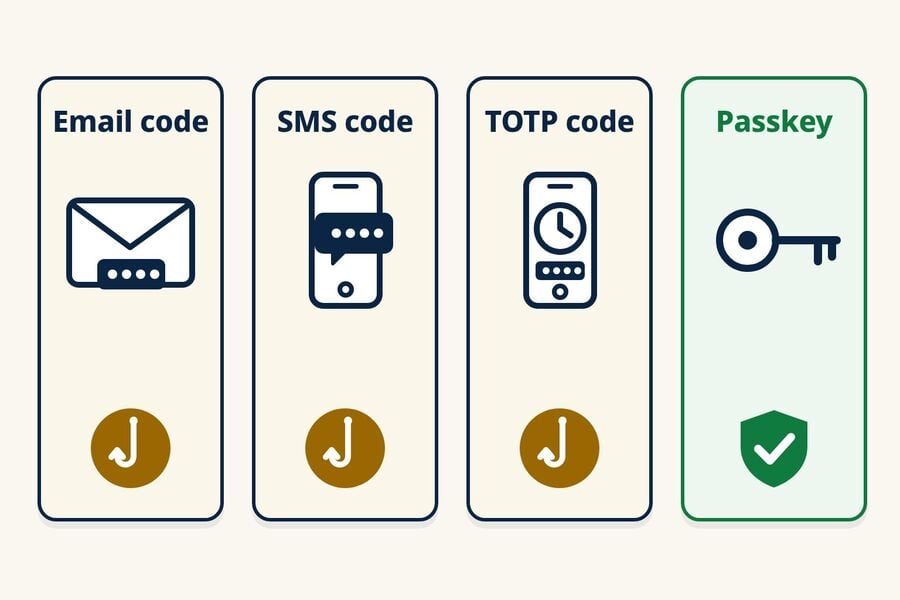
| Method | Where the code comes from | Main weakness | Phishing-resistant? | Can temp mail help? |
|---|---|---|---|---|
| Email OTP | Sent to an inbox | Anyone who can open that inbox can read the code; it can be phished | No | Yes, for low-stakes signups that accept disposable email |
| SMS OTP | Sent to a phone number | SIM swaps, SS7 interception, recycled numbers; it can be phished | No | No. Tmailor has no phone numbers |
| Authenticator code (TOTP) | Generated on your device | The six-digit code can still be phished; the shared secret must stay protected | No | No. It lives in an app on your device |
| Passkey | A FIDO credential on your device or in your password manager | Weaker fallback or recovery methods on the account | Yes | No. It is tied to your device or password manager |
Email, SMS, and TOTP codes can all be phished, but their risks are not identical. SMS adds SIM-swap, SS7, and recycled-number exposure; an email code is only as safe as the mailbox; and TOTP depends on protecting the shared secret. Public guidance supports these distinctions. CISA's fact sheet "Implementing Phishing-Resistant MFA" places app-based codes above SMS or voice codes, which it calls a last-resort option, while noting that both remain open to phishing. CISA says app-based codes are not exposed to SIM swaps or SS7 attacks, and it describes FIDO/WebAuthn as the only widely available phishing-resistant authentication, alongside PKI-based MFA. MDN's guide to one-time passwords reaches a similar conclusion: all forms of OTP are vulnerable to phishing, SMS is much weaker than email against interception, and passkeys are the better choice for general sign-in.
A passkey is a sign-in credential based on FIDO standards, and the FIDO Alliance describes passkeys as phishing-resistant. The protection covers the passkey sign-in itself. If an account still allows a weaker fallback, such as an SMS reset, that fallback can remain the weak spot.
Why Do Sites Ask for a Phone Number Instead of Email?
Some sites use phone verification as an extra anti-abuse signal or as a recovery channel. It does not eliminate fraud, and phone-based recovery brings its own risks: SIM swaps, number porting, and recycled numbers. NIST treats codes sent over the phone network as a "restricted" method and tells services to watch for signs such as a SIM change or number porting before relying on them. If your goal is a mailbox that does not need a phone at all, our guide to creating an email without a phone number covers which providers ask and which do not.
Does Tmailor Give You a Temporary Phone Number?
No. Tmailor is a receive-only email service. It does not provide phone numbers and cannot receive SMS or voice codes. If a legitimate service requires SMS, use a number you control and are permitted to use, or choose not to continue. Tmailor cannot complete that step for you.
Avoid public receive-SMS websites for any code or account that matters. Those sites post incoming texts on an open page by design, so anyone can read a code meant for you. Researchers who monitored 29 public SMS gateways for a year (Moreno and colleagues, "Your Code is 0000," 2023) collected more than 70 million messages sent to 17,141 numbers. Reused numbers carry a second risk. A Princeton study of number recycling at two US carriers (Kevin Lee and Arvind Narayanan, eCrime 2021) found that 215 of 259 sampled available numbers were recycled and vulnerable to at least one attack. The study also found 171 of the 259 numbers exposed to account takeover through password recovery at six popular websites, and 19 of 200 recycled numbers still received security-sensitive messages, such as passcodes, within a week.
Where Temp Mail Fits
Temp mail is a good fit for emailed codes on low-stakes signups: a forum, a newsletter, a one-off download, or a product trial you may not keep. For an account you plan to keep, use a long-term email and turn on an authenticator app or a passkey once the account is set up. Whatever channel a code uses, do not give it to a person who contacts you and asks for it. Enter a code only in the service or app where you started the verification.
When OTP Delivery Usually Works
Delivery to temp mail works when three things line up: the service sends the code by email, it accepts disposable addresses, and the receiving server is up and accepts the message promptly. Policies vary widely by site, so the only reliable signal is what the site does with your address.
What a Large Domain Pool Does and Doesn't Do
Tmailor offers addresses across 500+ domains, which gives you a choice of temporary address. That does not guarantee delivery or change a site's disposable-email policy. If a site refuses the address, respect that decision and use a long-term email you control rather than trying more disposable addresses.
Speed Factor
OTP codes are time-sensitive, so the receiving side matters too. Tmailor takes inbound mail through Google MX servers, so senders hand off to a widely used mail path and normal retries work as designed. That describes the mechanism, not a speed guarantee; the background is in why Tmailor uses Google's servers for incoming email. No inbox can receive a message the sender has not sent yet.
Why OTP Codes Fail
When an OTP does not reach a disposable inbox, the cause usually falls into one of three groups. Each needs a different response, so it helps to know which one you are facing before you try again. If your temp mail is not receiving emails at all, first check whether every message is missing or only one site's code. A single missing code usually points to the sender, its address policy, or the delivery channel; nothing arriving from several unrelated senders points to the inbox or the receiving service.
The Site Refuses Disposable Addresses
Some services check signups against internal or third-party lists of disposable domains. They may reject the address at signup with an error, or accept the form and never send the code. Either way, treat it as the site's decision and use a long-term email you control for that account. Our guide to why websites reject disposable domains explains how this filtering works.
The Code Is Delayed or Never Sent
Senders queue and throttle messages, and some run anti-abuse checks before sending. A receiving server may also defer the first attempt, a spam-control technique called greylisting, so the code arrives only after the sender's mail server retries. Pressing "resend" again and again can trigger a cooldown, and a new code often cancels the previous one. A short delay is harmless in an inbox that stays open, but it can outlast a 10-minute countdown.
The Code Went Somewhere Else
The code may have gone to a different address than the one you are watching, to the email already on file for an existing account, or to another channel entirely, such as SMS or an app prompt. A code can also arrive after a timed inbox has already switched to a new address. For a cause-by-cause walkthrough with platform notes, see the guide to 12 reasons an OTP email does not arrive.
OTP Reliability by Inbox Type
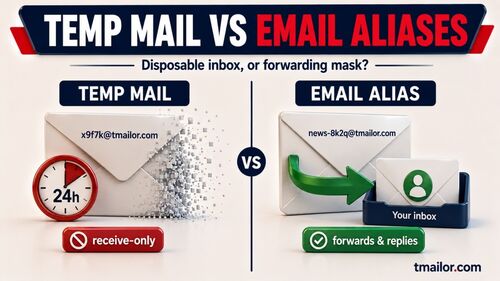
Disclosure: Tmailor publishes this blog, and Tmailor is the reusable-inbox example in the comparison below. Its limits apply too: it is receive-only, messages stay visible for about 24 hours after they arrive, a lost Access Token cannot be recovered, and some sites refuse disposable domains outright.
Not all temp mail behaves the same for verification. The deciding factors are how long you can keep reading the inbox and whether you can return to the same address later. If you want a quick timed inbox, Tmailor's 10 minute mail starts with a 10-minute countdown that you can extend to as much as 60 minutes remaining. For a ranked, by-need pick, see the best temp mail for OTP breakdown.
| Inbox model | How long you can read it | Can you return later? | OTP fit | Best for |
|---|---|---|---|---|
| Timed inbox (10 minute mail) | A countdown, usually 10 minutes; Tmailor's can be extended to as much as 60 minutes remaining | Usually no; on Tmailor, a recent address stays in History on the same device while it is still available | Fine for instant codes; risky if delivery is delayed | One-off reads you will never revisit |
| Reusable inbox (Tmailor) | Each message stays visible for about 24 hours after it arrives | Yes, on any device, with the saved Access Token | Good when the site accepts the address; covers delays and later codes | Signups you may need again, multi-step flows |
| Public shared inbox | Varies by provider | Anyone who knows the address can open it | Commonly refused, and the code is visible to others | Low-stakes throwaway tests only |
How Long OTP Codes Stay Valid
The sending service sets the expiry, not your email provider. Login and signup codes often last only a few minutes, while email-verification links and recovery codes may last longer; the screen or the email usually says how long. NIST requires conforming out-of-band authentication to be completed within 10 minutes, but that rule covers sign-in steps that meet its standard, not every emailed code. Treat the countdown on the screen as the real limit.
Code lifetime and message lifetime are different clocks. On Tmailor, a message stays visible for about 24 hours after it arrives, while the code inside it may expire in minutes. Our guide to how long temp mail lasts separates message retention from address reuse.
Fix Checklist When an OTP Doesn't Arrive
Run these checks in order before assuming temp mail is the problem:
- Wait out the timer, then resend once. Use only the newest code that arrives.
- Confirm the address and the channel. Confirm that the address on the confirmation screen matches the inbox you are watching, and check whether the service sent the code by SMS, an app prompt, or to an older email on file.
- Keep the inbox open. A Tmailor inbox is a single list with no spam folder, so there is nowhere else to look. If timing is uncertain, start with a reusable temp mail address and save its Access Token.
- Respect a refusal. If the site rejects the address or never sends a code to it, use a long-term email you control for that account. Trying address after address works against the site's policy and puts the account at risk.
The diagnostic hub linked above under "The Code Went Somewhere Else" covers each cause in depth, including Steam, Epic Games, Discord, Binance, Instagram, and X.
Timed vs Reusable Inbox: Which to Use for OTP
Use a timed inbox only when you need one immediate code and will not keep the account. Use a reusable address when the service may send later verification, security alerts, or password-reset messages. Save the Access Token securely: anyone who has it can open the inbox, and a lost Access Token cannot be recovered by support.
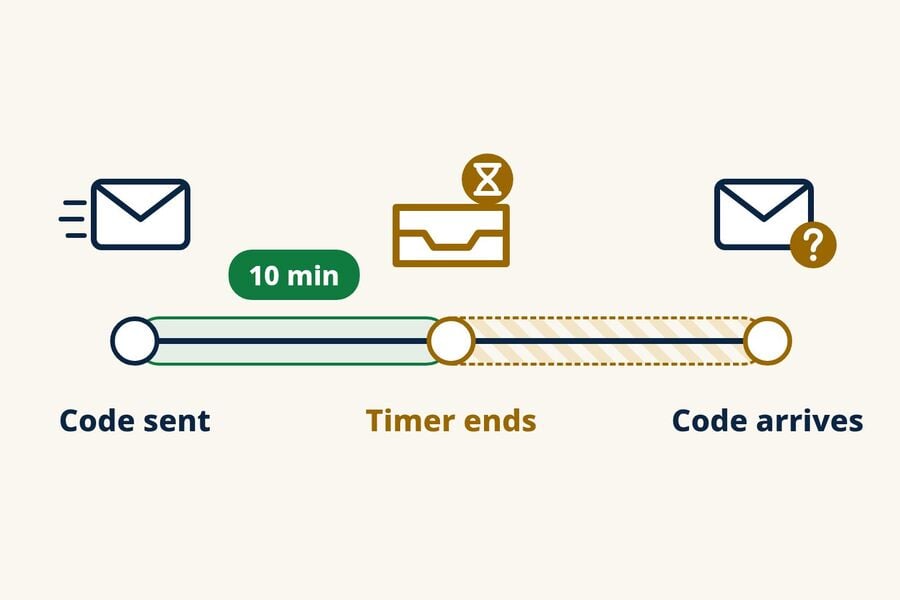
On Tmailor, reaching the end of the countdown switches the page to a new address; it does not make the previous address disappear immediately. The previous address is saved in History on the same device and can be reopened while it is still available, and its Access Token lets you reopen it on another device. Messages that arrive stay visible for about 24 hours.
For a head-to-head on the timing question, see temp mail versus 10 minute mail for OTP. The security and privacy trade-offs between the two models are covered in the reusable versus short-lived inboxes guide.
Multi-Step Verification
Some platforms send a confirmation email, then a separate OTP, then a setup message. With a short countdown, you might catch the first and miss an OTP that arrives a few minutes later. A reusable address keeps receiving new messages for as long as you can reopen it.
Re-Verification and Security Alerts
Social and SaaS platforms often re-verify when you log in from a new device. If your original signup address is no longer available, you cannot complete the check and may lose access. A recoverable address keeps that route available.
Password Reset Safety Net
A password reset email goes to the address you signed up with. A timed address may already be gone. A reusable address that you reopen with its Access Token can still receive a new reset email, which then stays visible for about 24 hours.
The Simple Rule
If you answer "maybe" or "yes" to either question, use a reusable address: (1) Will I need this address again after the next few minutes? (2) Will I want to keep this account? For one-time downloads, newsletter previews, and quick product tests, a timed inbox is fine.
OTP on Specific Platforms
Email delivery works the same way technically everywhere, but sites differ in whether they accept disposable addresses and in which channel they use for codes. Our guide to social network sign-ups covers those flows, and if a platform rejects the address, use a long-term email for it. AI tools add their own login codes; the ChatGPT signup and login-code guide covers that case. To check in advance where a disposable address is likely to be refused, see which sites accept temp mail.
What Not to Use Temp Mail OTP For
Temp mail is built for privacy-conscious signups and low-stakes accounts, not for anything you need to recover. Do not use it for banking, payments, government services, healthcare, or any primary account tied to your identity. Even if a code arrives, losing access to the mailbox can block alerts, recovery, and later verification, and these services may reject disposable addresses under their own policies. For a broader look at where disposable inboxes fit, see whether temporary emails are safe. This is a limit to respect, not a barrier to work around.
OTP Testing for QA and Development Teams
Teams that test their own signup flows with disposable inboxes run into OTP problems at scale: resend storms, unclear ownership of failures, and codes that land after a test step has moved on. The fixes are procedural: test with more than one address, cap resend attempts, and track time-to-first-OTP as a metric so regressions show up. A ready-made OTP risk checklist for teams lays out the full protocol.
Frequently Asked Questions
Can temp mail receive SMS codes or give me a phone number?
No. Temp mail receives email only, and Tmailor does not provide phone numbers. If a service requires SMS, use a number you control and are permitted to use, or choose not to continue. Avoid public receive-SMS sites, because anyone can read the codes they display.
Why does my OTP arrive in my regular email but not my temp mail?
The site may refuse or quietly skip disposable addresses, but other causes are possible: a typo in the address, a code sent to the email already on file, or a slower delivery to that inbox. Check the address and the channel first. If the site does not send to disposable addresses, use your regular email for that account.
Is it safe to use temp mail for OTP?
It is safe for low-stakes signups where you do not need long-term recovery, such as forums, newsletters, one-off downloads, and quick product tests. It is not appropriate for banking, government, healthcare, or any account tied to your identity, because you need a mailbox you will control for years to recover those accounts.
Can I use temp mail OTP for banking or financial services?
No. Do not use temp mail for banking or financial accounts. Even if a code arrives, losing mailbox access can block alerts, recovery, or later verification, and the service may reject disposable addresses under its policies.
How long does an OTP code usually remain valid?
It depends on the service and the action. Treat login and signup codes as a few-minute window unless the screen shows a timer; email-verification links and recovery codes may last longer. The sending service sets the expiry, not your email provider.
What should I do if the OTP arrives after my 10-minute inbox expires?
On Tmailor, the end of the countdown switches the page to a new address, but the previous address stays in History on the same device while it is still available. You can also add time before the countdown ends, up to 60 minutes remaining. If you may need the address later or on another device, save its Access Token; a lost Access Token cannot be recovered.
Does clicking "resend code" help if the first OTP did not arrive?
Sometimes, but only once and only after the on-screen timer ends. Extra taps can trigger a cooldown, and each new request may cancel the previous code. If the site refuses disposable addresses, resending will not change that; use a long-term email for that account.
Is there a way to know in advance if a platform blocks temp mail?
Sometimes. An explicit signup error such as "disposable email not allowed" or the site's own help pages may tell you. There is no universal compatibility list, and some sites accept the form but never send the code, so a directory of sites known to block temp mail is a planning aid, not a guarantee.
Can I receive OTP codes on a temp mail mobile app?
Yes. Tmailor's Android and iOS apps, as well as the Telegram bot, receive email the same way the web version does. If the code reaches the address, it appears in the mobile inbox. To open the same address on another device, use its Access Token.
Which temp mail is most reliable for OTP?
For sites that accept disposable email, the most dependable choice is an inbox that stays open long enough for a delayed code and that you can reopen later, such as a reusable address with a saved Access Token. No temp mail provider can make a site accept an address it refuses.
The Bottom Line
Use temp mail for OTP only where it fits: low-stakes signups that send codes by email and accept disposable addresses. Keep the inbox open, resend once, and save the Access Token if you may need the address again. If a site refuses the address or asks for SMS, use an email or phone number you control, and protect accounts that matter with an authenticator app or a passkey. For everyday signups, you can create a free temp mail and keep the tab open while you wait.

Minh Nguyen is the founder of Tmailor and the developer who publishes the Tmailor temp mail apps on the App Store and Google Play. He has built and operated Tmailor's free, receive-only disposable email service since 2022, focusing on reliable OTP delivery, inbox privacy, and reusable temp mail addresses.