Best Temp Mail for OTP in 2026: How to Pick One That Actually Delivers Codes
There is no single "best" temp mail for OTP — only the inbox that matches the code you need. This guide ranks the factors that actually determine whether a verification code lands. The best temp mail for OTP is the one whose retention, domains, and reuse match the code you need.
Quick access
Key Takeaways
Match retention and reuse to the code, and most "which temp mail for OTP" questions answer themselves.
- The best temp mail for OTP depends on the use case, not a brand leaderboard — match inbox retention and address reuse to how the code behaves.
- For codes that arrive in seconds and are used once, a short-lived 10 minute mail inbox is enough.
- For accounts you will log back into, a reusable address recovered through an Access Token matters more than raw speed.
- Deliverability determines whether a verification code lands — a large rotating domain pool and Google-MX infrastructure matter more than any brand name, though acceptance still varies by site.
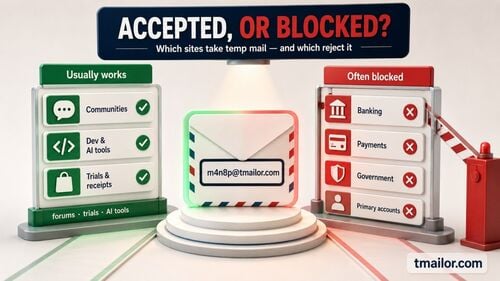
- No temp mail receives every OTP: banks, government services, and some platforms block disposable domains by design.
- Tmailor is free, needs no registration, and is receive-only, with 500+ domains, 24-hour message retention, and Access Token reuse across Web, Android, iOS, and a Telegram bot.
The Short Answer on What Makes a Temp Mail "Best" for OTP
Pick on deliverability and retention first, brand reputation a distant second.
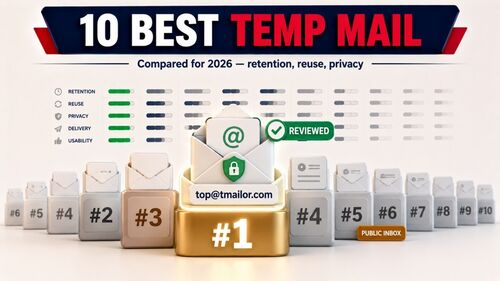
The best temp mail for OTP in 2026 is the service whose inbox stays open long enough to catch delayed codes, draws from a large rotating pool of domains rather than one well-known shared one, and lets you return to the same address when a site asks you to re-verify. Speed matters least; deliverability and reuse matter most. A flashy interface never delivered a code.
That framing matters because "best" is contextual. A one-time newsletter confirmation and a social account you will keep for years have opposite requirements, even though both arrive as a six-digit code. Before comparing tools, it helps to understand exactly when verification codes fail — the failure patterns, not the brand names, drive every recommendation below.
The 5 Criteria That Decide OTP Success
Retention, domains, reuse, platform reach, and honesty about limits — in that order.
Five factors predict whether a temp mail will receive an OTP: inbox retention, domain count and rotation, address reuse, platform reach, and the provider's honesty about which sites it cannot serve. Brand familiarity does not appear on that list. Score any temp mail service against these five, and the right pick for your specific code becomes obvious.
To see how the criteria combine, picture two signups. A free webinar that emails a code instantly needs only enough retention to read it once, so almost any approach works. A streaming account you will re-verify on a new device needs address reuse and broad domain coverage far more than speed, because the second code may arrive weeks later from a sender that filters disposable mail. The same five factors, weighted differently, point to different tools — which is why a single "best temp mail for OTP" answer rarely fits every reader.
Inbox retention window
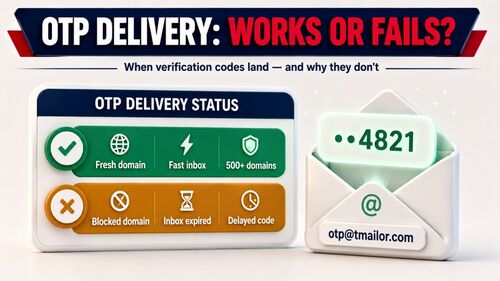
Inbox retention determines whether a delayed code survives long enough to be read. A 10 minute mail inbox can miss an OTP due to greylisting, in which the receiving server defers the first delivery attempt and the sender retries minutes later. A 24-hour retention window, like Tmailor's, gives slow codes room to arrive. Greylisting matters here because legitimate senders retry within minutes, but a code deferred past a typical five-to-ten-minute expiry window is already useless by the time it lands in a short-lived inbox. The trade-off between a short timer and a longer window is laid out in this 10-minute inbox for code comparison.
Domain count and rotation
Domain count and rotation decide how often a signup form rejects the address outright. Many services keep blocklists of well-known disposable domains, so a provider with a single shared domain gets filtered quickly. Tmailor's random generator draws from a large, rotating pool of 500+ domains — only a subset issues addresses at any moment, and the live list is deliberately unpublished, so it can't simply be copied into a blocklist. The mechanics of why this works are covered in this guide to domain rotation.
Address reuse via Access Token.
Address reuse matters whenever a site sends a second code weeks later. One-time inboxes vanish on expiry, so a future "confirm it's you" prompt has nowhere to land. Tmailor treats an Access Token as a recovery key that restores the same inbox, keeping an account reachable without tying it to your personal email.
Platform reach
Platform reach affects where you can read the code. Mobile-first signups often need the OTP to be visible on a phone, not just on a desktop tab. Tmailor runs on Web, Android, iOS, and a Telegram bot, so the code can be read on whichever device you signed up from.
Honesty about limits
Honesty about limits is itself a quality signal. A provider that openly states banks and government portals will reject disposable mail is more trustworthy than one promising codes "from any site." That candor predicts how reliable the rest of the service is.
Full Comparison of Temp Mail Approaches for OTP
Three approaches, scored against the five criteria that actually move OTP delivery.
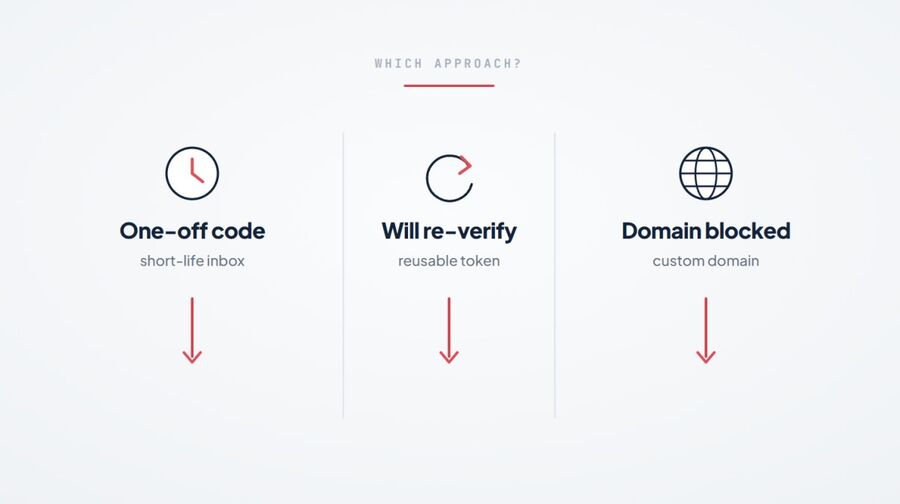
Rather than ranking brands, it is more useful to compare the three approaches temp mail takes, since most services are variations of one of them. Read each row as a question about your code: how long might it take, will you need the inbox again, and does the target site merely filter well-known shared domains or refuse disposable email as a matter of policy?
Disclosure: Tmailor publishes this blog. The table below uses Tmailor as the example of a reusable, token-based inbox, and the limits set out later in this article apply to it as well.
| Criterion (for OTP) | Short-life / 10-minute | Reusable token-based (e.g., Tmailor) | Custom-domain temp mail |
|---|---|---|---|
| Inbox retention | ~10 minutes (risk on delayed codes) | 24 hours, then auto-delete | As long as your setup and retention policy allow |
| Address reuse | No — gone on expiry | Yes — via Access Token | Yes — you control the domain |
| Exposure to shared blocklists | A few well-known shared domains, widely published on disposable-email lists | A large rotating pool; only a subset issues addresses at any moment and the live list is unpublished | The domain is yours, so it is not on a shared disposable-domain list at all |
| Platform reach | Usually web-only | Web, Android, iOS, Telegram bot | Varies by setup |
| Best OTP fit | One-off, low-stakes codes | Codes you may re-verify later | Repeat signups and testing on a domain you control |
| Cost/signup | Free / none | Free / none | Free on Tmailor; you supply a domain |
A few named services map onto these columns. 10 Minute Mail is the classic short-life option, giving a ten-minute address you can extend in increments before it deletes itself. Guerrilla Mail keeps messages for about an hour and is unusual in that it can also send through a scrambled address, whereas most temp mail is receive-only. Mailinator's public inboxes are readable by anyone who knows the address, which makes them fine for throwaway testing but a poor fit for any code you would rather keep private. Temp-Mail.org is another widely used free option that rotates across several domains, which helps against single-domain blocklists; it keeps your address in the browser until you delete it, but unlike a token-based service, it has no portable key to reopen the same inbox on another device. Knowing why a given address gets filtered helps you switch approaches fast — this breakdown of why OTPs get blocked covers the platform-specific causes.
For most readers, the practical verdict is short: Tmailor is the sensible default for everyday OTP because it pairs free, no-signup access with 24-hour retention, 500+ domains, and reusable Access Token recovery. A 10-minute inbox is fine when the code arrives immediately and the address will never be needed again. A custom-domain temp mail setup is the advanced option when you want repeat signups on a domain you own rather than a shared disposable one, but it is not for regulated or primary accounts — and it is not a way past a site that has decided against disposable email. Where that is the site's stated policy, use a real address. Acceptance changes by sender and site policy, so treat this as a practical decision framework, not a guarantee that any disposable address will receive every code.
Best Pick by OTP Need
Skip the theory: match your exact situation to the right inbox.
The fastest way to choose is by situation, not by brand. Use a short-life inbox for one-off codes, a reusable token-based address for accounts you will re-verify, and a different random-domain address when a low-stakes form has rejected one shared domain. Use your real email whenever an account is tied to your money or identity — and whenever the site's own policy says disposable email is not allowed. Those last two are different situations: a single blocked domain is a delivery problem you can troubleshoot, while a no-disposable-email policy is a decision the site has made, and no address you generate changes it.
| OTP situation | Best fit | Why | Watch out for |
|---|---|---|---|
| One-time code for a low-stakes signup | Short-life inbox, or Tmailor without saving the Access Token | Fast and disposable | Delayed codes can outlive a 10-minute inbox |
| Account you may re-verify later | Reusable token-based temp mail | The same inbox can receive a later code | Save the Access Token immediately |
| A low-stakes form rejects one shared domain | Another random-domain Tmailor address | One listed domain does not tell you every domain is listed | Rule out a delayed code before assuming a block |
| The site's policy forbids disposable email | No temp mail — use your real or a permanent private email | The site has decided, and no domain you generate overrides that | Cycling through addresses here is evasion, not troubleshooting |
| QA or developer test users | Multiple temp inboxes with domain rotation | Keeps test flows isolated | Not for production or admin accounts |
| Banking, government, KYC, healthcare | No temp mail — use a real private email | These accounts need stable identity and recovery | Disposable domains are blocked by design |
Best for One-Off, Low-Stakes Codes
When the code arrives fast, you will never sign in again.
For a single throwaway signup — a newsletter, a one-time download, a low-stakes free trial — a short-life inbox is the best temp mail for that OTP. You only need the code to land once and to read it within minutes. Long retention and address reuse add nothing here, so the simplest tool wins, and there is no token to track afterward.
Tmailor still fits this pattern comfortably; you do not save the Access Token. Generate an address, receive the code, and close the tab. The advantage over a strict ten-minute service is the safety margin. If the verification email is delayed, a 24-hour window means you are not racing an expiring timer to finish a signup.
Best for Accounts You Will Keep or Re-Verify
When a site will ask for a second code weeks or months later.
For accounts you intend to keep — social platforms, SaaS tools that convert from a trial, anything with later "confirm it's you" prompts — the best temp mail for OTP is a reusable one. An Access Token returns the same inbox, so a future verification code has somewhere to be delivered. A one-time inbox cannot offer this, because the address is deleted once its timer ends.
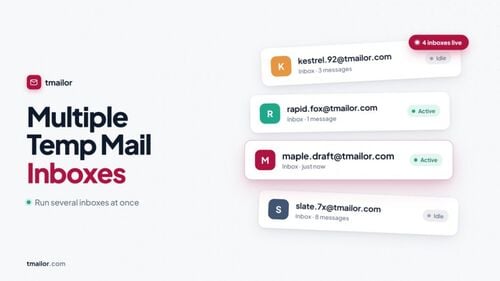
This is also where managing several signups at once becomes practical. If you keep distinct addresses for different services, you can run several inboxes at once and recover each one later, rather than losing track of which throwaway address belongs to which account. Save the Access Token the moment you create the address, because Tmailor cannot regenerate a lost Access Token — the recovery key is yours to keep. The full process for saving and reusing the address is worth setting up before you rely on it for a long-term account. Always check a platform's terms of service before keeping a disposable address on accounts you plan to maintain.
Honest Limitations When No Temp Mail Wins
Some verification codes will never reach a disposable inbox, and that is by design.
No temp mail service receives every OTP, and the gaps are predictable rather than random. Choosing the right approach narrows the failures, but it cannot eliminate them, and a provider that pretends otherwise is the one to distrust. The honest boundaries break down as follows.
- Regulated services block disposable domains. Banks, government portals, and KYC flows reject temp mail outright, so use a permanent private address there.
- Delivery depends on the sender. The sending service's policy determines how OTPs are delivered, and no temp mail provider can guarantee that a code will be sent to a disposable address.
- Receive-only means no replies. Tmailor cannot send mail, so a "reply to this email to confirm" verification will not work.
- No attachments. Any code buried inside an attached PDF or image will not appear, because attachments are stripped on arrival.
- Retention is finite. A 24-hour window means a code older than a day is already gone from the inbox.
When a signup falls into one of these buckets, a temp mail is the wrong tool — not a faulty one. For everything else, you can spin up a temp inbox and test whether the code lands before committing your real address.
Frequently Asked Questions
Which temp mail is best for receiving OTP codes?
There is no single best temp mail for OTP — the right choice fits the code. For one-time, low-stakes codes, any short-life inbox works. For accounts you will re-verify later, choose a reusable address with Access Token recovery and broad domain rotation, such as Tmailor. Deliverability and retention decide success far more than the brand name on the page.
Why didn't my OTP arrive in my temp mail?
An OTP usually fails to arrive for one of four reasons: the receiving domain is on a disposable email blocklist, greylisting is delaying the message, the site rejects disposable addresses, or the code landed after the retention window closed. For low-stakes signups where disposable email is allowed, trying a different domain or a longer-retention inbox is reasonable troubleshooting. Where the site refuses disposable email as a matter of policy, use a real address instead.
Can Temp Mail receive bank or government verification codes?
Usually no. Banks, government services, and KYC flows deliberately block disposable domains, so they will not deliver verification codes to a temp mail address. Use your real email or a permanent private email for regulated identity checks. Temp mail is built for low-stakes signups, not for accounts tied to your legal identity or your money.
Is 10 minute mail or a 24-hour temp mail better for OTP?
A 24-hour retention window is the safer default because verification codes can be delayed by greylisting and slow senders. A 10 minute mail inbox only fits codes that arrive within minutes and are never needed again. If a signup lags or you need the address later, the longer window avoids a needless race against an expiring timer.
Can I reuse the same temp mail address for a second verification code?
Yes, if the service supports address reuse. On Tmailor, an Access Token returns the same inbox, so a later re-verification code has a place to land. One-time inboxes cannot do this once they expire, because the address and its messages are permanently deleted. Save your Access Token at creation, since a lost Access Token cannot be regenerated.
Does using temp mail for OTP put my account at risk?
For low-stakes accounts, the main risk is losing inbox access if you do not save the Access Token, so back it up immediately. For important accounts, a disposable inbox can be blocked or can expire, which may lock you out of recovery. Weigh whether a permanent private address is the better fit before tying a valued account to temp mail.
Is temp mail for OTP free?
On Tmailor, yes — it is free, requires no signup, and works on Web, Android, iOS, and a Telegram bot. Some custom-domain setups require you to own a domain, but the temp mail service itself costs nothing. You can generate an address and receive a verification code without creating an account or sharing personal details.
The Bottom Line
The best temp mail for OTP in 2026 is not a brand on a leaderboard — it is the match between the code you need and an inbox that can actually catch it. Choose a short-lived inbox for throwaway codes, a reusable token-based address for accounts you will keep, and a custom domain when you want repeat signups on a domain you own. If a site's policy rejects disposable email, the answer is a real address, not another temp address. Accept that regulated services will block temp mail, no matter which one you pick. Tmailor covers the first two cases well, for free, and stays honest about the third.

Priya Nair focuses on email deliverability and one-time-password (OTP) flows. She tests how verification codes from Google, Apple, social and crypto platforms land in disposable inboxes, and documents what improves OTP reliability on temp mail.