Tmailor
 Temp Mail vs 10 Minute Mail: Which One Is Better for OTP and Signups?
Temp mail vs 10 minute mail comes down to recovery vs speed: reusable temp mail keeps a code, reset link, or delayed OTP available, while a timed 10-minute inbox self-destructs and can leave you locked out mid-signup. Here is how to choose the right inbox for OTP, registration, and everyday privacy in 2026.
Quick access
Key Takeaways
A quick snapshot of the most important differences to help you decide before reading the full comparison.
For OTP and account signups, reusable temp mail is the safer default: its roughly 24-hour inbox and token-based reuse survive delayed codes and multi-step verification. A 10-minute inbox self-destructs on a timer, so it fits truly one-time interactions where the address never needs to work again.
- Temp mail keeps your address available while you hold the Access Token; 10 minute mail deletes everything once a short countdown ends.
- For OTP and verification emails, reusable temp mail is more reliable because delayed or multi-step codes still arrive within the retention window.
- 10 minute mail works well for one-time downloads and throwaway registrations where you never need the address again.
- Domain blocking often hits classic 10-minute services harder, since many expose only a small pool of well-known domains.
- Timer extensions on timed inboxes can buy more time before expiry — many services extend the countdown in 10-minute increments — but that is not the same as recovering an address later.
- Privacy outcomes are similar in both models, but reusable temp mail gives you more control over when to discard the data.
- Mixing both types in a layered system is the most practical strategy for different risk levels.
Temp Mail vs 10 Minute Mail: Choose The Right Inbox Type
Understanding when a timed inbox is enough and when you need a reusable address saves real headaches later.
The core distinction is simple: a 10 minute mail service hands you an address with a built-in countdown, and once the timer runs out, the inbox and every message inside it disappear. A standard temp mail service generates an address that stays available for about 24 hours and can usually be reopened or reused with an Access Token.

That difference sounds minor until a signup flow takes longer than expected. Multi-step verification, queued email delivery, or a confirmation link that arrives five minutes after you register can all push past a 10-minute window. If the inbox is gone before the code lands, you start over — or worse, you end up with an account tied to an address that no longer exists.
When 10 Minute Mail Is Enough
A timed inbox works best for a single, fast interaction: downloading a free resource, unlocking a gated article, or grabbing a one-time coupon. If you never plan to log in again and the site sends its email within seconds, the 10-minute inbox countdown is not a problem.
When You Need a Reusable Temp Inbox
If there is any chance you will need the address later — for a password reset, a second verification step, or to keep receiving messages for a day — a reusable temp mail address is the safer pick. Services that support token-based address recovery let you return to the same inbox hours later without losing access.
Compare OTP Reliability And Blocking
OTP delivery depends on domain reputation, sender authentication, and whether the receiving service blocks disposable addresses.
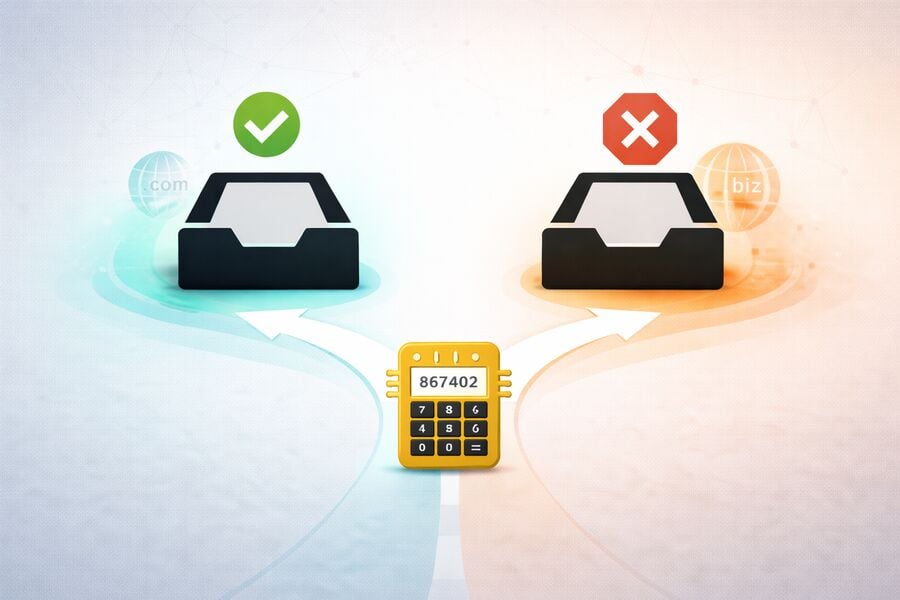
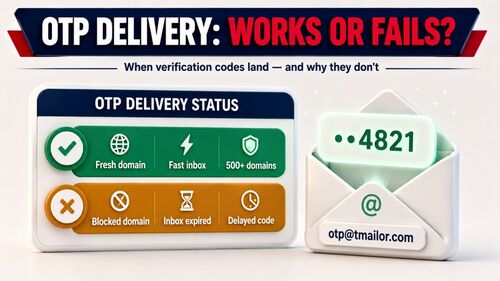
Verification codes fail for two main reasons when you use a disposable inbox. First, the sending platform may detect the domain as disposable and refuse to send the code. Second, the message may be delayed beyond the inbox's lifetime. Both problems hit 10 minute mail harder than standard temp mail, which is one reason a dedicated guide to why verification codes land or fail is worth keeping close.
Why OTP Sometimes Fails With Timed Inboxes
Some classic 10 minute mail providers expose only a small public-domain pool, and those domains can end up on maintained blocklists such as the community-maintained disposable-email-domains list. The pattern is not universal, though: some timed services rotate more domains, and some reusable services are smaller. Some providers also use domain rotation at scale, but acceptance still varies by site and no disposable inbox is guaranteed to pass.
Delivery Speed, Greylisting, and Queue Delays
Verification emails do not always arrive instantly. Greylisting — a standard anti-spam technique — temporarily defers mail from unfamiliar senders and asks them to retry; depending on the receiving server and the sending system, that delay can be minutes and sometimes longer. Queueing and rate-limiting add more. Because OTP and reset-code lifetimes vary by service, a 10-minute inbox may expire while a delayed code is still usable, whereas a 24-hour inbox comfortably absorbs the latency.
Domain Blocking in Practice
Many services screen signups against disposable-domain lists or their own risk rules. Timed services with a small public domain pool are easier to recognize across those checks. Some providers rotate or change domains to reduce recognition, but acceptance still varies by site and no disposable inbox is guaranteed to pass.
What Changed For Disposable Email In 2026
Stricter sender authentication and smarter fraud detection now shape whether a verification code arrives at all.
In 2026, disposable email reliability depends less on the timer alone and more on sender compliance, domain reputation, and signup-risk scoring. A verification code can fail because the sending platform rejects a disposable domain, because its own mail authentication is weak, or because retry delays outlast a short inbox.
Stricter Sender Authentication
Google's sender rules require authentication for mail sent to personal Gmail accounts, and Google's FAQ says that, starting in November 2025, Gmail began ramping up enforcement on non-compliant traffic, including temporary and permanent rejections. This is a sender-side delivery risk: if the platform sending your code has weak authentication, the code can stall before it reaches any inbox — and reliable inbound infrastructure on the temp mail side still cannot override a site's decision to block disposable domains.
Smarter Detection Of Throwaway Domains
Beyond static blocklists, domain reputation still shapes disposable-email acceptance. Some timed providers rotate or change domains to reduce recognition, but acceptance still varies by site and no disposable provider guarantees acceptance everywhere. For concrete examples, see which sites block disposable email and which let it through.
Understand Reuse And Account Recovery
Choosing the right inbox model before you sign up prevents the frustrating cycle of locked accounts and lost passwords.

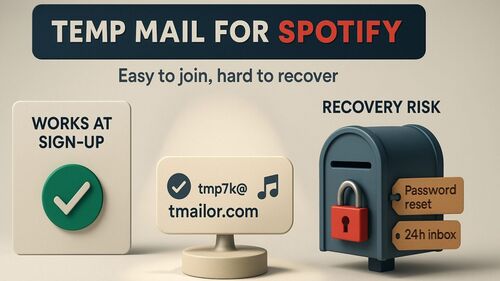
Reuse is where the two models diverge most sharply. If you create an account with a 10-minute address and later need to reset your password, you usually have no durable recovery path because the inbox was designed to self-destruct. Some timed services offer short just-expired recovery or timer extensions, but that is not the same as saving an Access Token and returning to the same address later.
Token-Based Reuse: The Practical Difference
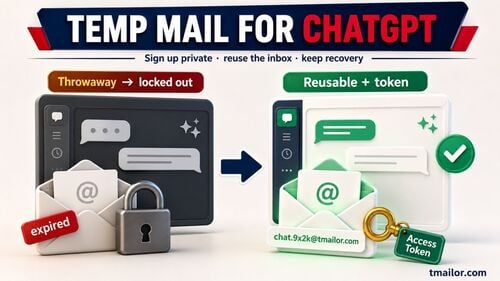
Standard temp mail services that issue an Access Token solve this problem. You save the token, then reopen the same inbox any time within the retention window. If a throwaway signup turns into something you want to keep, you can still log in, receive a password-reset email, and migrate the account to a permanent address. That migration path does not exist with a timed inbox.
Timer Extensions Are Not Recovery
Many timed services let you extend the countdown — often in 10-minute increments — and some stretch a single session to roughly 100 minutes. The catch is that an extension only works while the tab stays open and you are watching. It cannot rescue a code that arrives after you close the page, and it never returns the address to you later. An Access Token does both.
When Self-Destructing Inboxes Make Sense
If minimizing inbox residue is the priority, a self-destructing inbox is a feature, not a limitation, because messages disappear automatically after the timer elapses. It does not erase the account's own logs or signup history, so the honest question is whether the account is truly one-time. If you want access later, choose a recoverable option instead.
See Privacy And Spam Outcomes
Both inbox types protect your real address, but the way they handle data after use creates different privacy profiles.
Both models keep your real email identity separate from the service you sign up for, which eliminates most downstream spam, cross-site tracking via email, and data-broker matching. In terms of pure signup privacy, 10 minute mail and standard temp mail deliver comparable results; the difference is how long the data lingers and who controls when it goes.
Data Lifecycle Differences
A 10-minute inbox deletes everything automatically, which is appealing if you want a clean slate. A standard temp mail inbox with 24-hour retention gives you time to review messages, extract what you need, and let the data expire on its own. Neither model stores personal data permanently when the provider follows responsible practices, though the security trade-offs of each model are worth understanding before you commit.
Tracking Pixel and Fingerprinting Risks
Incoming emails can carry tracking pixels that report when a message is opened, and that risk exists equally in both inbox types. Some providers reduce it by proxying images or stripping tracking elements. The inbox model — timed versus reusable — does not change this risk; it depends entirely on the provider's infrastructure.
Pick A Workflow For Your Use Case
Five common scenarios show exactly which inbox type fits best and why mixing them is often the smartest strategy.
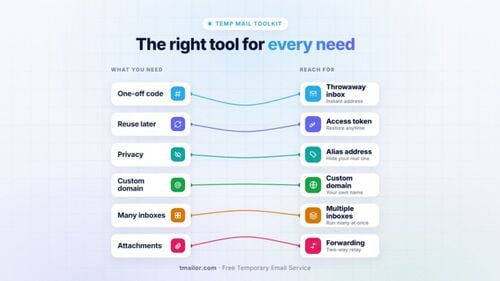
Use reusable temp mail for OTP-heavy signups, social accounts, QA testing, and trials that may send follow-up emails. Use 10 minute mail for one-time coupons, downloads, and newsletter checks where the address will never matter again. Whenever later recovery is even possible, avoid a self-destructing timed inbox.
Shopping and Coupons
Online stores often send a welcome coupon immediately after signing up. A 10-minute inbox works here because you grab the code, apply it, and never return. But if the store requires email confirmation before the coupon activates, a reusable inbox is safer because confirmation flows can be slow.
Social Media Accounts
Creating a secondary social account is one of the most common uses for a temporary email. Social platforms send verification codes, re-verification prompts, and security alerts over time. A reusable temp mail address handles all of them; a 10-minute inbox covers only the initial signup step.
Free Trials and SaaS Testing
Evaluating a tool for a few days often means receiving onboarding emails, trial-extension offers, or product updates during the test period. A timed inbox dies before any of those arrive. A 24-hour reusable inbox gives you a realistic testing window.
QA and Development Testing
QA teams regularly need dozens of unique addresses for automated signup testing. Timed inboxes add unnecessary complexity because tests fail when the inbox expires mid-flow. Token-based inboxes let testers revisit the same address and reliably verify end-to-end flows.
Newsletters and Content Downloads
Signing up for a newsletter you are unsure about is one of the few cases where a timed inbox is genuinely ideal. You see the first email, decide whether it is worth keeping, and either move to your real address or let the disposable one expire.
Full Comparison Table
A side-by-side breakdown of the practical factors that matter most when choosing between temp mail and 10 minute mail.
Reusable temp mail and 10 minute mail solve different problems. Reusable temp mail gives a longer message window and address recovery through an Access Token, while 10 minute mail prioritizes automatic deletion and single-session use. The table below compares lifetime, recovery, OTP fit, blocking risk, privacy, and platform access to make the trade-off easy to scan.

| Criteria | Temp Mail (Reusable) | 10 Minute Mail (Timed) |
|---|---|---|
| Inbox Lifetime | About 24 hours; recoverable via Access Token | 10 minutes; many services let you extend while the tab stays open |
| Reuse / Recovery | Yes — Access Token restores the same inbox | No durable token recovery; deleted on the timer |
| OTP Reliability | High — delayed and multi-step codes still arrive within 24h | Risky — delayed codes may miss the window |
| Domain Pool | Varies by provider (Tmailor: 500+); domain breadth is provider-specific and does not guarantee acceptance | Provider-specific; some rotate domains, others do not |
| Speed | Instant generation; fast inbound delivery on a strong mail infrastructure | Instant generation; delivery varies by provider |
| Best Use Cases | OTP, multi-step signups, trials, QA testing | One-time downloads, throwaway coupons, quick newsletter checks |
| Avoid For | Banking, insurance, government, or any account needing a permanent email | Anything requiring password reset, re-verification, or delayed emails |
| Privacy | Strong — data expires after the retention period | Strong — data self-destructs after the timer |
| Platform Access | Web, Android, iOS, and Telegram bot | Provider-specific; browser support is common, while dedicated apps and recovery options vary |
When Neither Inbox Type Fits
Disposable inboxes have a clear ceiling, and knowing where it is keeps you out of locked-account territory.
Neither temp mail nor 10 minute mail belongs on accounts you cannot afford to lose. Banking, insurance, tax, healthcare, and government logins need a permanent address you personally control for security, compliance, and recovery. Disposable inboxes are built for low- to medium-risk interactions, not for anything tied to your money or legal identity.
Best Alternative In 2026
For accounts you plan to keep, the best alternative to both temp mail and 10 minute mail is a forwarding alias from a service such as Apple Hide My Email, Firefox Relay, or SimpleLogin. Aliases forward mail to your real inbox and can be disabled later, preserving recovery without exposing your main address. Reusable temp mail then sits between those aliases and true throwaways: recoverable for about a day, then gone.
Avoid Common Mistakes
Five frequent errors cost users their verification codes, account access, or privacy advantage — all easily preventable.
Most disposable email failures occur when a short-lived inbox is used for a task that requires later recovery. Before choosing an address, check whether the site may send delayed codes, password resets, security alerts, or follow-up onboarding emails. Save the Access Token for reusable temp mail, and keep a permanent address for high-stakes accounts.
Using a Timed Inbox for Multi-Step Verification
Some services send a confirmation email, then a separate activation link, then a welcome message with setup instructions. Starting with a 10-minute inbox means you may receive the first email, but lose the rest. Match the inbox lifetime to the signup complexity before you begin.
Forgetting to Save the Access Token
Even with reusable temp mail, the Access Token is your private recovery key for regaining access to the inbox. Close the browser tab without saving it, and you lose the recovery path. Store it somewhere safe until you are certain you no longer need the address, because a lost Access Token cannot be reissued.
Using Disposable Email for High-Stakes Accounts
Neither temp mail nor 10 minute mail is appropriate for banking, health insurance, tax platforms, or government services. These accounts require a permanent, personally owned email address. Disposable inboxes are designed for low- to medium-risk interactions.
Reusing the Same Domain Everywhere
Using the same disposable domain across many services means a data breach at one service can link your accounts. Rotating domains — or choosing a provider with a large domain pool — adds an extra layer of separation between registrations.
Assuming All Temp Mail Providers Are Equal
Delivery speed, domain breadth, retention policy, and infrastructure quality vary widely. Compare the retention window, recovery method, and supported platforms instead of assuming every temp mail provider behaves the same way.
Frequently Asked Questions
Answers to the most common questions about choosing between temp mail and 10 minute mail for OTP and signups.
Can I receive OTP codes with a 10 Minute Mail address?
Yes, as long as the code arrives before the countdown ends and the sending platform has not blocked the domain. Delayed OTPs and multi-step verification flows raise the risk of missing the code, because code lifetimes vary by service. A reusable temp inbox is more dependable when verification may take more than one step.
What happens if my 10-minute inbox expires before the email arrives?
The address usually ceases to exist after the timer, and any email sent after removal bounces or is silently dropped. Some timed services offer a short just-expired recovery window, but you should not rely on it for account access. If you need password resets or later verification, use a reusable temp inbox with an Access Token.
Can I extend the timer on a 10 Minute Mail inbox?
Many 10 minute mail services let you extend the countdown, often in ten-minute steps, and some stretch a session to roughly 100 minutes. An extension only works while the browser tab stays open, though. It cannot rescue a code that arrives after you leave, and it never returns the address later, as an Access Token does.
Are Temp Mail and 10 Minute Mail free, and do they require a signup?
Tmailor is free and requires no registration, and many public 10 minute mail tools are also free to use. Policies vary by provider, so check whether a service requires an account, limits refreshes, or restricts recovery. The practical difference is persistence: a reusable temp mail address can be reopened with an Access Token, while a 10-minute address disappears on schedule.
Is Temp Mail safer than 10 Minute Mail for privacy?
Both offer comparable privacy during signup. The difference is control: temp mail with 24-hour retention and token recovery gives you time to extract what you need, while 10-minute mail forces instant deletion. Neither stores personal data long-term when the provider follows responsible data practices.
Can websites detect that I am using a disposable email?
Often, yes. Many websites check signups against maintained blocklists of known disposable domains, so a temp address can be recognized and refused. Draw the line clearly: if a single domain is refused while the site otherwise allows disposable mail, that is a delivery problem. But if the site does not accept disposable email at all, that is its policy — respect it and sign up with a permanent address instead of hunting for an address that slips through.
Should I use Temp Mail or 10 Minute Mail for creating social media accounts?
Reusable temp mail is the better choice. Social platforms frequently re-verify accounts, send security alerts, and require password resets, all of which require a working inbox for more than 10 minutes. A timed inbox covers only the first signup step and leaves you locked out afterward.
How do I recover a temp mail inbox if I closed the browser?
If your provider supports Access Tokens, paste the token into the recovery field to restore your inbox and its messages within the retention period. Without a token, the inbox cannot be recovered. This is why saving the token immediately after generating an address matters, and why a lost token cannot be reissued.
Does 10 Minute Mail work on mobile devices?
Many 10 minute mail tools work in a browser on desktop or mobile, but support varies by provider. Tmailor works on Web, Android, iOS, and Telegram bot. If you need to reopen the same inbox across devices, choose a temp mail service with Access Token recovery rather than assuming every timed inbox behaves the same way.
Which type is better for QA and automated testing?
Token-based temp mail is significantly better for testing. QA workflows often involve multi-step email verification, delayed sends, and inbox revisits, all of which require an inbox that persists for more than 10 minutes and can be accessed reliably throughout a test run.
Is it safe to use either type for banking or financial accounts?
No. Neither temp mail nor 10 minute mail should be used for banking, insurance, tax services, or any financial account. These require a permanent, personally controlled email address for security, compliance, and account recovery. Use a disposable inbox only for low- to medium-risk signups.
The Bottom Line
Your inbox choice should match the risk and lifespan of the account you are creating — not the other way around.
Both temp mail and 10 minute mail protect your primary inbox from unnecessary exposure. The difference is flexibility: a 10-minute inbox is fast and disposable for interactions you will never revisit, while a reusable temp mail address gives a safety net for delayed OTPs, re-verification prompts, and account migration when a throwaway signup turns into something worth keeping.
For OTP-heavy workflows, multi-step signups, QA testing, and any scenario where the email might matter beyond the first few minutes, a reusable temporary inbox is the stronger choice. For truly one-time interactions, 10 minute mail minimizes inbox residue after the timer expires, though it does not erase the site's own logs or signup history. The smartest approach is to keep both options available — when a signup calls for a durable address, create a free temp mail and match each registration to the inbox type it actually needs.

Minh Nguyen is the founder of Tmailor and the developer who publishes the Tmailor temp mail apps on the App Store and Google Play. He has built and operated Tmailor's free, receive-only disposable email service since 2022, focusing on reliable OTP delivery, inbox privacy, and reusable temp mail addresses.