Temp Mail for Fortnite: What Epic Games Accepts, What It Blocks, and What It Costs You
Epic's published rules do not name disposable email, yet Epic blocks some providers and rejects plus-address tricks. The real risk starts the day after you sign up.
Quick access
Key Takeaways
Temp mail for Fortnite can work at signup when Epic accepts the address's domain, and the inbox stays reachable long enough to verify. Epic's current terms, checked in July 2026, do not name disposable email. Epic can still reject a provider it considers abusive, and it outright refuses plus-address aliases. Recovery is where the real cost lands.
- Epic's Terms of Service and Epic Games Store EULA, checked in July 2026, name no disposable, temporary, burner, or temp mail address type.
- Epic can block an email provider "for abusive behavior," in its own words. Its page does not name which providers those are.
- Addresses like yourname+fortnite@gmail.com and y.ourname@gmail.com are refused. Epic names plus signs and dots directly.
- One email address can hold only one Epic Games account at a time.
- Verifying your email unlocks two-factor authentication, which unlocks gifting, competitive play, and some free Epic Games Store titles.
- Email is one of Epic's 2FA methods, so an inbox you can no longer open removes your second factor and your password reset at the same time.
Does Temp Mail Work for Fortnite?
The honest answer sits between the two stories the search results tell.
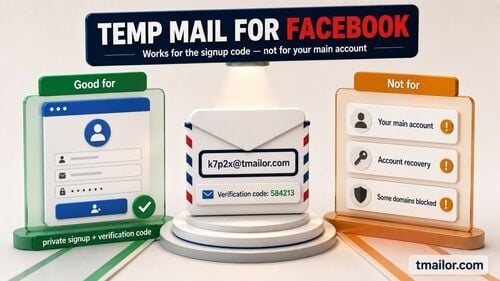
Temp mail works for Fortnite signup when two conditions hold: Epic has not blocked the email provider associated with the address, and the inbox remains reachable long enough to open the verification link. Epic's help page separates a blocked provider from a blanket rule, and Epic's current terms name no banned address type.
Three horizons matter, and most guides cover only the first: whether Epic accepts the domain at signup, whether the inbox survives to verification, and whether you can open it a year later. Those are separate questions, and a pass on the first does not secure the other two.
Why Epic Games Says Your Email Is Not Valid
Epic documents three reasons, and two of them are what temp mail users actually hit.
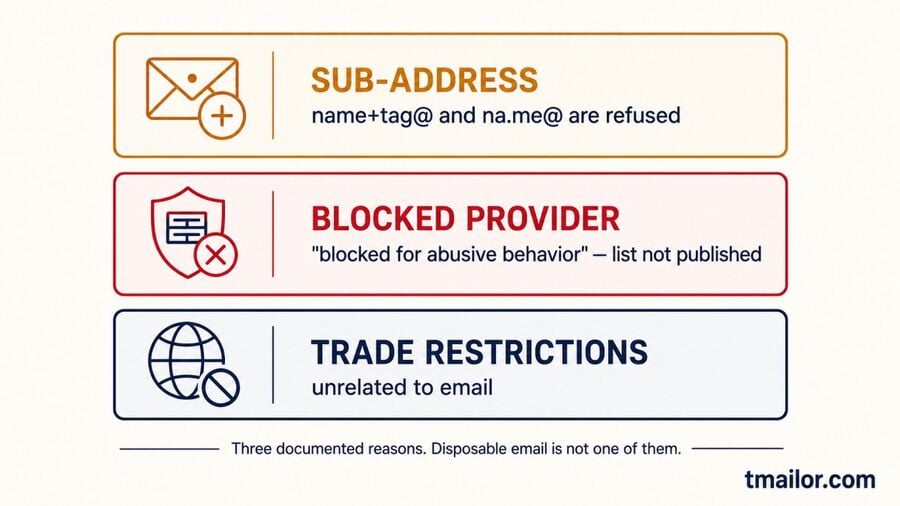
Epic Games rejects a signup address for three documented reasons: it is a sub-address using a plus sign or a dot, the email provider has been blocked by Epic for abusive behavior, or the account is being created from a country under United States trade restrictions. Disposable email appears nowhere on that list.
Plus signs and dots are rejected by name.
Epic's support page for the "email address you entered does not appear to be valid" error gives its own examples of what it will not accept: john+123@gmail.com and j.ohn@gmail.com. The plus-address trick fails here, and so does the Gmail dot variant.
Epic separately states that one email address can link to only one Epic Games account at a time. It does not publish a reason for rejecting sub-addresses on this help page, so the two facts are worth holding side by side without inferring a cause.
A blocked provider is a decision about the domain, not about you.
Fortnite runs on an Epic Games account, and Epic's published rules, checked in July 2026, name no banned email type. A disposable address is accepted when Epic has not blocked its provider, and the inbox stays reachable for verification. Epic's page says it can block a provider "for abusive behavior," and it does not name which providers those are — so acceptance is a condition you observe, not a guarantee you can rely on.
Where this ends is worth saying plainly. If Epic has blocked a provider, that is Epic's call, and hunting for a domain that slips past it is no basis for an account you mean to keep. Tmailor operates 500+ domains, but this guide is not telling you to cycle them against a platform that said no.
The third reason is unrelated to email: United States trade restrictions bar account creation from Cuba, Iran, North Korea, and Syria.
If You Use a Disposable Address, Keep It Recoverable
The task that matters is not making the account. It is still owned by the inbox later.
If you use a disposable address for Fortnite, the critical task is not creating the Epic account; it is keeping that inbox reachable. Verify before the messages clear, save the Access Token that reopens the address, and keep your email out of your two-factor setup on an inbox you might lose.
Use a plain address, not an alias.
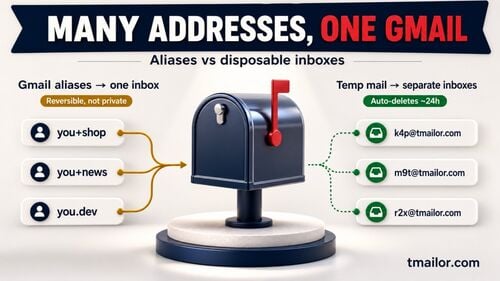
Epic refuses sub-addresses, so the address you register must be in the ordinary name@domain format, with no plus sign and no dot in the local part. A generated Tmailor address already looks like this. If you planned to tag the address to filter Epic's mail, that plan won't pass Epic's validator.
Verify before the messages clear.
Tmailor holds incoming messages for about 24 hours, then deletes them. The address can still be reopened later with the Access Token, but the old messages are gone. Open Epic's verification email while it is there. If it never arrives, the fixes match those that apply when a verification code never arrives anywhere else.
Save the Access Token as soon as you have it.
The Access Token is this article in one sentence. It reopens a Tmailor address after the messages are gone, and it is the only reason a disposable address survives contact with an Epic account. It is a recovery key, not a password, and no one can reissue a lost one, including Tmailor staff. Save it where you save passwords. You can create a free temp mail address in seconds with no signup.
2FA and Account Recovery Are the Real Risks
Epic treats your inbox as a key. A key you cannot pick up again is a lost key.
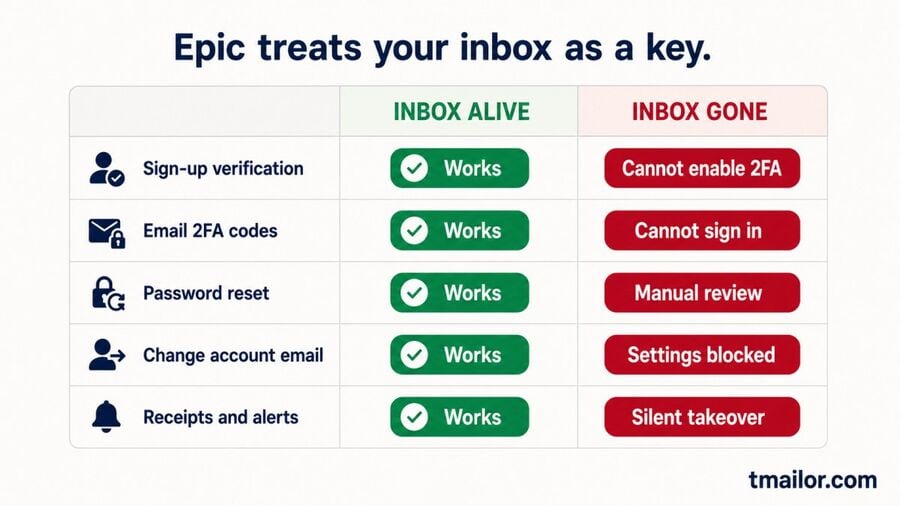
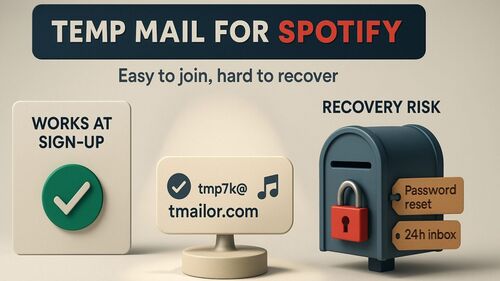
Epic Games supports several two-factor methods, including Epic Authenticator, third-party authenticator apps, SMS codes, and email. Choosing email means that every future sign-in code lands in that inbox, and Epic sends password reset codes there too. A disposable address you can no longer open removes both your second factor and your recovery path.
Verification is the first gate: Epic states that you cannot enable two-factor authentication until you verify your email. 2FA is the second, and Epic's help page names what sits behind it. It is required to send gifts in Fortnite, to enter Fortnite competitive events, and to claim some free games on the Epic Games Store. The Competitive Master Rules repeat this in section 3.3.
Recovery is where a dead inbox stops being an inconvenience. If Epic can verify your request through other enabled sign-in methods, it will use those first. Otherwise, Epic sends a security code to the registered address. If that address is gone, Epic offers a "lost access to this email address" path that asks for as much identifying information as you can supply, so it can try to find and recover the account: a manual review, an attempt rather than a promise. Nor can you sidestep it by swapping the address, because changing an Epic account's email requires access to the current one.
| You use the inbox for… | Inbox alive | Inbox gone |
|---|---|---|
| Sign-up verification | Works | Account stays unverified, so 2FA cannot be enabled |
| Email 2FA codes | Works | The code cannot arrive; you need another enabled 2FA method, or Epic's account-recovery path |
| Password reset | Works | Manual recovery request, outcome not guaranteed |
| Changing the account email | Works | Not possible in settings; recovery flow only |
| Purchase receipts, security alerts | Works | Silent, so a takeover goes unnoticed |
For Fortnite, the best temp mail setup is a reusable address paired with non-email 2FA: an authenticator app as the primary second factor, email only as a fallback. Because the Access Token reopens the address itself, you can reuse the same temp address months later and receive a fresh Epic reset email, though the old messages are gone. That protection is exactly as durable as your copy of the token. If both the token and the password are gone, start with the sequence written for readers who lost their token and password. Set up that way, a dead inbox costs you an afternoon. Using email as your only second factor places the account under manual review with no guaranteed outcome.
When Temp Mail for Fortnite Makes Sense — and When It Backfires
Sort by one question: would losing this account cost you money or a name you like?
Temp mail for Fortnite fits accounts you never intend to fund or keep: a throwaway to try the game, or a login for a community site you connect to nothing else. It backfires on any account holding V-Bucks, a Battle Pass, a display name you like, or tournament eligibility, because recovery runs through that inbox.
| Scenario | Temp mail | Why |
|---|---|---|
| Trying Fortnite once, no purchases | Good fit | Nothing is lost if the address goes |
| Fan wikis and unofficial community sites | Good fit | One-way mail you never need to answer |
| An account you will fund (V-Bucks, Battle Pass) | Poor fit | Receipts, refunds, and recovery all run through email |
| Competitive or tournament play | Poor fit | 2FA is mandatory under Master Rules 3.3, so recovery and reliable sign-in matter more here than on a casual account |
| Gifting to friends | Poor fit | Epic requires 2FA to send gifts |
| A child's account | Wrong tool | Cabined Accounts need a parent's real inbox |
The security argument for a separate gaming address is genuine and smaller than vendors claim. Attacks that replay leaked email-and-password pairs across sites succeed because people reuse the same pair, as the Open Web Application Security Project describes. A gaming-only address limits how far one leak travels, alongside a unique password and a second factor, never instead of them. A disposable inbox's real limits are set out in where temp mail falls short.
One boundary needs to be stated directly. Epic's Competitive Master Rules require an account registered in your own name that was never purchased, gifted, or transferred, and section 3.7.4 expressly prohibits entering an event with additional or secondary Epic accounts. Epic's Terms of Service ask you to provide accurate information and keep it current. Creating a fresh account to circumvent a suspension violates those terms; a disposable address changes none of that, and this guide is not a way around it.
Cabined Accounts Need a Parent's Real Inbox
For under-13 players, the parents' email is the consent channel, not a formality.
Epic gives players under 13, or under their country's age of digital consent, a Cabined Account. The child provides a parent's or guardian's email address, and Epic sends the consent request to that address. Until a parent responds, Epic disables features such as voice chat, free-text chat, real-money purchases, non-Epic downloads, custom display names, and SMS-based two-factor authentication.
Two items surprise people. A Cabined Account cannot set a custom display name, and SMS two-factor authentication is switched off, removing the recovery method that would otherwise compensate for an unreliable inbox.
The guidance follows from the flow. The parents' address receives the consent request. It later hosts parental-control setup, so it must be an inbox that the parent still controls and actually reads. A disposable address here can delay or block consent, because the request lands somewhere the parent may not be able to open later. Use a real, durable parent inbox. This article does not describe ways around the age gate.
What a Throwaway Address Actually Protects You From
Not account theft. Marketing mail, fan-site leaks, and V-Bucks bait.
A disposable address protects your primary inbox from Fortnite marketing mail and from the fan sites, community tools, and "free V-Bucks" pages that harvest emails. It does not protect the Epic account itself. Fortnite account theft runs through phishing pages that ask for your Epic password, and no address stops a password you typed in voluntarily.
Security researchers at Kaspersky have documented what the free-V-Bucks pages want. Some ask for Epic credentials directly, which leads straight to account theft. Others are fake stores that harvest payment-card details. In neither case does your registered address matter, because the attack targets the password, not the mailbox. The defense is a second factor, plus a rule you never break: Epic credentials get typed on Epic's own domain, nowhere else.
The weaker half of the privacy argument deserves honesty, too. Epic's privacy policy states that marketing communications require your consent, that you may withdraw it at any time, and that you can change your preferences via an opt-out link, account settings, or by contacting Epic. Hiding your address from Epic is a thin reason to reach for a disposable inbox. The strong reason is everything downstream of it: tournament signup forms, Discord servers, loadout calculators, and unofficial community sites all want an address, and none of them owe you Epic's privacy policy. That is where a throwaway address earns its place. Readers running Steam, Xbox, or PlayStation accounts alongside Fortnite will find the same trade-offs mapped in console gaming account privacy.
Frequently Asked Questions
Does Fortnite accept temp mail?
Sometimes. Fortnite runs on an Epic Games account, and Epic's published rules do not ban temporary or disposable addresses by name. What Epic does document is that it can block an email provider "for abusive behavior," and its page does not name which providers those are. So acceptance is something you observe at the form, not a rule you can rely on.
Why does Epic Games say my email is not valid?
Epic documents three causes. The address is a sub-address containing a plus sign or a dot. The provider has been blocked by Epic Games for abusive behavior. Or the account is created from Cuba, Iran, North Korea, or Syria, where United States trade restrictions apply.
Can I use a Gmail Plus address for Fortnite?
No. Epic explicitly rejects sub-addresses, naming both variants on its support page: an address like john+123@gmail.com and a dotted address like j.ohn@gmail.com. The plus-address trick fails at Epic's signup form. Epic does not publish a reason for that rejection on this help page.
Can I use a fake email for Fortnite?
A disposable address is not a fake identity. Temp mail gives you a real, working mailbox that is not linked to your name, unlike misstating who you are. Epic's terms ask for accurate information, so a temp address must never misrepresent your age, account ownership, region, or competitive eligibility.
Can my Fortnite account get banned for using temp mail?
Epic's Terms of Service and Epic Games Store EULA, checked in July 2026, name no banned email type. Accounts are still suspended for other reasons: inaccurate registration information, buying or transferring an account, cheating, and entering competitive events with secondary accounts. No banned address type is named, but recoverability and rule compliance still matter.
Can two Fortnite accounts use the same email?
No. Epic states that each email address can only be linked to one Epic Games account at a time. To reuse an address elsewhere, first change the email on the account that currently holds it. Epic separately rejects plus-sign and dot sub-addresses.
Does Fortnite require email verification?
Epic states that you cannot enable two-factor authentication until you verify your email. Verification, therefore, gates 2FA, and 2FA gates access to the features players want: sending gifts in Fortnite, participating in Fortnite competitive events, and claiming free games on the Epic Games Store.
What happens if I lose the temp mail address on my Epic account?
If Epic can verify your request through other enabled sign-in methods, it will use those first. Otherwise, Epic sends the password reset code to the registered address. If you lose that address, you must submit a manual recovery request, after which Epic tries to find and recover the account. Saving the Tmailor Access Token helps keep the address reopenable and may help you avoid that path.
Can I change my Epic Games email later?
Yes. From your Epic account settings, you can use a security code sent to the address currently on the account. The catch is that this address must still be reachable. Epic tells players who lost it to file an account recovery request while signed out of every Epic account.
Do I need 2FA to play Fortnite tournaments?
Yes. The Fortnite Competitive Master Rules state in section 3.3 that you must enable two-factor authentication on your Epic account. On a disposable address, pair the account with a non-email second factor such as an authenticator app, so a dead inbox does not leave you unable to complete the 2FA requirement.
The Bottom Line
Epic's published terms do not mention disposable email, and the pages that reject an address point to a blocked provider or a plus-address alias, not to the practice. The decision that matters arrives later because Epic uses the inbox as both the second factor and the reset channel. Use a temp address for a Fortnite account you would not miss, keep an authenticator app on the one you would, and save the Access Token.

Marcus Lee writes Tmailor's step-by-step guides — signing up to apps and platforms with temp mail, using the mobile app and Telegram bot, custom domains, reusing addresses, and getting the most out of disposable email day to day.