Tmailor
 How Temp Mail Enhances Online Privacy: A Complete Guide to Temporary Email
Every sign-up form that asks for your email address is a trade: you get access, and the service gets a permanent line into your inbox. Temporary email breaks that trade by giving you a working address that receives messages, collects verification codes, and then disappears — taking the spam, the tracking pixels, and the data-broker exposure with it. This guide explains exactly how temp mail strengthens your online privacy, where it fits into a realistic privacy strategy, and where its limits begin.
Quick access
Key Takeaways
Temp mail improves your privacy by keeping your real address out of databases you do not control. On Tmailor it is receive-only, holds messages for about 24 hours, and does not accept file attachments. Use it for low-risk sign-ups, trials, and downloads — and keep your real inbox for anything that has to last.
- Temp mail prevents your real email address from entering databases you do not control, which is the root cause of most spam and targeted marketing.
- It limits tracking pixels and cross-site identity linking by creating a disposable barrier between you and the service.
- Receive-only design means temp mail cannot be used for outbound spam or phishing, which is a deliberate safety feature.
- Tmailor does not accept file attachments — inbound files are stripped, so anything that matters because of the attached file needs a real inbox.
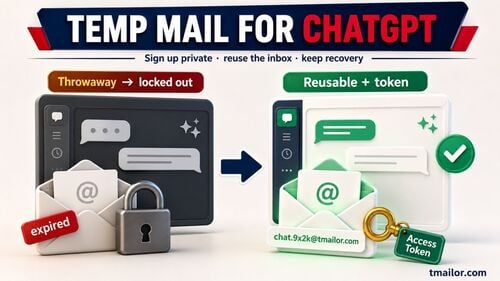
- An Access Token lets you return to the same inbox while it is still alive. It is a recovery key, not a password: it gets you back in, but it does not keep anyone else out.
- A temp mail address works best for low-to-medium-risk interactions — sign-ups, trials, newsletters, downloads, and testing.
- It should never replace your real email for banking, government, health, or any account requiring permanent identity verification.
- A layered email strategy — primary inbox for important accounts, temp mail for everything else — delivers the strongest practical privacy.
Understand The Privacy Problem
Your email address is the most reused identifier in your digital life, and that reuse is exactly what turns it into a tracking key. Every form you fill in adds it to another database you cannot audit, correct, or delete — and each of those databases is one breach, one data-broker deal, or one marketing list away from putting it back into circulation.
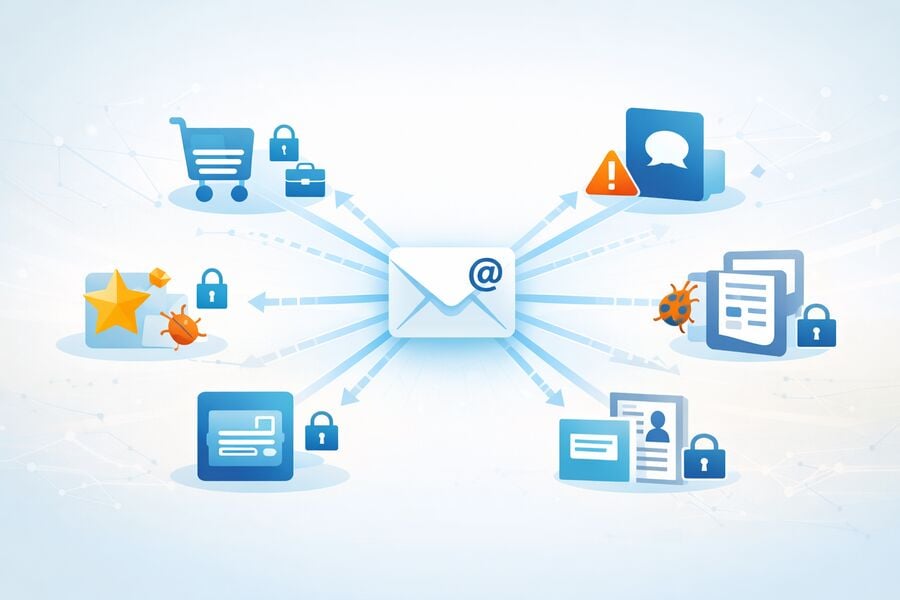
Most people use one or two email addresses for everything: banking, social media, shopping, newsletter subscriptions, free trials, forum registrations, and one-time downloads. Every time you enter that address into a form, you give the receiving service a permanent identifier that can be stored, shared, sold, or leaked. Data breaches alone exposed billions of email records in recent years, and once your address is in the wild, it becomes a magnet for spam, phishing, and credential-stuffing attacks.
The core privacy problem is not that email itself is insecure — it is that reusing the same address everywhere turns it into a universal tracking key. Advertisers, data brokers, and even legitimate businesses use your email to match your activity across platforms, build behavioral profiles, and target you with increasingly personalized (and increasingly invasive) marketing.
What Happens After You Share Your Email
When you hand over your address to a new service, several things can happen simultaneously. The service stores it in its user database. Its marketing team adds it to drip campaigns. Third-party analytics tools log it for attribution tracking. If the service partners with data brokers, your address may be shared or sold within days. And if the service suffers a breach — which happens far more often than companies admit — your address ends up in public leak databases, where attackers harvest it for phishing and credential stuffing.
Why Filters and Unsubscribe Links Are Not Enough
Spam filters catch some junk, and unsubscribe links work with legitimate senders. But neither addresses the root cause: once your email is in a database, you cannot fully retract it. Filters react after the problem exists. Temp mail prevents the problem by never exposing your real address in the first place.
See How Temp Mail Creates Privacy
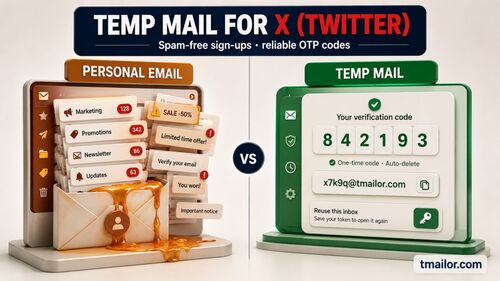
Temp mail works by putting a disposable address between you and the service. The site gets an address that receives its verification code and then stops mattering; your real inbox never enters its database. That single substitution removes the identifier advertisers, data brokers, and breach dumps rely on to link your activity back to you.
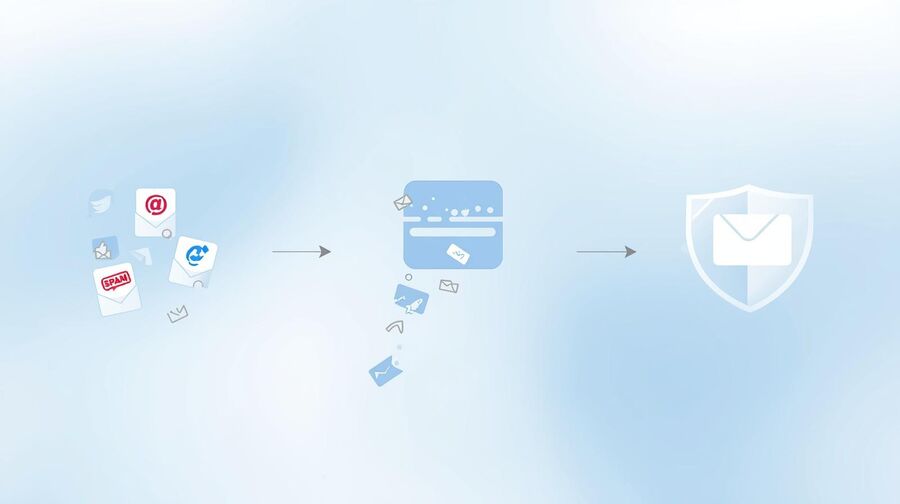
The privacy mechanism is straightforward: instead of giving a website your real email, you give it a randomly generated address from a temp mail provider. Once you receive the verification code or confirmation link, you complete the sign-up, and the address either expires automatically or sits unused until it is purged. The website never learns your real address, cannot add it to marketing lists, and cannot use it to cross-reference your activity on other platforms.
Identity Separation
Each disposable address creates a clean break between your real identity and the service. Even if the service is breached, the exposed address is a throwaway that leads nowhere. Your primary inbox, your other accounts, and your personal information remain untouched. This is the same principle behind using secondary email addresses for privacy, but temp mail takes it a step further by eliminating the account after use.
Tracking Pixel and Fingerprint Blocking
Marketing emails routinely embed invisible tracking pixels — tiny remote images that report when you opened the message, on what device, and roughly from where. Tmailor loads remote images through an anti-tracking proxy and removes tracking scripts, so the pixel that fires reports the proxy rather than you. The disposable address adds a second layer: even a tracker that gets through is pointed at an inbox that will be gone in about a day. Be clear about the boundary, though. This covers tracking inside the email. It does not hide your IP address or your browser fingerprint from the website where you signed up.
No Personal Data Exchange
A mainstream inbox is anchored to a lasting account — whatever its sign-up form happens to ask for, the account is the thing that follows you around. Temp mail removes the anchor for low-risk tasks: you open the site, an address is already waiting, and you use it. No registration form, no verification step, no identity to attach. The mechanics of a disposable inbox are built for short-lived use rather than permanent identity, so there is no personal record to hand over in the first place.
Apply Temp Mail To Everyday Privacy
The everyday wins are the low-risk sign-ups you make without thinking: a coupon code, a free trial, a forum account, a gated download, a price alert. None of them need your real address, and every one of them will keep it forever if you hand it over. A disposable address handles each one and then disappears.
Online Shopping and Coupons
Retail sites are among the most aggressive email collectors. A single purchase or coupon sign-up can trigger months of promotional emails and often leads to data sharing with partner brands. Using a disposable address for safer e-commerce checkouts keeps your real inbox clean and prevents the retailer from building a long-term profile on you. Keep the split in mind, though: order tracking, returns, and warranty records need an inbox that still exists next month, so give the retailer your real address whenever you need the paper trail.
Free Trials and SaaS Products
Testing a new tool should not require you to hand over your primary email address. A temp mail address lets you sign up, receive the confirmation, and evaluate the product. If you decide to keep it, you migrate to your real email. If you do not, the trial sign-up dies with the disposable address — and so does the inevitable "we miss you" re-engagement campaign.
Forums, Communities, and Content Gates
Discussion boards, gated articles, and community platforms almost always demand an email at registration. Many of these sites share member lists or get breached without disclosure. A temp address lets you participate without risking your primary inbox.
Travel Deals and Newsletter Previews
Travel newsletters and price-alert services can be useful, but subscribing with your real email locks you into a relationship you may not want. A disposable address lets you preview the content and decide whether to migrate to your real inbox or walk away.
QA Testing and Development
Development teams need dozens or hundreds of unique addresses for automated testing. Using real addresses creates privacy liability. Temp mail provides unlimited, anonymous test addresses with no personal data attached — useful across sign-up flow testing at scale.
Know The Privacy Limits
Temp mail hides your long-term email address. It does not hide your IP address, your browser fingerprint, your payment details, or anything you type into the site itself. On Tmailor you also have to plan around a semi-public inbox, stripped attachments, receive-only delivery, and messages that disappear about 24 hours after they arrive.
Domain Blocking
Some platforms keep blocklists of known disposable domains and reject sign-ups from them. On Tmailor, a random address is drawn from a large rotating pool of domains, while the custom-name option shows only a few; the live list is deliberately not published, because publishing it would simply hand the blocklist vendors their next update. If one domain is refused, generating a new random address is ordinary troubleshooting. But if a service's terms say it does not accept disposable email, that is a policy rather than a glitch — use your real address instead of cycling through domains to get around it. Forcing your way past a stated policy usually just buys you a suspended account later.
Public Inbox Exposure
On temp mail services, Tmailor included, anyone who knows the exact address can open the inbox. The Access Token that lets you return to an address is a recovery key, not a password: it gets you back in, but it does not keep anyone else out. Treat a temp inbox as a semi-public space — fine for a verification code or a newsletter, wrong for anything confidential.
No File Attachments
Tmailor does not accept file attachments. Inbound files are stripped before the message reaches you, so a PDF invoice, a boarding pass, a signed document, or a photo sent to a Tmailor address is something you will never be able to open or download — only the text of the message arrives. Sites that deliver the thing you actually wanted as an attachment therefore need a real inbox. (This is a Tmailor design decision, not a rule of the category: some other disposable email services do show attachments.)
Receive-Only Limitation
Temp mail cannot send outbound messages. This is a deliberate design choice to prevent abuse, but it means you cannot reply to emails, initiate conversations, or use the address for two-way communication. If you need to send messages, a secondary privacy-focused email or a burner account on a mainstream provider is a better fit.
Retention and Recovery
Messages are deleted automatically after the retention window — on Tmailor, inbox data is kept for a maximum of about 24 hours from arrival. If you need a message after that, it is gone. An Access Token lets you return to the same inbox while the address is still alive, so save it somewhere you will find it again: a lost token cannot be restored by you or by anyone else, and once the data is purged there is nothing left to restore anyway.
Not for High-Stakes Accounts
Banking, insurance, government portals, tax platforms, and health services are built around an address you can still reach months or years later — for password resets, statements, legal notices, and identity checks. An inbox that empties in a day cannot do that job, and using one here mostly buys you a locked account you have no way to recover. Temp mail is a privacy layer for low-to-medium-risk interactions; it does not replace your primary email for anything that has to last.
Build A Layered Email Strategy
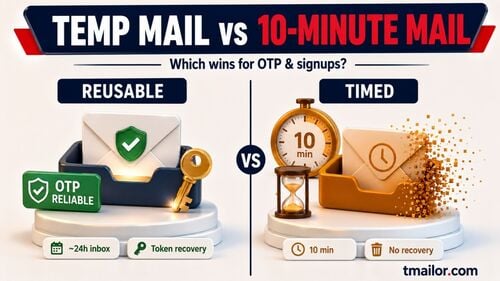
No single address fits every situation, so match the inbox to the stakes. Use your real email for accounts that must survive — banking, health, work. Use a reusable temp mail address for medium-risk sign-ups you may need to get back into. Use a short-life inbox for one-off tasks you will never revisit.
The question worth asking at every sign-up form is simply: if I lose access to this inbox tomorrow, what breaks? If the answer is "nothing," a disposable address is the right tool. If the answer is "my account, my money, or my records," it never is. That single test is what the three layers below encode.
Layer 1: Primary Inbox
Your real Gmail, Outlook, or ProtonMail address. Reserved exclusively for banking, government, health, employment, and any account that requires a permanent, verified identity. This address should appear in as few databases as possible.
Layer 2: Reusable Temp Mail
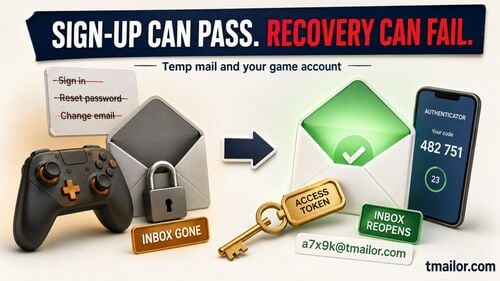
A reusable temp mail address for medium-risk interactions: social media alt accounts, SaaS trials you might keep, community forums, and shopping accounts where you may need a password reset while the inbox is still alive. Save the Access Token at the moment you create the address — it is the only thing that gets you back in, and nobody can reissue it for you.
Layer 3: Timed Disposable Inbox
A short-life inbox for truly one-time interactions: downloading a gated resource, grabbing a coupon code, or previewing a newsletter. The address and its data self-destruct after the timer expires, leaving no residual exposure.
The Result
Your primary inbox stays clean and secure. Medium-risk accounts are isolated in recoverable disposable addresses. One-time interactions leave no trace. Each layer protects the layers above it, and a breach at any single layer does not compromise your real identity.
Compare Temp Mail To Other Privacy Tools
Privacy tools are not interchangeable — each one closes a different gap. A VPN hides your network location, private browsing clears local traces, a password manager stops credential reuse, and temp mail keeps your email identity out of the sign-up database. The table below shows what each tool covers and, just as importantly, what it leaves wide open.
Disclosure: Tmailor publishes this guide, so the product-specific details here describe Tmailor's own service and its own limits — receive-only, no file attachments, and roughly 24-hour message visibility.
| Privacy Tool | What It Protects | What It Does Not Protect |
|---|---|---|
| Temp Mail | Email identity, inbox from spam/tracking, sign-up privacy | IP address, browser fingerprint, and real-time communication |
| VPN | IP address, location, ISP tracking | Email identity, account-level tracking, cookies |
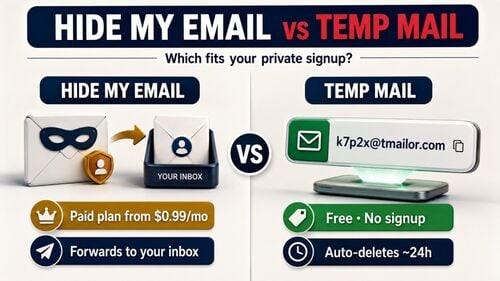
| email alias (Hide My Email) | Your real address, by forwarding through a random alias — and you can still reply from that alias | Anonymity: the alias forwards to the address on your Apple Account, so the mail still lands in your real inbox |
| private/incognito browsing | Local browsing history, cookies (per session) | IP address, email identity, cross-site tracking |
| password manager | Credential reuse, weak passwords | Email identity, spam, and data-broker exposure |
The strongest privacy comes from combining tools: a VPN hides your network identity, private browsing limits cookie tracking, a password manager prevents credential reuse, and temp mail prevents email-based tracking and spam. No single tool covers all vectors — each handles a different part of the attack surface.
Frequently Asked Questions
Short answers to what people actually ask about temp mail and privacy: what it protects, what it does not, how long messages survive, whether a site can tell you used a disposable domain, and the point at which you should stop and use your real address instead.
Does temp mail actually protect my privacy?
Yes, within a defined scope. By keeping your real email address out of third-party databases, temp mail cuts spam, reduces tracking-pixel exposure, and limits what a breach at that service can cost you. It does not protect your IP address, your browser fingerprint, or anything you type into the site itself — for those, you need other tools, starting with a VPN.
Is it legal to use temp mail for privacy?
Yes — using a disposable address to protect your privacy is a legitimate, everyday practice, in the same family as a VPN or an email alias. What creates legal or account risk is the conduct around it, not the address: impersonating someone, committing fraud, or signing up where a service's terms clearly prohibit disposable email. Rules differ by country and by service, so treat this as general information rather than legal advice.
Can I reuse a temp mail address if I need it later?
Yes. Save the Access Token shown when you create the address and you can reopen the same inbox later, while it is still alive (about 24 hours). Without the token you can lose the address after closing the session or switching devices, and nobody can reissue it for you. Note what the token is not: it is a recovery key, not a password, so it does not stop someone else who knows the address from reading the inbox.
What happens to my data after the retention period?
The inbox and its messages are deleted. On Tmailor, anonymous inbox data is kept for a maximum of about 24 hours, and an expired inbox is removed irreversibly. Anonymous use needs no name and no profile, but like any live service Tmailor still processes technical data such as your IP address to run the service and block abuse, and it uses cookies and analytics; the current privacy policy sets out exactly what is handled and for how long. If you need a permanent record of a message, use a real email address.
Can websites detect that I am using a disposable email?
Some can. Sites keep blocklists of known disposable domains and reject sign-ups on that basis. On Tmailor, random addresses are drawn from a large rotating pool of domains, while the custom-name option shows only a few. If one domain is refused, trying another random address is ordinary troubleshooting. If the service's terms say it does not accept disposable email, that is a policy, not a technical hiccup — use your real address rather than working around it.
Does Temp Mail block tracking pixels?
Tmailor loads remote images through an anti-tracking proxy and removes tracking scripts, so a pixel that fires reports the proxy rather than you. The disposable address limits the value of any tracker that gets through, since it points at an inbox that will be gone in about a day. This applies to tracking inside the email only; it does not hide your IP address or browser fingerprint from the website where you signed up.
Should I use temp mail with a VPN for maximum privacy?
For maximum privacy, yes. A VPN hides your IP address and location, while temp mail hides your email identity. Together they cover two of the most common tracking vectors. Adding private browsing and a password manager rounds out a solid everyday privacy setup.
Can I send emails from a temp mail address?
No. Tmailor is receive-only, so you cannot send a message or reply to one from a temp mail address — a deliberate design choice that stops the service being used for outbound spam and phishing. It also does not accept file attachments: inbound files are stripped, so there is nothing to download. If you need two-way email or attachments, use a regular account or an alias service.
Is temp mail safe for online shopping?
For discount codes and one-time sign-ups, yes. For an actual purchase, use your real email: you want order tracking, return confirmations, and warranty records in an inbox that still exists next month. Remember, too, that Tmailor strips attachments, so a PDF receipt or invoice will never reach the inbox at all.
How is Temp Mail different from Apple's Hide My Email?
Apple's Hide My Email generates a random alias that forwards mail to the address on your Apple Account, and you can reply from the alias. Temp mail creates a separate, anonymous inbox with no connection to any personal account. Hide My Email is the more convenient option if you live inside Apple's ecosystem; temp mail gives stronger identity separation, because there is no real inbox sitting behind the address.
Is Tmailor GDPR and CCPA compliant?
The privacy policy is the authority here, and it gives a more specific answer than a yes or a no. Anonymous use requires no registration and no personal profile, anonymous inbox data is kept for a maximum of about 24 hours, and expired inboxes are removed irreversibly. The policy also covers what any live service has: technical data such as your IP address for abuse prevention, cookies, analytics, advertising partners, and optional registered accounts. That is data minimization by design, which is a different thing from a compliance certificate — read the current policy against your own requirements before you rely on it.
The Bottom Line
Temp mail does not make you invisible. It makes you harder to track, profile, and spam, by keeping your real address out of the databases you never agreed to be in. Pair a disposable address for sign-ups with a real inbox for the accounts that have to last, and you capture most of the benefit for almost none of the effort.
Online privacy is not about perfection — it is about reducing your exposure at every point where you hand over personal information. Your email address is the most frequently shared identifier in your digital life, and temp mail gives you a simple way to stop sharing it when you do not have to. A disposable address for sign-ups, trials, and downloads; an Access Token when you might need the inbox again; and your real email reserved strictly for accounts that actually matter. That three-layer approach takes almost no effort, costs nothing, and quietly eliminates the majority of spam, tracking, and data-broker exposure that most people accept as the price of being online.
Jordan Mills has covered disposable email, OTP delivery and online privacy since 2018. He writes Tmailor's guides on staying anonymous, avoiding spam, and getting verification codes to land every time.