

Google Chrome
Free from the Chrome Web Store
Click Add to Chrome on the store page, then Add extension.
Free temporary email for Chrome, Edge, Firefox and other desktop browsers. Create disposable addresses, fill email fields and check new messages without signing up.

Install Tmailor for desktop
Free for Chrome, Edge, Firefox, Brave, Opera, Vivaldi and other desktop browsers.
Chrome Web Store for Chromium browsers Firefox Add-ons for Firefox
Last updated: October 2026
Install Tmailor from the Chrome Web Store for Chrome, Edge and compatible Chromium browsers, or from Firefox Add-ons for desktop Firefox.
Free from the Chrome Web Store
Click Add to Chrome on the store page, then Add extension.

Free from the Chrome Web Store
Click Get on the store page. If Edge asks to allow extensions from other stores, choose Allow, then Add extension.
Available now via the Chrome Web Store
Edge Add-ons listing: Under review

Free from the Chrome Web Store
Click Add to Brave on the store page, then Add extension.
If new email alerts do not arrive, turn on "Use Google services for push messaging" in the privacy settings.

Free from the Chrome Web Store
Click Add to Opera on the store page, then Add extension.

Free from the Chrome Web Store
Click Add to Opera GX on the store page, then Add extension.

Free from the Chrome Web Store
Click Add to Vivaldi on the store page, then Add extension.
If the install button is missing, turn on Web Store in the Google Extensions part of the privacy settings.

Free from the Chrome Web Store
Click Add to Yandex Browser on the store page, then Add extension.

Free from the Chrome Web Store
Click the install button on the Chrome Web Store page and confirm.

Free from the Chrome Web Store
Click the install button on the Chrome Web Store page and confirm.

Free from the Chrome Web Store
Click Add to Comet on the store page, then Add extension.

Free from Firefox Add-ons
Needs Firefox 140 or later. Click Add to Firefox, then Add.

Coming soon
Not available to install yet.
Every Chromium browser listed above has the same features.
| Feature | Chromium browsers | Firefox |
|---|---|---|
| New emails listed in the popup | Yes | Yes |
| Full emails open on tmailor.com | Yes | Yes |
| Right-click menu to fill email fields | Yes | Yes |
| Keyboard shortcut to fill email fields | Yes | Yes |
| Tmailor button inside email fields (optional) | Yes | No |
| Unread count on the toolbar icon | Yes | Yes |
| New email alerts | Yes | Yes |
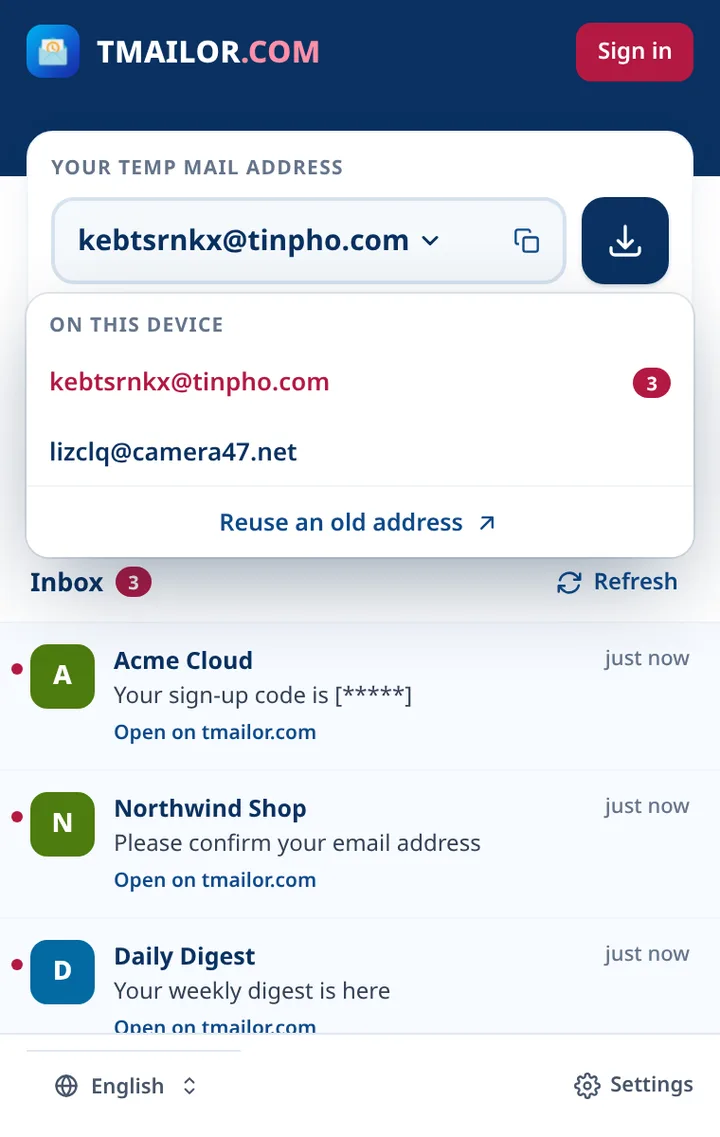
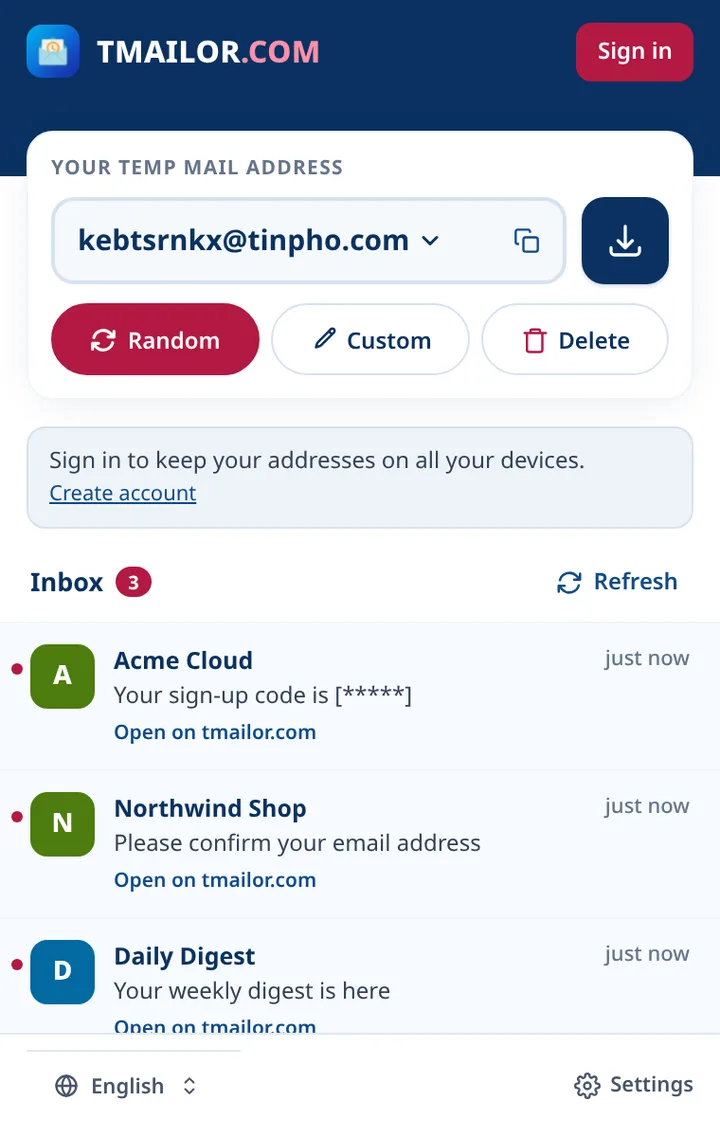
Click the Tmailor icon to copy your address, create a random address, choose a name for a new address, or delete your current address. The popup lists up to 10 addresses. When you are signed out, you can open tmailor.com to restore an old address with its saved access token.
Use the download button next to the address to open Access Details on tmailor.com and save the access token you need to reopen the address later.
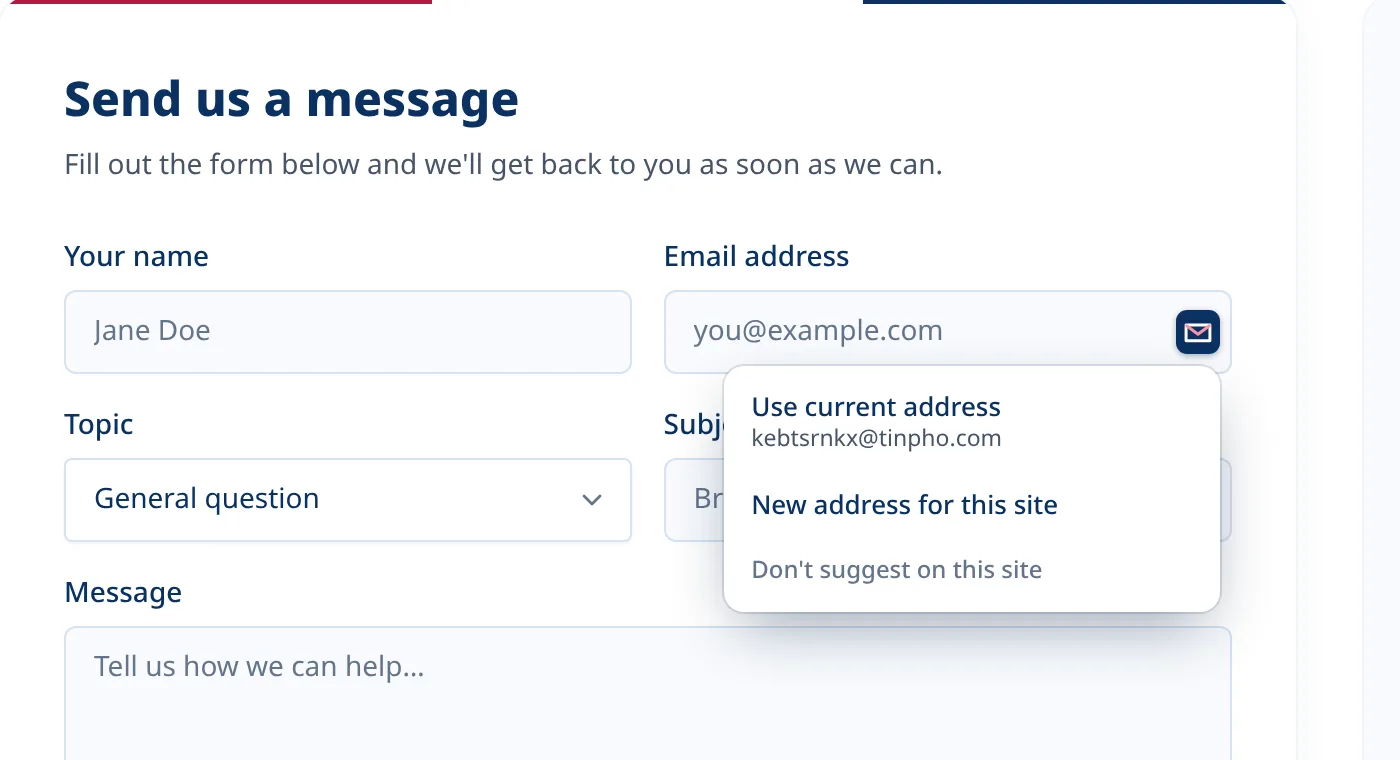
Right-click an email field and choose "Fill with Tmailor address", or click in the field and press the keyboard shortcut. In Chrome and Edge you can also turn on a small Tmailor button inside email fields, for the sites you choose or for all websites. Your browser asks for permission first, and you can turn it off at any time.
Tmailor Settings shows your current shortcut, and you can change it in the shortcut settings of your browser.
If Tmailor cannot fill a field, copy your address from the popup and paste it.
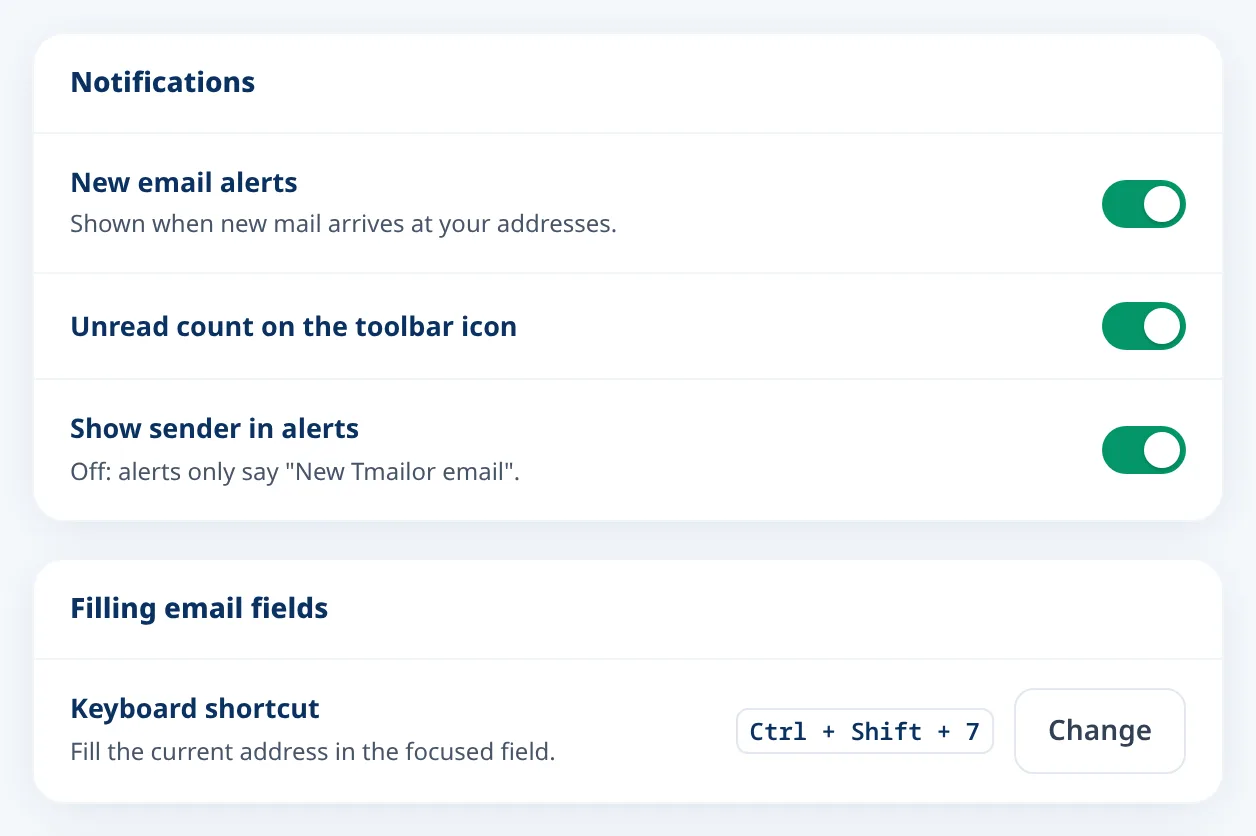
Get an alert when new mail arrives at your current address, see the unread count on the icon, and choose whether alerts show the sender. You can turn each of these off in Settings and switch the extension to another language at any time.
Open the store page for your browser and click the install button.
Optional. Pinning keeps the Tmailor icon and the unread count in view.
Click the Tmailor icon to get an address, then use the right-click menu or the keyboard shortcut to fill an email field.
Within the same browser profile, the extension and tmailor.com share your current address, address list and sign-in.
Already signed in on tmailor.com? The extension uses the same account automatically.
The address in the popup is the one you see on tmailor.com, so you can switch between them at any time.
While you are signed in, the addresses you use are saved to your account and are there when you sign in on another device.
Signing out in the extension also signs you out on tmailor.com, and the other way around.
Tmailor works on other websites only when you ask it to.
Outside tmailor.com, Tmailor checks a page only when you use it to fill an email field, or on sites where you have enabled the Tmailor button inside email fields.
It does not read your browsing history and does not send the sites you visit to our servers.
Suggestions are blocked on known banking, payment, government and sign-in sites, and on forms identified as sign-in, password reset or card payment forms.
The extension shows no ads. Emails open on tmailor.com, which shows ads to keep the service free.
| Feature | Browser extension | Website | Mobile app |
|---|---|---|---|
| Best for | Sign-up forms on your computer | Quick use on any device | Your phone, with push alerts |
| Installation | Chrome Web Store or Firefox Add-ons | Nothing to install | App Store or Google Play |
| Filling email fields | Right-click menu or keyboard shortcut. Optional in-field button in Chrome and Edge. | Copy and paste | Copy and paste |
Prefer chat? Get addresses from our Telegram bot.
Yes. The extension is free and you don't need an account. Emails open on tmailor.com, which shows ads to keep the service free.
Yes. Tmailor is a free disposable email extension on the Chrome Web Store for Chrome, Edge, Brave, Opera, Vivaldi and other Chromium browsers, and on Firefox Add-ons for Firefox. The popup lists new messages, and full emails open on tmailor.com.
Tmailor is a temporary email extension for desktop browsers. Install it from the Chrome Web Store in Chrome, Microsoft Edge, Brave, Opera, Vivaldi and other Chromium browsers, or from Firefox Add-ons in Firefox. Every Chromium browser gets the same features.
The popup lists new emails with the sender and subject. Click an email to read the full message on tmailor.com.
Click an email field, then press the shortcut shown in Tmailor Settings. If no shortcut is set or it does not work, assign a different one in your browser's extension shortcut settings.
The extension is made for desktop browsers. On a phone, use temp mail on tmailor.com in your browser, or get the Tmailor app for Android and iOS.
Firefox has the popup, the address list, alerts, the unread count, the right-click menu and the keyboard shortcut. The Tmailor button inside email fields is not available in Firefox.
No. Tmailor addresses only receive email. That covers sign-ups, verification codes and newsletters.
Only when you ask it to. Outside tmailor.com, it checks a page only when you use it to fill an email field, or on sites where you have enabled the Tmailor button inside email fields. It does not read your browsing history.
Free temporary email. No account needed.


Prefer not to install anything? Use temp mail on the web
.