How DuckDuckGo Email Protection and Temp Mail Stop Spam and Protect Your Inbox
DuckDuckGo Email Protection and temp mail fight spam differently — one forwards cleaned mail to your inbox, the other keeps risky signups in a disposable inbox.
Quick access
Key Takeaways
Two different privacy tools, two different jobs — used together, they cover almost every signup.
DuckDuckGo Email Protection and temp mail are two different privacy tools. DuckDuckGo hands you @duck.com aliases that strip trackers and forward clean mail to your real inbox. Temp mail gives you a disposable inbox that never touches your personal email—using both covers everyday accounts and high-risk signups without exposing your primary address.
Disclosure: Tmailor runs this blog and the temp mail product referenced below. This guide compares DuckDuckGo Email Protection with Tmailor's receive-only temp inbox so you can see where each tool fits and where it does not.
- DuckDuckGo Email Protection is email forwarding, not temp mail: aliases at @duck.com clean trackers and forward messages to your real inbox.
- Temp mail is a disposable inbox: on tmailor.com, messages land on Tmailor's servers for about 24 hours and never reach your personal email.
- Match the tool to the risk: use DuckDuckGo for accounts you keep, and temp mail for throwaway signups, trials, and one-off codes.
- Disposable addresses can be reused: a Tmailor address can be reopened with its Access Token, but messages still clear after about 24 hours.
- Neither tool bypasses verification: some sites reject disposable domains or unfamiliar alias formats, and delivery is never guaranteed.
DuckDuckGo Email Protection vs Temp Mail: The Core Difference
The real distinction is where your mail ends up.
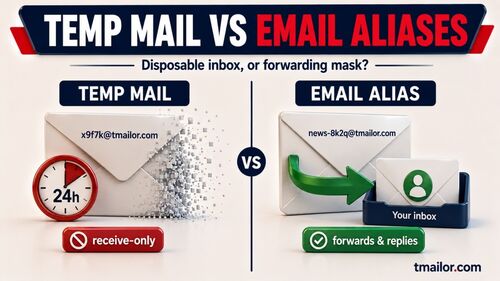
The core difference is where your mail ends up. DuckDuckGo Email Protection forwards tracker-stripped messages to your real inbox, so you keep managing them long term under your own account. Temp mail delivers messages to a separate disposable inbox on tmailor.com that you can walk away from, so the mail does not automatically land in or reveal your primary inbox. If you want to understand exactly how far that separation goes, our guide on whether temp mail is anonymous covers the trade-offs.
| Feature | DuckDuckGo Email Protection | Temp Mail (tmailor.com) |
|---|---|---|
| What it is | Email alias + forwarding | Disposable inbox |
| Where mail arrives | Your real inbox (cleaned) | A temporary Tmailor inbox |
| Tied to your identity | Yes — you own the forwarding inbox | Separate inbox, but not full anonymity |
| Retention | Kept in your own inbox (DuckDuckGo doesn't store it) | Messages visible ~24 hours, then auto-deleted |
| Reuse the address | Yes (personal or saved private alias) | Yes, via Access Token |
| Cost / signup | Free, needs setup + forwarding address | Free, no registration |
| Best for | Accounts you plan to keep | Risky or one-off signups |
What DuckDuckGo Email Protection Actually Does
Free aliasing and tracker removal that plugs into the inbox you already use.

DuckDuckGo Email Protection is a free service that gives you @duck.com email aliases, removes hidden trackers from incoming messages, and forwards the cleaned mail to your existing inbox. DuckDuckGo never stores the messages on its own servers, and the service works with Gmail, Outlook, Apple Mail, and Proton. In practice, it masks your real address rather than replacing your inbox.
DuckDuckGo Email Protection strips trackers from incoming mail and forwards the cleaned message to the inbox you already use.
With a Duck Address, you can shield your real address from data brokers, strip trackers that report when and where you open mail, and hand out a fresh alias to every service instead of your primary email. Because the mail still lands in your own inbox, this is closer to how Apple's Hide My Email compares than to a throwaway temp mail inbox — the key difference being that DuckDuckGo is not limited to Apple hardware: Email Protection is available through the DuckDuckGo apps for iOS and Android, the DuckDuckGo browser for Mac and Windows, and desktop extensions for Firefox, Chrome, Edge, Brave, and Opera.
Personal vs Private Duck Addresses
One address for people you trust, unlimited aliases for everyone else.
Personal Duck Address
A personal Duck Address is the single name@duck.com address you choose when you set up Email Protection. Any message sent to it is cleaned of trackers on DuckDuckGo's block list and forwarded to your primary inbox. This address suits trusted contacts — friends, family, or professional connections — for whom you are comfortable reusing the same alias over time.
Private Duck Address
A private Duck Address is a unique, auto-generated alias, such as amaze-gem-spider@duck.com, that DuckDuckGo creates on the fly when it detects an email field. Each private alias forwards to the same inbox but gives each website a different address, making cross-site profiling much harder. On Android, macOS, and iOS you can manage, deactivate, or reactivate private aliases from the DuckDuckGo browser's Passwords menu; on Windows and the browser extensions, you deactivate or reactivate them from the DuckDuckGo banner inside a forwarded email.
Where Temp Mail Fits: Disposable Inboxes for Risky Signups
The layer DuckDuckGo leaves open — signups that never touch your real inbox.
Temp mail fills the gap DuckDuckGo leaves open: signups you never want connected to your real inbox. A temp mail address on tmailor.com receives messages in a disposable inbox for about 24 hours, runs on more than 500 domains and Google-MX infrastructure, and can be reused later with an Access Token. New to the idea? Our overview of how temp mail works explains disposable inboxes before you start.
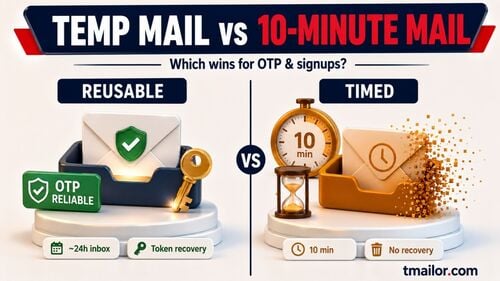
Because nothing is forwarded, a leaked or breached temp mail address exposes only that throwaway inbox — not your personal account. If you want the same address back for a recurring login, you can reuse it by saving its Access Token, though new messages still clear after about 24 hours.
When to Use Each Tool
Match the tool to how much you trust the service on the other side.
Choosing between the two comes down to whether you plan to keep the account and how much you trust the sender. Use each where it is strongest rather than forcing one tool to do both jobs.
- Use DuckDuckGo Email Protection for accounts you intend to keep — banking-adjacent services, work tools, subscriptions, and newsletters you actually read — where receiving mail in your own inbox is convenient.
- Use temp mail for free trials, one-time downloads, forum signups, and verification codes you never want tied to your identity or lingering in your primary inbox.
- Use both together when you want layered privacy: DuckDuckGo for everyday tracker-free forwarding, and temp mail for the high-risk edge cases. If you are weighing other services, our roundup comparing leading temp mail providers puts the options side by side.
How to Set Up DuckDuckGo Email Protection
A few taps in the DuckDuckGo browser or a browser extension is all it takes.
Setting up Email Protection takes a couple of minutes and only asks for a forwarding address — the real inbox where cleaned mail should arrive. The steps differ slightly between mobile and desktop.
On mobile (iOS or Android)
- Install or update the DuckDuckGo Privacy Browser from your app store.
- Open Settings and select Email Protection.
- Sign up for your free @duck.com address and confirm the inbox you want mail forwarded to.
On desktop
- Install the DuckDuckGo extension for Firefox, Chrome, Edge, Brave, or Opera, or use the DuckDuckGo browser for Mac or Windows.
- Visit duckduckgo.com/email to activate Email Protection.
- Choose your personal Duck Address and set the forwarding inbox.
Once activated, DuckDuckGo can auto-fill a fresh private alias whenever you meet a signup form, so private forwarding is ready without extra work.
How to Use Temp Mail on Tmailor
No install, no signup — a working inbox appears the moment the page loads.
Temp mail on tmailor.com works the opposite way: instead of forwarding to you, it hands you a ready-made inbox to read on the spot. The flow takes seconds and needs no account.
- Open the site. Go to tmailor.com, and a temporary email address is generated for you automatically.
- Copy your address. Copy the address shown at the top of the page.
- Paste it into a signup form. Use it when registering for a service, app, or account you don't want tied to your identity.
- Read your inbox. Verification codes, activation links, and messages appear directly on tmailor.com, usually within seconds.
- Use the code or link. Enter the code or click the link to finish signing up.
- Save your Access Token if you plan to return. Store the token to recover and reuse the same inbox later.
A temp mail inbox on tmailor.com appears automatically — copy the address, paste it into a signup, and read the code without exposing your real email.
Limitations to Know
Both tools raise privacy, but neither is a magic bypass.
Both services have honest limits worth stating up front. DuckDuckGo still forwards mail to your real inbox, so it masks your address but does not fully separate the conversation from your identity, and deactivating a busy alias can mean losing mail you wanted to receive. Temp mail keeps messages for about 24 hours, does not accept file attachments, and is receive-only — it never sends or forwards email. Disposable temp inboxes are also not password-protected, so anyone who knows the exact address may be able to read its messages: never use temp mail for sensitive accounts, documents, or passwords. A lost Access Token cannot be recovered, so save it before relying on address reuse. Some websites also blocklist disposable domains, so an OTP may not always arrive, and neither tool bypasses banking, government, or strict KYC verification.
Frequently Asked Questions
Is DuckDuckGo Email Protection the same as Temp Mail?
No. People searching for "DuckDuckGo temp mail" usually mean DuckDuckGo Email Protection. Still, it is an email alias and forwarding service: it cleans trackers from mail sent to your @duck.com address and forwards it to your real inbox. Temp mail is a disposable inbox that holds messages on a separate server, so the mail never reaches your personal email account.
Does DuckDuckGo Email Protection store my emails?
DuckDuckGo states that it does not save your messages. When a Duck Address receives mail, DuckDuckGo applies tracker protections and forwards the message to your inbox without keeping the content, sender details, or subject lines on its systems.
Can I use a temp mail address more than once?
Yes. On tmailor.com, saving the Access Token lets you recover the same temp mail inbox later. This turns a disposable address into a reusable one, which is useful for accounts you want to keep while still keeping the inbox separate from your primary email.
Which is better for signing up for a service privately?
Temp mail provides a cleaner separation because the message never reaches your real inbox. DuckDuckGo masks your address but still forwards the mail to you. For a throwaway signup you never want linked to your identity, temp mail is the stronger choice; for an account you plan to keep, a Duck Address is more convenient.
Do websites block DuckDuckGo or temp mail addresses?
Some do. Many websites block known disposable email domains, so a temp mail verification code may not arrive. A Duck Address is a forwarding alias, but a site can still refuse any address format it does not accept. Neither tool guarantees delivery, so for critical accounts, use your primary inbox instead.
Can Temp Mail forward messages to my real inbox, like DuckDuckGo does?
No. Tmailor temp mail is receive-only and does not forward mail to another inbox — you read messages on tmailor.com itself. That is the main design difference from DuckDuckGo. Our explainer on whether temp mail can forward covers why.
The Bottom Line
DuckDuckGo Email Protection and temp mail solve spam from opposite ends. DuckDuckGo keeps your real inbox but scrubs it clean, giving you tracker-free forwarding under aliases you control. Temp mail keeps risky signups off your real inbox entirely, holding them in a disposable inbox you can abandon or reuse. Route trusted mail through a Duck Address, and when a signup isn't worth the risk, create a free temp mail instead — together they stop spam without ever exposing your primary email.

Marcus Lee writes Tmailor's step-by-step guides — signing up to apps and platforms with temp mail, using the mobile app and Telegram bot, custom domains, reusing addresses, and getting the most out of disposable email day to day.