Why Did I Get a Verification Code I Didn't Request?
Most unexpected codes come from a typo, a sign-in or password reset attempt, or a scam message. Learn how to tell which pattern you are seeing, what to check, and the one thing you should never do with the code.
Quick access
Why you may get a verification code you didn't request
An unexpected verification code can come from a typo, an attempted sign-in or password reset, or a scam message designed to make you respond. A code you didn't request does not by itself prove that your account was accessed or that someone knows your password. Do not share the code, approve an unexpected prompt, or use links in the message. Open the named service directly and check your account activity.
What the code protects depends on the service. It may confirm a new signup, a sign-in, a password reset, a recovery attempt, a phone number, or a sensitive action such as a payment. That is why the right response depends on the pattern, not on the code itself.
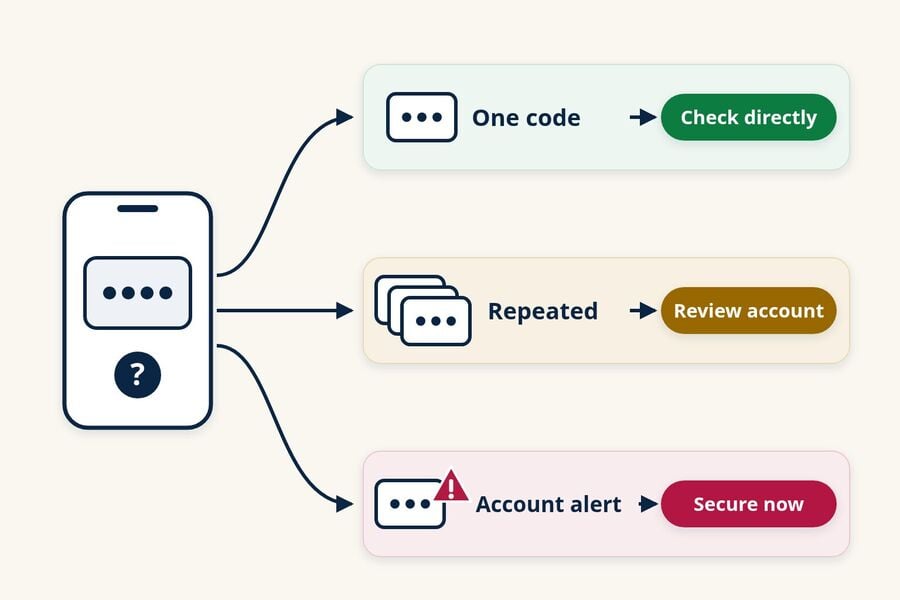
- One code, no other warning: it may be a typo, a signup, a sign-in or reset attempt, or a fake message. Do not use the code; check the named account directly if you have one.
- Codes that keep coming: someone may be repeatedly trying to sign in or reset access. Review that account now.
- A code plus an account alert: a new-device sign-in, password change, or recovery change notice needs action today.
- Anyone asking you for the code: treat it as a scam, whoever they claim to be.
Someone typed your email address or phone number by mistake
People mistype their own contact details all the time, and a code then lands with you instead of them. Login.gov's help page "I'm receiving one-time codes that I didn't request" names this as a likely cause, along with someone who shares your phone, such as a spouse, parent, or child, signing in to their own account. A single code with no follow-up is the typical sign of this kind of mix-up.
Someone tried to sign in or reset your password
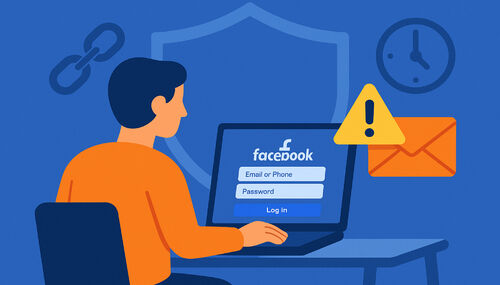
Many services send a code when a sign-in comes from a new device or location, or when someone starts a password reset. That someone could be you on another device, a person who confused your account with theirs, or an automated login attempt using a password leaked from a different site. Depending on the service, the code may be a second step after a password or the main credential for a passwordless sign-in, and you cannot tell which from the code alone. Do not share or enter it, and check the account through the official app or website.
Someone used your contact details to sign up
A signup code can arrive for a service you have never used because a person entered your email address or phone number while creating an account. Most services do not finish the signup until the code or confirmation link is used, so ignoring the message is usually enough. Do not create an account just to investigate.
The message is phishing, not a real code
A message can imitate a verification notice and include a link, a phone number, or a "reply to cancel" instruction even when no real account action happened. The goal is to get you to call, click, or type something into a fake page. Do not test the link. Open the official app or type the service's known web address yourself.
A service-side issue triggered a wave of messages
Sometimes the cause is on the company's side. In January 2026, Instagram attributed a wave of unexpected password reset emails to "an issue that allowed an external party to request password reset emails for some Instagram users," according to consumer group Which?, and Instagram denied that its systems were breached. Even in a case like this, the safe response is the same: ignore the links and check the account in the app.
What to do right now
The safest response to an unrequested code takes a few minutes and never involves the message itself. Work through these steps in order and stop once the account checks out.
- Do not share, forward, or read the code aloud. Do not enter it anywhere or approve a sign-in prompt you did not start. Google's help page "When Google might send you a text" says you can disregard and delete a text code you did not request and should not share any codes you receive.
- Do not use anything inside the message. Skip the links, the phone numbers, and any reply instructions, even if the sender looks familiar.
- Open the service yourself. Use the official app or type the address you already know, then look at recent sign-in activity, signed-in devices, and security alerts. Microsoft's "What is the Recent activity page?" explains that its page shows Microsoft account activity from the last 30 days and lets you select "This wasn't me" for anything flagged as unusual.
- Change the password when the facts call for it. Do this through the official service if the activity looks unfamiliar, the service confirms a sign-in attempt, you shared the code, or the password is reused on other sites. Use a unique password for that account.
- Turn on stronger multifactor authentication. The U.S. Cybersecurity and Infrastructure Security Agency (CISA) ranks a security key as the strongest option, followed by an authenticator app, and text or email codes as the weakest. CISA advises using text or email codes only when the account offers nothing stronger.
- Contact the service if the codes keep coming. Use the help center inside the app or on the official site, not a number from the message.
If you have no account with the named service, someone may be signing up with your email address or phone number, or the message may be fake. Ignore it. If the same service keeps contacting you, reach its support team through the official website.
One code, repeated codes, or an account alert: what each pattern means
The surrounding evidence matters more than the number of codes. One code may come from a typo, a signup, a sign-in or reset attempt, or a fake message. Repeated codes justify a prompt account review, while a code paired with an unfamiliar sign-in or account-change alert calls for immediate action through the official service.
| What you see | What it often means | What to do |
|---|---|---|
| One code, no other message | A typo, a signup, a sign-in or reset attempt, or a fake message | Do not use or share it; if you have that account, check it in the app |
| Several codes, or codes that keep returning | Someone may be repeatedly trying to sign in or reset access | Review activity and devices; update the password if it was reused; add stronger sign-in protection |
| A code plus a sign-in, password, or recovery alert | A sign-in or account change may be in progress | Open the service directly now and follow its account security steps |
Codes alone rarely tell the full story. Signs that an account was actually accessed are more specific:
- You can no longer sign in, or the service confirms that your password or recovery details changed.
- Your account shows devices, sessions, or locations you do not recognize.
- Messages, posts, or purchases appear that you did not make.
- Your email account has new forwarding rules or filters you did not set up.
If you see any of these, use the provider's official account recovery process right away.
Email codes, text codes, and sign-in prompts
The channel changes what is worth checking. An email code points you toward the email account and the named service, a text points toward your phone number, and an approval prompt means a sign-in is waiting on you.
If you received a random verification code email
A random verification code email may come from a signup, a sign-in or reset attempt, a typo, or a fake message. Check the named account through its official site or app. If there are other signs that someone accessed your mailbox, also review recent sessions, recovery email and phone, sent mail, and any forwarding rules or filters. A forwarding rule you did not create could copy future messages, including codes, so remove it and secure the mailbox.
If you received a verification code by text
Do not reply, call a number in the message, or assume a familiar thread proves the text is genuine. For texts that look like spam, the FTC's guide "How To Recognize and Report Spam Text Messages" suggests forwarding them to 7726 (SPAM). Be careful about blocking a real service's number, because you may need its codes later. If your phone suddenly loses cellular service while codes or account alerts arrive, contact your carrier through a channel you already trust; service outages have ordinary causes, but the combination deserves a quick check.
If you got a sign-in approval prompt
Deny any sign-in you did not start. Apple's Personal Safety User Guide says that if you get a notification about a sign-in on a new device you don't recognize, you should select "Don't Allow." Repeated prompts can be an attempt to wear you down, so never approve one just to make the notifications stop.
Verification code scams: when someone asks for the code
A request for your code is the clearest warning sign of all. The FTC's March 2024 consumer alert "What's a verification code and why would someone ask me for it?" puts it plainly: "Anyone who asks you for your account verification code is a scammer." Real companies send codes for you to enter yourself on a screen you opened.
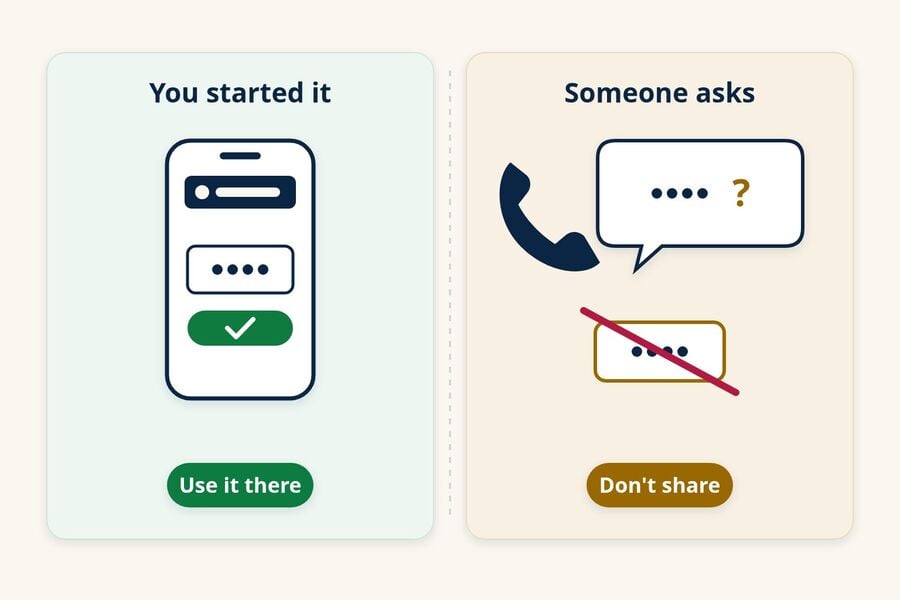
The script changes, but the ask is always the code:
- The "fraud department" call. A caller claims to be your bank, a support team, or a government office and says they need the code to protect or verify your account.
- The friend who sent a code "by mistake." A message from a known contact says a code went to you by accident and asks you to pass it back. Contact that person through a separate channel you trust. The account may be compromised or impersonated, and the code could let someone register your phone number or take over an account.
- The marketplace buyer. The FTC's October 2021 alert on the Google Voice verification code scam describes people selling items online being asked to read back a code to "prove" they are real. The FTC's advice: don't share any verification code with someone if you didn't contact them first.
Never give a code in response to an unexpected contact. If you started a support conversation yourself, follow only the instructions shown in the organization's official app or website, and read the warning in the code message. To check on an account, contact the company using a number you already trust, such as the one on your card or in its app, and report scam attempts at ReportFraud.ftc.gov.
If you already shared a code or approved a prompt
Act quickly and stay calm. Sharing a code does not always mean someone got in, but you should assume they might have and secure the account right away.
- Open the service directly and change the password. Then sign out other sessions or devices if the service offers that option.
- Review security settings, including recovery email, recovery phone, multifactor methods, and any backup codes. Login.gov, for example, tells people who receive unexpected codes to change their password, confirm their authentication methods, and regenerate backup codes if they use them.
- Call your bank or card issuer using the number on your card or statement if the code was for a financial account.
- Check your email account for forwarding rules, filters, or sent messages you did not create if the shared code was for your mailbox.
- Use the service's official recovery steps if a messaging app or phone-number service was involved and you lost access.
- Report it at ReportFraud.ftc.gov, and expect follow-up messages that try to "help" you recover. Treat those with the same caution.
Keeping low-stakes signups out of your main inbox
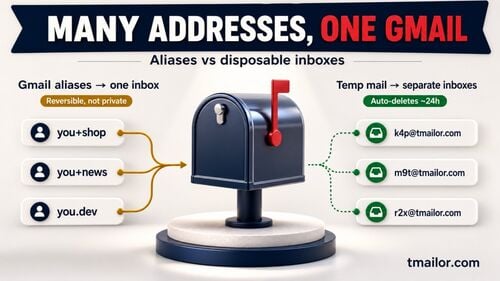
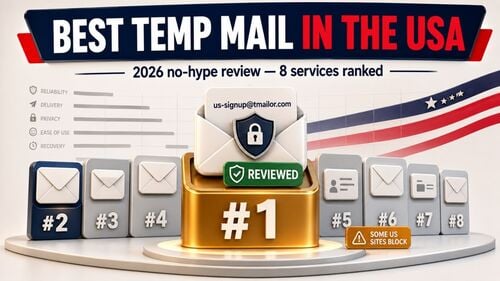
Your main email address is the recovery route for many important accounts, so it is worth sharing it carefully. Using a separate address for low-stakes signups can keep signup codes and marketing messages out of your primary inbox. It cannot stop someone from mistyping or misusing your real email address, and it does not replace a strong password or multifactor authentication.
For newsletters, one-time downloads, or free trials you may not keep, a temporary email address gives those messages their own inbox. This can reduce clutter in your primary inbox, but an unexpected code that lands there still does not reveal who requested it or why.
Temp mail has real limits, and they matter most for security. Tmailor is receive-only, messages disappear about 24 hours after they arrive, and an address can be reopened only with its Access Token. A lost Access Token cannot be recovered, which is why the Access Token reuse page is the only way back to an address you saved.
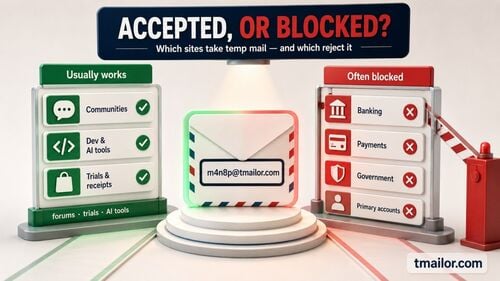
Codes from some services may not arrive at disposable addresses at all, as the guide to what works and fails with temp mail OTPs explains. Keep your bank, primary email, phone carrier, work, and device accounts on a permanent address you control; the overview of temp mail limits and risks covers where a disposable inbox does not belong.
If the message you received was a "temporary ChatGPT login code," the ChatGPT login code guide walks through OpenAI's specific steps. When you are ready to separate your next low-stakes signup, you can create a free temp mail address in seconds.
Frequently asked questions
Does an unexpected verification code mean someone knows my password?
Not necessarily. Many services send codes for signups, password resets, or passwordless sign-ins that do not require your password at all, and some codes come from typos. Check the account directly. Change the password if you see unfamiliar activity, if the service confirms a sign-in attempt, or if you reuse that password elsewhere.
What if the code doesn't say which app or account it is for?
Treat an unidentified code as suspicious and do nothing with it. Do not reply to ask, and do not call or tap anything in the message. If you are worried about a particular account, open that service's app or website yourself and check its recent activity.
Why did I get a code for a service I don't use?
Someone may have entered your email address or phone number while signing up, or the message may be fake. Most services do not complete a signup until the code or link is used, so you can usually ignore it. Do not create an account to investigate, and contact the service through its official website if the messages keep coming.
Why am I getting OTP messages from different apps?
Your email address or phone number may have been entered in several apps, by mistake or on purpose, and some messages may be phishing. OTP messages from different apps do not by themselves prove a coordinated attack. Check each named service directly, change any password you reuse across those accounts, and turn on stronger sign-in protection where it is available.
Can I block unwanted verification code texts?
You can block a sender or use your phone's spam filtering, and the FTC suggests forwarding spam texts to 7726 (SPAM). Blocking a real service's number can stop codes you need later, though. If the texts come from a service you use, secure that account and contact its support team instead.
What should I do with a password reset email I didn't request?
An unsolicited reset message usually means a reset was requested, not completed. Do not use its links. Open the service directly to confirm that your password and recovery details are unchanged, especially if the message says a change was already made.
The rule that covers every case
Whatever caused the message, do not share or use a code you did not request. Check the named account through its official app or site. Secure it promptly if codes keep arriving, you see unfamiliar activity, you shared the code, or you approved a prompt you did not start. If your problem is the reverse, a code you requested never showing up, see why OTP codes fail to arrive.

Priya Nair focuses on email deliverability and one-time-password (OTP) flows. She tests how verification codes from Google, Apple, social and crypto platforms land in disposable inboxes, and documents what improves OTP reliability on temp mail.