Temp-Mail.org Review: How It Really Compares to Tmailor for Everyday Use
Temp-Mail.org is one of the oldest and most recognized names in disposable email. We re-checked its official pages, terms, and app listings on October 19, 2026, to see what it does well, what it costs, and how private a free inbox really is. Disclosure: Tmailor publishes this blog, so read this as a vendor comparison; Tmailor's limits are stated as plainly as its strengths.
Quick access
TL;DR / Key Takeaways
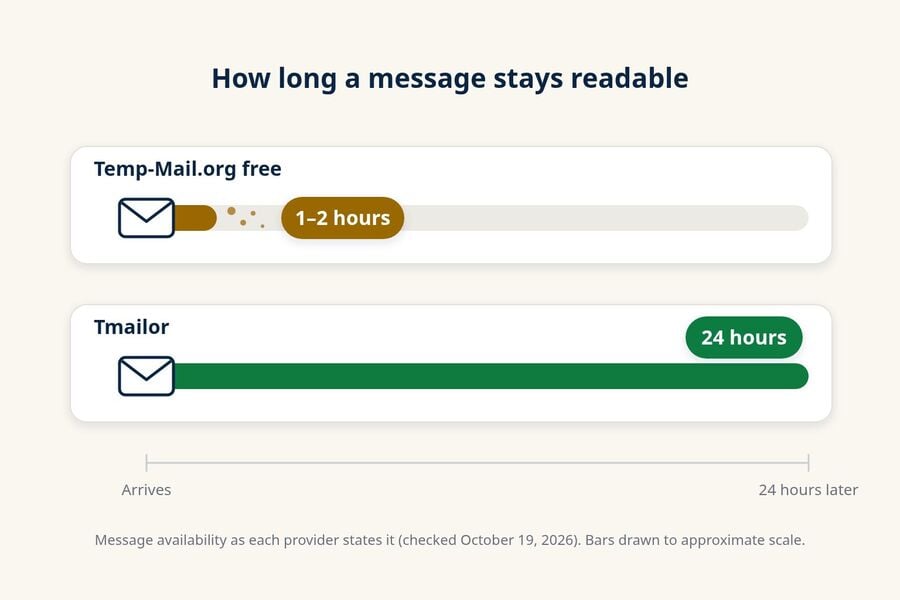
This Temp-Mail.org review finds an established disposable email service run by Privatix LTD, though its free inbox is short-lived and not private. Its terms, checked on October 19, 2026, say free messages are kept for up to 1–2 hours and that mail in the free system is viewable by any user. Web Premium costs a month. Tmailor keeps each message for about 24 hours and can reopen the same address with an Access Token.
Disclosure: Tmailor publishes this comparison. The verdict: pick Temp-Mail.org if you need attachments, an API, browser extensions, or paid month-long storage with an address the provider markets as private. Pick Tmailor if you want a longer free read window and a simple way to return to the same address.
- Where Temp-Mail.org is stronger: its terms and app listings say it receives attachments and lets you download them. It also has an official API, Chrome and Firefox extensions, iOS and Android apps, an official Telegram bot, and a Premium tier with custom domains, up to 10 addresses, and storage for one month.
- Where Tmailor is stronger: free messages stay readable for about 24 hours instead of 1–2, and a saved Access Token reopens the same address without an account or payment.
- Shared limits: both services are receive-only, and neither should hold mail for an account you cannot afford to lose.
- Tmailor's own gaps: no attachments at all, no public API, no browser extension, and a lost Access Token cannot be recovered.
How We Checked Temp-Mail.org (October 2026)
On October 19, 2026, we opened Temp-Mail.org in a desktop browser and read its home page, FAQ, API page, Change page, 10 Minute Mail page, Premium panel, Privacy Policy, and Terms of Service. We also read its Google Play and App Store listings, its Chrome Web Store and Firefox add-on pages, and its Telegram bot page.
Here is what we did not do: we did not buy Premium, call the API, send test messages, time delivery, or test one-time codes. Every Temp-Mail.org fact below is the provider's own stated policy or a feature listed on its pages, not a measurement. Prices and policies change, so check the official pages before you pay.
Tmailor facts come from our own product documentation and a check of the live Tmailor home page on the same day. Where Temp-Mail.org's pages disagree with each other, we say so and report what each page says.
Background & Context
Disposable email solves a simple problem: you need an inbox right now to receive a code or a confirmation, but you don't want to hand over your real address and the spam that often follows. If you're new to the idea, this overview of how temp mail works covers the basics.
Temp-Mail.org is one of the longest-running providers in this category. It is a different service from similarly named sites such as Temp-Mail.io, and several lookalike domains copy its name, so type the address carefully. Tmailor approaches the same problem from a narrower angle, built around reading a code that arrives late and returning to the same address later.
If you want a Temp-Mail.org alternative beyond these two services, the ranked list of the best temp mail providers compares ten options side by side.
What Temp-Mail.org Actually Offers
Temp-Mail.org is the broader product. It covers more platforms than Tmailor, documents an API, sells a Premium tier, and says it lets you open and download files that land in the inbox. Its main catch on the free tier is how quickly messages disappear.
Price and limits at a glance (official pages, October 19, 2026):
- Free messages: kept for up to 1–2 hours.
- Web Premium: a month or a year, in US dollars, and the terms say prices may vary by country.
- Premium messages: stored for one month, with up to 10 mailboxes at the same time.
- Changing or recovering an address: the Change page labels it a Premium feature.
- API: available through RapidAPI.
- Attachments: supported, including download of the raw EML source.
Platforms: web, apps, extensions, and a Telegram bot
Temp-Mail.org runs on the web and has iOS and Android apps. Its footer links a Chrome extension, a Firefox add-on, and an official Telegram bot called "Temp Mail Official Bot." The Google Play listing showed more than 10 million downloads and a 4.6-star rating when we checked. That points to a large, long-running service, though download counts say nothing about privacy.
How long Temp-Mail.org keeps your emails
Temp-Mail.org's terms say free emails "can be stored up to 1-2 hours," and its API page says the service deletes incoming messages within 1–2 hours. Both app listings repeat that 1–2-hour figure. If a verification email is slow, that window can close before you read it.
The address and its messages are separate questions. The FAQ says an address stays valid "until you delete it or until the service changes the domain list." Premium changes the message side: the terms say Premium emails are stored for one month. For how other providers handle this, see our guide to how long temp mail lasts across services.
Can you recover or change a Temp-Mail.org address?
Only partly. The Change page says changing or recovering an address by typing the name you want "is available on Premium only." The older terms still list "Change email names" as a free feature, so the two pages disagree; the Change page is the one in front of you today.
On the free tier, the privacy policy describes a QR code that opens the same mailbox in another browser. That moves an address between browsers; it does not restore anything. The terms and the Google Play listing both say Temp-Mail.org has "no ability to restore emails or domains once removed," with or without Premium.
Temp-Mail.org Premium price and features
The terms list web Premium at a month or a year, paid through Paddle, and the Premium panel showed a month with a "Save 50%" yearly option. The terms also say web Premium works on desktop web only and does not carry over to the mobile apps, which sell their own subscriptions. On the US App Store, those ran from .99 a week to .99 a month and .99 a year.
The Premium panel lists connecting your own custom domain, dedicated premium domains, up to 10 addresses at the same time, a private address "with full ownership," 100 MB of message storage, and no ads. For teams that need brand-safe domains or a mailbox that lasts a month, Tmailor has no comparable paid tier.
Temp-Mail.org API
Temp-Mail.org's API page is aimed at developers and QA testers and names Selenium, Cypress, Playwright, and Puppeteer as frameworks it works with. Access runs through RapidAPI. The page says a message can be returned as JSON with its body, subject, date, and attachments, or as a raw base64 message.
The same page lists the limits: government services and major financial institutions cannot send messages to a Temp-Mail.org address, and mail to addresses such as abuse@, admin@, contact@, or postmaster@ cannot be read. The site also shows a "Too many new mailboxes created" message that suggests upgrading to Premium.
Attachments and ads
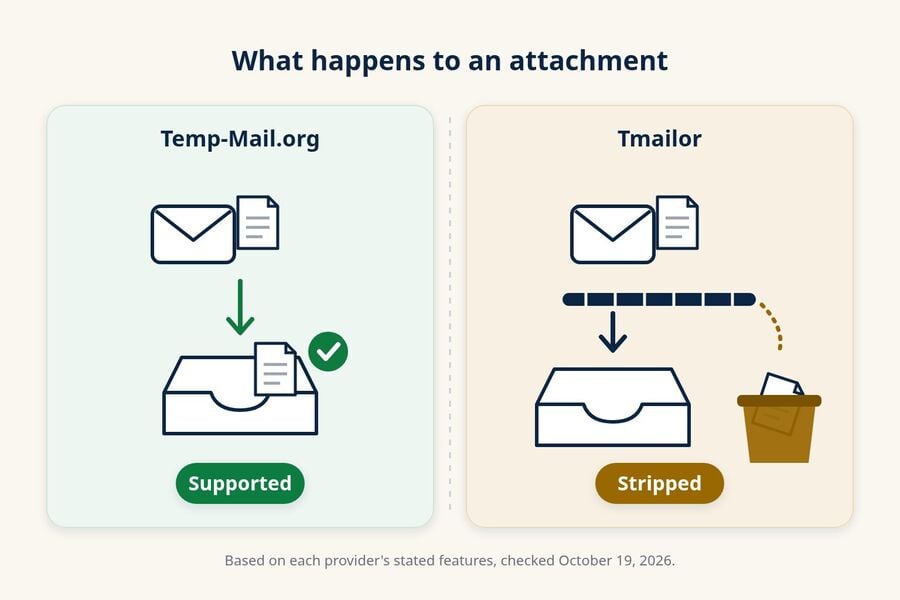
This is something Temp-Mail.org can do that Tmailor cannot. Its terms and app listings say you can receive attachments, read them, and download the EML source. That is useful for receipts and PDFs, and it is also a reason to think before opening a file from a stranger.
The free site is ad-supported. On the day we checked, it showed a sponsored banner at the top and display ads around the inbox, and its privacy policy lists several third-party ad and analytics providers. Premium is advertised as ad-free.
Is Temp-Mail.org Safe and Legit?
Temp-Mail.org is a real, established service, but a free Temp-Mail.org inbox is not private. Use it for low-stakes sign-ups, not for anything you would mind someone else reading. That answer has three parts.
Is it the established service it claims to be? Yes. The terms, the privacy policy, and both app stores name the same operator, Privatix LTD, based in Tel Aviv, and the apps have a large install base. Make sure you are on temp-mail.org itself, because lookalike domains exist.
Is your mail confidential? On the free system, no. The terms say any email sent through the service "is immediately viewable by ANY user of the system" and becomes "public domain" with "no expectation of privacy." They also tell you not to use it for important accounts or sensitive data. Premium is marketed differently, as a "100% Private address with full ownership," so this warning is written for the free system.
What does it log? The privacy policy says both that Temp-Mail.org "does not store your IP-address" and that its server log files include IP addresses, browser type, and ISP, which it says are not linked to personally identifiable information. It also lists third-party ad and analytics tools. We did not run a security scan of the site.
The same caution applies to any temp inbox, Tmailor included: it is a privacy shield for sign-ups, not a vault. If you want to know what a website or provider can still trace, our guide on whether temp mail is anonymous goes deeper.
What tmailor Focuses On (and Why It Matters)
Tmailor is the narrower product, and the trade-off is deliberate: fewer features, a longer free read window, and an address you can come back to. It is free, needs no registration, and is receive-only.
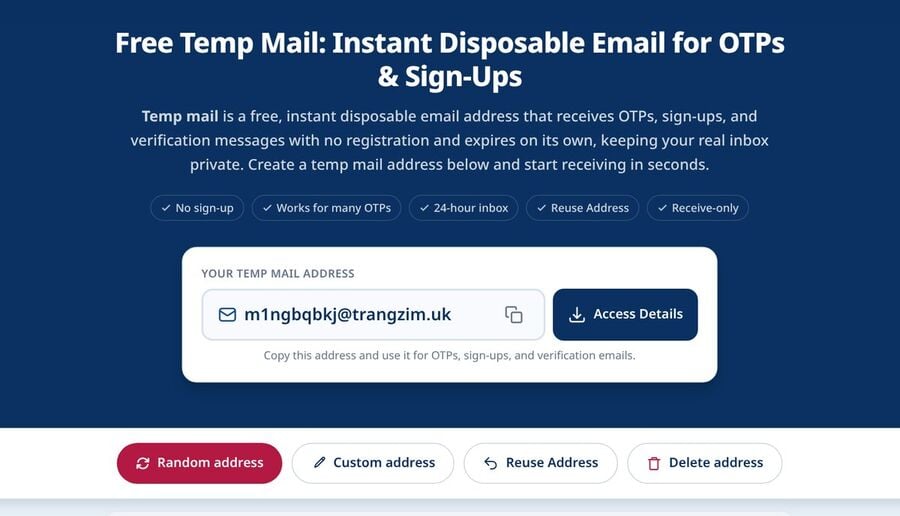
Retention and reuse. Each message stays visible for about 24 hours after it arrives, then it is removed automatically. The address works differently: save the Access Token and you can reopen that same inbox later, on another device. The mechanics are covered in the guide to reusing a temp mail address.
What the Access Token is and is not. It is a recovery key, not a password. Anyone who has it can open the inbox, so keep it private. If you lose it, nobody can issue you a new one, and old messages still expire after about 24 hours.
No attachments at all. Every inbound attachment is stripped, so you can never open or download a file sent to a Tmailor address. If a service emails you a PDF receipt or an image you need, Tmailor is the wrong tool and Temp-Mail.org is the better pick. The upside is that a public-facing inbox never hands you an unknown file.
Domains and delivery. Tmailor runs 500+ domains on Google-MX infrastructure. Random addresses come from a large rotating pool, and the Custom address option lets you pick the name on the domains that allow it, for free. A large pool is a mechanism, not a guarantee: some sites still refuse disposable domains.
One inbox, no spam folder. Tmailor has no separate spam folder to check, so if an expected email does not appear, look at the address you entered or ask the sender to resend. Remote images in emails load through Tmailor's image proxy instead of straight from your browser, though a sender can still see that a message was opened and links can still be tracked. The free service is ad-supported, and there is no public API or browser extension; if automated inbox testing is your main need, Temp-Mail.org is the better fit.
Where to go next. Prefer apps? See the mobile app guide. Want your own domain? See the custom domain guide. Want the inbox inside Telegram? See the Telegram bot guide. Everyday questions are answered in the temp mail FAQ. For a shorter fuse, there is a dedicated 10 minute mail page.
Side-by-Side: Temp-Mail.org vs Tmailor
Temp-Mail.org wins on breadth: an API, browser extensions, attachments, and a paid tier with custom domains and month-long storage. Tmailor wins on two narrow things that matter for everyday sign-ups: free messages stay readable for about 24 hours instead of 1–2, and a saved Access Token brings the same address back at no cost.
| Capability | Temp-Mail.org | Tmailor |
|---|---|---|
| Core model | Disposable inbox; receive-only; no registration on the free tier | Disposable inbox; receive-only; no registration |
| Message retention (free) | Up to 1–2 hours, per its terms, API page, and app listings | About 24 hours from arrival |
| Message retention (paid) | One month with Premium | No paid tier |
| Returning to an address | QR code opens the mailbox in another browser; changing or recovering an address is labeled Premium-only | Free, via a saved Access Token (no account); a lost Access Token cannot be recovered |
| Choosing the name | Premium (custom email names) | Free Custom address option on domains that allow it |
| Attachments | Supported, per its terms and app listings, including EML download | Not supported; every inbound attachment is stripped |
| API | Official API through RapidAPI | No public API |
| Browser extensions | Chrome extension and Firefox add-on | None |
| Apps and Telegram | iOS and Android apps; official Telegram bot | iOS and Android apps; Telegram bot |
| Own domain | Premium: connect your own custom domain | Supported for free (point one MX record to Tmailor) |
| Domain pool | Free domains plus dedicated premium domains; not publicly counted | 500+ domains on Google MX; the live list is not published |
| Price | Free with ads; web Premium a month or a year | Free, ad-supported |
| Who it suits | Anyone who needs an API, extensions, file attachments, or a paid address marketed as private | Anyone who wants a longer free read window and a reusable address |
Note: Temp-Mail.org details reflect its official pages and app listings as of October 19, 2026. Premium prices can vary by country and billing period, so confirm the price on the payment screen.
Real-World Scenarios (What to Use When)
1) A one-week SaaS trial with possible follow-up emails
Use Tmailor and save the Access Token. If the provider later emails a survey, an upgrade notice, or a password reset, you can reopen the same inbox and read new mail. The 24-hour window is plenty for the first code. When you are ready to try it, create a free temp inbox and paste the address into the sign-up form.
2) A QA team testing sign-up and password-reset flows
Use Temp-Mail.org and its official API, which is built for exactly this and works with Selenium, Cypress, Playwright, or Puppeteer. Plan around two details: free messages are deleted within 1–2 hours, and Premium tops out at 10 simultaneous addresses. If a test needs to open a PDF or an image, Temp-Mail.org can do it, and Tmailor cannot.
3) A launch with brand-sensitive domains
Both services let you bring your own domain: Temp-Mail.org through Premium, Tmailor through a free custom-domain feature that needs one MX record on a domain you own. Check routing and retention before you point anything you care about at either one.
4) A sign-up on a site you don't fully trust
Both services are receive-only, so neither can be used to reply. If your worry is a malicious file, Tmailor is the more conservative option because it cannot deliver an attachment to you at all. On Temp-Mail.org's free tier, also remember that its terms treat incoming mail as visible to other users.
5) A website rejects your disposable address
If the site accepts disposable email in general and one domain happened to be flagged, trying a different address is ordinary troubleshooting. If the service's policy says it does not accept temporary email, use your real address. Banks, government portals, and most identity-verified services fall into that second group, and our explainer on why websites block temp mail domains covers the reasons.
Expert Notes & Caution Flags
- Where Tmailor is the weaker choice. No attachments, no public API, no browser extensions, no paid tier with longer storage, and no way to recover a lost Access Token. If any of those matter to you, Temp-Mail.org is the better tool, and since Tmailor publishes this comparison, weigh the recommendation accordingly.
- Public by design. Temp-Mail.org's terms say free-system mail is viewable by any user. Treat every free disposable inbox the same way: never route bank, tax, health, or work mail through it.
- Attachments: convenience vs. risk. Receiving files makes an inbox feel complete, and Temp-Mail.org supports it. Tmailor takes the opposite trade: attachments are stripped, which removes one kind of malware risk and also removes a feature you may need.
- Acceptance is a policy question. A large, rotating domain pool helps when one domain is temporarily flagged. It does not entitle anyone to get past a service that has decided not to accept disposable email.
- Recheck prices and limits. Temp-Mail.org's web and app prices differ, and its Change page and older terms disagree on whether changing an address is free. Read the current page before you rely on either.
Trends & What to Watch Next
- Recheck paid-tier terms. Temp-Mail.org currently puts month-long message storage, private-address marketing, and custom-domain support in its web Premium tier, while free messages last 1–2 hours. Prices and feature boundaries can change, so confirm them before you subscribe.
- Detection keeps improving. More services check whether an address belongs to a disposable provider, and acceptance can change without warning. The durable approach is to match the tool to the task: temp mail for low-stakes sign-ups, and a real address wherever a service requires one.
FAQ
Can Temp-Mail.org send emails?
No. Its FAQ says sending is completely disabled because of fraud and spam issues, and its app listings say you can only receive. Like Tmailor, it is a receive-only disposable inbox.
Does Temp-Mail.org store IP addresses?
Its privacy policy says both things. One section states that Temp-Mail.org does not store your IP address; another says its server log files include IP addresses, browser type, and ISP, and that these are not linked to personally identifiable information. Treat the service as temporary rather than anonymous.
Can Temp-Mail.org receive attachments?
Yes, according to its terms and app listings, which say you can receive attachments, read them, and download the raw EML source. This is one thing Temp-Mail.org can do that Tmailor cannot. Open files from unknown senders with care.
Is Temp-Mail.org safe to use?
Temp-Mail.org is an established service run by Privatix LTD, but that does not make its free inbox confidential. Its terms say free-system mail is viewable by any user of the system and tell you not to use it for important accounts or sensitive data. We did not perform a technical security audit.
Can I recover a Temp-Mail.org email address?
The current Change page labels changing or recovering an address as a Premium feature, but deleted messages and removed domains cannot be restored, per its terms. On the free tier, a QR code can open the same mailbox in another browser. Its older terms still list changing email names as free, so check the page you see.
How long are emails kept on Tmailor?
About 24 hours from arrival, after which each message is removed automatically. For comparison, Temp-Mail.org's terms say free messages are kept for up to 1–2 hours.
Can I reuse the same address on Tmailor?
Yes. Save the Access Token and you can reopen the same inbox later, on another device. It is a recovery key rather than a password, so keep it private, and a lost Access Token cannot be restored by anyone.
Does Tmailor allow attachments or sending?
No, on both counts. Tmailor is receive-only, and every inbound attachment is stripped, so you cannot open or download a file that someone sends to a Tmailor address. If you need the file itself, use a service that delivers attachments.
Do both services have a 10-minute option?
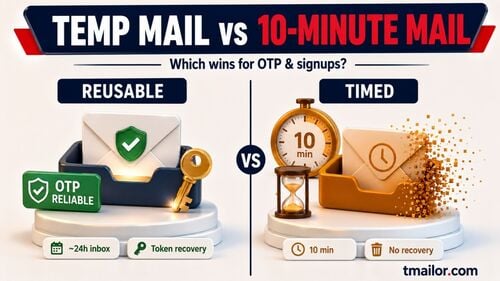
Yes. Both run a dedicated 10 minute mail page for quick, one-off tasks; Temp-Mail.org's shows a ten-minute countdown. Outside that mode, Temp-Mail.org's free messages last up to 1–2 hours, while Tmailor keeps messages for about 24 hours.

Elena Petrova compares temp mail and burner email services head to head. She reviews providers, weighs Tmailor against alternatives like 10 Minute Mail, Guerrilla Mail and Apple Hide My Email, and explains which option fits which use case.