Tmailor
 Are Temporary Emails Safe? A Practical Guide to Temp Mail Security
Temporary email can be a smart privacy move — but only when you treat it as a tool, not a vault. Here's what "safe" really means and where temp mail helps or backfires.
Quick access
Key Takeaways
Safety depends on the use case: disposable email helps privacy, but it is not a recovery channel.
Are temporary emails safe? Yes — for low-risk, short-lived sign-ups where you never need to recover the account later. They become unsafe the moment long-term ownership, password resets, or legal and financial notices come into play. Safety here is about matching the tool to the stakes, not about the technology itself.
- Generally safe: one-off sign-ups, newsletters, free trials, app testing, and low-risk verification codes — when you do not need long-term recovery.
- Not safe: banking, primary accounts, and anything tied to money, identity, or long-term access that depends on password resets and legal notices.
- The biggest risk is recovery, not hacking: people lose access to accounts they created with a disposable inbox that has since expired.
- Temp mail does not stop phishing: it keeps your real inbox out of the blast radius, but a careless click is still a careless click.
- "Anonymous" is not "invincible": a disposable address reduces identity exposure, but your name, phone, payment data, and device can still identify you.
- Provider design matters: a controlled inbox, tracker stripping, and a large domain pool make a real difference versus a public, guessable mailbox.
- Best practice: use a disposable address to reduce exposure, then upgrade to a real inbox for any account you must keep.
What "Safe" Actually Means
In security, "safe" is always relative to a threat model and a goal.
"Safe" has no single meaning in security — it always depends on what you are protecting and from whom. When people ask whether a temporary email is safe, they are usually asking one of three questions, and temp mail answers each one differently. Naming the question first is what turns a vague worry into a clear decision.
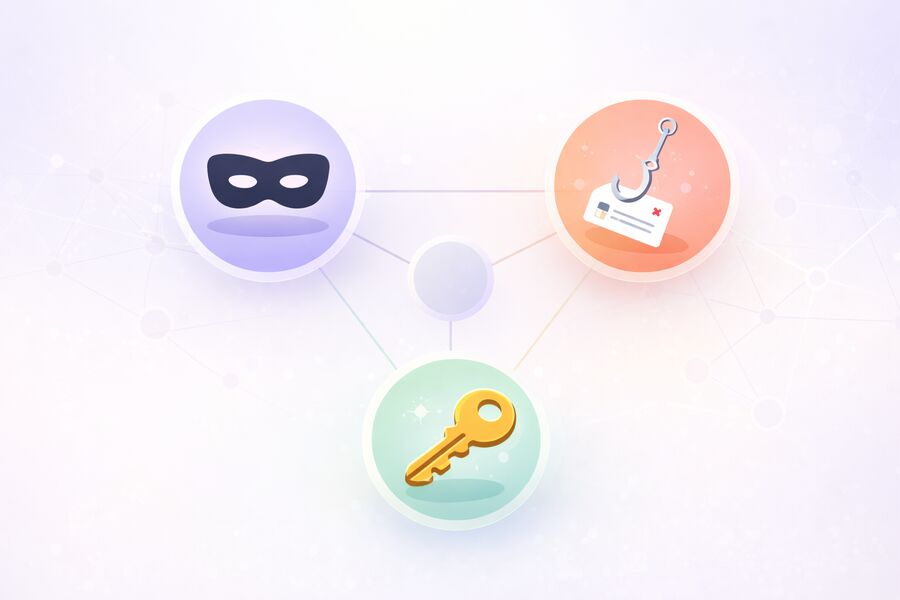
- Privacy and safety: Can I avoid sharing my real email with strangers and reduce spam and profiling?
- Account safety: Will I be able to recover this account later if something goes wrong?
- Device safety: Will opening a message expose me to phishing, malware, or tracking?
A temporary email address is most helpful for privacy and safety. It also helps with device safety when the provider strips trackers, as long as you still follow basic phishing hygiene. It is usually weakest for safety reasons, because short-lived access is the entire point. Once you know which kind of safety you need, choosing the right inbox becomes straightforward.
How Temporary Email Works
Disposable inboxes are built for speed and minimal identity exposure, not long-term ownership.
A temporary email service generates a working address instantly, with no traditional registration. Any message sent to that address lands in a temporary inbox that is retained for a limited window. On tmailor.com, incoming messages stay for about 24 hours and then auto-delete. The address itself can be reused later through an Access Token, but the messages do not persist.
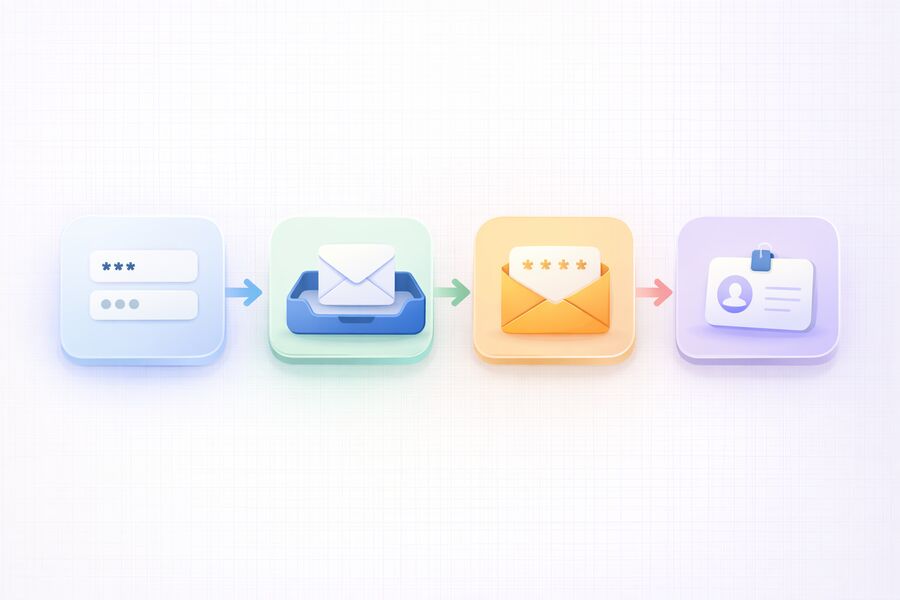
On tmailor.com, the typical flow looks like this:
- You open the site and receive a ready-to-use address — no sign-up, no phone number.
- You paste that address into a form that asks for an email.
- You receive the verification message in the temporary inbox.
- You complete the sign-up without exposing your personal inbox.
Tmailor.com runs on Google-MX infrastructure for reliable inbound delivery, and it is receive-only by design — you cannot send or reply, and it does not accept attachments. That receive-only design is itself a safety feature: because the inbox cannot send mail and is not built for file exchange, it removes some of the ordinary email risks that come with long-lived accounts. For a deeper look at how routing, catch-all addresses, and inbox rendering work, see a technical end-to-end explainer.
Where Temporary Email Is Usually Safe
You can use temp mail when the worst outcome is mild inconvenience, not permanent loss.
A temporary email is a safe choice when the account is low-stakes, the access window is short, and your goal is to reduce spam and the risk of profiling. The rule of thumb is simple: if the worst-case outcome of losing the inbox is mild inconvenience rather than permanent loss, temp mail fits. Common safe scenarios include the following.
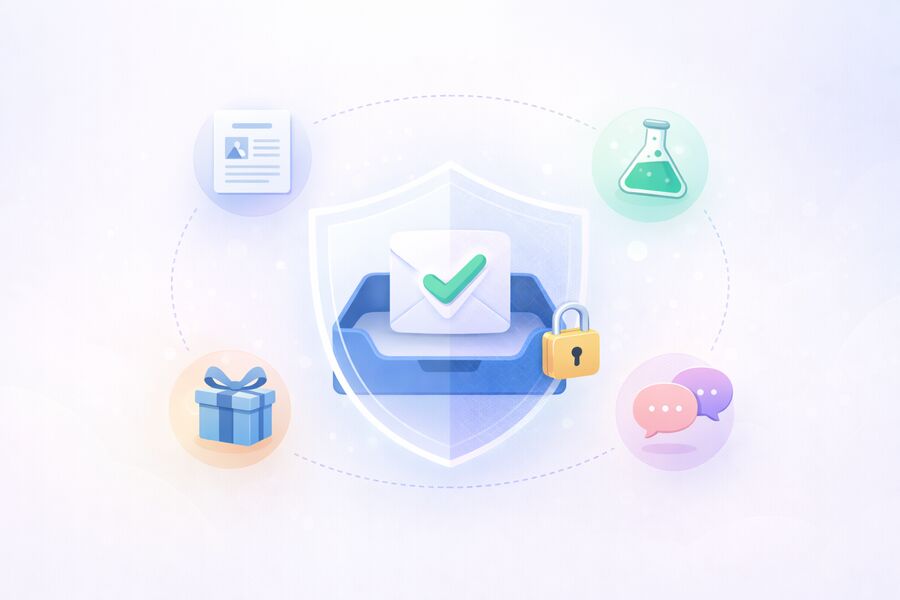
- Newsletter sign-ups and content downloads, where you only need the link once.
- Free trials when you need the welcome email and a confirmation click, nothing more.
- App testing and QA/UAT, where you need many inboxes quickly and do not want real data in test systems.
- Community sign-ups for throwaway accounts that are not tied to your identity.
- Low-risk one-time verification codes, where losing access later would not matter.
Keeping your primary inbox out of these low-value databases is exactly how temp mail helps you keep your inbox spam-free over time. The fewer places your real address appears, the smaller your long-term spam and profiling footprint.
Where Temporary Email Is Not Safe
Do not use a disposable inbox as your identity anchor for anything you cannot afford to lose.
Temporary email becomes unsafe the moment long-term ownership, legal notices, or recovery workflows come into play. A disposable inbox is designed to disappear, so tying a durable account to it is a recovery failure waiting to happen. Avoid temp mail for accounts you would struggle to regain access to.
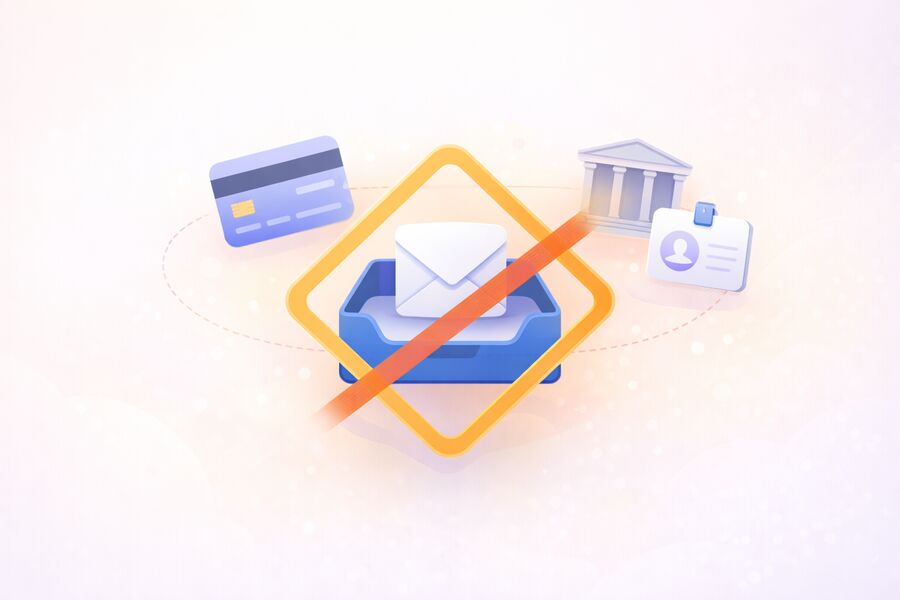
- Banking, crypto, and payment platforms, where account recovery and alerts are critical.
- Primary logins for work or school that require you to prove your identity later.
- High-value shopping accounts with saved payment methods, refunds, or chargeback communications.
- Accounts tied to your real name — government services, healthcare, insurance, and tax.
- Anything you might need in a dispute, such as legal notices, receipts, or contract changes.
If a platform is important enough that you would fight to regain access to it, it deserves a real inbox with strong authentication. For the full list of boundaries, see what temp mail can't do safely.
The Real Risks You Should Consider
Most risk comes from user behavior and provider design choices, not from the concept of temp mail.
Most of the risk with temp mail comes from how people use it and how providers are built, not from disposable email as a concept. Five risks account for nearly every bad outcome, and each has a straightforward defense. Understanding them turns temp mail from a gamble into a controlled decision.
Risk 1: Losing Access When You Need Recovery
Password resets, security alerts, and "verify it's you" prompts usually arrive later — often long after a disposable inbox has expired. A common example: someone signs up for a marketplace with a disposable address, sells an item three weeks later, and then cannot receive the payout verification email because the inbox is long gone. That timing gap is why a temporary email is a poor fit for any account you intend to keep. If recovery might matter, use a real inbox from the start.
Risk 2: Public Inbox Exposure
Some disposable services behave like shared mailboxes, where anyone who guesses the address can read the inbox. Public mailboxes are fine for a throwaway newsletter, but dangerous for verification codes. Always prefer a provider that behaves like an inbox you control rather than a public bulletin board.
Risk 3: Phishing and Malicious Links
A disposable inbox does not stop phishing. Scammers can still send convincing emails with malicious links, and clicking one is just as harmful in a temp inbox. The real win is that your personal inbox stays out of the blast radius — which is one reason to use temp mail on untrusted sites — but your clicks still matter.
Risk 4: Tracking Pixels and Hidden Scripts
Marketing emails often use tracking images and scripts to measure opens and profile behavior. Temp mail still helps by keeping your real address out of low-trust databases and making it easy to retire an address that starts attracting unwanted mail. That is also how you protect against data breaches that leak marketing databases, but you should not assume any provider blocks every tracking method unless it documents that control publicly.
Risk 5: Deliverability and Verification Blocks
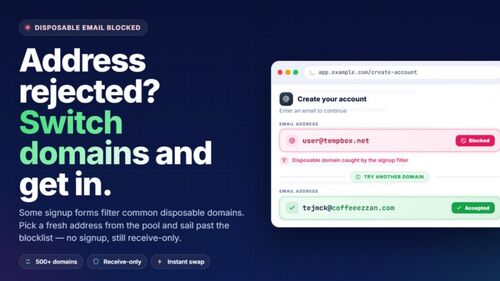
Some websites block known disposable domains outright. Domain quality and rotation influence whether a temporary address is accepted, but no service accepts every sign-up. When a form rejects a disposable address, do not force it — switch to a real email for that particular service.
A Safer Way To Use Temp Mail: The Checklist
Think of temp mail as a privacy buffer: keep it separate, keep it short-lived, keep it intentional.
Using temp mail safely comes down to a short, repeatable routine you run before pasting a disposable address into any form. The goal is to keep disposable inboxes separate from anything durable, so a lost inbox never becomes a lost account. Work through these five steps each time.
- Label the account as low-risk first. If money, identity, or long-term access is involved, stop and use a real inbox instead.
- Do not reuse one address everywhere. Reusing a single disposable address across unrelated services rebuilds the very profile trail you were trying to avoid.
- Never click suspicious links. If a message feels urgent or off, open the service directly in your browser instead of trusting the email link.
- Save only what you must, immediately. If you need a receipt or a code later, capture it right away, because the inbox will clear.
- Upgrade accounts you decide to keep. Start with temp mail to evaluate a service, then switch the account email to your primary address and enable strong authentication.
If you expect to revisit an inbox on purpose, tmailor.com lets you reuse a temp mail address via an Access Token workflow. That helps with controlled, low-risk revisits — but a saved token should still not replace a real recovery email for high-value accounts.
Are Temporary Emails Safe? A Quick Decision Table
Match the account's stakes to the right inbox at a glance.
The table below maps common scenarios to a verdict so you can decide in seconds. The pattern is consistent: short-window, low-recovery tasks are safe for temp mail, while anything durable or tied to your identity needs a permanent inbox.
| Scenario | Temp mail safe? | Why |
|---|---|---|
| Newsletter / one-time download | Yes | You need the link once; no recovery required. |
| Free trial evaluation | Yes | Short window; upgrade the email if you keep the service. |
| App testing / QA/UAT | Yes | Many inboxes fast; no real data in test systems. |
| Low-risk verification code | Usually | Fine if losing access later would not matter. |
| Social or community profile you keep | Risky | Re-verification arrives later; a lost token means a lost account. |
| Shopping account with saved payment | No | Refunds, receipts, and alerts need a reliable inbox. |
| Banking, crypto, or payment platform | No | Recovery and fraud alerts are critical. |
| Government, healthcare, tax, or work login | No | Tied to your legal identity and long-term access. |
Is It Legal to Use a Temporary Email?
Using disposable email is generally legal; how you use any email is what carries consequences.
The legal risk of a temporary email address comes from how you use it, not from the inbox type itself. A disposable inbox is legitimate for privacy, spam reduction, and evaluating services, but using any email to commit fraud, impersonate someone, or break a platform's rules can still carry consequences. Respecting each site's sign-up rules keeps you on the right side of both safety and the law.
Anonymous Is Not the Same as Invincible
A disposable address lowers identity exposure, but it is only one layer of privacy.
A disposable address reduces identity exposure, but it does not make you anonymous or untraceable. Temp mail hides your real email from a sign-up form, yet your name, phone number, payment details, IP address, and device fingerprint can still identify you. Treating a temp address as a single privacy layer — not a cloak — keeps your expectations realistic.
For an honest look at exactly what a disposable inbox can and cannot hide, see the breakdown of whether temp mail is anonymous. If your goal is broad spam and profiling reduction rather than anonymity, the wider view of temp mail and online privacy shows how disposable addresses fit into a realistic privacy setup.
Choosing the Right Approach for Each Account
The smartest strategy is mixed: disposable for exploration, a primary inbox for ownership.
The safest long-term strategy is a mixed one: disposable addresses for exploration, and a dedicated primary inbox for anything you own. Deciding per account, rather than defaulting to one inbox for everything, is what keeps both spam and lockouts low. Use this simple rule when a form asks for your email.
- Exploring a new service? Start with a disposable address to reduce spam and profiling.
- Keeping the service long-term? Switch the account email to your primary address and enable strong authentication.
- Need several sign-ups quickly? Use disposable addresses and keep them segmented by purpose.
For many people, the winning setup pairs temp mail for trials and throwaway accounts with a dedicated "real" inbox — not your oldest personal address — for important services. Building that habit is easier with a dedicated secondary inbox strategy. If you want the same address to persist across low-risk sign-ups, compare the trade-offs between reusable and short-lived inboxes before you commit.
How to Tell If a Temp Mail Provider Is Trustworthy
The provider you choose changes the real-world safety of every disposable inbox.
The safety of a disposable inbox depends heavily on who runs it, because a weak provider can undo the privacy you were trying to gain. Before you rely on any temporary email service, measure it against a few practical signals. These checks are what separate a genuine privacy tool from a risky public mailbox, and they apply no matter which service you pick.
- Controlled, not public: can only you see the inbox, or can anyone who guesses the address read it? Prefer controlled access every time.
- Clear retention policy: the service should state how long messages are retained and confirm they are auto-deleted, rather than lingering on a server indefinitely.
- Tracker protection: image proxying blocks the tracking pixels that marketing emails rely on to record an open.
- Reliable inbound delivery: an established mail infrastructure, such as Google MX, improves the odds that verification emails actually arrive.
- Domain choice: a large, rotating domain pool improves acceptance when a form filters common disposable domains.
- Honest limitations: a trustworthy provider tells you what it cannot do — no attachments, no guaranteed delivery, and not for critical accounts — instead of overpromising.
A provider that scores well on these signals reduces your risk; one that fails to do so can quietly increase it. That distinction matters more than any single flashy feature because safety is a property of the whole setup, not a single checkbox on a landing page.
Why tmailor.com Can Be a Safer Choice
Provider details matter: documented limits and recovery rules shape real-world safety outcomes.
Disclosure: Tmailor operates this site and this product, so this section explains Tmailor's documented design choices and limits rather than offering an independent market-wide ranking.
Tmailor.com is receive-only, keeps messages for about 24 hours, offers a 500+ domain pool, and lets you reopen an address later with an Access Token if you saved it. Those features make it useful for low-risk sign-ups, but they do not turn a disposable inbox into a private or permanent recovery channel: old messages do not persist, and a lost Access Token cannot be recovered.
- Receive-only design: you can receive OTPs and sign-up links without exposing your primary inbox, but you cannot send outbound mail.
- Access Token reuse: you can reopen the same address later if you saved the token and the messages are still within the retention window.
- Not a private vault: disposable addresses are not password-protected, so never use them for passwords, private documents, or any account you cannot afford to lose.
- A large domain pool: 500+ domains give you flexibility when a site rejects one disposable domain.
- Cross-platform access: use it in a browser, on Android and iOS, or via the Telegram bot.
- Clear limitations: Tmailor reduces exposure for low-risk sign-ups, but it does not replace a durable recovery inbox.
If you are new to disposable email, you can start with a free temp mail address and try a low-risk sign-up to see how the workflow feels before you rely on it.
Frequently Asked Questions
These answers focus on practical security outcomes, not marketing myths.
Is disposable email safe?
Disposable email is safe for low-risk, short-lived tasks where losing the inbox would not matter. It is not safe for banking, identity, legal notices, saved payment accounts, or anything that depends on a future password reset. Match the address to the stakes, and it stays a useful privacy tool.
Are temp emails safe for verification codes?
A temporary email is safe for verification codes during low-risk, short-lived sign-ups. For anything tied to money, identity, or long-term access, use a primary inbox instead, so account recovery remains reliable if you ever need a password reset or a security alert.
Can temp mail stop phishing?
No. A temporary email keeps your real inbox out of unknown databases, which reduces exposure, but it cannot prevent phishing if you click a malicious link. Your behavior remains the central defense: verify senders and open services directly in your browser rather than through email links.
Is Temp Mail anonymous?
Temp mail reduces identity exposure because you do not share your personal address, but it is not fully anonymous. Your name, phone number, payment details, IP address, and device fingerprint can still identify you. Treat a disposable address as one privacy layer, not a guarantee of anonymity.
What is the biggest risk of using temp mail?
Account recovery is the biggest risk. Many people use a disposable address for an account they later want to keep, then get locked out when a password reset or security alert arrives after the inbox has expired. Use temp mail only where losing access would not matter.
Are public inbox services safe?
Public inbox services are risky for anything sensitive because anyone who knows or guesses the address can read the inbox. They are acceptable for a throwaway newsletter but not for verification codes. Prefer a service that behaves like an inbox you control rather than a public bulletin board.
Can I use temp mail for shopping accounts?
Use temp mail for one-time coupons or casual browsing, not for accounts that store orders. If the account keeps refunds, receipts, or saved payment details, switch to a primary email so you receive order updates, chargeback messages, and dispute communications reliably.
How long does temp mail last?
On tmailor.com, incoming messages are retained for about 24 hours and then auto-delete. The address itself can be reused later through an Access Token, but old messages do not persist. Save any code or receipt you need right away, because the inbox is designed to clear.
Why do some sites block disposable emails?
Some services block known disposable domains to reduce abuse and fraud. When a sign-up rejects a disposable address, do not try to force it — use a real email for that specific service. A large, rotating domain pool improves acceptance, but no provider is accepted everywhere.
Is a 10-minute email safer than a reusable inbox?
A 10-minute email reduces long-term exposure but increases the risk of lockouts, because the inbox disappears quickly. A reusable, token-based inbox is more convenient for ongoing low-risk workflows. Neither is safer in the abstract; the safer choice depends on whether you need to revisit the inbox.
What is the safest way to use Temp Mail day to day?
Use temp mail as a buffer for trials and throwaway accounts, save anything you need immediately, and migrate any account you decide to keep to a primary email with strong authentication. Keeping disposable inboxes separate from durable accounts is the single habit that prevents most problems.
Can opening a message in temp mail infect my device?
Simply reading a message is low-risk. tmailor.com strips inbound attachments and proxies images, so two common vectors — a malicious file and a tracking pixel — are not in play. That is not the same as being safe: the real danger is clicking a malicious link or entering credentials on a fake page, and no inbox can strip that out for you. Treat every unexpected link with the same caution you would in your primary inbox.
Sources
These references cover identity risk and phishing guidance from authoritative bodies.
- NIST Digital Identity Guidelines (SP 800-63 series), NIST.gov
- Federal Trade Commission: How to Recognize and Avoid Phishing Scams
- CISA: Recognize and Report Phishing
The Bottom Line
Temp mail is safe when used deliberately for low-risk tasks and kept out of long-term recovery flows.
Temporary email is not "unsafe" by default; it is specialized. Use it when you want privacy and speed, especially for one-off sign-ups, trials, and testing. Avoid it when you need long-term account ownership, identity recovery, or critical alerts. If you treat a disposable address as a privacy buffer rather than a permanent home, you get the upside — less spam, less profiling, less exposure — without paying the hidden cost of a lockout later.
The single rule that keeps you safe is easy to remember: match the inbox to the stakes. Low stakes and a short window mean temp mail; money, identity, or long-term access mean a real inbox with strong authentication. Decide that once per account, and disposable email becomes a reliable part of your privacy toolkit instead of a liability.
Jordan Mills has covered disposable email, OTP delivery and online privacy since 2018. He writes Tmailor's guides on staying anonymous, avoiding spam, and getting verification codes to land every time.