How to Create and Use a Temp Mail Address on Tmailor.com
Creating a temporary email on tmailor.com takes only a moment — but getting the most out of it takes a little know-how: saving your token, switching domains, running several inboxes at once, and reopening an old address. This guide walks through all of it, step by step, on the current interface.
Quick access
What is temp mail, and why use it?
A temp mail address — also called temporary or disposable email — is an inbox you use for a short task: registering an account, receiving a one-time code, or grabbing a download link. When you're done, you simply walk away; on Tmailor the messages clear automatically after 24 hours. You never hand over a name, phone number, or your real inbox.
That makes it useful whenever you want to keep your primary email clean and your identity private:
- Stop spam at the source. Give a disposable address to sites that are likely to email you forever, and your real inbox stays quiet.
- Stay anonymous. Sign up for forums, trials, and services without exposing personal data to platforms you don't fully trust.
- Verify quickly. Catch confirmation links and OTP codes, then move on.
How to create a temp mail address on Tmailor.com
Step 1 — Open the site
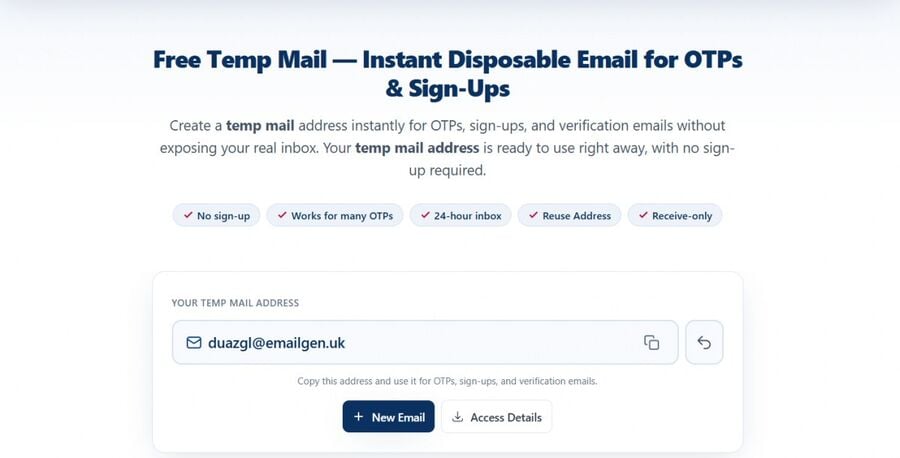
Go to tmailor.com. No account or registration is needed to start; an optional account exists only if you want cloud-synced address management later.
Step 2 — Create an inbox
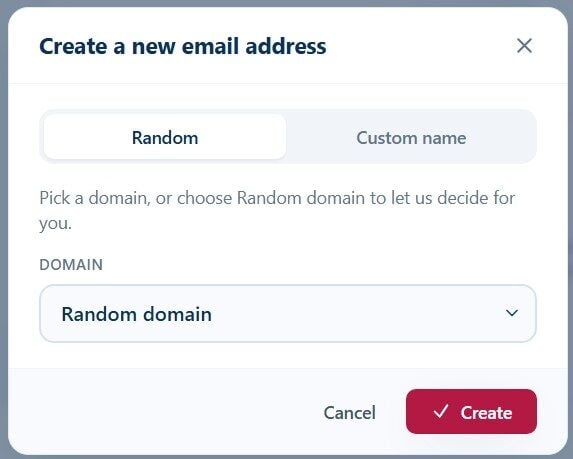
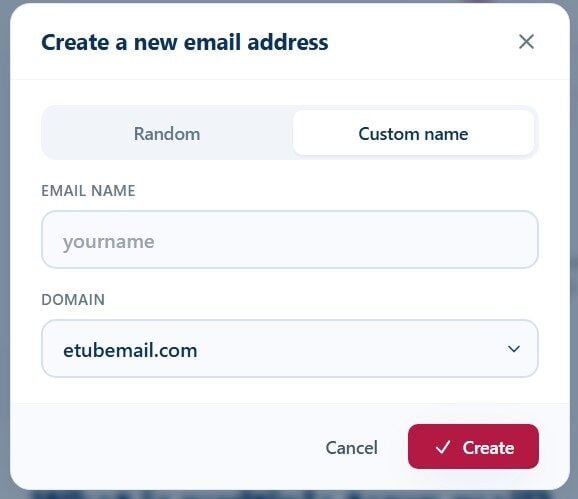
Click + New Email. The "Create a new email address" dialog opens with two tabs:
- Random — pick a domain from the list, or leave it on Random domain to let Tmailor choose one, then press Create.
- Custom name — type your own prefix in Email name, choose a Domain, and press Create. A custom name makes the inbox easy to recognize when you're running several.
Step 3 — Use the address
Your new address appears in the Your Addresses list on the left, marked Active, and its inbox opens on the right under Current Inbox. Use the copy icon to grab the address and paste it into any signup form.
Read and manage your inbox
The inbox updates on its own — new messages appear as soon as they arrive, with no refresh needed (there's a Refresh button if you want to force a check). Until mail lands you'll see a "No messages yet" placeholder. From the toolbar you can:
- Copy the current address.
- Download a message to keep its contents before the 24-hour cleanup.
- Delete the address — note this removes it from this device only.
Run several inboxes at once
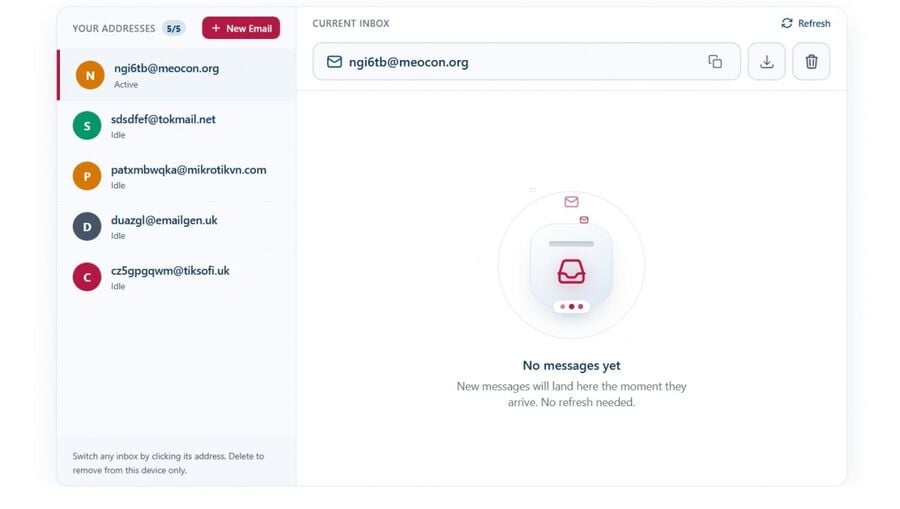
Tmailor isn't limited to a single address. Create more with + New Email and each one joins the Your Addresses sidebar with its own avatar and an Active / Idle state. Click any address to switch to its inbox instantly — no reload, no extra tab. This is ideal for catching OTP codes from different services, separating signups, or testing flows side by side. For a full walkthrough, see multiple temp mail inboxes.
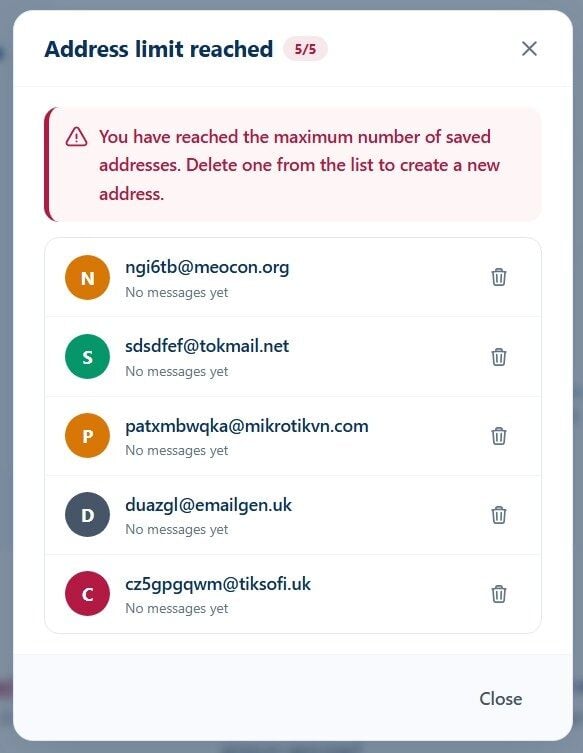
Saved addresses are capped per device. When you reach the limit, the "Address limit reached" dialog asks you to delete one before creating another.
Save and reuse an address with an access token
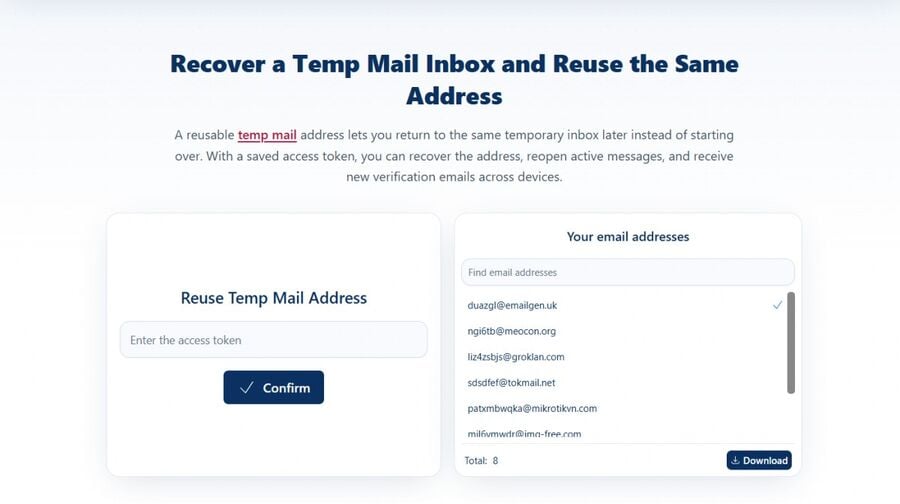
Addresses live on your device, so closing the browser would normally lose them. To keep one, save its access token — a key that lets you reopen the exact same address later, even on another browser or device.
- Save the token for the inbox you want to keep (store it somewhere safe, like a note or password manager).
- Later, open reuse a temp mail address.
- Paste the token, confirm you're not a robot, and submit.
The address and its current inbox come back, and it keeps receiving new mail. Keep in mind that individual messages still clear after 24 hours — the token restores the address, not expired emails.
Change or switch domains
Some websites refuse known disposable domains. If an address is rejected, just create another one on a different domain from the Domain dropdown in the Create dialog. If you need maximum reliability, you can route your own domain through Tmailor — see custom domain temp mail.
Use Tmailor on mobile and Telegram
Tmailor isn't web-only. You can manage inboxes from:
- Android & iOS apps — install "Temp Mail by tmailor.com" from Google Play or the App Store. More detail: create a temp email on mobile and the mobile app page.
- Telegram bot — get a disposable inbox right inside Telegram via Tmailor's Telegram bot.
What you can do with a temp mail address
- Account signups — newsletters, forums, and online services without spam blowback.
- OTP & verification — receive confirmation links and one-time codes, then click through.
- Free trials — claim trials without attaching your primary email.
- Testing — developers and QA can spin up several inboxes to test signup, reset, and onboarding emails.
- One-time downloads — grab a gated link or activation code with no long-term footprint.
Privacy and security
Tmailor is built to keep disposable use private:
- No account required. Create and use inboxes anonymously; no name, phone, or personal data.
- Tracking removed. Tmailor strips tracking pixels and scripts from messages so opening an email doesn't leak your activity.
- Auto-delete after 24 hours. Messages are removed automatically, so nothing lingers.
- Device-local addresses. Your address list stays on your device unless you save a token to carry it elsewhere.
Good to know (limits)
- Receive-only. Tmailor receives mail; it does not send.
- Not for anything you must keep. Don't use a disposable inbox for account recovery or long-term storage — messages expire.
- Some sites block disposable domains. Switch domains or use a custom domain if an address is refused.
Frequently Asked Questions
Is Tmailor free?
Yes. You can create and use temporary inboxes for free, with no registration or personal information required.
Can I reuse a temp mail address?
Yes — save the address's access token and restore it later from the reuse page, even on another device.
How long do emails stay in the inbox?
Messages are automatically deleted after 24 hours to protect your privacy.
Can I send emails from Tmailor?
No. Tmailor is receive-only — it's designed for verification and spam prevention, not for sending.
Is my temp mail address secure?
Tmailor removes tracking pixels and scripts from incoming mail and never asks for personal data, so your activity stays private.
Can I sign up for Facebook, Instagram, TikTok, or X with a temp mail address?
Yes. See creating multiple Instagram accounts with temp email and creating a Facebook account with a temporary email. Note some platforms restrict disposable domains; switch domains if a signup is refused.
Conclusion
Creating a temp mail address on Tmailor is quick: open the site, click + New Email, pick Random or Custom, and you're ready to receive. Save a token when you want an inbox back, run several at once when you need to, and let the 24-hour cleanup handle the rest. Create a temporary email address and try it now.

Marcus Lee writes Tmailor's step-by-step guides — signing up to apps and platforms with temp mail, using the mobile app and Telegram bot, custom domains, reusing addresses, and getting the most out of disposable email day to day.