Tmailor
 Manage Multiple Temp Mail Inboxes in One Tab
Create and manage several disposable inboxes in one tab — for OTP codes, QA testing, multiple accounts, and privacy, with no signup needed.
Quick access
One disposable address is enough until it isn't. The moment you need to register a second account, catch verification codes for three services at once, or test a signup flow without trashing your real inbox, a single throwaway address gets in the way. Running multiple temp mail inboxes side by side solves that — and on Tmailor, you can do it in one tab, with no account needed to start. If you only ever need one inbox, Tmailor's free temp mail service covers it; when one isn't enough, the multiple-inbox workflow below is what you want.
Key Takeaways
- Multiple temp mail lets you create and manage several disposable inboxes from a single interface.
- It fits OTP verification, QA testing, multiple accounts and workspaces, and privacy separation.
- Use a separate inbox per signup or workflow so verification codes never get mixed up.
- Save the Access Token for any inbox you might need to reopen later or on another device — it is a recovery key, and no one can recover it for you if it is lost.
- For a quick signup, 10 minute mail may be enough; for parallel workflows, multiple inboxes win.
What Is Multiple Temp Mail?
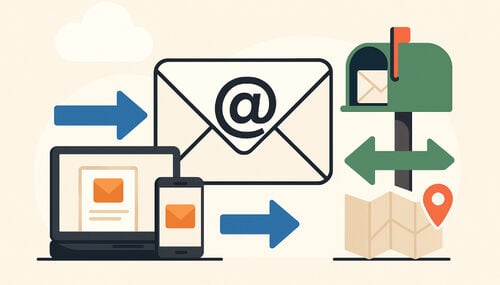
Multiple temp mail is a temporary email setup that lets you create and manage multiple disposable email addresses from a single interface. Each address has its own independent inbox, receives mail on its own, and you can switch to it instantly. So you can collect OTP codes, verification links, and signup confirmations across many accounts without juggling browser tabs or logging into anything. It builds on the same idea as temp mail, extended to many inboxes.
The short version: instead of one burner address, you get a small fleet of them, all watched at once.
Why One Temporary Email Address Is No Longer Enough
A single disposable address works fine for a one-off signup. It stops working the moment your needs run in parallel:
- Multiple accounts and workspaces. When you manage separate projects, clients, sandboxes, or test accounts, giving each its own address keeps every registration isolated — the main reason people reach for temp mail for multiple accounts.
- OTP collisions. When two services email a code to the same address close together, it's easy to grab the wrong one. Separate inboxes keep each code with the account it belongs to.
- Cluttered verification. Trials, newsletters, downloads, and test signups pile into one mailbox, burying the message you actually need.
- No isolation. If one disposable address leaks or gets flagged, everything tied to it is affected at once.
Splitting activity across multiple inboxes removes all four problems — each signup lives in its own clean space.
How Multiple Temp Mail Works
The workflow is four steps, and none of them require an account:
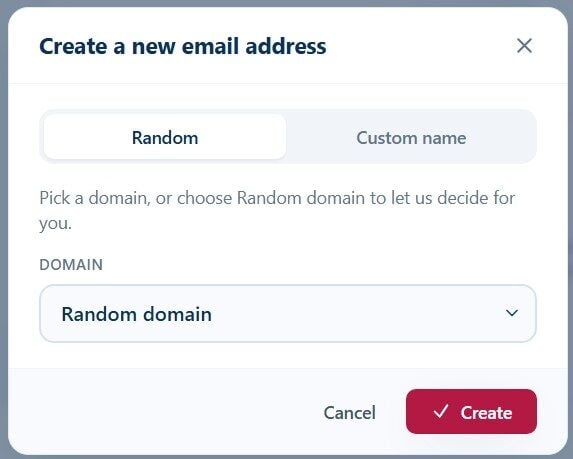
- Create. Generate a fresh random or custom address. Each one opens its own inbox.
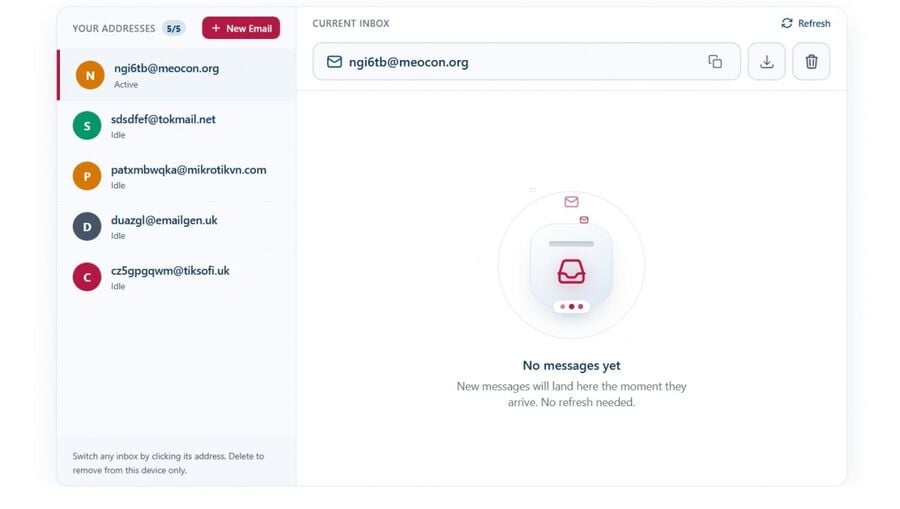
- Switch. Click any address in the list to load its inbox — no reload, no extra tab.
- Receive. Every inbox updates automatically, so codes and links appear as soon as they arrive.
- Reuse (optional). Save an address's Access Token to return to that exact inbox later or in another browser — see reuse a temp mail address and the reusable vs short-life inboxes.
Addresses are stored on your device until you delete them, so closing one inbox never disturbs the others.
Multiple Temp Mail for OTP Verification
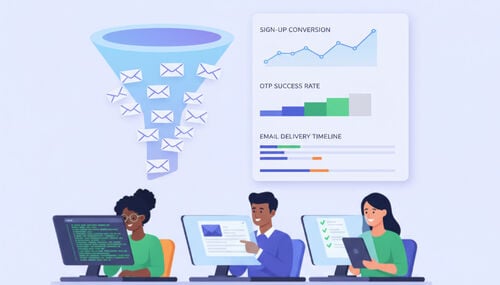
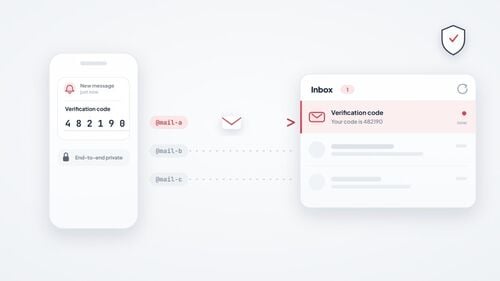
OTP is where running several inboxes pays off the most. When you sign up for or log into multiple services, each sends its own one-time code, and they often arrive close together. With temp mail for multiple accounts, each service emails its own dedicated inbox, so:
- Codes never get mixed up between accounts.
- Automatic refresh means you read the OTP as soon as it arrives — no manual checking.
- A failed or expired code is easy to re-trigger because each inbox's history stays separate.
Deliverability still varies by site; for what to expect, read temp mail for OTP. If a service forbids disposable email outright, use your real address instead.
Multiple Temp Mail for Developers and QA Teams
If you build or test software, multiple disposable inboxes turn a tedious manual chore into a fast loop:
- Signup & onboarding tests. Spin up a fresh inbox per run to verify the welcome email, double opt-in, and confirmation link — the workflow details how QA teams test signups.
- Password-reset and re-verification flows. Each test user gets an isolated inbox, so reset emails don't collide across runs.
- Email rendering & deliverability checks. Send the same email to several inboxes at once and compare rendering and links.
- Automated pipelines. Disposable inboxes slot into end-to-end signup tests in CI (see Related reading).
Because there's no registration step, it slots into manual or automated QA without setup overhead. Keep the scope in mind: these are receive-only inboxes, so they suit checks on inbound mail rather than anything that needs a reply or a file attachment.
What Makes Tmailor Different
A few verifiable features set Tmailor apart for managing multiple inboxes:
- Reusable inboxes. Save an Access Token and return to that exact inbox later.
- Cross-browser recovery. Restore a saved address on another browser or device using its Access Token.
- Custom domains. Connect a domain you control and receive mail on it — see custom domain temp mail. Because the domain is yours, it is not on the shared disposable-email lists that signup forms check. That does not override a site's policy against disposable email, though.
- Apps and a bot. Tmailor runs on Android and iOS, and on a Telegram temp mail bot, not just the web.
- No account required for basic use. You can create and manage multiple inboxes without signing up; saved Access Tokens let you reopen selected inboxes later, and an optional account adds centralized, cloud-synced address management.
Multiple Temp Mail vs 10 Minute Mail
They solve adjacent problems. 10-minute mail gives you one address that self-destructs after a short window — good for a single throwaway signup you'll never revisit. Multiple temp mail keeps several addresses alive in parallel with instant switching, which is what you want for ongoing testing, multiple accounts, or codes from many services at once.
| Use case | Multiple temp mail | 10 minute mail |
|---|---|---|
| Multiple accounts at once | Built for it — one inbox each | Limited to a single address |
| OTP workflows | Best for parallel codes | Best for one quick code |
| Reuse later | Possible with a saved Access Token | Usually expires fast |
| QA / testing | Several isolated inboxes | One short-lived inbox |
For a verification-focused head-to-head, see temp mail vs 10-minute mail; to try the short-lived option, open 10-minute mail.
Step-by-Step: Run Several Inboxes in One Tab
- Open the Multiple Temp Mail Inboxes tool.
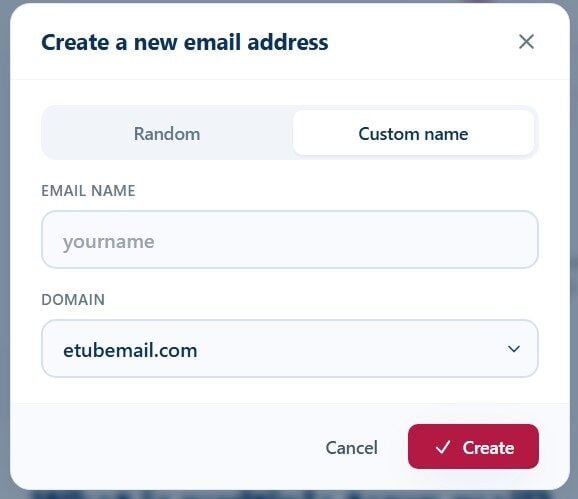
- Tap New email to create your first address (random or custom).
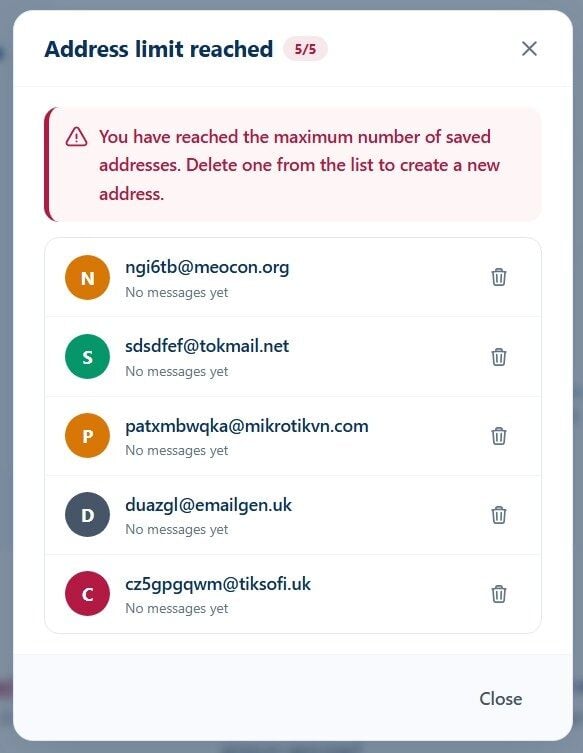
- Repeat to add more inboxes — each appears in the sidebar list.
- Click any address to load its inbox; new mail appears automatically.
- Use a custom name per address so you can tell at a glance which account each inbox belongs to.
- Save the Access Token for any inbox you'll want to reuse later.
Common Mistakes When Using Multiple Temporary Email Addresses
- Treating disposable inboxes as permanent storage. They're for transient mail, not long-term keeping.
- Reusing one address for everything. That recreates the OTP-collision and clutter problems that multiple inboxes are meant to fix.
- Forgetting to save the Access Token. If you'll need an inbox again, save the Access Token; otherwise, treat it as a throwaway.
- Ignoring domain blocks. Some sites reject known disposable domains — see why some sites block Tmailor domains. If one address is refused because that single domain is listed, another domain or a custom domain may work. But if the site refuses disposable email as a matter of policy, use your real address rather than working around a barrier it put there on purpose.
- Using them against a platform's rules. Don't use multiple disposable inboxes to impersonate others, evade a ban, or stand in for an identity a service legitimately requires — and don't attach a disposable address to an account you'd be locked out of without it.
Frequently Asked Questions
Is Multiple Temp Mail Better Than 10 Minute Mail?
Neither is "better" — they fit different jobs. 10 minute mail is suited to a single short-lived signup; multiple temp mail addresses are built for running several inboxes in parallel for testing, multiple accounts, or many codes at once.
Can I Recover a Temp Mail Inbox After Closing the Tab?
Yes, if you saved its Access Token. Use the Access Token to reuse that exact inbox later, even on another browser or device.
Is It Safe to Receive OTP Codes Across Multiple Inboxes?
Yes. Each inbox is independent, so codes stay matched to the right account with no cross-contamination between services.
Why Use Separate Inboxes Instead of One for Everything?
Separate inboxes prevent OTP mix-ups, keep verification mail uncluttered, and isolate each signup so a single flagged address doesn't affect the rest.
Can Multiple Temp Mail Improve My Online Privacy?
It helps. Handing a different disposable address to each service keeps your real inbox off spam lists and limits how much any one site can link your activity together.
Is Multiple Temp Mail Useful for QA and Software Testing?
Very. Testers spin up a fresh inbox per run to check signup, verification, and password-reset emails without sharing or polluting a single mailbox.
Will Websites Detect and Block Disposable Addresses?
Some do. Signup forms check the domain against lists of known disposable providers. If one address fails because that specific domain is listed, trying another domain is ordinary troubleshooting. If the site refuses disposable email as a matter of policy — as banks and identity checks do — use your real address instead of working around a deliberate barrier.
Do Multiple Inboxes Work on Mobile?
Yes — Tmailor runs on Android and iOS apps, a Telegram bot, and the web.
Can I Use My Own Domain with Multiple Temp Mail?
Yes. You can connect a domain you control and receive mail on it. Because the domain is yours, it is not on the shared disposable-email lists that signup forms check, which is useful for separating workflows. It is not a promise that any given site will accept the address, and it does not override a site's policy against disposable email.
How Is This Different from a Regular Temporary Email Manager?
A basic manager handles one inbox at a time. Multiple temp mail watches several inboxes in one view, with instant switching and per-inbox Access Token recovery.
Can Multiple Temp Mail Help with Trials and Subscriptions?
Yes. Give each trial or subscription its own inbox so confirmations and renewal notices stay separated and never reach your primary email.
Conclusion
One disposable inbox covers a single signup; multiple temp mail covers everything that happens in parallel — multiple accounts, OTP across services, QA test runs, and cleanly separated trials. Setup is quick and needs no account for basic use.
Ready to try it? Open multiple temp mail inboxes in the browser, or use Tmailor through the Android and iOS apps or the Telegram temp mail bot to manage your inboxes on the go.

Minh Nguyen is the founder of Tmailor and the developer who publishes the Tmailor temp mail apps on the App Store and Google Play. He has built and operated Tmailor's free, receive-only disposable email service since 2022, focusing on reliable OTP delivery, inbox privacy, and reusable temp mail addresses.