Free Temp Mail on Telegram
Create a disposable temp mail address right in the Telegram app and receive OTPs and verification emails in seconds. Fast, private, and free, no sign-up required.
Last updated: June 2026
More from Tmailor: get the temp mail app for Android and iOS, reuse an address with a token, or read how to get temp mail in 10 seconds.
Telegram Bot
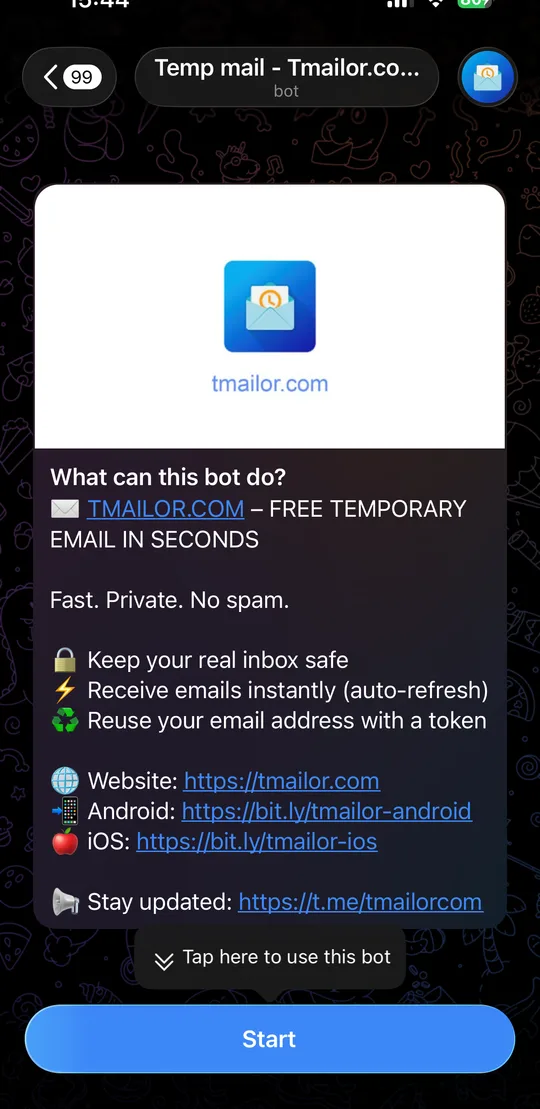
Get your email address right in the chat.
Tap Start and the bot gives you a working temp email address instantly, nothing to install.
Instant auto-refresh
New messages appear in the chat as they arrive, or tap Refresh Inbox to check anytime.
Reuse with a token
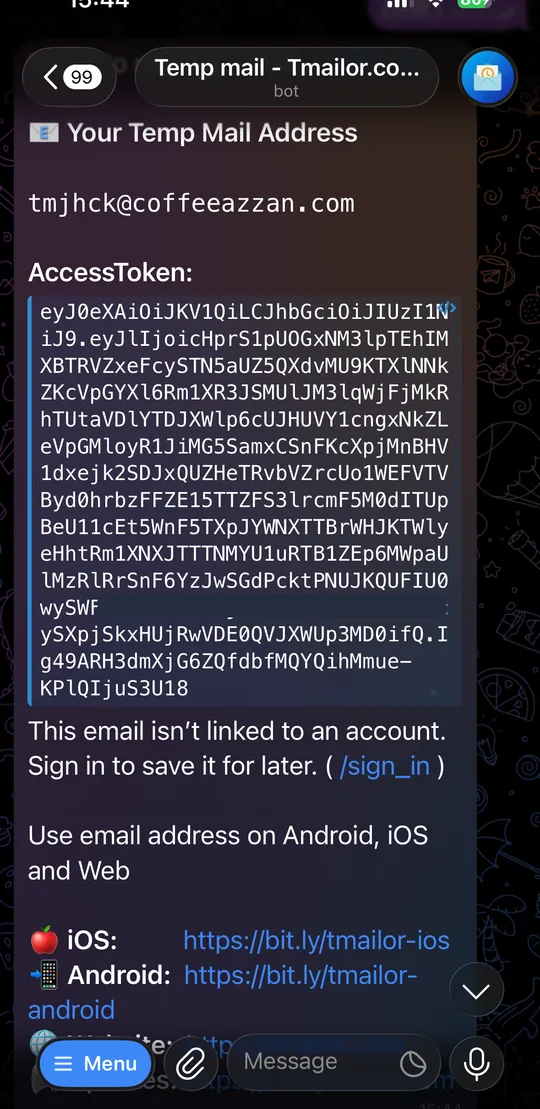
Every address comes with an access token, so you can reopen the same inbox later.
Why use temp mail on Telegram
If you already live in Telegram, the bot is the fastest way to get a disposable address. There is no extra app to install, no website to open, and every code lands in a chat you are already watching.
Nothing extra to install
The bot runs inside the Telegram app you already use, so there is no separate download, account, or browser tab to manage. Tap Start and a working inbox appears in the same place you chat, which is handy on a phone that is low on storage.
Codes in a chat you already watch
Verification codes and sign-up links arrive as ordinary Telegram messages, with the notifications you already get. You do not have to keep a page open or hit refresh, so it is easy to copy an OTP before it expires.
Synced across your devices
Telegram keeps your chats in sync, so the same temp mail conversation shows up on your phone, tablet, and desktop. Start a sign-up on your computer and read the code on your phone without copying anything across.
What people use the Telegram bot for
The bot is useful whenever you want a throwaway address without leaving Telegram. People use it to claim free trials and one-time downloads, to receive OTPs for new sign-ups, and to keep promotions and newsletters out of their main inbox. Because it is receive-only and clears after 24 hours, it suits low-risk, short-lived tasks rather than accounts you need to keep. For anything tied to money or long-term access, use a permanent inbox instead. The bot shares the same access tokens as the temp mail website and the Android and iOS app, so you can start in Telegram and continue elsewhere whenever it is more convenient.
How to get temp mail on Telegram
Three quick steps, no account and no setup required.
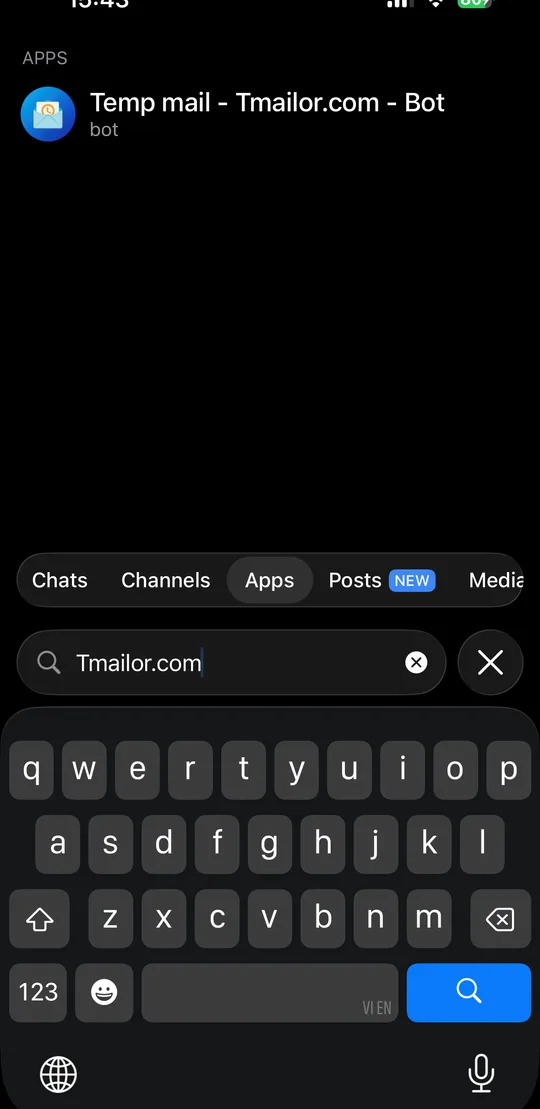
Open the bot
Search “Tmailor.com” in Telegram (Apps tab) or open t.me/tmailorcom_bot.
Tap Start
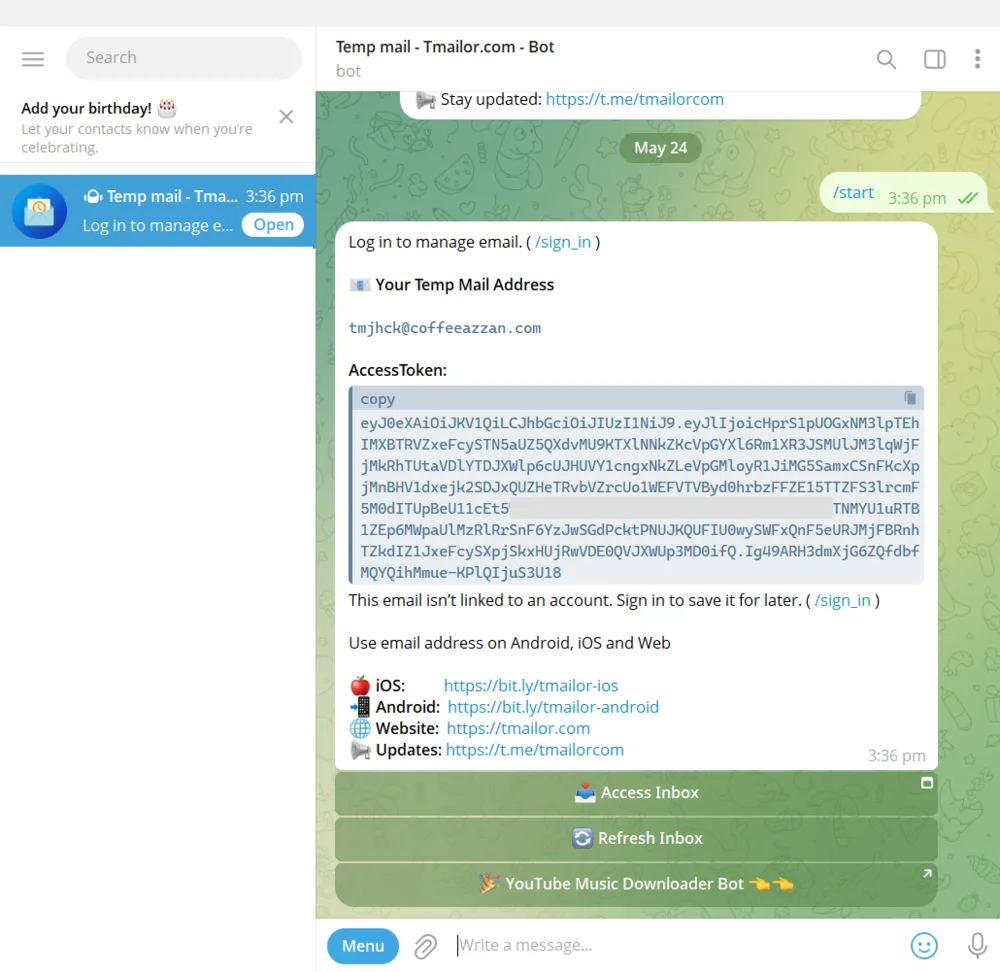
The bot instantly replies with your temp email address and an access token.
Receive your emails
Incoming messages and OTPs show up right in the chat. Tap Refresh Inbox to check for new mail.
Use the bot on mobile and desktop
The temp mail bot works in Telegram on your phone and computer. The address you create also works on the Tmailor website and the Android and iOS apps. Sign in to keep them in sync.
Bot commands
Control the Temp Mail bot by sending any of the following commands into the chat box.
/start Start the bot and display your current email address information /new_email Generate a new temporary email address /refresh_inbox Check inbox for new messages /reuse_email Reuse a previous email address via token /list_emails Managed Email Addresses /sign_in Sign in to your account /sign_out Sign out /language Setting up language /help Display a list of available commands. Tip: tap the Menu button inside the bot to pick a command without typing.
Good to know
Receive-only
The bot is for receiving email. Sending is turned off to prevent abuse.
Auto-delete after 24 hours
Incoming messages are removed automatically 24 hours after they arrive.
Fair-use limits
The chat shows your most recent emails and addresses. Install the app for higher limits.
Save it by signing in
Until you sign in, an address isn’t linked to an account. Use /sign_in or your access token to keep it.
Telegram temp mail FAQ
Is the Telegram temp mail bot free?
Yes. Creating temp email addresses and receiving messages in the bot is completely free.
Do I need an account to use it?
No. Tap Start and you get an address right away. Signing in with /sign_in only lets you save and manage your addresses across devices.
Can I send emails from the bot?
No. The bot is receive-only. You can read incoming emails and OTPs, but sending is disabled.
How long do emails stay in the bot?
Incoming emails are kept for 24 hours and then deleted automatically.
Can I reuse the same address later?
Yes. Each address has an access token. Send /reuse_email with your token to reopen the same inbox.
How do I find the bot in Telegram?
Search “Tmailor.com” in Telegram and open the Apps tab, or go to t.me/tmailorcom_bot directly.
Is using temp mail on Telegram private?
Yes. The bot only receives mail to a disposable address, so it never exposes your real email. Your Telegram account is used only to deliver messages to you, never shared with the sites you sign up for.
Does the bot store my Telegram account data?
No. The bot links a temp inbox to your chat so it can forward incoming mail, but it does not collect or sell your Telegram profile. Stop the chat anytime to remove the link.
Can I use the bot in a group chat?
It is best to use the bot in a private, one-on-one chat with Tmailor.com rather than a group. Your temp mail address and incoming messages are shown in the chat, so a private chat keeps your codes visible only to you.
What happens if I clear the Telegram chat?
Clearing the chat only hides the messages on your side; it does not delete the inbox. As long as you saved the access token or signed in, you can reopen the same address later from the bot, the website, or the app.
Start using temp mail on Telegram
Open the bot, tap Start, and your disposable inbox is ready in seconds.
Prefer the browser? Use Temp Mail on the web