Mastering Your Inbox with tmailor.com Temp Mail Service
Your inbox wasn't designed to handle the volume of spam, promotional emails, and signup confirmations that the modern internet generates. Every free trial, newsletter, and account creation adds another permanent sender to your inbox — and unsubscribe links rarely solve the problem. Tmailor.com gives you a way to take back control. This guide shows you how to use Tmailor's temp mail service to handle everyday signups, receive OTP codes reliably, keep promotions out of your real inbox, and reuse addresses across sessions with a saved Access Token — turning inbox management from a daily chore into a one-time setup.
Quick access
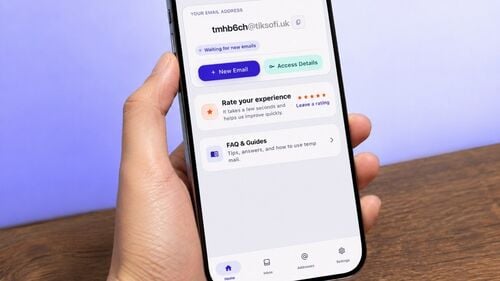
Tmailor is a free temp mail service: you open the site, an address is already waiting, and anything sent to it lands in a live inbox. There is no registration and nothing to install. It is receive-only. You cannot send or reply. Messages stay visible for about 24 hours from arrival, and inbound attachments are stripped, so it fits verification codes, sign-up links, and other short-lived mail rather than files or conversations. Save the Access Token and you can reopen the same address later.
This guide covers what a temporary inbox is genuinely good at, where it stops being the right tool, and how each part of Tmailor actually works — limits included.
What is a Temporary Email?
A temporary email is a disposable inbox you hand to a website instead of your personal address. It exists to receive a message or two — a confirmation link, an OTP code, a one-time download — and then stop mattering. Creating one on a temp mail service takes no personal details, no password, and no account.
One distinction is worth learning early, because it trips up most new users: reusing an address is not the same as keeping its messages. An Access Token lets you reuse a temp mail address days later, but mail that arrived in it has already expired. The address can come back; the old messages cannot.
Why Use a Temporary Email?
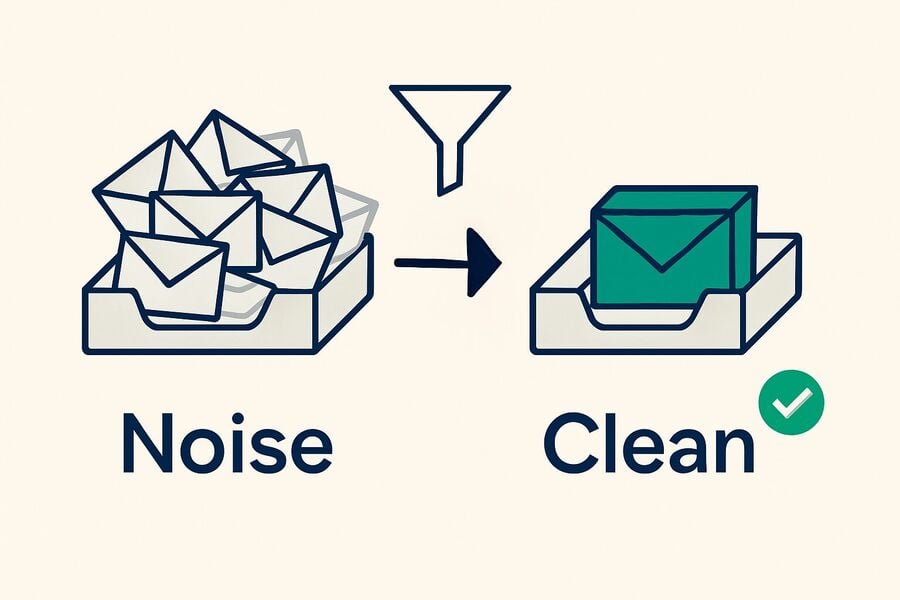
The point of a temporary email is to keep low-value mail — newsletters, promotions, one-off confirmations, verification codes — out of the inbox you actually depend on, and to share your real address less often. The trade-off is that a disposable inbox is built for short, throwaway tasks, not for anything you may need to log back into months from now.
- Keeping spam off your real address: A newsletter, a contest entry, or a one-time download does not need your personal inbox. Give it a disposable address and the follow-up mail expires with it.
- Sharing your personal address less often: Every site you hand your real address to is one more place it can leak from. A temp address limits how widely it spreads — though it does not make you anonymous, since the site still sees your IP address and whatever else you type into the form.
- Short-lived, low-stakes tasks: Registrations you may abandon, app testing, a free trial you want to look at, or a download that hides behind an email wall.
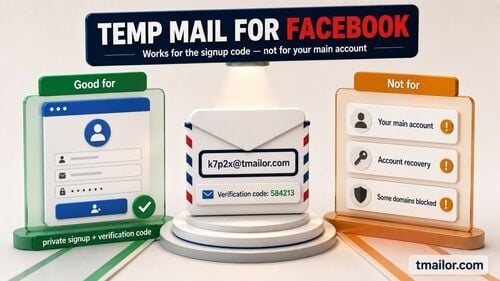
- When not to use it: Use your real email for anything durable — purchases, banking, billing, school, work, or any account you will need to recover later. And if a service's terms explicitly forbid disposable email, use a real address rather than working around the rule.
Unique Features of Tmailor
Two things separate Tmailor from a plain throwaway inbox: an Access Token that lets you come back to the same address, and the fact that it runs everywhere you already are — web, Android, iOS, and the Telegram bot. The list below includes the limits, because those decide whether the service fits your task at least as often as the features do.
- Reuse with an Access Token: Every address comes with an Access Token. Save it and you can reopen that address from another browser or device. Understand what it is, though: a recovery key, not a password and not a lock. It lets you back in; it does not keep anyone else out. Nobody — including Tmailor — can recover a token you lose, and the address goes with it.
- No registration: No signup, no password, no personal details. The address is there when the page loads.
- Receive-only: Tmailor accepts incoming mail. It cannot send and it cannot reply. If a task needs you to write back, a temp inbox is the wrong tool.
- No inbound attachments: Files sent to a Tmailor address are stripped before the message reaches you, so there is nothing to open or download. Codes, links, and text come through; a PDF invoice or a ticket attachment does not.
- Nothing is filtered out: There is no spam folder and no filtering — every message that arrives is shown. If a code has not appeared, there is no other folder to check; it has not arrived yet.
- About 24 hours of visibility: Messages stay readable for roughly a day from the moment they arrive, then disappear. A temp inbox is not an archive.
- A rotating domain pool: Random addresses are drawn from a large pool of domains that rotates over time and is deliberately not published. The Custom name tab, where you pick the part before the @, offers a smaller set of domains to choose from.
- Google-MX infrastructure for inbound mail: Incoming mail is delivered through Google's mail servers.
- Web, mobile, and Telegram bot: The same inbox works in a browser, in the Android and iOS apps, and through the Telegram bot.
- Notifications: The mobile apps and the Telegram bot can alert you when a new message lands, which is useful when a code takes a minute to show up.
- Interface in 100+ languages: The site is translated into well over a hundred languages.
How to Use Tmailor
The whole flow takes about ten seconds: open the page, copy the address that is already there, paste it into the form you are filling in, and watch the message arrive in the inbox below. Nothing to install, nothing to sign up for.
Step-by-Step Guide on Generating a Temporary Email Address
- Open the temp mail homepage — your address is displayed at the top of the page, ready to copy. Want a different one? Use the new-address button, which also lets you pick your own name before the @ from the Custom name tab.
- Paste it into the signup form — anywhere you would rather not put your personal address.
- Watch the inbox — new mail appears on the same page as it arrives, so you can open the code or link straight away. Remember that no message is filtered, so if nothing shows up, it has not been delivered yet.
How to Use the Access Token for Re-Access
When you create an address, Tmailor gives you an Access Token in the access details area. Copy it somewhere safe if there is any chance you will want that address back — on a different device, or after clearing your browser. Two caveats worth repeating: a lost Access Token cannot be recovered by anyone, and getting the address back does not bring back mail that has already passed its roughly 24-hour window.
Tips for Maximizing Tmailor's Features
Use a fresh random address for each unrelated signup so that one leaked address does not connect them. Keep an Access Token only for the handful of addresses you genuinely expect to revisit — a token you cannot match to an address is just a random string. And if a site's terms say it does not accept disposable email, respect that and sign up with your real address; a temp inbox is a convenience, not a way around a rule someone set on purpose.
Comparing Tmailor with Other Services
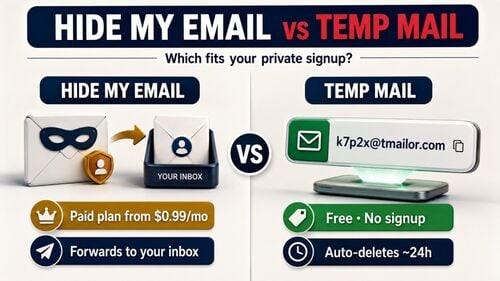
A disclosure first: this blog is published by Tmailor, so read what follows as a description of how the service behaves and where it falls short, not as a neutral verdict. The honest summary is that Tmailor trades features for simplicity. It is free, needs no account, and can hand you the same address back later — but it cannot send, cannot show you a file, and forgets your mail after about a day.
Rather than rank providers, here are the questions that actually decide which temp mail service fits a given task. Provider features change without notice, so treat the third column as what to check, not as a fixed scoreboard.
| What to check | How Tmailor handles it | What to look for elsewhere |
|---|---|---|
| Can you reply? | No. Receive-only. | Most disposable inboxes are receive-only too. If you need to write back, you need a real mailbox or a forwarding alias, not temp mail. |
| Do attachments come through? | No. Files are stripped from inbound mail, so there is nothing to open. | This one is not a category-wide limit. Some disposable providers do deliver files — Temp-Mail.org's own guidance walks users through saving an attached file out of a received message. Attachment handling differs by provider and can change, so if the file is the point, check the provider's own page before you commit. |
| How long does mail last? | About 24 hours from arrival. | Session-based services can be far shorter — 10 Minute Mail is built around a countdown. Every provider publishes its own window; read it. |
| Can you get the address back? | Yes, with the Access Token — a recovery key, not a lock. | Many services tie the address to the browser session. Close the tab and it is gone for good. |
| What does it cost? | Free, no registration; the service is supported by ads. | Some providers keep custom domains, extra inboxes, or longer storage behind a paid tier. Pricing moves, so check the provider's own page. |
User Testimonials and Reviews
You will not find hand-picked quotes here. Tmailor collects reviews from its own users and publishes them,in the reviews section on the homepage — that is a more honest signal than any testimonial an owner could select for a blog post.
More useful than anyone's star rating is knowing what to test yourself. A review of a temp mail service is worth reading if it answers these:
- Did the code actually arrive, and how fast? This is the only thing most people need from a temp inbox, and it is the one thing a screenshot cannot prove.
- Did the site accept the address at all? Acceptance varies from platform to platform and changes without warning.
- How long did the message stay readable? Retention windows differ, and a review written a year ago may describe a different one.
- What broke? The limits — no replies, no attachments, mail expiring — are what people run into, and a review that never mentions any is telling you very little.
Conclusion
Temp mail is a narrow tool that does one job well: it absorbs the mail you do not want tied to your real identity, and then it goes away. Tmailor's version is free, needs no account, works on the web, Android, iOS, and the Telegram bot, and — unusually — will give you the same address back if you kept the Access Token.
Just be clear about where it stops. It cannot send or reply, it strips attachments, it shows your mail for about 24 hours and no longer, and a lost Access Token is lost permanently. For a newsletter, a trial, a download, or an OTP code, those limits cost you nothing. For anything you need to keep — a purchase, a bank, a job, an account you will want to recover in a year — use your real address. Knowing which pile a signup belongs to is what actually keeps an inbox clean.

Marcus Lee writes Tmailor's step-by-step guides — signing up to apps and platforms with temp mail, using the mobile app and Telegram bot, custom domains, reusing addresses, and getting the most out of disposable email day to day.