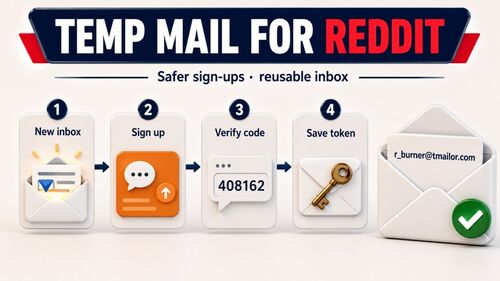
Using Fake Emails for Sign-Ups: A Guide to Free Temporary Mail Services
Every signup form on the internet asks for an email address — and most of the time, you're trading long-term inbox spam for short-term access to something you might use once. Fake email addresses, powered by temporary mail services, let you complete those signups without giving away your real identity. This comprehensive guide explains how to use fake (disposable) email addresses for signups and free trials safely and effectively: which temp mail services are free and reliable, how to handle email verification and OTP codes, common mistakes that get your signup blocked, and the line between smart privacy and practices that could get you in trouble.
Quick access
A "fake email" for sign-up is a disposable email address: a real, working inbox that you use for one registration and then walk away from. It is not a fake identity, and it is not an invented address you type into a form hoping nobody checks. The address genuinely receives mail — that is the entire point, because the confirmation link or OTP code has to reach you somehow.
What makes it "fake" is only that it was never meant to be yours for long. It carries no name, no phone number, and no history, and it disappears from your life the moment you stop using it. That is what keeps marketing blasts, breach notifications, and resold address lists away from the inbox you actually depend on.
This guide covers where free temp mail addresses come from, how verification and OTP codes reach them, what they cannot do, why a site sometimes refuses one, and when you should close the tab and use a real address instead.
What is a Fake Email for Sign Up?
A fake email for sign-up is a temporary, disposable inbox used for a low-stakes registration when you would rather not hand over your primary address. It is a privacy tool, not a disguise: the address works, it receives real mail, and nothing about it misrepresents who you are. All it does is limit how far your real address travels.
These addresses come from services built for the purpose. You get an inbox instantly, you use it to catch one verification email, and it expires on its own. That is a good fit for newsletters, one-off downloads, forums, trials, and testing. It is a poor fit for anything you may need to recover later, because the inbox does not stick around — and because some services do not accept disposable domains at all.
Why Use Fake Emails for Sign Ups?
It comes down to three things: less spam, less exposure, and no long-term commitment to a service you may never open again. Your primary inbox stays clean, and your real address stays out of the marketing lists and breach dumps that tend to follow a registration around.
To Avoid Spam from Marketing Emails
A temporary address absorbs the barrage of marketing mail that usually follows signing up for an online service or a newsletter. Your primary inbox never sees it.
To Protect Personal Information and Privacy
A disposable address limits what a site learns about you and what it can pass on. If that site is breached later, the address sitting in the leak is one you abandoned months ago — not the one tied to your bank, your work, and your password resets.
For Accessing Content Without Long-Term Commitment
They let you reach a download, an article, or a trial with no strings attached and no obligation to keep a relationship with the service. This is ideal for one-time use, or for trying a product before you decide it deserves your real address.
How Do Free Temp Mail Addresses Work?
Free temp mail addresses give you a working inbox on a domain the service owns, with no registration. You paste the address into a signup form, the confirmation link or OTP code arrives, you use it, and the inbox clears itself on a timer. Behavior varies by provider — some expire in ten minutes, some after a day — so the retention window is the first thing to check.
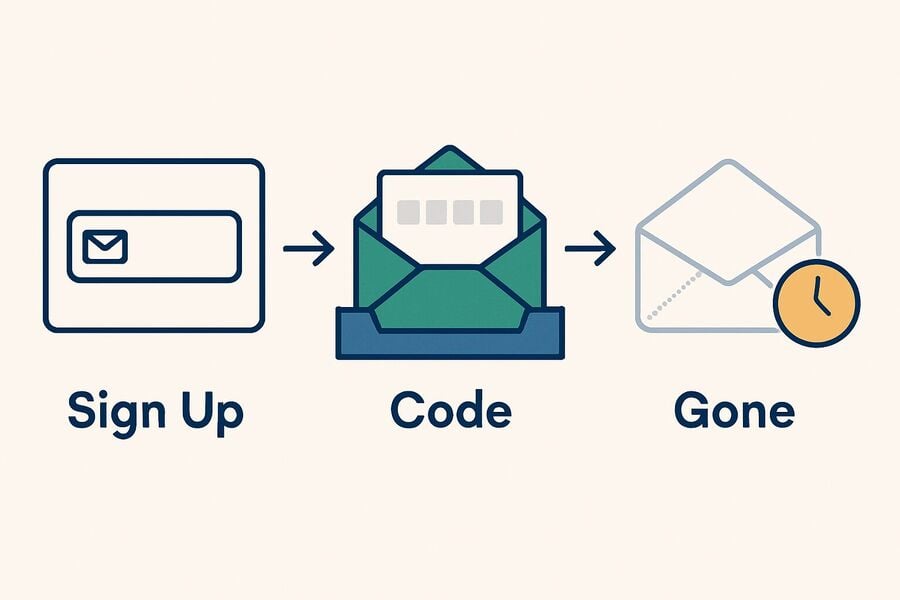
- Open a temp mail website or app: an address is generated immediately, with no personal details and no account.
- Use the address for a low-risk signup: paste it into the registration form in place of your primary inbox.
- Watch the inbox for the verification email: the message lands in the disposable inbox, usually within seconds, and you copy the link or code out of it.
- Act before the retention window closes: every provider deletes eventually. On Tmailor, messages stay visible for about 24 hours from arrival, so take what you need promptly.
Two limits are easy to miss. Many disposable inboxes, Tmailor's included, are receive-only — you can read what arrives, but you cannot send or reply. And on Tmailor, inbound attachments are stripped: a file emailed to the address can never be opened or downloaded. If whatever you are signing up for delivers by attachment, a Tmailor inbox will not get it to you.
Where to Obtain a Free Temp Mail Address?
Free temp mail addresses are available from services such as Guerrilla Mail, Temp-Mail, 10 Minute Mail, and the free temp mail service run by Tmailor. They differ in ways that only matter once you actually need the email to arrive: how long messages stay readable, whether the inbox can send as well as receive, whether attachments come through, and whether you can reopen the same address tomorrow when a verification email shows up late.
Tmailor.com: A Game-Changer in Temp Mail Services
Tmailor is a free, no-registration temp mail service built for receive-only signups, OTP codes, and one-off inbox use. What separates it from most disposable inboxes is that you can come back to one: save an Access Token and you can reopen the same address later, on any browser or device.
Key Features of tmailor.com:
- Reusable addresses via an Access Token: save the token and you can restore the same inbox later. The Access Token is a recovery key, not a password — it lets you back in, but it does not lock anyone else out, and a lost token cannot be recovered by anyone.
- Instant access without registration: no account and no personal details. Open the site and an address is ready to copy.
- Google MX for inbound delivery: incoming mail is handled on Google's mail infrastructure, so verification emails tend to land quickly wherever you are.
- CDN for faster access: the interface is served from a CDN for fast, reliable access worldwide.
- Privacy and anti-tracking: an image proxy blocks 1px tracking images and JavaScript trackers are stripped, so opening a message doesn't report back to the sender.
- Automatic deletion: messages stay visible for about 24 hours from arrival, then are deleted automatically.
- Instant notifications: new mail appears in the inbox as soon as it arrives, with no manual refresh.
- Broad language support: the interface is available in over 99 languages.
- A large, rotating domain pool: random addresses are drawn from a big pool of domains that Tmailor deliberately does not publish, while the custom-name option exposes only a few. Keeping the list unpublished is the whole point — a published list is a blocklist waiting to happen.
Worth knowing before you rely on it. Tmailor is receive-only: it cannot send or reply. It cannot receive files either — inbound attachments are stripped, so a file emailed to a Tmailor address can never be opened or downloaded. And there is no spam folder and no filters: every message that arrives is shown in the one inbox list, so nothing is quarantined, but nothing is sorted for you either.
Other Services Offering Temporary Email
Guerrilla Mail, Temp-Mail, and 10 Minute Mail all hand you a disposable address in a single click. They solve slightly different problems, though, and the differences surface at exactly the moment they matter. The table below summarizes what each provider highlights on its own public pages — these are observations of vendor marketing rather than an independent test, and they change over time.
Disclosure: Tmailor publishes this blog, so read the comparison below as a vendor's own summary, not a neutral review.
| Service Name | What the provider publicly highlights | Website |
| Guerrilla Mail | A disposable inbox that can compose and send mail, not only receive it. | guerrillamail.com |
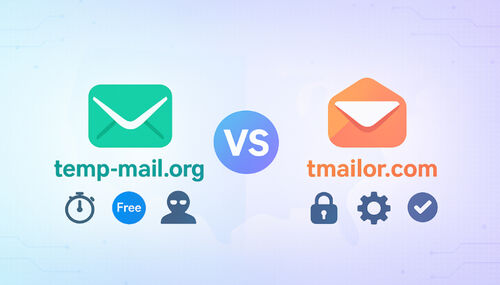
| Temp-Mail | Custom names and a choice of domains, with the strongest domain controls advertised on its premium tier. | temp-mail.org |
| 10 Minute Mail | A deliberately short session: the address expires roughly ten minutes after you open it, with an option to extend the timer. | 10minutemail.com |
Two things to watch for. Features shown on a premium page are not necessarily in the free tier, so don't assume the free experience matches the marketing. And a very short session is convenient for a code that arrives instantly, but unforgiving when a verification email is ten minutes late.
Tmailor's trade-off runs the other way: you can reopen an address later with an Access Token and messages stay readable for about 24 hours, but the inbox itself is stricter — receive-only, with attachments stripped.
Risks of Using Fake Emails for Sign Ups
The convenience has a cost, and it lands after the signup rather than during it. A disposable inbox can put you on the wrong side of a service's rules, and it can leave you locked out of an account you actually wanted to keep.
Both risks are avoidable, and both come down to the same question: might I still care about this account in six months? If the answer is yes, a disposable address is the wrong tool for it.
Violation of Websites' Terms of Service
Plenty of platforms — e-commerce, banking, social networks — state in their terms that they do not accept disposable email. Sign up anyway and the account can be suspended or deleted if the address is spotted later, sometimes long after you have come to rely on it.
This is where one distinction does most of the work, because "the site rejected my address" has two very different causes:
- One domain sits on a blocklist. The service has no policy against temp mail; it simply doesn't recognize or trust that particular domain. Generating a new address on a different domain is ordinary troubleshooting, and it usually just works.
- The service has a policy against disposable email. Now cycling through domains is not troubleshooting — it is working around a rule the service has stated, and the account stays at risk of removal for as long as it exists. Use a real address you control.
The second case is the one people talk themselves out of. If a service has told you it wants a durable inbox, take it at its word; the account you save is your own.
Loss of Access to Critical Emails
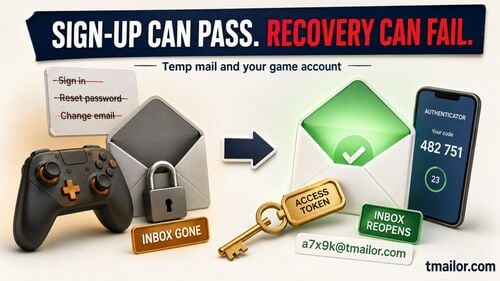
A temporary address expires. The account you attached it to does not. Forget a password six months later and the reset email goes to an inbox that no longer exists — which means the account is gone. The same goes for security alerts, receipts, and anything else you might one day need to produce.
Tmailor offers a partial safeguard: save the Access Token and you can reopen the same address later, so the address outlives the browser session. Partial is the operative word, though. Individual messages still clear after about 24 hours, and a lost Access Token cannot be recovered by anyone. Never make a disposable inbox the recovery path for an account that matters.
Choosing a Reliable Temp Mail Service
A reliable temp mail service is not the one that produces an address fastest. It is the one whose limits are visible before you commit to it. Five things are worth checking:
- Retention: how long messages stay readable. A ten-minute session and a 24-hour inbox solve genuinely different problems.
- Send or receive: most disposable inboxes, Tmailor's among them, are receive-only. A few can send.
- Attachments: some services show them. Tmailor strips them, so a file emailed to the address never reaches you.
- Domain handling: random generation from a large rotating pool behaves differently from picking off a short, published list.
- Recoverability: can you reopen the address tomorrow if the verification email is late? On Tmailor, the Access Token is what makes that possible.
And one thing no service can decide for you: if the account might matter later, use a real address. That is a judgment about the account, not about the tool.
Alternatives to Fake Emails for Sign Ups
Temp mail is not the only way to keep a primary inbox clean, and it is often not the best one. If an account has any chance of mattering later, an address you still own beats a disposable one every time.
The two practical options are a dedicated secondary account and the alias features already built into Gmail and Outlook. Both keep the clutter out of your main inbox while leaving you in control of the address — so a password reset still reaches you a year from now.
A third route is to skip the email step entirely where you can: many services let you sign in with an account you already have instead of creating a new email-based login.
Using a Dedicated Secondary Email Account
A second account kept purely for signups and subscriptions moves the noise out of your primary inbox while keeping every message recoverable. A couple of tips:
- Set up filters: sort incoming mail into folders automatically so the account stays usable instead of becoming a second swamp.
- Choose a different provider: if your primary account is Gmail, an Outlook or Yahoo secondary keeps the two cleanly separate.
| Service | Commonly used features for signup mail |
| Gmail | Spam filtering, labels, and filters. Plus-addressing ( |
| Outlook | Focused Inbox, categories, and true account aliases that share a single mailbox. |
| Yahoo | Filters, folders, and a strong search tool. Disposable-address features have been tied to particular plans over the years, so check what your own account actually includes. |
Employing Email Alias Features for Privacy
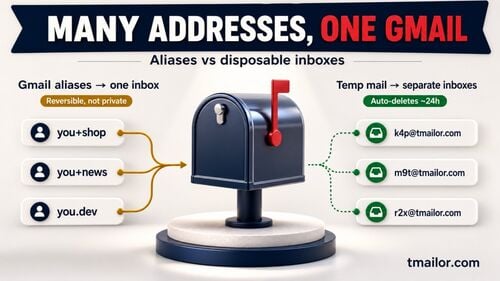
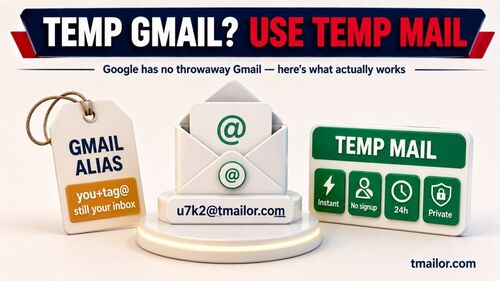
Gmail and Outlook get lumped together here, but they do different things. Gmail's plus-addressing is a labeling trick: mail sent to yourname+shopping@gmail.com arrives in your normal inbox and can be filtered on, but your real address is plainly visible inside it. Outlook.com offers true aliases — additional addresses that share one mailbox without exposing the primary address the same way.
- Gmail: add a plus sign and any word after your username, as in
yourname+shopping@gmail.com. Dot variations route to the same inbox too. Neither hides your real address from a determined service, and some signup forms reject the plus sign outright. - Outlook: add an alias in your account settings. Mail sent to the alias lands in the same inbox, with the same contacts and settings as your primary address.
Seeking Sign-Ups Not Requiring Email Verification
Some services never ask for an email address, and others let you sign in with an account you already have. Where that option exists, it is the cleanest one: nothing new to maintain, and nothing new to leak.
Websites Offering Access Through Social Media Logins
Many sites let you register or sign in with an existing Google, Apple, Facebook, or X account. You are not skipping identity verification — the platform vouches for you instead of the site emailing you a code — but you do avoid handing over another email address, and there is no new inbox to keep alive.
The trade-off deserves naming. The site learns which platform account you used, and the platform learns you signed in there. That is a privacy trade rather than a privacy win, and whether it beats a secondary email account comes down to which of the two you trust more.
Final Thoughts
A fake email for sign-up is just a disposable inbox: a real address, used once, then dropped. It is genuinely good at what it is for — newsletters, one-off downloads, trials, forums, testing — and genuinely bad at everything else, because it expires, it cannot send, it cannot receive files, and some services will not take it.
Use one when the account is disposable too. Use a real address, or an alias you own, when it is not. And if a receive-only disposable inbox with a reusable Access Token is what you are after, the free temp mail homepage lays out the current options and limits.

Marcus Lee writes Tmailor's step-by-step guides — signing up to apps and platforms with temp mail, using the mobile app and Telegram bot, custom domains, reusing addresses, and getting the most out of disposable email day to day.