 Tmailor
Temp Mail With a Password: Is It Safe or a Trap?
Some people searching for disposable email worry that a password means a scam. Others are looking for Tmailor's real optional account. Here's how to tell which one you're seeing.
Quick access
Why "Temp Mail With Password" Shows Up in Search
A password prompt on a disposable-email site needs context. Tmailor lets you use a guest address without a password, while its optional free account, created with Google sign-in, lets you add a password afterward to help you reopen saved addresses. An unexpected prompt is a reason to check what service is asking and why; it is not proof of a scam by itself.
Some people want to know whether an email generator gives them a password; others have seen a password prompt or need to fill in an unrelated signup form. Tmailor generates an address for guest use without an inbox password. Its optional account is a separate way to save and reopen addresses.
When a "Set a Password" Prompt Is a Red Flag
Tmailor does not require a password to start using a guest address. If a site or extension unexpectedly asks you to set one, check the address bar, the service's identity, and what the password is meant to protect before entering information. Be especially cautious if the request is paired with payment demands, broad permissions, or pressure to act immediately.
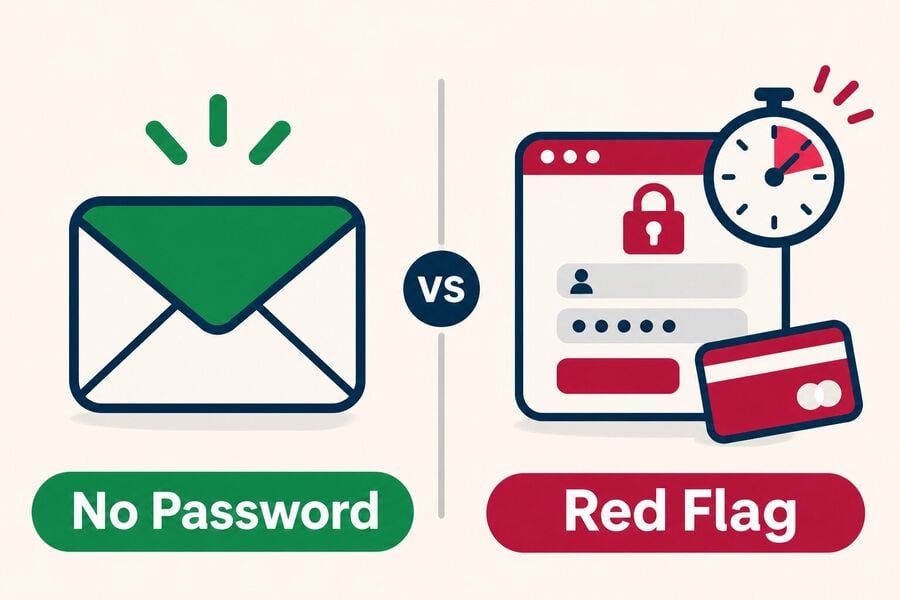
A legitimate optional account lives on the service's own sign-in or sign-up page that you choose to open, not in a surprise prompt interrupting a guest inbox. Do not reuse a password from your primary email, banking, or Tmailor account when asked to create a new password, and do not type your existing Google or Tmailor login credentials into an unfamiliar popup. If you cannot verify who is asking and why, close the tab and open the official site directly.
Tmailor's Real Password Option: the Optional Free Account
Tmailor offers an optional free account alongside its no-signup guest flow. You can create a temporary email address without an account or password. When you are signed in, addresses you create save automatically to Created Emails, where you can reopen them on another device after signing in. The account saves the address, not old messages: inbox messages clear after about 24 hours.
The two paths behave differently if something goes wrong, and they involve a different privacy trade-off. A guest address requires no personal account at all, but it relies solely on an Access Token — if you lose that token for an unsaved guest address, support cannot restore it. Tmailor's optional free account requires signing up with Google first (after which you can set a password in your profile for email-and-password sign-in), and any address already saved to that account reopens from Created Emails any time you sign back in, token or no token.
If a Signup Form Asks for "Email and Password"
A signup form usually asks for an email address and a password for that service's own account. If the service accepts disposable addresses, you can enter a Tmailor address in the email field and create a separate password for that service. That password is different from both a Tmailor account password and an Access Token.
Use a unique, strong password, even for an account you expect to use only once. If you may need the account again, save the address to a Tmailor account or keep its Access Token, and remember that messages clear after about 24 hours. For an important account where losing access would matter, use a regular email account you control.
Lost a Password or Access Token? What Happens Next
What you lost determines what's recoverable. A third-party service's own password is reset through that service, using the email it has on file — if the address is still live or saved to your account, the reset link arrives like any other message. A forgotten Tmailor account password resets through the same Google sign-in used to create the account. A guest address's Access Token is different: if it was never saved to an account, losing it ends access for good.
If you're signed in and an existing guest address isn't already managed by another account, pasting its Access Token can add that address to your account instead of just reopening it, so losing the token later stops being a risk for it. Start from the address reuse tool either way. For the full comparison of reusable versus short-life addresses, see the reusable vs short-life security guide.
Frequently Asked Questions
Tmailor guest addresses do not require a password. Its optional account and the Access Token are separate ways to return to an address, with different recovery limits.
Does Tmailor ask for a password?
Not to use it as a guest — creating and checking a temp mail address needs no password. A free account is optional, and it starts with Google sign-in; you can add a password afterward in your profile for email-and-password sign-in.
I got asked for a password right after generating an address. Is that safe?
Be cautious and check which service is asking and why. Tmailor does not require a password to start using a guest address. An unexpected request, especially alongside payment demands or urgent language, warrants scrutiny, but a password prompt alone does not prove a scam.
What's the difference between an Access Token and a password?
An Access Token is a reuse and recovery key for an address; it is separate from a Tmailor account password. If you lose the token for a guest address that was not saved to an account, support cannot restore it. An address already saved to your account can be reopened from Created Emails after you sign in, without the token.
The Short Version
If a temp mail site asks for a password out of nowhere, slow down and check what else it's asking for. If you're deliberately looking for a temp mail service with real login credentials, Tmailor's free account covers that without giving up the no-signup option for quick, one-off addresses.
Jordan Mills has covered disposable email, OTP delivery and online privacy since 2018. He writes Tmailor's guides on staying anonymous, avoiding spam, and getting verification codes to land every time.