Tmailor
 The Ultimate Guide to Temporary Email: Protect Your Privacy & Avoid Spam
Temporary email is one of the simplest privacy tools available — a free, receive-only inbox you generate in seconds to keep spam and trackers away from your real address. This 2026 guide explains what it is, how it works, how to create and reuse one safely, how the major providers compare, and when a permanent address is the safer choice.
Quick access
Key Takeaways
A quick snapshot of what a temporary email is, when it helps, and when a permanent address is safer.
Temporary email — also called disposable, burner, or throwaway mail — is a free, receive-only inbox you generate on demand to accept verification codes and messages without exposing your real address. Most inboxes last from a few minutes to about 24 hours, and some let you reopen the same address later with a saved token.
- Temp mail protects your primary inbox from spam, data brokers, and exposure to breaches by keeping your real address out of unfamiliar databases.
- It is designed to receive one-time codes and confirmations, not to send emails — most reputable services are receive-only.
- Retention varies widely by provider, from a 10-minute timer to about 24 hours; check the policy before you rely on it.
- Some services let you reopen the same inbox using an Access Token, which is important for password resets and re-verification.
- Temporary email is legal to use, but each website sets its own rules — keep your use within a site's terms.
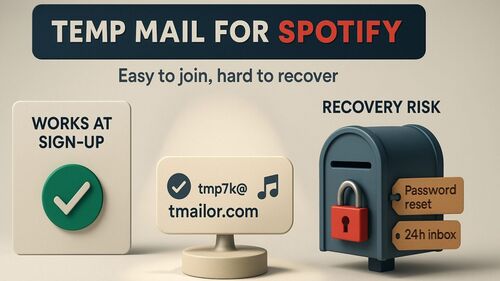
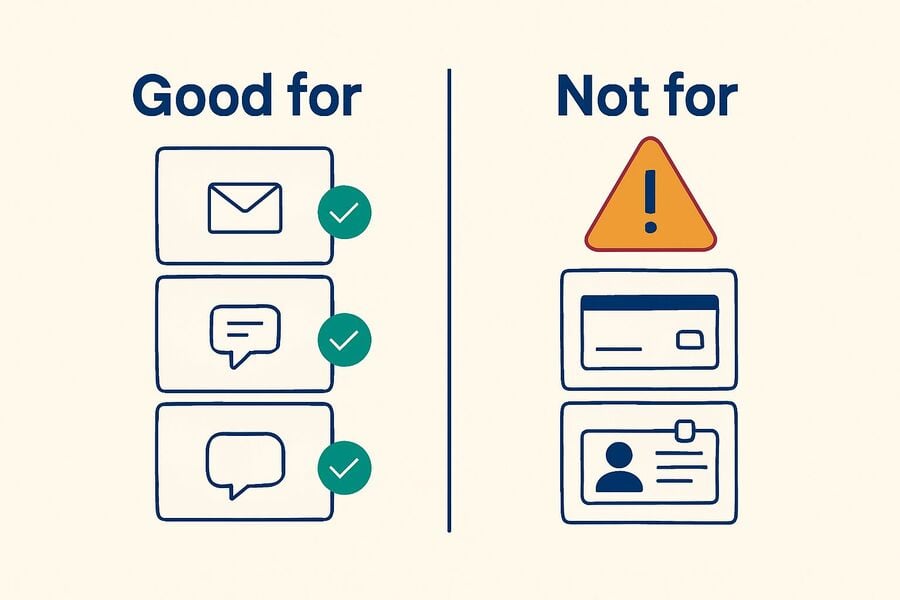
- Avoid it for banking, government, healthcare, or any account you need to recover later.
What is a temporary email?
Start with a clear definition and the differences between the terms people use interchangeably.
A temporary email address is a receive-only inbox generated on demand to keep your real address private. You use it to sign up somewhere, receive a verification code or confirmation link, then discard it. The address and its messages are meant to be short-lived, though some services let you reuse the same inbox for a limited time.
Several terms describe overlapping ideas, and they are not perfectly interchangeable:
- Disposable email — the broad label for short-lived addresses you can throw away after use.
- Burner email — emphasizes anonymity and one-off use; not necessarily time-limited.
- Throwaway email — an informal term for an address you never intend to keep.
- 10-minute mail — a timed format where the inbox self-destructs after a short countdown.
The concept is not new: disposable inboxes have existed since the early days of the web as a defense against list-selling and newsletter spam. If you enjoy the background, this short read on the evolution of temp mail traces how the tool matured from a niche trick into a mainstream privacy habit.
How Temporary Email Works
A plain-English look at what happens between clicking "generate" and reading a verification code.
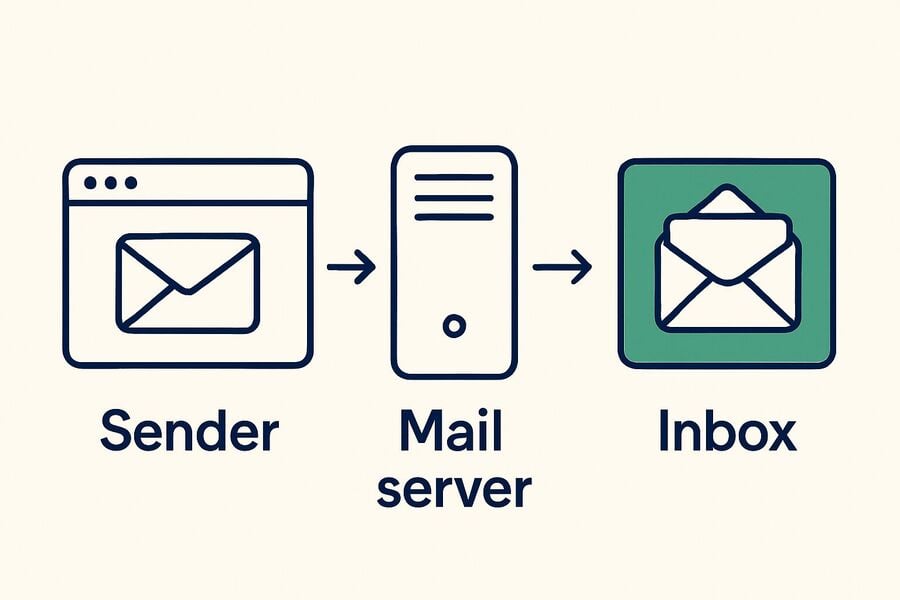
Temporary email works by pointing a domain's mail records at a service that accepts messages for any address on that domain and shows them in a public, throwaway inbox. You never register or set a password — the service auto-generates an address, receives whatever arrives, and displays it. Seeing how email actually works makes the mechanism easy to picture.
Catch-All Domains and Instant Addresses
Most providers run catch-all domains, which accept mail for every possible mailbox name at once. That is why a brand-new address works instantly with no setup: the inbox does not need to exist in advance. This design, explained in more depth in this guide to catch-all and random aliases, is what makes temp mail feel immediate.
Retention and Reuse
Once a message arrives, the service stores it briefly — often about 24 hours, sometimes only minutes — then purges it automatically. Some providers add a token or key so you can reopen the exact inbox later, which is the difference between a one-time throwaway and an address you can return to for a password reset.
Why an Address Sometimes Stops Working
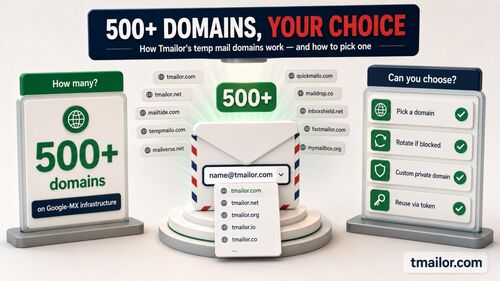
A disposable address can stop being accepted for two reasons. First, a signup form may reject it because the domain appears on a public disposable email blocklist, which many sites check at registration. Second, providers rotate and retire domains over time to protect deliverability so that an older domain can fall out of use. Switching to a fresh domain from the provider's list usually resolves a single flagged domain, which is why a large, well-maintained domain pool is worth looking for. When a site blocks disposable email as a matter of policy, respect that and use a permanent address rather than cycling through domains.
How to Get a Temporary Email
Creating an inbox takes seconds and no registration; here is the safe way to do it.
Getting a temporary email address is fast: open a trusted generator, copy the address it creates, and paste it into the signup form — no account or password required. You can create one in seconds on the web, in a mobile app, or through a Telegram bot, depending on the provider.
A reliable workflow looks like this:
- Generate a fresh inbox and keep the tab open so incoming mail stays visible.
- Paste the address into the registration form. If the site rejects it, switch to a different domain from the provider's list — or use a permanent address if the site does not allow disposable email.
- Fetch the code or link — return to the inbox, wait a few seconds, and copy the verification code or click the confirmation link.
- Save the token if you will need the address again, since that is often the only way to reopen the same inbox.
- Close the tab once you have what you need, and never forward temp mail to your personal inbox.
If your signup is truly one-time and you never expect to return, a timed 10-minute inbox is often all you need.
Why Use a Temporary Email?
The practical reasons people reach for a disposable address across personal, testing, and privacy workflows.
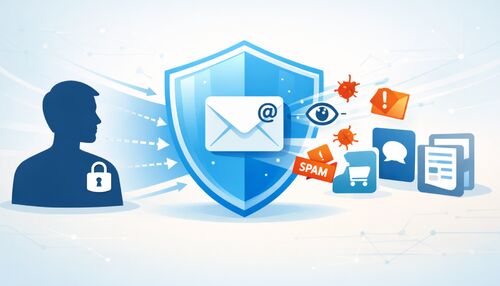
People use temporary email to keep their real identity separate from services they do not fully trust. A disposable address absorbs the spam, marketing, and tracking that would otherwise land in a primary inbox, and it limits how much of your data ends up in third-party databases that later leak or get sold.
- Block inbox spam — use a throwaway address for newsletters, gated downloads, or unfamiliar vendors so your main inbox stays clean.
- Protect your identity — keep your real address out of breach dumps and data-broker lists.
- Receive one-time codes — collect an OTP or confirmation for a low-stakes service without handing over your personal email.
- Try free trials privately — evaluate a product before deciding whether it deserves your real address.
- Test signups and apps — developers and QA teams simulate registrations without polluting real inboxes.
- Reduce data concentration — segmenting addresses limits the damage if one service is breached.
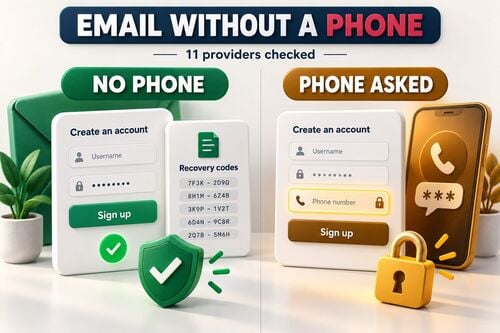
Temporary email also solves the common problem of signing up for services that require an address you would rather not share — a problem closely related to creating email without a phone number. For a broader tour of low-risk signup scenarios, this guide to disposable email for signups covers the everyday cases in detail. Temporary email is a privacy tool, not a way to break a site's rules — keep your use within each service's terms.
Reuse, Recovery, and Multiple Inboxes
How token-based reuse works and how to juggle several disposable addresses at once.
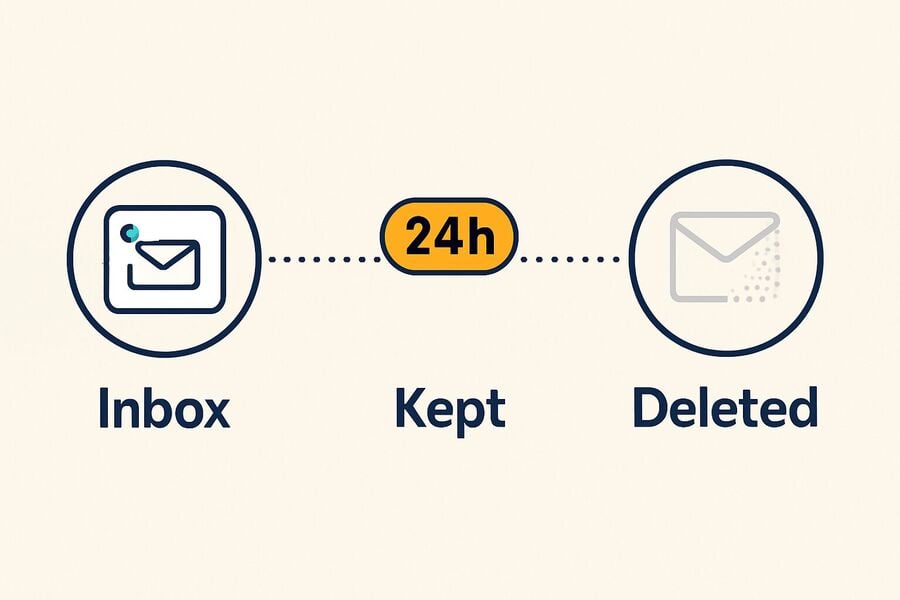
Reuse is what separates a basic throwaway from a practical privacy tool. Token-based services give you a key that reopens the same inbox within its retention window, allowing you to return for a password reset or a second verification step. Lose the token, though, and the inbox usually cannot be recovered — that is a deliberate safety feature, not a bug.
When continuity matters, save the token the moment you generate the address; you can then reuse the same address instead of starting over with a new mailbox. Power users often run several disposable addresses in parallel — one per service — to keep identities cleanly separated. A free Tmailor account keeps a searchable list of every address you create while signed in, so you do not have to track one token per service.
Managing Several Addresses
If you already have a Google account, you can also generate variations for light separation, as explained in this walkthrough on getting multiple addresses from one Gmail account. For heavier workflows — testing, research, or managing many signups — it helps to run several inboxes at once without mixing up which address belongs to which service.
Temporary Email for Developers and QA
Disposable inboxes are a practical testing tool when they persist long enough to finish a flow.
Developers and QA teams use temporary email to test registrations, verification emails, password resets, and notification flows without polluting real inboxes. The reliable pattern is a reusable, token-backed address that survives delayed messages during a test run and can then be discarded when the scenario is complete. Timed inboxes that expire mid-flow create flaky tests, so token-based reuse is the dependable choice. For automated suites, the Tmailor Temp Mail API creates addresses and reads messages from code, with SDKs for Python, Node.js, and PHP.
How to Choose a Provider
A structured, security-first checklist to evaluate any service before trusting it with codes and signups.
Choose a temporary email provider the way you would evaluate any privacy tool: look for encrypted transport, minimal data retention, honest policies, and stable infrastructure. The five checks below separate a dependable service from a bare-bones page that may leak data or drop your code.
- Transport and storage protection — mailbox pages and APIs served over HTTPS, with short, clearly stated retention (for example, messages that auto-purge after about 24 hours).
- Anti-tracking and safe rendering — image proxying or tracker stripping where possible, and HTML emails rendered without dangerous active content.
- Inbox controls and reuse — quick generation of new addresses plus token-based reuse to reopen a specific inbox, with a clear warning that a lost token means a lost mailbox.
- Clear policies and transparency — a plain-English retention policy, receive-only operation to limit abuse, and GDPR/CCPA alignment where applicable.
- Infrastructure credibility — reliable mail routing across a broad, well-maintained domain pool, active maintenance, and readable documentation.
Advanced: Custom and Private Domains
Power users sometimes go a step further and route a private or custom domain through a temp mail service, which gives them a large, personal pool of addresses that rarely appear on public blocklists. It takes more setup than a one-click inbox. Still, for heavy or professional use, it combines the convenience of disposable addresses with domains only you control — useful when a shared public domain keeps getting rejected at signup.
Temporary Email Providers Compared
A side-by-side look at how well-known services differ on the factors that actually matter.
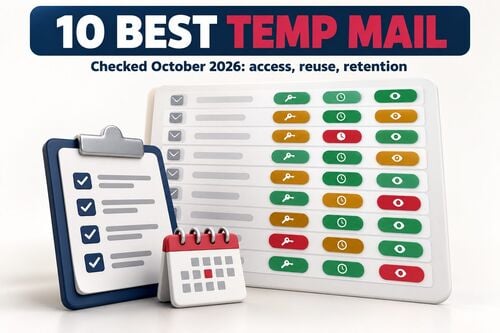
Providers differ most on four things: how long messages survive, whether you can reopen an address, whether the service can send as well as receive, and where you can use it. The table below summarizes documented behavior for several well-known options.
Full disclosure: Tmailor publishes this guide, so the comparison sticks to features each provider documents publicly. Behavior and policies change often — verify the current details on each service's policy page before relying on it for anything important.
For Tmailor specifically, the documented points are receive-only operation, about 24-hour message retention, Access Token reuse, 500+ domains, and availability on Web, Android, iOS, Telegram bot, and the desktop Tmailor browser extension.
| Provider | Message retention | Can you reopen the same address? | Can it send mail? | Where it runs |
|---|---|---|---|---|
| Tmailor | About 24 hours per message | Yes — with a saved Access Token or a free Tmailor account | No, receive-only | Web, Android, iOS, Telegram bot, browser extension |
| 10 Minute Mail | 10 minutes by default, with a “10 more minutes!” extension on the official site | Not documented as reusable on the official pages checked | No official send feature documented | Web |
| Guerrilla Mail | Messages deleted after 1 hour | Yes — addresses do not expire, and anyone who knows the Inbox ID can access that inbox | Yes — it includes a Compose tab | Web |
| Temp-Mail.org | Official pages checked do not state a clear public retention window | Official pages show mailbox creation, switching, and deletion, but do not clearly document same-address reopening | No official send feature documented on the pages checked | Web, Android, iOS |
The pattern is clear: timed services like 10 Minute Mail win on speed for one-off tasks; Guerrilla Mail is unusual in allowing outbound mail; and services with longer retention, plus token reuse, are better suited to codes that arrive late or to accounts you may revisit.
Is a temporary email safe and Legal?
What a disposable inbox protects, what it does not, and where the legal line actually sits.
A temporary email is safe for its intended purpose — shielding your real address during low-stakes signups — but it is not a secure vault. A disposable inbox usually has no password, and on many services, the inbox is effectively public to anyone who guesses the address or knows it, so it should never contain sensitive documents, private conversations, or long-term account access.
Is It Legal?
Using a temporary email is legal in most places; legality depends on what you do with it, not the tool itself. Signing up for a newsletter privately is fine, while fraud, impersonation, or violating a service's access rules is misuse. When a website rejects a disposable address, it is enforcing its own terms of service, not the law — respect those terms and use a regular inbox where required.
How Safe Is the Data?
Because a temp inbox is short-lived and separate from your identity, it eliminates most email-based spam and cross-site tracking. It cannot, however, remove tracking pixels on its own unless the provider proxies images, and it does nothing about the account you created on the far side. Treat it as identity separation, not encryption.
One risk deserves special attention: on many services, an inbox is tied only to its address, so anyone who knows or guesses that address could view the messages inside. That is fine for a throwaway confirmation, but it is a real reason never to route password resets for important accounts, recovery codes, or anything private through a shared disposable inbox. Providers that add token-based access and image proxying reduce this exposure, which is one more reason the checklist above matters.
Limitations: When Not to Use Temp Mail
Disposable inboxes have a clear ceiling; knowing it keeps you out of locked-account trouble.
It depends on the provider. Some temp mail services do display attachments; others, including Tmailor, strip them to reduce malware risk and server load and deliver only the message body. Check your provider before relying on it — and if you actually need the file, use a permanent inbox, because temp mail is built for codes and short confirmations, not document delivery.
The rule of thumb is simple: if losing access to the inbox would lock you out of something you care about, use a permanent address instead. Disposable inboxes are built for low- to medium-risk interactions, not for anything tied to your money, your legal identity, or an account you intend to keep for years.
Temporary Email vs Email Aliases and Forwarding
Disposable inboxes are one option on a spectrum; here is where aliases and forwarding fit.
Temporary email is best for throwaway signups, but it is not the only way to keep your real address private. Email aliases and forwarding sit alongside it, each trading disposability for durability in a different way, so the right choice depends on whether you will ever need the address again.
- Temporary email — a receive-only inbox that lasts minutes to about a day. Best for one-time codes and low-stakes signups.
- 10-minute mail — a timed variant that self-destructs quickly. Best when you are certain you will never return.
- Email aliases — forwarding addresses from Apple Hide My Email, Firefox Relay, or SimpleLogin that pass mail to your real inbox and are designed for ongoing use. Best for accounts you want to keep while hiding your main address.
- Mail forwarding — routes messages onward to another destination instead of holding them for a single read.
If you specifically need messages routed to another destination rather than read once and discarded, this explainer on how mail forwarding works compares the digital and physical options.
Best Practices for Using Temporary Email Safely
A few simple habits help you get the most privacy from a disposable inbox while avoiding its pitfalls.
Use temporary email safely by matching the inbox to the risk: short-lived addresses for one-time, low-stakes signups; token-based reuse for codes that may arrive late; and a permanent inbox for accounts you must be able to recover. Save your tokens, keep sensitive data out, and respect sites that require a durable address.
- Match retention to the task — use a short timer for one-off signups and a longer, token-based inbox for anything that may send a delayed or second email.
- Save the token immediately — if there is any chance you will return, store the Access Token as soon as you generate the address.
- Switch domains on rejection — if a site blocks the address, try another domain only where disposable email is allowed, and use a permanent inbox when the service requires one.
- Never forward temp mail to your real inbox — copy the code or click the link, then close the tab so nothing links back to your identity.
- Keep sensitive accounts on a permanent address — reserve disposable inboxes for low-stakes signups, and never store documents or private messages in them.
- Respect each site's terms — temporary email is a privacy tool, so use it to sign up privately and follow each service's rules.
Frequently Asked Questions
Direct answers to the questions people most often ask about temporary email.
Is a temporary email legal?
The legal risk depends on how you use the address, not on the tool itself. Temporary email is widely used as an ordinary privacy tool, but fraud, impersonation, or violating a service's access rules can carry legal or account consequences. A site that blocks disposable addresses is enforcing its own terms of service, which you should respect. For regulated or identity-bound services, use a real, recoverable email.
Is a temporary email the same as a burner or a 10-minute email?
They overlap but are not identical. Disposable, burner, and throwaway email all refer to short-lived email addresses. 10-minute mail is a specific timed format where the inbox self-destructs after a countdown, while other temp mail can last about 24 hours and sometimes be reused with a token.
Can I receive OTP codes with temp mail?
Usually, yes. Temporary email is designed to receive one-time codes and confirmation links. If a code is late, refresh the inbox or request it again. If a single domain fails on a service that allows disposable email, try another domain from the provider; if the site blocks disposable email as policy, use a permanent address. For delayed codes, a longer retention inbox is more dependable than a short timer.
Can I send an email from a temporary address?
Most reputable temp mail services are receive-only to limit abuse and protect deliverability, so you cannot send from them. A few exceptions exist — Guerrilla Mail, for example, can compose outbound mail — but sending is not the norm and should not be expected.
How long do temporary email messages last?
Retention varies widely by provider. Timed services delete messages after about 10 minutes, while others keep them for roughly 24 hours before purging. Always check the provider's stated policy because the retention window determines whether a delayed code will still be available to you.
Can I reuse the same temporary email address?
With token-based services, yes. Save the Access Token when you generate the address, then use it to reopen the same inbox within the retention window for password resets or re-verification. Without a token, most temporary inboxes cannot be recovered once you close them.
Do temp mail addresses get blocked by websites?
Sometimes. Many websites check signups against public blocklists of known disposable domains and reject them. Providers with a large, rotating pool of well-maintained domains are less likely to be flagged, and switching to another domain often clears a single flagged one. If a site blocks disposable email as policy, use a permanent address instead.
Can a temporary email receive attachments?
It depends on the provider. Some temp mail services do display attachments; others, including Tmailor, strip them to reduce malware risk and server load and deliver only the message body. Check your provider before relying on it — and if you actually need the file, use a permanent inbox, because temp mail is built for codes and short confirmations, not document delivery.
Does Temp Mail stop all tracking?
No. Temporary email reduces exposure by hiding your real address, but it cannot eliminate every tracker. Emails can still contain tracking pixels unless the provider proxies images or strips them. Choose a service with image proxying and safe HTML rendering for the strongest protection.
What happens if I lose my Access Token?
Assume the inbox is gone. In token-based services, the Access Token is the only key to a specific mailbox, and it cannot be reissued. That is a deliberate safety feature: without the token, no one — including the provider — can reopen the inbox, so store it securely in case you need it. On Tmailor, this applies to guest addresses; an address saved to your free Tmailor account can be opened from Created Emails after you sign in.
Can I use a temporary email on my phone?
Yes. Many providers offer native Android and iOS apps, and some add a Telegram bot for a chat-style inbox. Others work through the mobile browser. On a phone, look for a service that supports push notifications so you can see incoming verification codes without refreshing the page.
Is a temporary email safe to use?
It is safe for its intended job — hiding your real address during low-stakes signups — but it is not a secure vault. A disposable inbox usually has no password and may be readable by anyone who knows the address, so never use it for sensitive documents, private messages, or accounts you must keep.
The Bottom Line
Temporary email is a small habit with a big payoff — when used intentionally, it keeps your real inbox clean and your identity separate.
A temporary email is a simple, effective shield against spam and data overcollection. The right choice depends on the job: a short timer suits one-off signups, while longer retention and token reuse fit codes that arrive late or accounts you revisit. Whatever you pick, match the inbox to the risk, and keep a permanent, recoverable address for anything tied to your money or identity.
When you are ready to try it, create a free temp mail and give your primary inbox a rest from spam, trackers, and unwanted marketing.
Jordan Mills has covered disposable email, OTP delivery and online privacy since 2018. He writes Tmailor's guides on staying anonymous, avoiding spam, and getting verification codes to land every time.