Temp Mail for Education: Using Disposable Email Safely for Research and Learning
Temp mail for education is a practical, policy-aware way to handle academic sign-ups, trials, and spam isolation. This guide shows where it helps, where it does not belong, and how to keep access with an Access Token.
Quick access
Key Takeaways
Temp mail for education gives students, educators, and lab teams a fast, low-risk inbox for software trials, gated whitepapers, and tool sign-ups, while keeping marketing spam out of school and personal accounts. Disposable email for students works for those non-record tasks, not for the LMS, grades, or IRB-regulated work, which belong on institutional email. Save an Access Token when a project needs the same address later.
- Right tool, right task. Use temp mail for trials, demos, datasets, and throwaway tool accounts.
- Not for records. Keep LMS logins, grades, financial aid, HR, and IRB or health data on your institutional email.
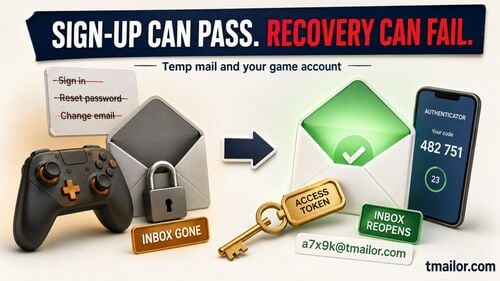
- Reusable when needed. An Access Token reopens the same address for a semester-long project or a password reset.
- Short vs long horizon. A short-lived inbox suits a one-day demo; a reusable address suits multi-week work.
- Know the limits. The inbox shows messages for about 24 hours, is receive-only, and does not accept attachments.
Where Temp Mail for Education Fits
Temp mail fits the low-risk edges of academic life, not its official core. It suits research projects, software trials, and tool sign-ups where you need a login but not a long-term record, and it absorbs the throwaway sign-ups a modern learning stack demands so your real inboxes stay clean. Students can use temp mail freely for these tasks, as long as anything that counts as an official record stays on institutional email. If the concept is new, start with how temp mail works before you apply it in a course or lab.
Good fits
- Downloading whitepapers or datasets gated behind an email for a literature review.
- Trying software before procurement: stats packages, IDE plug-ins, model playgrounds, and API demos.
- Hackathons, capstones, and student clubs, where you spin up tool accounts you will discard at the end.
- Vendor demos for ed-tech comparisons or a classroom trial.
- Research outreach to public APIs where you need a login but not a long-term record.
Poor fits — use your institutional email instead
- Anything your school treats as an education record: the LMS (Canvas, Moodle, Blackboard), grades, the registrar, financial aid, or HR.
- IRB-regulated studies or any workflow touching health or personally identifiable data.
- Systems that need long-term, auditable identity, such as institutional sign-on or grant portals.
- Workflows that require sending mail or email attachments — temp mail is receive-only and blocks attachments.
The Policy Line: Institutional Email vs Temp Mail
The safe rule is simple: official academic communication belongs on your institutional email, and temp mail is only for low-risk, non-record tasks. Under the U.S. Family Educational Rights and Privacy Act (FERPA), education records are records directly related to a student and maintained by the institution or a party acting for it, and they may be recorded in any format, including email. In practice, if a workflow involves grades or student PII in institutional systems, keep it on institutional email rather than a disposable inbox.
Everywhere else — where you only need a login to read a PDF or test a feature — a throwaway address lets you share less personal data. When you are unsure whether a task counts as an education record, ask your instructor or lab PI before proceeding, and default to your institutional address.
Benefits for Students, Educators, and Labs
Beyond a cleaner inbox, temp mail for research projects and coursework gives academic teams speed and separation. It removes the friction of repetitive sign-ups and keeps unrelated trials from correlating back to one personal address.
- Faster experiments. Create an address instantly, confirm, and move on — useful for lab onboarding and classroom demos.
- Spam isolation. Marketing and trial mail lands in the disposable inbox, not your school or personal one.
- Tracker reduction. Reading through a privacy-minded web view with image proxying blunts many tracking pixels.
- Credential hygiene. A unique address per trial reduces cross-site correlation of your activity.
- Reproducibility. A reusable address lets a team re-verify a service across a semester without exposing personal inboxes.
How Tmailor Works for Academic Use
Tmailor gives you a working inbox in seconds with no sign-up, which suits the fast, disposable nature of academic testing. A few facts shape how you should build it into a workflow.
- Free, no registration. Generate or reopen an address without an account.
- Ephemeral view, reusable address. Messages display for about 24 hours, but the address can be reopened later, so act on codes and links within that window.
- 500+ domains routed through Google-MX infrastructure to improve delivery across services.
- Receive-only. No outbound sending, and attachments are not supported.
- Multi-platform. Available on web, Android, iOS, and a Telegram bot — handy for lab work on the go via temp mail on mobile.
- Reuse with an Access Token. The Access Token is a reuse key, not a password; save it to reopen the same inbox for re-verification or a password reset weeks later, since a lost Access Token cannot be recovered.
For sign-ups that send a one-time code, temp mail is built to receive verification codes reliably, though some strict platforms still block disposable domains.
Education Playbooks
The right setup depends on how long a task lasts. These four patterns cover most academic use, from a one-week sprint to a lab's vendor comparison.
Hackathon or one-week sprint
Create a short-lived inbox for each external tool you try, paste the verification codes, and build your prototype. Keep nothing sensitive in email; use your repo or wiki for notes so the throwaway inbox stays disposable.
Semester-long course project
Create one reusable address per tool category — data collection, analytics, deployment — and save each Access Token in a password manager. Record which address maps to which service in your project README so teammates can reopen the right inbox for a re-verification or reset.
Faculty pilot of an ed-tech tool
Use a reusable address to evaluate a vendor's messaging without exposing your personal or school inbox over the long term. If the tool graduates to production, switch the account to your institutional email as policy requires.
Research lab vendor comparison
Standardize on one reusable address per vendor, keep a private log of the address, vendor, and Access Token location in a lab vault, and migrate any approved vendor to institutional sign-on. That keeps evaluations tidy and auditable when a tool moves forward.
Setting Up Temp Mail for a Project
A safe setup mostly comes down to choosing a lifespan and storing the Access Token, and the flow below keeps a course or study from losing access later. The two decisions that matter are how long you need the address and where you save its Access Token.
Open Tmailor to generate an address, then keep the page open while you sign up for the target service. If the workflow might last beyond a day — a course, a study, a pilot — save the Access Token in your password manager immediately, because it is your key to reopening the same inbox. Use the inbox to receive the verification email, complete sign-up, and note the service and Access Token location in your project README.
Choose the lifespan on purpose. For a demo that ends today, a 10-minute inbox is enough; for multi-week work, stay on a reusable address and keep the Access Token safe. When a service later asks you to reconfirm the email or reset a password, reopen the same address with your Access Token and continue. Above all, keep official records — grades, IRB, health data — on your institutional email.
Risks, Limits, and Mitigations
Temp mail has honest boundaries, and planning around them keeps a project from stalling. Most issues have a simple mitigation.
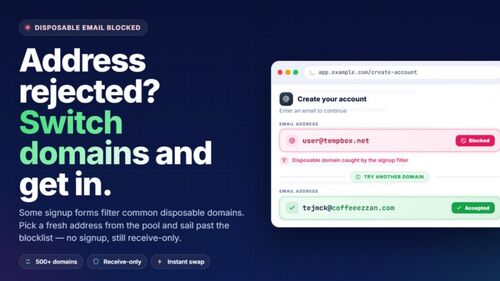
- Service blocking. Some platforms reject disposable domains. Try another domain from the generator, or ask your instructor for an approved path.
- 24-hour view. Extract codes and links promptly, and always store the Access Token for longer projects so you can reopen the address later.
- No attachments or sending. If a workflow relies on emailing files or replies, use your school account instead.
- Team coordination. Never share Access Tokens in chat; store them in the team's password manager with proper access control, and rotate access when members leave.
- Data boundaries. Weigh whether a task is an education record; if in doubt, default to institutional identity. Our overview of whether temporary emails are safe covers the privacy trade-offs.
Frequently Asked Questions
Common questions from students, educators, and lab admins about using disposable email in academic settings.
Can students use temp mail to receive verification codes?
Usually, yes, for low-risk tool sign-ups. Most services deliver standard verification emails reliably to a temp inbox. Some high-risk platforms block disposable domains; if that happens, try an alternate domain or use your institutional email for that sign-up.
Is temp mail allowed at university?
Policies vary, and many institutions require official systems to use institutional addresses. Use a disposable email only for low-risk, non-record activities such as trials and demos, and confirm with your instructor or PI when you are unsure.
What happens to my messages after 24 hours?
The inbox view shows messages for about 24 hours. The address itself persists, so you can reopen it with your Access Token to receive future messages such as a re-verification. Do not rely on old email history staying available — copy what you need.
Can I reuse the same temp address later for a password reset?
Yes, if you saved the Access Token. Reopen the inbox with the Access Token and complete the reset. Without the Access Token, the address cannot be recovered, so store it in a password manager for any multi-week project.
Can I use temp mail for my LMS, grades, or IRB study?
No. Use your institutional email for the LMS, grading, advising, financial aid, and any workflow involving education records, IRB-regulated research data, or sensitive personal or health information. Disposable inboxes are a poor fit for those institutional or regulated workflows.
Can I attach files or reply to emails with temp mail?
No. Tmailor is receive-only and does not support attachments. If a task needs you to send mail or share files by email, use your school account for that step.
Will every academic service accept a disposable email?
No. Acceptance varies by site, and some block disposable domains outright. When that happens, switch to a different domain from the generator, or fall back to your institutional account for that particular service.
The Bottom Line
Applied thoughtfully, temp mail is a practical tool for academic work: it speeds up low-risk sign-ups, isolates spam, and reduces your data trail during trials and pilots. Keep official records on your institutional email, save an Access Token for anything you will revisit, and let the rest expire. When a task calls for a fast, low-risk inbox, you can create a free temp mail and get back to the research.

Marcus Lee writes Tmailor's step-by-step guides — signing up to apps and platforms with temp mail, using the mobile app and Telegram bot, custom domains, reusing addresses, and getting the most out of disposable email day to day.