Temporary Mail Forwarding: Digital and Physical Solutions Compared
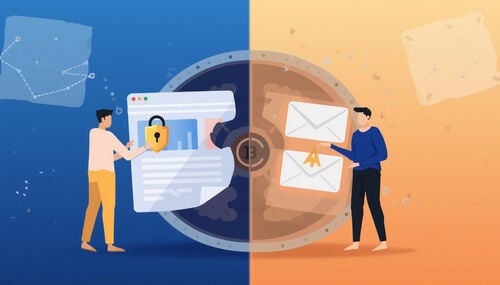
"Mail forwarding" means completely different things depending on context. In the digital world, it's routing email from one address to another — aliases, filters, and temp mail inboxes. In the physical world, it's USPS change-of-address forms and commercial mail scanning services. Both solve real problems, but they work in fundamentally different ways. This guide compares both sides: digital email forwarding (aliases, plus-addressing, temp mail with forwarding, and dedicated forwarding services) versus physical mail forwarding (USPS, virtual mailbox services, and international solutions). You'll learn when each option makes sense, what they cost, and how to combine them if you need both digital and physical privacy.
Quick access
Introduction
Temporary mail forwarding means two different things depending on who is asking. Digitally, it is an alias address that routes incoming email to an inbox you already use. Physically, it is a postal operator redirecting your mail to where you are staying. Both let you receive messages without handing out your permanent address — but they run on completely different rules, and the physical side comes with identity checks and, depending on how you file, a fee.
Imagine traveling abroad for a few months, or maybe you’ve signed up for a dozen online services and don’t want your personal inbox to overflow with newsletters. In the first case, you need the post office. In the second, you need an email alias — or possibly no forwarding at all.
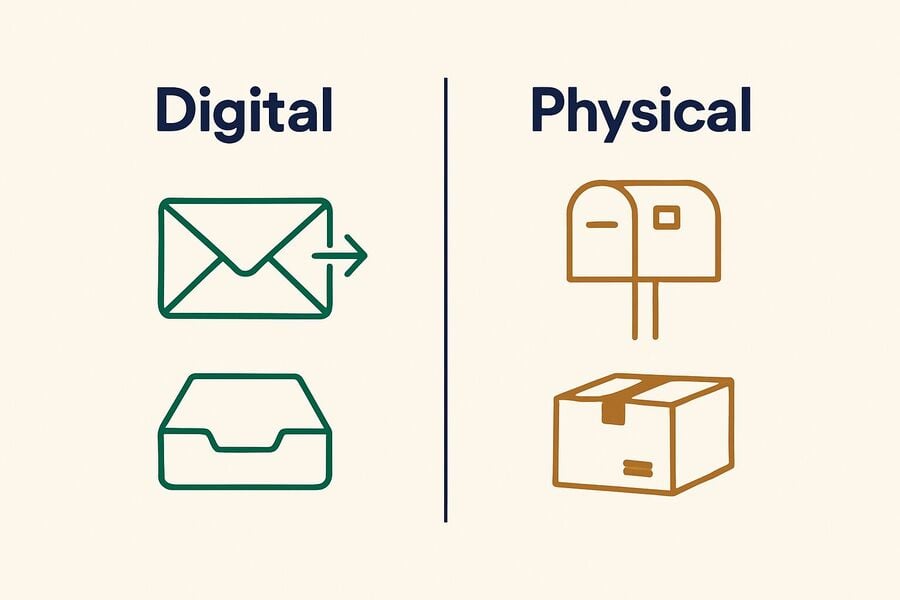
The physical side carries a catch worth knowing up front: what actually gets forwarded depends on the carrier. USPS forwards packages along with letters; Canada Post’s mail forwarding covers letters, registered mail, and magazines but explicitly excludes parcels. “Mail forwarding” is not one product, so this guide treats the two worlds separately.
What Is Temporary Mail Forwarding?
At its simplest, temporary mail forwarding is a service that redirects messages from one address to another for a limited time.
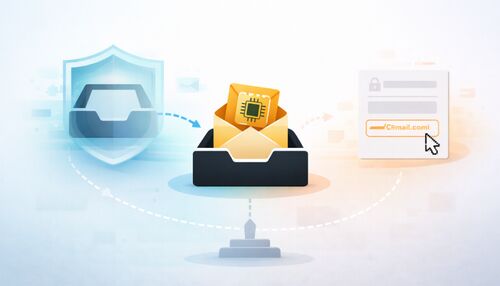
In the digital context, this usually means creating a disposable or alias email that automatically forwards everything it receives to your Gmail, Outlook, or another inbox. The alias can then be deleted, expired, or left inactive.
In the physical world, national carriers each set their own terms. USPS describes a temporary change of address as a relocation lasting from 15 days up to 1 year, and it requires you to verify your identity before it will act on the request — filing online carries an identity-verification fee, while filing at a Post Office means showing photo ID. Other operators sell redirection in fixed blocks of months, exclude parcels, or run their own verification and payment flows. Do not assume one carrier’s rules apply to another — read the current terms on the operator’s own site before you file, because these products change.
Both models serve one goal: maintaining communication without giving away or relying solely on your permanent address.
Why People Use Temporary Forwarding
The motivations vary, often including privacy, convenience, and control.
- Privacy protection: Forwarding lets you shield your real email. For example, you might sign up for an online contest with a temporary alias that forwards to your inbox. Once the contest ends, you can kill the alias and stop unwanted messages.
- Managing spam: Instead of handing out your real email on every form, a forwarding address acts as a filter.
- Travel and relocation: In postal mail, forwarding ensures you receive essential correspondence while away from home.
- Inbox centralization: Some users prefer managing multiple disposable or alias accounts but want all messages delivered to one inbox. Forwarding is the glue that makes this possible.
In short, forwarding provides flexibility. It bridges the gap between staying connected and staying private.
How It Works: Common Models
Temporary forwarding falls into three models, and the difference between them decides whether a message ever reaches your real inbox.
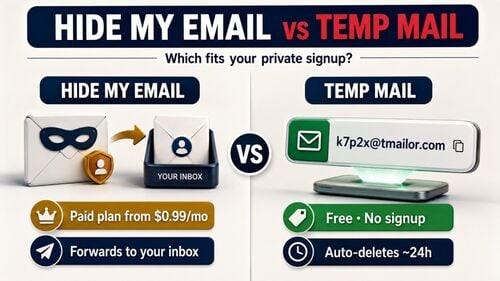
- Email aliases with forwarding: Services like SimpleLogin or AdGuard Mail generate alias addresses that forward to your chosen inbox. You can disable or delete the alias when it’s no longer needed. This is the only model that actually relays mail onward.
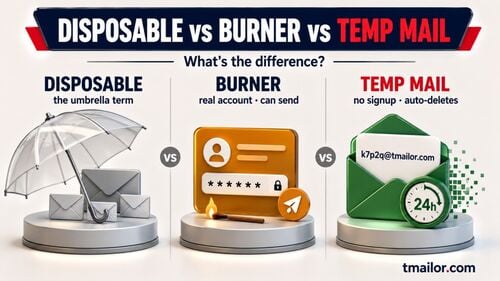
- Receive-only temporary inboxes: Most temporary email tools forward nothing. You open the disposable inbox on the provider’s site, read the message there, and it ages out on that provider’s schedule. Nothing lands in Gmail or Outlook, so if you close the tab and lose the address, the message is gone.
- Physical mail forwarding: National postal operators redirect addressed mail when you move or travel. Coverage is the thing to check: USPS forwards packages as well as letters, while Canada Post’s service handles letters, registered mail, and magazines but not parcels.
While the delivery channel differs — digital inboxes versus physical mailboxes — the underlying principle is identical: rerouting messages without exposing your primary address.
Step-by-Step: Setting Up Temporary Email Forwarding
For readers curious about the mechanics, here is a typical flow when using an email alias provider:
Step 1: Choose a forwarding service.
Select a provider that genuinely forwards — that means an email aliasing service. Most disposable email platforms do not forward at all; they hold the message in a temporary inbox you have to open yourself, so they cannot be used for the flow below.
Step 2: Generate an alias.
Create a new temporary address through the service. You’ll use this alias when signing up for websites or communicating temporarily.
Step 3: Link to your real inbox.
Tell the forwarding service where to redirect incoming messages — usually your Gmail or Outlook.
Step 4: Use the alias publicly.
Provide the alias wherever you don’t want to reveal your primary address. All incoming mail will flow into your real inbox via forwarding.
Step 5: Retire the alias.
When the alias has served its purpose, disable or delete it. Forwarding stops, and unwanted emails vanish with it.
The process is straightforward but powerful. It gives you a disposable identity that still keeps you connected.
Pros and Cons of Temporary Mail Forwarding
Like any technology, temporary mail forwarding offers trade-offs.
Advantages:
- Keeps your permanent address private.
- Reduces spam by allowing you to “burn” aliases.
- Flexible: useful for short-term projects or travel.
- Convenient: one inbox receives everything.
Disadvantages:
- Relies on third-party trust. You must trust the service handling your forwards.
- It can introduce delays if the forwarding server is slow.
- Not all platforms accept disposable addresses; some block known forwarding domains.
- For postal forwarding, delays and errors can still occur.
The bottom line: forwarding is convenient but not foolproof.
Legal and Compliance Considerations
Forwarding also raises questions of compliance.
Some websites explicitly forbid disposable or forwarding addresses to reduce fraud and abuse. That is a policy decision, not a technical glitch. If a service’s terms ban disposable email, the correct move is to sign up with a real address you control — not to cycle through domains until one is accepted. Doing the latter is a terms violation and can cost you the account, along with anything attached to it.
For postal services, temporary forwarding is typically regulated, with ID verification and service limits. Forwarding someone else’s mail without authorization is illegal.
It’s important to distinguish legitimate privacy tools from attempts to mislead or commit fraud.
Alternatives to Temporary Forwarding
Not everyone needs or wants forwarding. Alternatives include:
Disclosure: Tmailor publishes this blog, so here is the honest version. Tmailor is a receive-only temporary inbox, not a forwarding service. It cannot relay mail into Gmail or Outlook; messages stay visible for about 24 hours from arrival, and inbound attachments are stripped — a PDF sent to a Tmailor address cannot be opened or downloaded. If you need the message to reach your real inbox, or you need the file that came with it, use an alias service instead.
- Straightforward temporary email (no forwarding): A receive-only temp mail inbox skips forwarding entirely. You read the message on the provider’s site and it ages out on its own. That is enough for a signup code or a one-off newsletter, and not enough for anything you may need to retrieve next month.
- Gmail plus addressing: With Gmail, you can create variations like username+promo@gmail.com. All messages still arrive in your inbox, but you can filter or delete them easily.
- Custom domain aliases: Owning your domain allows you to create unlimited aliases that forward to your real inbox, with complete control.
- Postal mail holding services: Some postal providers hold mail until you return instead of forwarding, reducing the risk of misdelivery.
Each alternative offers different balances of privacy, control, and permanence.
Best Practices for Temporary Forwarding
If you decide to use temporary mail forwarding, a few best practices can help you avoid pitfalls:
- Use trusted providers. Do your research and choose services with clear privacy policies.
- Respect the site’s policy. If a service’s terms ban disposable addresses, use a real address. Hunting for a domain that slips through is a terms violation, and the account you build on it is the one you lose.
- Check attachment support first. If the mail may carry a file — a ticket, an invoice, an ebook — confirm the provider can receive attachments at all. Several temp mail services, Tmailor included, strip them.
- Set expiration rules. Always plan an end date for your alias or postal forwarding.
- Monitor activity. Keep an eye on forwarded messages to catch suspicious use early.
- Recovery plan. Don’t use temporary forwarding for accounts you can’t afford to lose access to.
Forwarding is a convenience layer, not a permanent identity. Keep banking, legal, and high-value accounts on an address you own.
FAQs: Common Questions About Temporary Mail Forwarding
1. What is temporary mail forwarding?
It’s the practice of redirecting emails or postal mail from one address to another for a limited time.
2. How does temporary email forwarding differ from disposable email?
Disposable email requires you to check the inbox directly; forwarding automatically delivers mail to your primary inbox.
3. Can I recover accounts created with a forwarding alias?
Recovery depends on the alias. If the alias is deleted or expires, you may lose access.
4. Do all websites accept forwarding addresses?
No. Some sites block known disposable and forwarding domains, and some ban them outright in their terms. If a signup is rejected because one domain sits on a blocklist, trying a different provider is ordinary troubleshooting. If the site’s policy forbids disposable email, that is a rule, not an obstacle — sign up with a real address.
5. Is temporary mail forwarding anonymous?
It improves privacy but is not entirely anonymous, as providers can still log activity.
6. How long does forwarding usually last?
For email, it depends entirely on the provider: an alias can stay active until you switch it off, while a temporary inbox expires on a fixed clock — Tmailor shows a message for about 24 hours from arrival. For post, USPS describes a temporary change of address as lasting from 15 days up to 1 year. Other carriers set their own terms, so check the operator’s current rules rather than assuming.
7. Can I extend postal forwarding beyond the initial period?
Sometimes. Extension and renewal rules differ by operator and by which product you bought, and they change. Treat an extension as something to confirm before you rely on it, not as a guarantee.
8. Are there costs involved?
Email forwarding services are often free or freemium. Postal forwarding is priced by the carrier — some charge for the redirection itself, and others charge an identity-verification fee to file the request. Check the current price on the operator’s site.
9. What’s the main risk with temporary forwarding?
Dependency on the service and the potential loss of messages once forwarding ends.
10. Should I use temporary forwarding for my primary accounts?
No. Forwarding is best for short-term or low-risk purposes, not for accounts tied to long-term identity or finances.
Conclusion
Temporary mail forwarding sits at the intersection of convenience and caution. For travelers, it keeps postal mail within reach. For digital natives, it allows them to hand out a disposable alias while still collecting messages in their real inbox.
The value is clear: greater privacy, reduced spam, and short-term flexibility. However, the risks are just as clear: dependence on providers, potential delays, and vulnerability in account recovery.
For quick projects, temporary sign-ups, or travel periods, temporary forwarding can be an excellent tool. For permanent identities, however, nothing replaces a stable, long-term address you control.

Marcus Lee writes Tmailor's step-by-step guides — signing up to apps and platforms with temp mail, using the mobile app and Telegram bot, custom domains, reusing addresses, and getting the most out of disposable email day to day.