Temporary Mail Forwarding: Digital and Physical Solutions Compared
"Mail forwarding" means completely different things depending on context. In the digital world, it's routing email from one address to another — aliases, filters, and temp mail inboxes. In the physical world, it's USPS change-of-address forms and commercial mail scanning services. Both solve real problems, but they work in fundamentally different ways. This guide compares both sides: digital email forwarding (aliases, plus-addressing, temp mail with forwarding, and dedicated forwarding services) versus physical mail forwarding (USPS, virtual mailbox services, and international solutions). You'll learn when each option makes sense, what they cost, and how to combine them if you need both digital and physical privacy.
Quick access
Introduction
Imagine travelling abroad for a few months, or maybe you’ve signed up for a dozen online services and don’t want your personal inbox to overflow with newsletters. In both cases, the concept of temporary mail forwarding comes into play.
In the digital world, it refers to an alias. This short-lived email address forwards incoming messages to your real account. In the physical world, a postal service reroutes letters and packages to wherever you’re staying temporarily. Both share the same philosophy: you don’t want to expose your permanent address, but still want to receive your messages.
As privacy concerns grow and people juggle more digital identities than ever, temporary mail forwarding has become a topic worth exploring. This article examines what it is, why people use it, how it works in practice, and the trade-offs involved.
What Is Temporary Mail Forwarding?
At its simplest, temporary mail forwarding is a service that redirects messages from one address to another for a limited time.
In the digital context, this usually means creating a disposable or alias email that automatically forwards everything it receives to your Gmail, Outlook, or another inbox. The alias can then be deleted, expired, or left inactive.
In the physical world, postal agencies like USPS or Canada Post allow you to set up forwarding for a specific period — often 15 days up to a year — so letters sent to your home address follow you to a new destination.
Both models serve one goal: maintaining communication without giving away or relying solely on your permanent address.
Why People Use Temporary Forwarding
The motivations vary, often including privacy, convenience, and control.
- Privacy protection: Forwarding lets you shield your real email. For example, you might sign up for an online contest with a temporary alias that forwards to your inbox. Once the contest ends, you can kill the alias and stop unwanted messages.
- Managing spam: Instead of handing out your real email on every form, a forwarding address acts as a filter.
- Travel and relocation: In postal mail, forwarding ensures you receive essential correspondence while away from home.
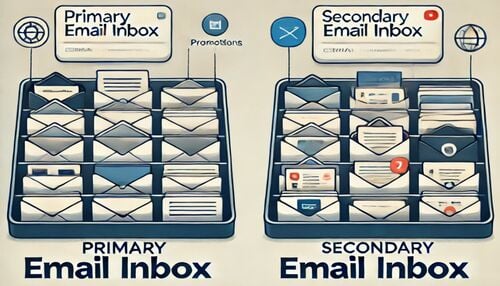
- Inbox centralization: Some users prefer managing multiple disposable or alias accounts but want all messages delivered to one inbox. Forwarding is the glue that makes this possible.
In short, forwarding provides flexibility. It bridges the gap between staying connected and staying private.
How It Works: Common Models
Temporary forwarding comes in different flavours.
- Email aliases with forwarding: Services like SimpleLogin or AdGuard Mail generate alias addresses that forward to your chosen inbox. You can disable or delete the alias when it’s no longer needed.
- Disposable forwarding services: Some platforms let you use a temporary email address that forwards for a limited time before expiring. TrashMail is a well-known example.
- Physical mail forwarding: National postal services (e.g., USPS, Royal Mail, Canada Post) allow temporary forwarding letters and packages when you move or travel.
While the delivery channel differs — digital inboxes versus physical mailboxes — the underlying principle is identical: reroute messages without exposing your primary address.
Step-by-Step: Setting Up Temporary Email Forwarding
For readers curious about the mechanics, here is a typical flow when using an email alias provider:
Step 1: Choose a forwarding service.
Select a provider that offers temporary or alias forwarding. This could be a privacy-focused email aliasing service or a disposable mail platform.
Step 2: Generate an alias.
Create a new temporary address through the service. You’ll use this alias when signing up for websites or communicating temporarily.
Step 3: Link to your real inbox.
Tell the forwarding service where to redirect incoming messages — usually your Gmail or Outlook.
Step 4: Use the alias publicly.
Provide the alias wherever you don’t want to reveal your primary address. All incoming mail will flow into your real inbox via forwarding.
Step 5: Retire the alias.
When the alias has served its purpose, disable or delete it. Forwarding stops, and unwanted emails vanish with it.
The process is straightforward but powerful. It gives you a disposable identity that still keeps you connected.
Pros and Cons of Temporary Mail Forwarding
Like any technology, temporary mail forwarding offers trade-offs.
Advantages:
- Keeps your permanent address private.
- Reduces spam by allowing you to “burn” aliases.
- Flexible: useful for short-term projects or travels.
- Convenient: one inbox receives everything.
Disadvantages:
- Relies on third-party trust. You must trust the service handling your forwards.
- It can introduce delays if the forwarding server is slow.
- Not all platforms accept disposable addresses; some block known forwarding domains.
- For postal forwarding, delays and errors can still occur.
The bottom line: forwarding is convenient but not foolproof.
Legal and Compliance Considerations
Forwarding also raises questions of compliance.
Some websites explicitly forbid disposable or forwarding addresses for email to reduce fraud and abuse. Using them to bypass such restrictions can result in account suspension.
For postal services, temporary forwarding is typically regulated, with ID verification and service limits. Forwarding someone else’s mail without authorization is illegal.
It’s important to distinguish legitimate privacy tools from attempts to mislead or commit fraud.
Alternatives to Temporary Forwarding
Not everyone needs or wants forwarding. Alternatives include:
- Straightforward temporary email (no forwarding): Services like Tmailor provide temp mail without forwarding. You check the inbox directly, and messages expire after a set time.
- Gmail plus addressing: With Gmail, you can create variations like username+promo@gmail.com. All messages still arrive in your inbox, but you can filter or delete them easily.
- Custom domain aliases: Owning your domain allows you to create unlimited aliases that forward to your real inbox, with complete control.
- Postal mail holding services: Some postal providers hold mail until you return instead of forwarding, reducing the risk of misdelivery.
Each alternative offers different balances of privacy, control, and permanence.
Best Practices for Temporary Forwarding
If you decide to use temporary mail forwarding, a few best practices can help you avoid pitfalls:
- Use trusted providers. Do your research and choose services with clear privacy policies.
- Encrypt if possible. Some aliasing services support encrypted forwarding, reducing exposure.
- Set expiration rules. Always plan an end date for your alias or postal forwarding.
- Monitor activity. Keep an eye on forwarded messages to catch suspicious use early.
- Recovery plan. Don’t use temporary forwarding for accounts you can’t afford to lose access to.
In other words, forwarding should be treated as a convenience tool, not as a permanent identity.
FAQs: Common Questions About Temporary Mail Forwarding
1. What is temporary mail forwarding?
It’s the practice of redirecting emails or postal mail from one address to another for a limited time.
2. How does temporary email forwarding differ from disposable email?
Disposable email requires you to check the inbox directly; forwarding automatically delivers mail to your primary inbox.
3. Can I recover accounts created with a forwarding alias?
Recovery depends on the alias. If the alias is deleted or expires, you may lose access.
4. Do all websites accept forwarding addresses?
No. Some websites block known disposable or forwarding domains.
5. Is temporary mail forwarding anonymous?
It improves privacy but is not entirely anonymous, as providers can still log activity.
6. How long does forwarding usually last?
Email depends on the service (from minutes to months). For postal, typically 15 days to 12 months.
7. Can I extend postal forwarding beyond the initial period?
Yes, many postal agencies allow renewals for an extra fee.
8. Are there costs involved?
Email forwarding services are often free or freemium. Postal forwarding usually carries a fee.
9. What’s the main risk with temporary forwarding?
Dependency on the service and the potential loss of messages once forwarding ends.
10. Should I use temporary forwarding for my primary accounts?
No. Forwarding is best for short-term or low-risk purposes, not for accounts tied to long-term identity or finances.
Conclusion
Temporary mail forwarding sits at the intersection of convenience and caution. For travellers, it keeps postal mail within reach. For digital natives, it allows them to hand out a disposable alias while still collecting messages in their real inbox.
The value is clear: greater privacy, reduced spam, and short-term flexibility. However, the risks are just as clear: dependence on providers, potential delays, and vulnerability in account recovery.
For quick projects, temporary sign-ups, or travel periods, temporary forwarding can be an excellent tool. For permanent identities, however, nothing replaces a stable, long-term address you control.

Marcus Lee writes Tmailor's step-by-step guides — signing up to apps and platforms with temp mail, using the mobile app and Telegram bot, custom domains, reusing addresses, and getting the most out of disposable email day to day.