Catch-All & Random Aliases: The Tech Behind Instant Temp Mail
You open a temp mail site, and a working email address appears before the page finishes loading. No signup, no verification, no waiting — just a ready-to-use inbox. That speed isn't magic; it's a specific combination of catch-all mail server configuration and random alias generation running behind the scenes. This guide explains both mechanisms in plain language: how catch-all MX records accept mail for any address on a domain without pre-registration, how random aliases are generated to avoid collisions, and how these two pieces work together to make temporary email feel instant. You'll also learn the trade-offs between this approach and reusable token-based inboxes, and when each model is best suited.
Quick access
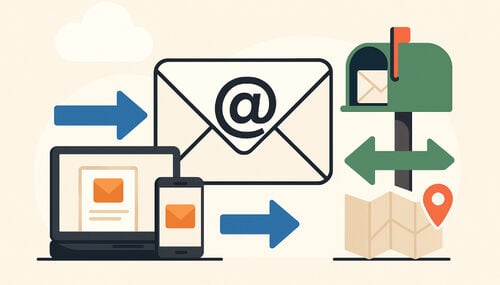
On the surface, it seems trivial: type any address and the mail arrives. In real terms, that instant feel is an engineering choice: accept first, decide context later. A catch‑all domain accepts mail for any local‑part without a mailbox existing beforehand, and a random alias generator hands you one of those local‑parts on page load — so the address is live before you have finished reading it. This explainer unpacks both halves, and the guardrails that keep them workable. For the wider picture, see how disposable email works.
TL;DR / Key Takeaways
- Catch‑all lets a domain accept any local‑part before @, eliminating pre‑creation of mailboxes.
- Random aliases copy in one tap, reduce collisions, and avoid guessable patterns.
- Controls matter: rate limits, quotas, heuristics, and short TTLs keep speed without chaos.
- Use a reusable inbox for receipts/returns and resets; use short-lived for one‑time OTP.
- Inbound attachments are stripped, so files sent to a temp address cannot be opened or downloaded. Message HTML is sanitized, remote images load through a proxy, and bodies expire on their own.
Catch‑All That Just Works
Reduce clicks by skipping pre‑creation and mapping messages dynamically to a mailbox context.
How Catch‑All Works
A catch‑all domain accepts any local part (left of the @) and resolves delivery at the edge. The SMTP envelope (RCPT TO) is validated against domain policy rather than a pre‑existing mailbox row. Depending on rules and user state, the system routes the message into a mailbox context that may be ephemeral (short-lived) or token‑protected (reusable).
This flips the usual flow. Instead of “create → verify → receive,” it becomes “receive → assign → show.” The trade-off is that acceptance has to be bounded somewhere else — with size limits, safe rendering, and a short lifetime.
Mapping: Domain → Handler → Mailbox Context
- Domain policy: catch_all = true toggles acceptance; blocklists allow precise carve‑outs.
- Handler: a router inspects local parts, headers, and IP reputations, then picks a context.
- Mailbox context: ephemeral or reusable; contexts define TTL (e.g., 24h display window), quotas, and token requirements.
Pros and Cons
Pros
- Zero‑step onboarding; any local part is viable immediately.
- Lower friction for OTP and signups; fewer abandoned forms.
- Nothing to name, verify, or remember — you can create a temp mail address and paste it straight into a form.
Cons
- More unsolicited mail if not guarded.
- Extra care for rendering: sender HTML is hostile by default and has to be sanitized.
- Requires strong abuse controls to avoid backscatter and resource waste.
Acceptance Policy (Safe by Default)
- Maximum size: oversized messages are refused so one sender cannot exhaust the service.
- Attachments: inbound attachments are stripped. You will see the message text, but a file sent to a Tmailor address cannot be opened or downloaded — this is a real limitation, not a setting.
- Rendering: message HTML is sanitized before it reaches you — scripts, iframes, inline event handlers, and
javascript:links are removed — and remote images are rewritten to load through a proxy, so the sender never sees your IP address. - Expiry: messages stay visible for about 24 hours from arrival, then are purged.
Generate Smart Random Aliases
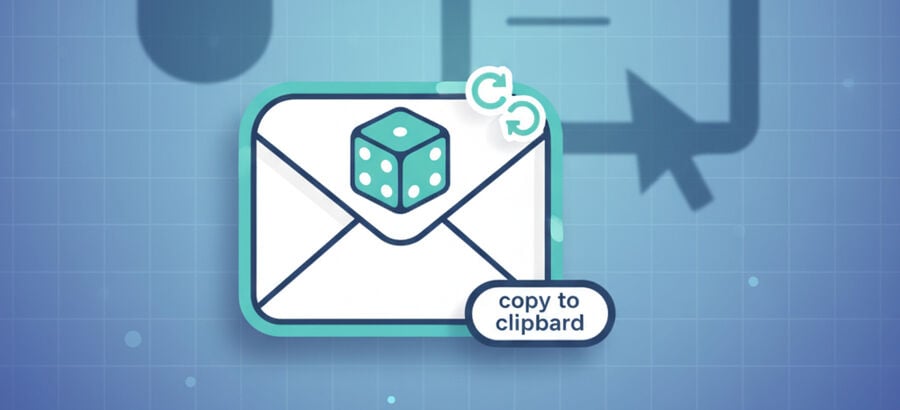
Random aliases are the half that makes temp mail feel instant. Because the address is generated for you rather than invented by you, there is nothing to think up before the inbox exists. On Tmailor, a random address draws from a large hidden pool of domains that rotates over time, while the custom-name tab lets you pick the part before the @ across a smaller set of selectable domains.
How Aliases Are Created
When you tap Generate, the service builds a random local‑part and pairs it with an available domain, so the finished address is ready to paste. The goal of a good generator is simply to create an address that is unpredictable and that mail hosts will accept:
- Enough randomness that the next address is not guessable from the last one.
- A length and character set that stay within what mail systems accept, avoiding quirks like a leading dot or doubled separators.
- A shape that most sign-up forms treat as an ordinary address.
For automated tests of your own sign-up flow, the Tmailor Temp Mail API creates the same kind of receive-only address from code and returns the messages that arrive.
Collision Checks and TTL
- Collision: if a generated address is already in use, the service issues another before you rely on it, so two people are not handed the same inbox.
- TTL: messages stay visible for about 24 hours from arrival; a reusable address binds to an Access Token and can be reopened later.
UX That Encourages the Right Use
- One‑tap copy with the full address visible.
- Regenerate when you simply want a different random address.
- TTL badge to set expectations for short-lived inboxes.
- Policy line: if a form rejects one address, another may work — but if the service's terms forbid disposable email, use a real address rather than cycling temp ones to force a sign-up through.
- Cross‑link to 10‑minute‑style inboxes when the intent is disposable.
Subaddressing (user+tag)
Plus‑addressing (user+tag@domain) is handy for sorting your own mail, but website support for it varies. It works well on a personal domain you control; for quick throwaway sign-ups, a random alias on a catch‑all domain is really about instant address creation, not about slipping past a site's email rules. The FAQ below contrasts the two briefly.
Quick How‑To: Generate and Use an Alias
Step 1: Create an alias
Tap Generate to get a random address and copy it in one tap. If you just want a different one, generate another.
Step 2: Choose the proper context
Use short-lived for one‑time codes; use reusable addresses when you need receipts, returns, or password resets later. If a site explicitly bans disposable email, use your real address for that account.
Control Abuse Without Slowing

An open, sign-up-free inbox is an obvious target, so instant temp mail only survives at scale if it can throttle blatant abuse without making ordinary readers wait. The honest version of this is not a secret scoring formula; it is a handful of plain guardrails — rate limits, short retention, and firm boundaries on what the inbox will do at all.
Rate Limits and Quotas
- Per‑session throttles: limits on sudden bursts so one client or script cannot monopolize delivery.
- Domain quotas: spreading load so a single sender or sign-up flow cannot flood the service.
- Fail fast on obvious abuse: refusing known-bad traffic early so legitimate mail is not delayed behind it.
Heuristics and Anomaly Signals
- Traffic spikes: sudden surges and repeated automation patterns are the clearest warning signs.
- Sender checks: inbound systems can weigh sender authentication (SPF/DMARC) and past behavior before trusting a stream of mail.
- Why the pool is hidden: Tmailor does not publish its live domain list. Publishing it would simply hand anti-disposable vendors a ready-made blocklist, which is exactly why the pool rotates quietly in the background.
Short TTL and Minimal Storage
- Short display windows keep data lean and reduce how much an abused inbox is worth.
- Stripped attachments and sanitized HTML shrink the risk surface: no inbound files reach the reader, and active content is removed before display.
- Delete on expiry: message bodies are removed after the roughly 24-hour window ends.
If you sign up on the go a lot, the Android and iOS temp mail app adds push notifications so a code can reach you without keeping the page open.
Choose Reusable vs Short‑Life

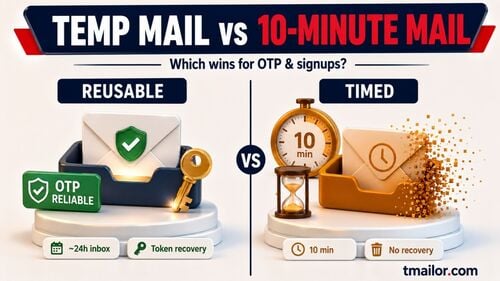
Both models start the same way — an instant, receive-only address — and differ only in what happens next. A short-life inbox is meant to be forgotten the moment you have read the code. A reusable one is tied to an Access Token so you can come back to it. Match the inbox to the task rather than defaulting to one.
Scenario Comparison
| Scenario | Recommended | Why |
|---|---|---|
| One‑time OTP | Short‑life | Minimizes retention; fewer traces after code use |
| Account signup you may revisit | Reusable | Tokenized continuity for future logins |
| E‑commerce receipts & returns | Reusable | Keep proof of purchase and shipment updates |
| Newsletter or promo trials | Short‑life | Easy opt‑out by letting the inbox expire |
| Password resets | Reusable | You need the same address to recover accounts |
Token Protection (Reusable)
Reusable addresses bind to an Access Token. It lets you reopen the same address later without turning the inbox into a full account with a password. Treat it as a recovery key rather than a lock: it is how you get back in, not something that keeps other people out, so keep it private. Lose it, and a guest address cannot be restored, not by you and not by support. If the address is saved to your free Tmailor account, you can open it from Created Emails and issue a new token there.
New to the idea? The temp mail overview page is a short primer on addresses and message lifetimes.
FAQ
Does a catch-all domain increase spam?
It increases acceptance surface area, but rate limits and sender reputation controls keep it manageable.
Can random aliases collide?
With sufficient length and entropy, practical collision rates are negligible; generators re-roll on conflicts.
When should I use plus-addressing?
Use it when websites support it reliably. Otherwise, random aliases pass validation more consistently.
Is a reusable inbox safer than a short-lived one?
Neither is universally “safer.” Reusable gives continuity; short-life minimizes retention.
Can I block attachments entirely?
On Tmailor there is nothing to block: inbound attachments are already stripped for you. You can read the message text, but a file sent to a Tmailor address cannot be opened or downloaded from the temp inbox.
How long are messages kept?
Display windows are short—roughly a day for ephemeral contexts—after which bodies are purged.
Will image tracking be blocked?
Remote images in a message are rewritten to load through a proxy, so the sender does not see your IP address, and active content is stripped when the HTML is sanitized. That reduces the tracking pixels a sender can rely on.
Can I forward messages to my personal email?
Plan to read messages in the temp inbox itself — Tmailor is receive-only and does not send mail, so there is no forward-to-your-real-address feature. If you need the same inbox again later, save its Access Token and reopen it instead.
What if an OTP doesn’t arrive?
Check that you copied the exact address, wait a moment, and resend once. If one specific domain looks blocked, a fresh random address may go through. If the site plainly forbids disposable email, that is a policy, not a glitch — use your real address for that account instead of cycling temp ones.
Is there a mobile app?
Yes. See the Android and iOS temp mail app for the official apps and push notifications.
Conclusion
Catch‑all acceptance and smart alias generation are what remove the setup friction, and the guardrails — rate limits, short retention, stripped attachments — are what keep an open inbox workable. Choose a short‑life address when you only need a one-time code, and a reusable one when you may need receipts, returns, or a password reset later. And when a service clearly does not allow disposable email, the right move is a real address, not another alias.
For the full pipeline — MX routing, inbox lifecycles, and token-based reuse — read how disposable email works.

Marcus Lee writes Tmailor's step-by-step guides — signing up to apps and platforms with temp mail, using the mobile app and Telegram bot, custom domains, reusing addresses, and getting the most out of disposable email day to day.