Tmailor
 How to Leverage a Secondary Email to Maintain Online Privacy
A secondary email address is one of the simplest privacy upgrades you can make — yet most people either skip it entirely or set one up without a clear plan for what goes where. The result is two messy inboxes instead of one. This guide shows you how to create and use a secondary email strategically: which types of accounts and signups belong in your secondary inbox, how to keep it separate from your primary identity, when a secondary email is better than temp mail (and when it's worse), and the specific setup steps that turn a second address into a genuine privacy layer.
Quick access
Introduction
A secondary email is a separate address you use for the accounts that don't belong in the inbox you actually depend on — newsletters, shopping, forums, low-priority signups. Used deliberately, it cuts spam, keeps your primary address out of far more databases, and makes it obvious which accounts you would still care about a year from now. Temp mail solves a narrower problem: a short-lived, receive-only inbox for something you only need to receive once.
The two are not interchangeable, and most of the bad advice on this topic comes from treating them as if they were. The sections below cover what each one is genuinely good for and where each one will let you down.
What is a secondary email?
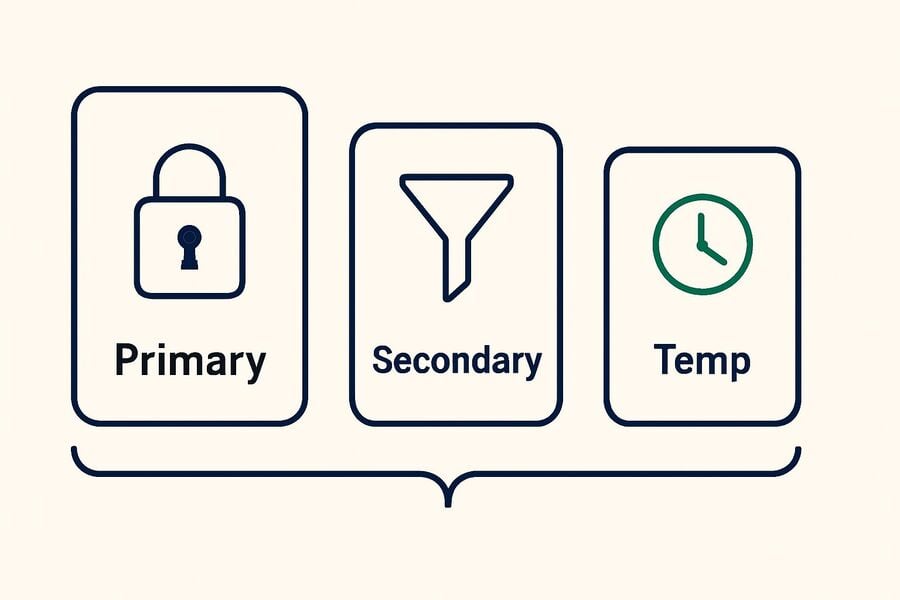
A secondary email is a second address kept alongside your primary one. It can be a full second mailbox with its own password, or an alias that sorts mail inside an existing inbox — and the difference matters more than most guides admit. A full mailbox is a real account you can recover; an alias is a label on the account you already have.
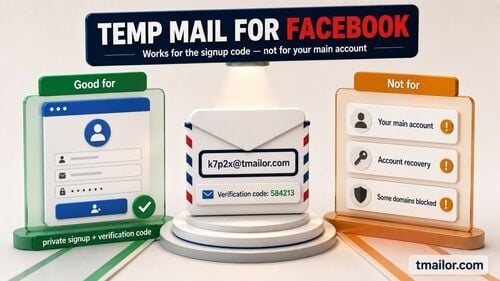
For genuinely short-lived needs, temp mail is a third option: a disposable address you don't register for. On Tmailor, incoming messages are deleted automatically about 24 hours after they arrive, and the inbox is receive-only — you can read what lands there, but you cannot reply from it. That makes it useful for a code or a confirmation link, and a poor choice for anything you may need to come back to.
Benefits of Using Secondary Emails
A secondary email works by separating risk from routine. Your primary inbox holds the accounts that would hurt to lose; the secondary one absorbs the rest, along with the spam, breach notices, and marketing that come with them.
- Avoid spam and unwanted ads: When you sign up for notifications or download gated material, use the secondary address. If that service later sells its list or gets breached, the fallout lands somewhere you don't mind.
- Maintain focus on the primary mailbox: Banking, work, tax, and personal correspondence stay in one place, uncluttered by the hundred small accounts everyone accumulates. A secondary inbox is a filter you don't have to configure.
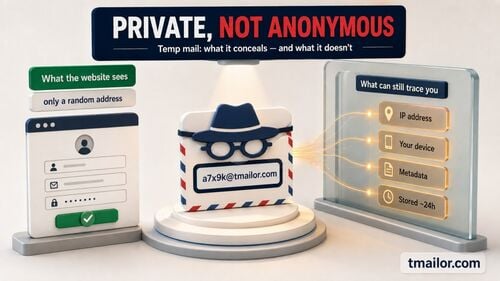
- Reduce exposure of your real address: Every service you hand your primary address to is one more place it can leak from. A secondary email limits that spread — but be clear about what it is not. It does not make you anonymous: the service still sees your IP address, your device, and whatever else you type into the form. It narrows what is linked to your main identity; it does not erase you.
When should I use a secondary email?
The rule of thumb is about recovery, not about privacy. Ask one question before you type an address into a form: if I lose access to this inbox, do I lose anything that matters? If the answer is yes, the account belongs on a real mailbox — primary or secondary. If the answer is genuinely no, a temporary address will do.
- Sign up on sites you don't know yet: Content gated behind an email form is a common way to build marketing lists. A secondary address, or temp mail if you never intend to return, keeps that away from your primary inbox.
- Surveys, promotions, and one-off downloads: These are the clearest case for a disposable address. You receive one message, you use it, and you never think about that service again.
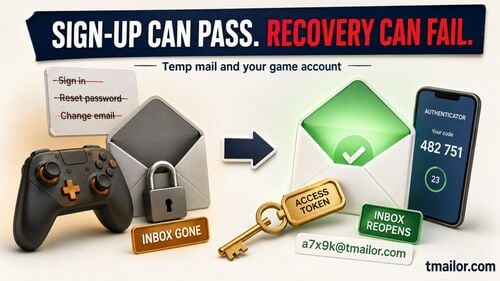
- Secondary social profiles and long-running subscriptions: Use a real secondary mailbox here, not temp mail. Any account you would be annoyed to lose needs a working recovery address, and a temporary inbox cannot be one — password resets sent to it may be long gone by the time you need them. This is the single most common mistake people make with temp mail, and it is how accounts get abandoned rather than protected.
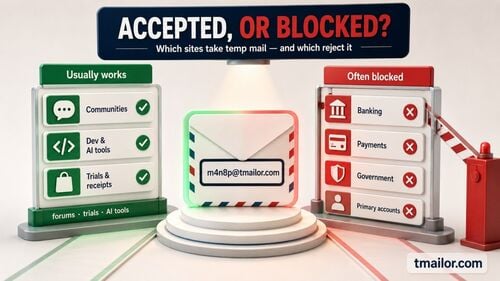
One caveat worth stating plainly: some services do not accept disposable addresses at all, and say so in their terms. That is a policy, not an obstacle to solve. If a site tells you it won't take a temporary address, sign up with a real one you control — working through one disposable address after another to get around a rule the service has clearly stated is not what temp mail is for.
Secondary Email Creation Methods
There are three practical ways to get a second address, and they solve three different problems. Pick by how long you need the inbox to exist and how badly you would want it back.
- Use a separate email address: Create a second account with any mainstream provider — Gmail, Yahoo, Proton, whichever you prefer. This is the option for anything with a login you intend to keep: it has its own password, its own recovery path, and messages that stay put.
- Use the alias function of the email: Gmail lets you add a tag to your address, as in yourname+news@gmail.com, and mail still arrives in your normal inbox where you can filter it. This is excellent for organization and for spotting exactly who leaked or sold your address — but treat it as sorting, not privacy. Delete the +news and anyone can see your real address, and support for the tag varies from one signup form to the next. An alias is a label on your main mailbox, not a shield in front of it.
- Use temp mail services: Tmailor gives you a working address with no signup at all — open the page and it is already there. The limits are the point: the inbox is receive-only, inbound attachments are stripped so a file sent to the address can never be opened, there is no spam folder or filter, and each message is deleted about 24 hours after it arrives. If you might want that same address again, save its Access Token, which is the key that reopens it. It is not a password and it does not lock anyone else out — and if you lose it, no one can restore that inbox for you.
Compare Secondary Email with Temp Mail
A secondary email and a temporary one look similar and behave nothing alike. The honest split: a secondary email is an account, so you can recover it, reply from it, and keep it. Temp mail is a drop box — it catches one message and then it is gone.
- Benefits of long-term secondary emails: A real second mailbox is the right home for subscriptions, shopping accounts, communities, and secondary social profiles — anything that might send you a receipt, a renewal notice, or a password reset you actually need. You can reply from it, receive files, and get back into it if you forget the password.
- Advantages of temp mail for short-term purposes: There is no signup, mail arrives in seconds, and your real address is never handed over. The trade-offs are real and worth stating: with Tmailor the inbox is receive-only, attachments sent to it are stripped, messages clear after about 24 hours, there is no spam folder, and losing the Access Token means losing the easiest way back to that address. It is a good tool for a verification code and a bad tool for anything else.
- What neither one gives you: Anonymity. A second address hides your primary one from a service; it does not hide you from that service. And a disposable inbox is not a private one — it has no password, so anyone who knows the address could read what is in it. Never have anything confidential sent to a temporary inbox.
Notes on Using Secondary Emails
A secondary email only pays off if you treat it as part of your recovery plan rather than as a dumping ground. A few habits keep it useful.
- Credential security: A secondary mailbox deserves the same care as your main one — its own strong password and two-factor authentication if the provider offers it. An abandoned second inbox with a weak password is a way into every account you pointed at it.
- Check your secondary inbox periodically: If real accounts live there, real mail arrives there: renewal notices, security alerts, receipts. A mailbox you never open is not a privacy layer; it is a blind spot.
- Don't use secondary emails for important accounts: Banking, government, healthcare, payroll, and your primary identity accounts belong on the address you guard most carefully — and never on a temporary one.
- Match the inbox to the need: If you will need to reply, open an attachment, or recover the account later, use a real address. If you need to receive one code from a service you will never revisit, a temporary address is the cleaner choice. Most email privacy mistakes are just this decision made backwards.
Conclusion
A secondary email is the durable half of this setup: a lasting buffer between your primary inbox and the long tail of accounts that don't deserve it. It costs you five minutes to create and pays off every time a service you barely remember shows up in a breach notice.
For the brief, low-stakes signups — a one-time download, a promo code, a form standing between you and an article — a free temp mail address does the job without exposing your primary address, provided you remember what it is: receive-only, inbound attachments are stripped, and messages clear after about a day. Use the one that matches how long you need the account, and how much you would mind losing it.
Jordan Mills has covered disposable email, OTP delivery and online privacy since 2018. He writes Tmailor's guides on staying anonymous, avoiding spam, and getting verification codes to land every time.