How Tmailor's Temp Mail Domains Work — Pool Size, Types, and Your Choices
Tmailor draws every address from a large pool of public domains on Google-MX infrastructure. Here is how many there are, which types you get, and how much you can choose.
Quick access
Key Takeaways
The short version of how Tmailor's domains work before the details.
- Tmailor offers 500+ public domains, all on Google-MX infrastructure for reliable inbound delivery.
- Addresses use ordinary .com-style domains; Tmailor does not offer .edu addresses.
- You get a random domain by default, but you can switch to a supported domain and, on those that allow it, set a custom name instead of a random one.
- Switching domains creates a new inbox — save your Access Token if you will need the old one back.
- Some sites still block disposable domains; if one is rejected, pick another and try again.
How many domains does Tmailor offer?
Why a large pool matters for getting your mail through.

Tmailor runs a pool of more than 500 temp mail domains on Google MX infrastructure. Two details matter more than the headline number.
First, the pool rotates: only a portion of it is actively issuing new addresses at any given moment, while the rest is held in reserve and cycled in over time. Second, that live list is deliberately never published. Printing it would simply hand it to the anti-disposable vendors that sites buy their blocklists from — they would ingest the whole thing and block every domain at once. The pool stays useful precisely because it stays unlisted.
Both facts point the same way for you: if a signup form refuses your address, generate a new random one. A random address is drawn from that large unpublished rotation, rather than from the short public list — which is the part of the pool a filter is most likely to already know about.
In practice, a large domain pool means variety in the part of your address that comes after the @ symbol, not 500 separate inboxes. Every address you create still behaves the same way: it receives mail for 24 hours, strips attachments, and can be reopened later with an Access Token.
What domain types are available — and why not .edu?
Which extensions will you see, and which will you not?
Tmailor's domains are ordinary public domains, mostly .com-style names chosen for broad acceptance across websites. Tmailor does not offer .edu addresses. The .edu extension is reserved for accredited educational institutions, so that no legitimate temporary email service can issue one. If a form specifically requires a verified .edu address, temp mail is not the right tool.
For most newsletters, trials, shopping, and account signups, a standard .com-style domain is exactly what services expect, which is why Tmailor's pool focuses on that.
Can you choose your domain or email name?
How much control do you have over what your address looks like?
By default, Tmailor assigns you a random address, and the domain is picked for you rather than chosen from a menu. There is also a custom option, where you can pick a domain from a short list and set your own name instead of a random string, as long as it fits a few formatting rules (lowercase letters, numbers, dots, and underscores, within a sensible length).
Here is the part most guides get backwards, and it is worth understanding before you choose. The custom option is the narrow door, not the wide one. Only a handful of domains are exposed in that picker. The random flow draws from a far larger pool, and it deliberately never shows you the list.
That is a design decision, not an oversight. Publishing every temp mail domain would simply hand the list to the anti-disposable filters that sites buy — they would ingest it and block the whole pool at once. Keeping the pool unpublished is what keeps most of it working. The trade-off lands on you in one specific way: the few domains you can hand-pick are also the most visible ones, so they are the likeliest to be recognized and refused. If you want full control over the name on every address, the cleaner route is to your own private domain, which is a separate feature covered below.
How to change the domain to a new address
Switching to a different domain takes a few clicks.
To use a different domain, choose one from the new-address screen rather than accepting the default. Each domain gives you a separate inbox, so changing the domain effectively starts a fresh address. If you need to return to a previous inbox, save your access token first — that token is the only way back to an inbox once you have moved on or after the 24-hour window has passed.
This public-pool switching is different from connecting to a domain you own; you do not need to set up MX records to switch to a different shared domain.
What if a site blocks a Tmailor domain?
A quick fix, plus where to read more.
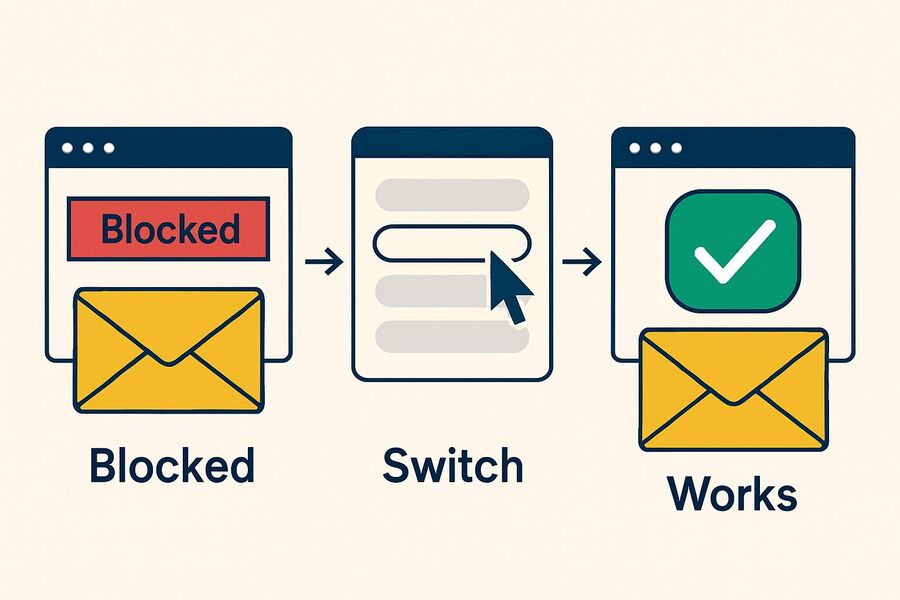
If a website rejects your address, that domain is on a disposable email blocklist. The most effective fix is also the least obvious: generate a new random address rather than hand-picking another one. A random address pulls from the large, unpublished pool, while the hand-pick list is the small, visible one. Acceptance still varies from site to site, so there is no guarantee either way. Tmailor rotates domains partly to reduce these false rejections, but no temporary email service is accepted everywhere. For the full picture, see why sites block disposable domains and how domain rotation improves the odds that codes arrive.
Want a domain only you control?
When the public pool is not enough, bring your own.
If you need a domain that is exclusively yours — for a private inbox or a branded address — Tmailor lets you connect your own domain with custom MX records. That is a separate setup from the public pool described above, and it is the better choice when you want complete control over the domain rather than picking from shared ones. Everything else stays the same: receive-only delivery, attachment stripping, and reuse through an Access Token.
Limitations
What domain choice cannot do for you.
- Choosing a domain improves acceptance, but does not guarantee it — some services block all disposable domains.
- There are no .edu or other institution-only domains.
- Changing the domain creates a new inbox; without the saved Access Token, the old one is gone after 24 hours.
- Custom names are available only on domains that allow them, or on your own connected domain.
- Temp mail stays receive-only, no matter which domain you use.
Frequently Asked Questions
How many domains does Tmailor have?
Tmailor runs a pool of more than 500 temp mail domains on Google MX infrastructure. The pool rotates, so only part of it is issuing new addresses at any given moment, and the live list is deliberately not published — publishing it would let anti-disposable filters block the whole pool at once. If a site rejects one domain, generate a new random address and you will usually get through.
Does Tmailor offer .edu or .com email addresses?
Tmailor provides standard .com-style public domains that most websites accept. It does not offer .edu addresses, because .edu is reserved for accredited institutions, and no legitimate temp mail service can issue one.
Can I choose my own email name on Tmailor?
Addresses are random by default. A custom option lets you set your own name, but only on the short list of domains exposed in that picker — the random pool is much larger and is deliberately not published, so that anti-disposable filters cannot ingest it and block every domain at once. For full control over the name on every address, connect your own private domain instead.
How do I change the default domain on Tmailor?
You can pick from the short custom-domain list on the new-address screen, but generating a fresh random address usually serves you better: it draws from the large, unpublished pool rather than the small visible one. Each domain is a separate inbox, so save your Access Token first if you want to return to the previous one. You do not need MX records to switch between shared public domains.
What should I do if a site blocks my Tmailor domain?
If just one domain is refused, generating a new random address usually helps, because a random address is drawn from the large, unpublished pool rather than the short public list. But be honest about which problem you have: if the site declines disposable email as a matter of policy, that is its call — use a permanent address you control instead of cycling through domains.
The Bottom Line
Tmailor's 500+ public domains help deliver your mail without exposing your real address. You can use the default random domain, switch to a supported domain, and sometimes set a custom name — and if one domain is blocked, another usually works. For a domain that is exclusively yours, connect your own domain with custom MX records. Either way, create a temp mail address and save your Access Token so you never lose an inbox you care about.

Marcus Lee writes Tmailor's step-by-step guides — signing up to apps and platforms with temp mail, using the mobile app and Telegram bot, custom domains, reusing addresses, and getting the most out of disposable email day to day.