Temp Mail: Your Secure Gateway to a Spam-Free Inbox
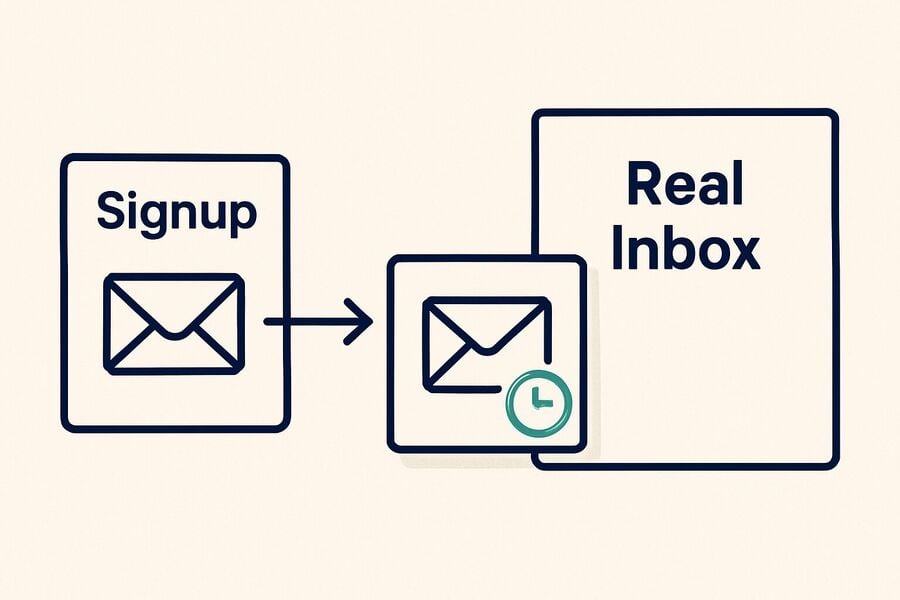
Your real email address is the single biggest magnet for spam, phishing attempts, and marketing noise on the internet. Every signup form, checkout page, and free trial you touch adds another sender to the list — and unsubscribe buttons rarely work as promised. A temporary email gives you a clean, disposable inbox that absorbs all that noise before it ever reaches your real address. This guide explains how temp mail works, what makes tmailor.com different from basic throwaway services — including token-based reuse, multi-domain support, and instant mobile access — and how to build a simple system that keeps your primary inbox permanently clean.
Quick access
TL;DR / Key Takeaways
- Generate a private, receive-only address in seconds—no account required.
- Stop spam before it reaches your real inbox; reduce hidden email trackers.
- Reuse the exact address later via a secure Access Token for re-verification.
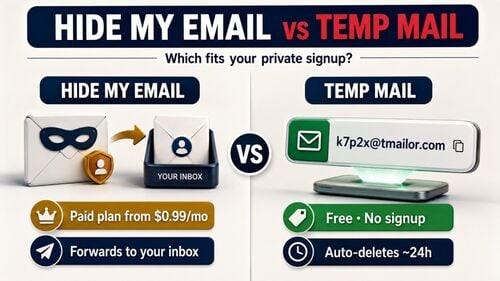
- Emails auto-purge in ~24 hours, minimizing persistent data exposure.
- Start with the temporary email generator, or choose a short-lived 10?minute inbox.
Get Temp Mail Now
Create a clean, private inbox in a couple of taps and return to your task without friction.
Open the temporary email generator, create an address, and keep the inbox tab open. At the same time, you sign up or fetch an OTP. Messages are receive-only and auto-purge after roughly one day. If you return later, save the Access Token. In that case, this is the only way to reopen your temp inbox later for password resets or re-verification.
CTA: Create new temp mail now.
Why Temp Mail Matters
Reduce spam risk, limit data collection, and keep your primary identity out of unfamiliar databases.
Temporary email—disposable, throwaway, or burner email—keeps your real address separate from one-off registrations, trials, and unknown senders. That separation reduces the blast radius of data breaches and curbs marketing drip campaigns. It blocks many tracker-based open/read signals (especially when images are proxied).
See How Protection Works
Understand the privacy levers behind masked addresses, image proxying, and data minimization.
- Receive-only, no attachments: Tmailor cannot send or reply, and every inbound attachment is stripped — a file sent to the address can never be opened or downloaded. These are real limitations, not features: they are the reason it is safe to hand the address to a site you do not trust, and the reason it is the wrong inbox for anything you need to keep.
- Image proxy & safe HTML: Rendering email content through a proxy and sanitizing HTML reduces passive tracking surface (e.g., invisible open pixels) and script-based beacons.
- Clear retention windows: Auto-purge in about 24 hours limits any message's length in the temporary inbox environment.
- Token continuity: A per-inbox Access Token lets you reopen the exact address later. It is helpful for re-verification or password recovery without exposing your primary email.
What Sets Us Apart
Focus on reliability under load, reusable addresses for real accounts, and a polished, mobile-first experience.
- Domain breadth & MX: Random address creation draws from a large, rotating pool of domains — only a subset issues addresses at any given moment, and the live list is deliberately unpublished, so it cannot simply be copied into a blocklist. The custom-name tab, by contrast, exposes only a few domains. Inbound mail is routed through Google's MX infrastructure. That is the mechanism; whether any given site accepts a given address still depends on that site's own filters and policy.
- Global speed via CDN: A lightweight UI and content-delivery acceleration keep inbox refreshes snappy.
- Pragmatic privacy posture: Minimal UI and tracker?aware rendering balance usability with privacy constraints.
- Platform coverage: Web, Android, iOS, and a Telegram bot support on-the-go workflows.
Use Temp Mail Wisely
Pick the workflow that matches your task and minimize your exposure at every step.
- Sign-ups & trials: Keep marketing drip and promotional blasts out of your real inbox.
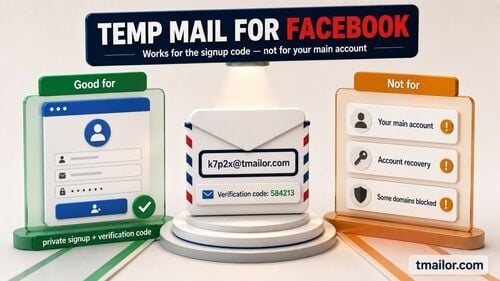
- OTP & verifications: Generate an address, trigger the code, and read it in the open inbox. If one domain is not receiving, generating a fresh random address is the ordinary next step — that is troubleshooting a delivery fault, and it may or may not work. If the site refuses disposable email as a matter of policy, no new address changes that: use a real address rather than cycling.
- QA & developer testing: Spin up multiple addresses for test accounts without polluting real mailboxes.
- Research & one-offs: Download a whitepaper or register for a webinar without long-term contact baggage.
- Ongoing accounts: Save the Access Token to reuse the exact inbox for future password resets.
Background / Context
Why email masking is gaining traction across mainstream tools and privacy products.
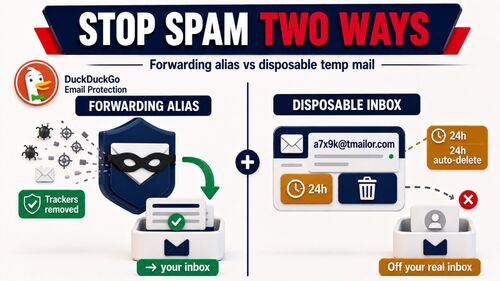
Large platforms and privacy products now normalize masked or relay addresses. That shift reflects two realities: 1) email tracking remains common in newsletters and campaigns, and 2) users increasingly prefer data minimization—only sharing what’s necessary to complete a task. Temp mail services sit alongside aliasing/relay features as a lightweight, no-account option for quick, compartmentalized identities.
What Real Workflows Reveal (Insights / Case Study)
Practical patterns from power users, QA teams, and casual sign-ups.
- Power users: Maintain a small library of reusable temp addresses (tokens saved) for services that periodically re-verify logins. This keeps password resets and device handoffs clean while shielding the primary inbox.
- QA & SRE teams: Generate dozens of addresses during load tests or integration checks. Reuse helps reproduce verification flows without rebuilding data each run.
- Everyday sign-ups: Use a short-lived address first for a new newsletter or tool trial. If the tool earns your trust, migrate to a permanent email later.
What Experts Recommend (Expert Opinions / Quotes)
Security and privacy organizations consistently highlight tracker risks and promote data minimization.
Privacy advocates explain that tracking pixels—often transparent 1×1 images—can reveal when, where, and how an email is opened. Practical mitigations include blocking remote images by default and using relays or proxies. Mainstream vendors ship email aliasing features, reinforcing that your real address should stay private by default. Regulation also points to data minimization as a sensible standard for handling personal information.
Solutions, Trends, and What’s Next
Expect wider alias support, better tracker defenses, and more granular control over address reuse.
- Broader alias integrations: Browsers, mobile OSes, and password managers increasingly support one-click masked addresses during sign-ups.
- Better rendering defaults: Safe-by-default HTML and image proxying will continue to reduce passive tracking.
- Granular reuse controls: Expect clearer tooling around token-based reuse—naming/revoking inboxes and assigning purpose tags for long-term accounts.
How To Get Started
A fast, reliable workflow for safe sign-ups and verifications.
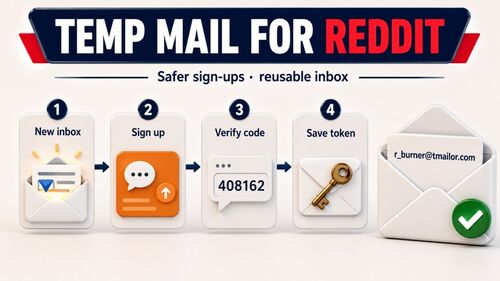
- Generate an address
- Open the temporary email generator, create a new inbox, and keep the tab open.
- Sign up and fetch the OTP.
- Paste the address in the registration form, copy the code, or click the verification link in your inbox.
- Save the Access Token (optional)
- If you’ll return later—password reset, 2FA device handoff—store the Access Token securely.
- Minimize exposure
- Don’t forward temp messages to your primary email. Copy what you need; the rest auto-purges.
Inline CTA: Create a new temp mail now.
Compare Leading Providers (Comparison Table)
Feature signals professionals actually check before trusting a service with verifications and resets.
| Capability | tmailor.com | Typical Alternatives |
|---|---|---|
| Receive-only (no sending) | Yes | Usually |
| Auto-purge (~24h) | Yes | Varies |
| Token-based inbox reuse | Yes | Rare/Varies |
| Domain breadth (hundreds) | Yes | Limited |
| Tracker-aware rendering | Yes | Varies |
| Apps + Telegram support | Yes | Varies |
Notes: Always verify each provider’s current policy before relying on it for critical workflows like password recovery.
Direct Call To Action (CTA)
Ready to keep spam out and stay private? Generate a new temp mail now and get back to your task.
FAQ
Is temp mail legal to use?
Generally, use it within each website’s terms and policies.
Can I send emails from a temp inbox?
No. Tmailor is receive-only: it cannot send or reply. That is a deliberate design choice, and a real limit — any flow that asks you to reply to a message will not work from a temp inbox.
How long are emails kept?
Roughly 24 hours, then the system automatically purges them.
Can I reuse the exact address later?
Yes—save the Access Token to reopen that exact inbox.
Are attachments supported?
No. Tmailor cannot receive files: every inbound attachment is stripped, so a file sent to the address can never be opened or downloaded. This is a real limitation to plan around, not a setting.
Will Temp Mail stop all tracking?
It reduces exposure but cannot eliminate all tracking. Image proxying and safe HTML help curb standard trackers.
What if a site blocks the domain?
First, figure out which kind of block it is. If one specific domain is not receiving, generating a fresh random address is ordinary troubleshooting of a delivery fault — it may work, and it may not. But if the site does not accept disposable email as a matter of policy, that is a decision it has made, and no address you generate overrides it — use a real address you control rather than cycling addresses.
Can I manage temp mail on mobile?
Yes—use the mobile apps or the Telegram bot for quick access.
Conclusion
Temp mail is a fast, practical shield against spam and over-collection. Choose a provider with strict retention, tracker-aware rendering, domain breadth, and token-based reuse. Generate an address when needed, save the Access Token for long-term accounts, and keep your real inbox clean.

Marcus Lee writes Tmailor's step-by-step guides — signing up to apps and platforms with temp mail, using the mobile app and Telegram bot, custom domains, reusing addresses, and getting the most out of disposable email day to day.