Privacy-First E-Commerce: Safer Checkouts With Temp Mail
Brzi pristup
E-Commerce Privacy Hub: Kupujte sigurnije, smanjite spam, držite OTP-ove konzistentnim
TL; DR / Ključni zaključci
Neka naplata bude privatna
Pouzdano primajte OTP
Mudro usmjerite račune
Etički upravljajte popustima
Prebacite se na višekratnu upotrebu inboxa
Timski i porodični priručnik
Rješavanje uobičajenih problema
Brzi početak
E-Commerce Privacy Hub: Kupujte sigurnije, smanjite spam, držite OTP-ove konzistentnim
U nedjelju navečer, Jamie je tražio par tenisica. Kod je stigao brzo, naplata je bila glatka - a onda se inbox ispunio dnevnim promocijama iz tri partnerske trgovine za koje Jamie nikada nije čuo. Mjesec dana kasnije, kada su cipele izgrebale i bio je potreban povrat, račun je zakopan negdje - ili još gore, vezan za adresu za jednokratnu upotrebu korištenu za popust.
Ako vam to zvuči poznato, ovaj vodič je vaš popravak. Sa pametnom rotacijom domena, zadržat ćete poslove koji teku u jednokratnu pristiglu poštu, dobiti verifikacijske kodove na vrijeme i premjestiti račune na adresu za višekratnu upotrebu. Dakle, povrati, praćenje i jamstveni zahtjevi ostaju nadohvat ruke.
TL; DR / Ključni zaključci
- Počnite privatno: koristite jednokratni inbox za kupone i prve prijave.
- Za OTP-ove: sačekajte 60-90 sekundi, ponovo pošaljite jednom ili dvaput, a zatim rotirajte na novu domenu.
- Prije praćenja ili podrške tiketa, prebacite se na adresu za višekratnu upotrebu kako biste sačuvali zapise.
- Odvojeni tokovi: kratki vijek trajanja za promocije, uporni za račune i narudžbe visoke vrijednosti.
- Napišite jednostavnu knjigu za tim/porodicu: ponovno pošaljite prozore, pravila rotacije i oznake imenovanja.
- Rješavanje problema redom: provjerite adresu → ponovno pošaljite → rotirajte domenu → eskalirajte s dokazom.
Neka naplata bude privatna
Možete držati promotivnu buku dalje od vašeg pravog inboxa dok testirate nove trgovine s manje rizika.
Kada pristigle sandučiće kratkog vijeka trajanja sjaje
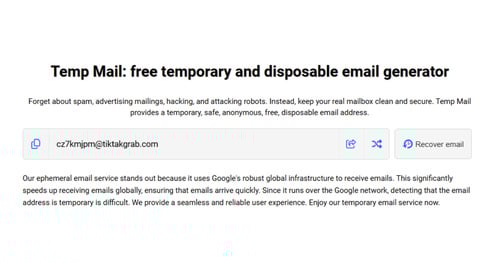
Koristite jednokratnu adresu za kodove dobrodošlice, probne pretplate, registre poklona ili jednokratne poklone. Ograničava izloženost ako je lista trgovca prodana ili probijena. Ako ste novi u konceptu, prvo preletite osnove privremene pošte - kako radi, gdje se uklapa, a gdje ne.
Izbjegnite izgubljene potvrde
Upišite jednom, zalijepite, a zatim pogledajte lokalni dio i domenu znak po znak. Pazite na zalutale razmake ili slična slova. Ako se potvrda ne pojavi odmah, osvježite jednom i odgodite brza ponovna slanja - mnogi sistemi se gase.
Držite plaćanje odvojeno
Tretirajte potvrde plaćanja kao zapise, a ne kao marketing. Nemojte ih usmjeravati na istu adresu za bacanje kao kupone. Ta navika štedi vrijeme kada trebate provjeriti povrat novca ili unakrsnu provjeru ID-a narudžbe.
Pouzdano primajte OTP
Male vremenske navike i čista rotacija sprječavaju većinu štucanja u verifikaciji.
Pokušajte ponovo sa Windowsima koji rade
Nakon što zatražite kod, sačekajte 60-90 sekundi. Ako ne sleti, pošalji ga jednom. Ako politika dopušta, pošaljite ponovo drugi put. Stani tu. Prekomjerni pokušaji su čest uzrok privremenih blokada.
Rotirajte domene pametno
Neki trgovci ili provajderi smanjuju prioritet određenih porodica domena tokom vršnih sati. Ako kodovi stižu sporo, dva pokušaja zaredom, prebacite se na novu adresu na drugoj domeni i ponovo pokrenite tok. Za brze prijave s niskim ulozima, 10-minutni inbox je u redu - izbjegavajte ga za kupovine koje ćete možda morati dokazati kasnije.
Pročitajte tragove isporučivosti
Jesu li ponovna slanja brža od originala? Da li kodovi zaostaju tokom značajnih prodajnih događaja? Da li određene trgovine uvijek puze iz prvog pokušaja? Ti obrasci vam govore kada da rotirate ranije ili počnete na drugoj domeni.
Mudro usmjerite račune
Samo da znate - sve što biste mogli vratiti, osigurati ili trošak pripada u inbox koji možete ponovno otvoriti.
Podijeljena promocija i dokaz
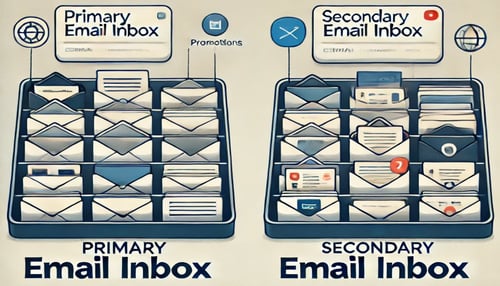
Promocije i bilteni → kratkotrajnom inboxu. Računi, praćenje, serijski brojevi i garantni dokumenti → trajnu adresu. Ova podjela čisti pozive podrške i izvještaje o troškovima.
Pravila povrata i garancije
Prije nego što započnete povratak ili otvorite tiket, prebacite nit na adresu koju možete ponovno posjetiti. Pretpostavimo da želite pogodnost jednokratne adrese bez gubitka kontinuiteta. U tom slučaju, možete ponovo koristiti privremenu mail adresu putem tokena kako biste zadržali cijeli papirni trag netaknut.
Povijest narudžbi Higijena
Usvojite jednostavan obrazac imenovanja: Trgovina – Kategorija – Narudžba # (npr. "Nordway – Shoes – 13244"). Brže je pronaći "Cipele" tokom razgovora s podrškom nego skrolati kroz mjesec dana promocija.
Etički upravljajte popustima

Ostvarite ponude bez okidanja čekova za prijevaru - ili zakopavanja vaših budućih primanja.
Kodovi dobrodošlice, poštena upotreba
Skupljajte kodove prvog reda sa kratkotrajnim inboxom. Držite lagani list provjerenih kodova po trgovcu. Ostatak orežite. Korištenje jednog čistog toka po trgovini smanjuje spam i zastavice rizika.
Sezonski priručnici
Tokom velikih rasprodajnih sedmica, zavrtite namjenski inbox kratkog vijeka trajanja za ograničene vremenske eksplozije, a zatim ga arhivirajte ili odbacite kada se događaj završi. Držite račune na svojoj stalnoj adresi od početka.
Izbjegavajte zastavice računa
Ako naiđete na ponovljene izazove, usporite. Ne rotirajte adrese usred sesije; Dovršite tok ili se povucite i pokušajte ponovo kasnije. Neka se automatizirani sistemi rizika ohlade.
Prebacite se na višekratnu upotrebu inboxa
Znajte kada je kontinuitet vredniji od jednokratnosti.
Prije praćenja ažuriranja
Prebacite se neposredno prije nego što trgovina izda broj za praćenje, tako da kurirske obavijesti, prozori za isporuku i izuzeci svi slijeću na isto mjesto.
Prije jamstvenih zahtjeva
Možeš li pomaknuti nit prije otvaranja ulaznica? Jedan, kontinuirani lanac skraćuje naprijed-nazad sa korisničkom službom.
Nakon velikih kupovina
Veliki uređaji, laptopi, namještaj - sve što možete popraviti, osigurati ili preprodati - pripada trajnoj, nadoknadivoj adresi od prvog dana.
Timski i porodični priručnik
Skup pravila na jednoj stranici pobjeđuje ad-hoc odluke kada kupujete za druge.
Zajednička pravila koja skaliraju
Napišite skup pravila od jedne stranice koji svi mogu slijediti: koje domene su odobrene, prozor za ponovno slanje (60-90 sekundi), ograničenje ponovnog slanja (dva) i tačni trenuci za rotiranje na novu domenu. Čuvajte ga tamo gdje ga cijeli tim ili obitelj mogu brzo zgrabiti.
Označavanje i arhiviranje
Koristite iste oznake na svim računima - Trgovac, Kategorija, Narudžba #, Garancija - tako da se teme uredno poredaju - arhivirajte završene narudžbe jednom mjesečno. Ako se većina naplata događa na telefonima, prikvačite kompaktnu, mobilnu referencu kako je nitko ne bi tražio.
Predaja bez trenja
Kada neko drugi treba da nadgleda isporuku ili zatraži garanciju, proslijedite token za višekratnu upotrebu inboxa plus kratku napomenu o statusu - nije potrebna lična e-pošta. Za provjere u pokretu, lagani interfejs pomaže: isprobajte privremenu poštu na mobilnom uređaju ili brzu Telegram opciju.
Rješavanje uobičajenih problema
Možeš li da središ listu po redu? Većina problema je jasna do trećeg koraka.
Provjerite točnu adresu
Uporedite svaki lik. Potvrdi domenu. Uklonite prateće razmaka. Greške u kucanju i zalijepljeni razmak uzrokuju iznenađujući udio neuspjeha.
Pošalji ponovo, a zatim rotiraj
Nakon jednog (najviše dva) ponovnog slanja, prebacite se na drugu domenu i pokušajte ponovo sa cijelom sekvencom. Blokovi se zategnu ako nastavite udarati istog pošiljaoca iz iste domene.
Eskalirajte s dokazima
Možete li zabilježiti vrijeme zahtjeva, vrijeme ponovnog slanja i screenshot prikaza inboxa? Agenti podrške se kreću brže sa vremenskim oznakama. Molimo provjerite sažete smjernice za često postavljana pitanja ako vam je potrebno više odgovora.
Brzi početak
Jedna stranica koju možete sačuvati za kasnije.
Postavljanje jedne stranice
- Koristite kratkotrajni inbox za promocije i kodove za prvi put.
- Ako OTP zaostaje, sačekajte 60-90 sekundi, ponovo pošaljite jednom ili dva puta, a zatim rotirajte domene.
- Prije praćenja ili podrške tiketa, prebacite se na adresu za višekratnu upotrebu kako biste sačuvali svoju nit.
Podsjetnici na zamke
Ne miješajte potvrde plaćanja s promotivnim neredom. Ne pritiskaj dugme za ponovno slanje. Ne oslanjajte se na kratkotrajne sandučiće za kupovinu visoke vrijednosti ili bilo što što biste mogli osigurati.
Opciono: Mikro-alati za zaposlene kupce
Trebate potvrditi dok putujete na posao? Koristite kompaktan prikaz prilagođen dodiru za skeniranje OTP-ova i ažuriranja isporuke: privremena pošta na mobilnom uređaju ili Telegramu.