TMAILOR BLOG

Using Temp Mail in the Age of AI: A Strategic Guide for Marketers and Developers

Marcus LeeHow-To & Product Guides Editor

The AI boom has created an explosion of new tools, platforms, and SaaS products — each one demanding an email address before you can try it. Marketers evaluating AI writing assistants and developers testing new APIs are signing up for dozens of services a month, and every signup adds another sender to their inbox permanently. Temporary email turns this firehose into a controlled experiment. This guide shows marketers and developers how to use temp mail strategically for AI tool trials: evaluating platforms without inbox commitment, keeping test accounts separate from production, handling OTP verification for gated features, and knowing when a tool has earned a spot in your permanent email workflow.

Quick access

TL;DR / Key Takeaways

  • AI-driven tools create more sign-ups, free trials, and risks of spam.
  • Temp mail is now a privacy-first solution and a productivity enhancer.
  • Marketers use it for campaign testing, competitor analysis, and cleaning inboxes.
  • Developers use it for QA, sign-up testing, and short-lived sandbox accounts.
  • Temp mail suits evaluation; permanent accounts still belong in a durable inbox.

Introduction

The world of digital marketing and software development has entered an AI-powered era. Automation, personalization, and predictive analytics are now mainstream. Yet this transformation has intensified one persistent problem: email overload and privacy risk.

For professionals navigating hundreds of platforms and free trials, Temp Mail has emerged as more than just a convenience — it is a strategic shield. No longer limited to dodging spam, disposable email is now a serious tool for marketers and developers working at the forefront of AI.

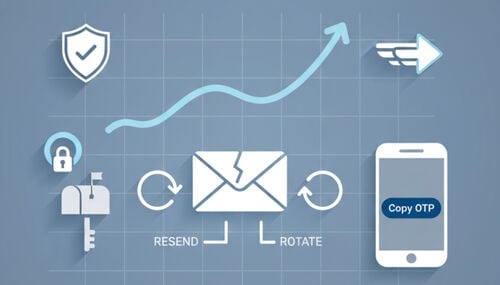
Evaluation flow trial a tool using a temporary inbox then decide and move anything you keep onto a permanent mailbox
Evaluate on a throwaway address. Move the tools you actually keep onto a real one, before the trial inbox ages out.

Why Temp Mail Matters in the AI Era

AI tools multiply the number of low-stakes sign-ups, one-time codes, and onboarding sequences a professional handles each month. Temp mail matters because it keeps that short-lived traffic out of a permanent work inbox. It is a good fit for evaluation and QA, and the wrong home for billing, shared ownership, or long-term account recovery.

AI-driven sign-ups and inbox noise

  • New AI products, waitlists, and gated feature tests all ask for an address before you can look at them.
  • Each sign-up can trigger a verification code, an onboarding sequence, and a promotional follow-up.
  • Result: a permanent inbox fills with messages that were only ever relevant for an afternoon.

Privacy and compartmentalization

Every address you hand over is one more record that can be profiled, resold, or exposed in someone else’s breach. A disposable address keeps experimental sign-ups away from a named personal or company mailbox, which limits how widely your real address circulates.

Productivity boost

Temp mail streamlines workflows. Instead of maintaining dozens of “junk accounts,” professionals open an inbox on demand, take what they need from it, and let it go.

Use Cases for Marketers

1. Campaign Testing Without Risk

Marketers can sign up with temp mail to validate:

  • Subject lines and preheaders.
  • Email automation triggers.
  • Deliverability across multiple domains.

It’s a sandbox for quality assurance before sending campaigns to real customers.

2. Competitor Intelligence

Disposable emails allow marketers to subscribe to competitor newsletters safely. Marketers gather insights by monitoring cadence and messaging strategies without revealing their identity.

3. Audience Simulation

Need to simulate how different demographics engage? Temp mail lets you generate multiple inboxes and test funnel variations. This is critical for multivariate testing in AI-driven marketing.

4. Inbox Hygiene

Instead of exposing work accounts to lead magnets or webinar promotions, temp mail provides a sacrificial inbox that preserves your professional workflow.

Use Cases for Developers

Developers use temp mail to keep test identities out of real employee inboxes during manual QA, exploratory testing, and short-lived sandbox work. The boundary to understand first: Tmailor is a receive-only service you read yourself, with no documented public API. When a human is watching the inbox, it fits. When code has to read the inbox unattended, you need a different tool.

1. QA and Continuous Testing

Developers building apps with sign-up flows, password resets, and notifications need a fresh address for every run. Temp mail removes the friction of creating real accounts repeatedly, and each address stays isolated from the last.

2. Where Temp Mail Ends and an API Begins

Tmailor does not publish a documented public API. There is no supported endpoint to poll, no webhook, and no way to fetch a message from a script. If your pipeline needs to read a verification email without a person clicking anything, use a dedicated email-testing provider that documents an API for exactly that. Choosing by workflow:

  • A person reads the inbox — manual QA, an exploratory test, a one-off trial. Temp mail is a good fit.
  • Code reads the inbox — CI runs, nightly suites, headless onboarding tests. Use a documented email-testing API instead.
  • Nobody reads the inbox — you only need the sign-up to succeed. Consider whether the test needs a real mailbox at all.

3. Sandbox and Evaluation Accounts

Temp addresses suit low-stakes sandbox accounts and tool evaluations, where you want to try an AI API or SaaS dashboard without tying an experimental sign-up to a permanent employee inbox.

4. Security in Development

Disposable addresses reduce the exposure of real staff addresses during testing, especially in shared environments or open-source projects where a screenshot or a committed fixture can leak an inbox. They are not suitable for billing, ownership recovery, or any account that has to survive the sprint.

How to Use Temp Mail Safely

Use temp mail for low-risk trials, manual QA, and one-off AI-tool evaluations — never for an account you would be in trouble to lose. The safe pattern is simple: keep evaluation inboxes separate from permanent work accounts, and migrate an account to a durable mailbox the moment it starts to matter.

  • Do not use disposable email for banking, healthcare, government, payroll, or anything else tied to your identity or your money.
  • If you may need the same address again, save the Access Token before you close the tab. It is a recovery key that lets you reopen that inbox — not a password and not a lock, and nobody can restore it for you if you lose it. The reuse a temp mail address page walks through it.
  • Use one address per tool or test path, so codes, onboarding mail, and password resets never overlap.
  • Move the account to a permanent inbox or SSO as soon as the tool touches billing, team ownership, or long-term recovery.
  • Remember there is no spam folder and no filtering inside a Tmailor inbox. Every inbound message is shown in one list, so “check your spam folder” advice does not apply here.

Limitations and Risks

Temp mail is useful precisely because it is short-lived and low-commitment, and those same traits are its limits. Read this list before you put anything on a disposable address that you cannot afford to lose.

  • Messages stay visible for about 24 hours from arrival. Copy the code or the link you need while you are there; there is no archive to go back to.
  • Tmailor is receive-only, and it cannot receive files. Every inbound attachment is stripped, so a PDF, an invoice, or an export sent to a Tmailor address can never be opened or downloaded. It also cannot send or reply, so any tool that expects an email confirmation from you is out of scope.
  • Acceptance varies between platforms and can change without warning. Random addresses draw from a large rotating pool of domains that is deliberately not published; the custom-name tab exposes only a few domains, and those are the easiest for a site to recognize.
  • If one domain is rejected, that domain is probably on a list, and another one may be accepted. But if a service’s terms say it does not accept disposable email, that is a policy, not a technical hiccup — use your real address instead of cycling through temp ones.
  • Abuse of any kind can still get an address or an IP range blocklisted, which spoils the tool for everyone using it legitimately.

The Future of Temp Mail in AI

Expect more sign-up flows, more verification mail, and more platforms checking whether an address is disposable. The useful future is not a race against those checks — it is faster inbox handling, and a clearer line between the accounts you are testing and the accounts you are keeping.

  • More intelligent anti-spam engines to classify promotional noise.
  • Faster inbox handling, surfacing the one-time code, the link, and the expiry window without hunting for them.
  • Context-aware inboxes, where AI suggests temp mail for a low-stakes sign-up and a real address for a lasting one.
  • More platforms screening disposable domains, because some services genuinely need a durable identity — and knowing which is which saves you time.
  • Privacy-first ecosystems where disposable email becomes a normal part of the toolkit.

Far from becoming obsolete, temp mail is poised to evolve into a default privacy tool for the parts of your workflow that are genuinely temporary — without pretending to be a substitute for a durable address when an account matters.

Case Study: How Professionals Use Temp Mail in Real Workflows

Two workflows show where a disposable inbox earns its place — and where it hands off to a real one. Both are ordinary evaluation and QA work on systems the team already owns.

Marketer Validating an Ad-Driven Signup Funnel

Before a paid campaign goes live, a marketer needs to know that the welcome email fires, the links in it resolve, and the promo code is attached. Testing that from a work inbox means either polluting it or burning a real subscriber record.

Working from a free temporary inbox instead, the pattern looks like this:

  • Open one address per funnel variant, then sign up through the landing page exactly as a customer would.
  • Watch what arrives: the welcome message, the nurture sequence, the cart-abandonment trigger. Broken links and missing discount codes surface here, before the ad spend starts, not after.
  • Move the winning workflow to a permanent, team-owned inbox once the campaign is live — that is the account someone will need to recover in six months.

Developer Checking Verification Flows in QA

A QA engineer testing sign-up, password-reset, and notification flows needs a clean identity for every run, and no reason to keep any of them afterward.

  • Open a fresh address per test run or feature branch, so a stale session from the last run cannot contaminate the next one.
  • Capture the one-time code or verification link while the message is still in the retention window.
  • If the same flow has to run unattended in CI, stop here: a human-read inbox is the wrong primitive. Reach for an email-testing provider with a documented API instead.

Takeaway:

Temp mail is not just for casual users, and it is not a permanent identity layer. It fits the evaluation and manual-QA stage — quick trials, isolated sign-up tests, low-stakes accounts. When an account becomes shared, billed, or load-bearing, migrate it to a real inbox.

Conclusion

Temp mail is no longer just a way to dodge spam. Used well, it is:

  • A marketing sandbox for campaign testing and competitor research.
  • A developer utility for manual QA, sign-up testing, and throwaway sandbox accounts.
  • A privacy enhancer that keeps a permanent address out of circulation it never needed to enter.

The strategy is the boundary itself: temporary email for short-lived evaluation, a permanent inbox for anything that has to last. Use a real address as soon as an account touches billing, ownership, or recovery — or when the service tells you it does not accept disposable email.

FAQ

1. Is Temp Mail safe to use with AI-powered tools?

Yes, for low-risk trials, manual QA, and one-off sign-ups — it keeps your real address out of a tool you have not decided to keep. Use a permanent address for anything tied to billing, account recovery, or shared team ownership, and for any AI tool you expect to still be using next quarter.

2. How can marketers use Temp Mail effectively?

Test your own onboarding flows end to end, confirm that triggered emails fire and their links resolve, and follow competitor newsletters without adding them to a work inbox. Open one address per test path so codes and follow-ups do not overlap, and hand the account to a permanent inbox once the campaign is live.

3. Do developers integrate Temp Mail with APIs?

Not with Tmailor — it does not publish a public API, so there is nothing for a script to poll and no webhook to subscribe to. It is a receive-only inbox that a person reads. When code has to read the message itself, such as in a CI pipeline, use an email-testing provider that documents an API for that purpose.

4. What makes tmailor.com different from others?

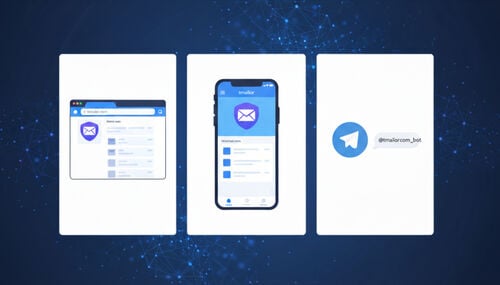
It is free with no registration, works on web, Android, iOS, and Telegram bot, and delivers over Google MX. Random addresses are drawn from a large rotating pool of domains, and an Access Token lets you reopen the same inbox later. The trade-offs are real: it is receive-only, inbound attachments are stripped, and messages stay visible for about 24 hours.

5. Will AI reduce or increase the need for Temp Mail?

Increase, most likely. More AI tools mean more trial sign-ups, more verification codes, and more reasons to keep throwaway evaluation separate from a permanent work inbox. It does not remove the need for a real address the moment an account becomes something you depend on.

Marcus Lee
About the author
How-To & Product Guides Editor

Marcus Lee writes Tmailor's step-by-step guides — signing up to apps and platforms with temp mail, using the mobile app and Telegram bot, custom domains, reusing addresses, and getting the most out of disposable email day to day.

See more articles

Tmailor iOS App Walkthrough Free Temp Mail on iPhone 2026
Article

Tmailor iOS App Walkthrough — Free Temp Mail on iPhone (2026)

Take a guided tour of Tmailor's iOS app — create disposable inboxes, reuse them with an Access Token, sync across devices, and watch mail arrive in real time.

Get Contractor Quotes with Temp Mail No Inbox Spam
Article

Get Contractor Quotes with Temp Mail (No Inbox Spam)

Get electrician and plumber quotes without giving out your real email. Use temp mail to compare prices, stay organized, and cut follow-up spam in 5 steps.

Temp-Mailorg Review How It Compares to Tmailor
Article

Temp-Mail.org Review: How It Compares to Tmailor

An honest Temp-Mail.org review for everyday use. Compare features, OTP reliability, domain options, and inbox reuse side by side with tmailor.com.

Temp Mail Limits and Risks What It Cant Do Safely
Article

Temp Mail Limits and Risks: What It Can't Do Safely

Temp mail can't do everything. Learn the real limits — no sending, OTP failures, account recovery risks, and when you should use your real email instead.

Temp Mail for Crypto Safe for Exchanges Wallets
Article

Temp Mail for Crypto: Safe for Exchanges & Wallets?

Is a temp mail safe for crypto exchanges and wallets? Learn when temp mail protects your privacy — and when it risks locking you out of funds, OTP recovery.

Temp Mail for X Twitter Spam-Free Sign-Up OTP 2026
Article

Temp Mail for X (Twitter): Spam-Free Sign-Up & OTP 2026

Use temp mail for X (Twitter) to sign up without inbox spam. Get reliable OTP delivery, token-based reuse, and a clear step-by-step 2026 workflow.

Temp Mail Security Stay Safe on Untrusted Sites
Article

Temp Mail & Security: Stay Safe on Untrusted Sites

Why use temp mail on untrusted websites? Learn how a temporary email shields your real identity from phishing, spam, and data harvesting on risky sites.

How to Create an Email Without a Phone Number 2026
Article

How to Create an Email Without a Phone Number (2026)

Want an email without a phone number? See which providers let you skip SMS verification, why it protects your privacy, and how a temp mailbox fits in.

DuckDuckGo Email Protection Temp Mail Stop Spam
Article

DuckDuckGo Email Protection + Temp Mail: Stop Spam

DuckDuckGo Email Protection forwards tracker-free mail to your real inbox; temp mail gives you a throwaway inbox. Use both to stop spam and protect privacy.

Create a Free Temporary Email Quick Easy Guide
Article

Create a Free Temporary Email — Quick & Easy Guide

Get a free temporary email in seconds — no signup required. A quick guide for web, mobile, and Telegram, plus tips for keeping your address reusable.