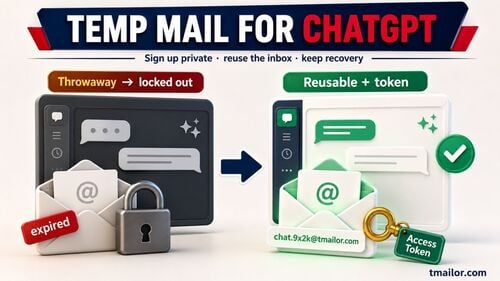
How to Generate Random Email Addresses — Random Temp Mail Guide
Random email addresses are helpful whenever you need a working inbox that isn't connected to your real identity — for signups, software testing, privacy protection, or just keeping your primary email clean. The challenge is finding a method that's fast, reliable, and doesn't require you to register for yet another account. This guide shows you how to generate random email addresses using temp mail services, covering web-based generators, mobile apps, Telegram bots, and 10 minute mail options. You'll learn how randomization works, how to save an address for reuse with an Access Token, and when to use a custom domain for better deliverability.
Quick access
TL;DR
- A random email generator hands you a working, short-term inbox in one step — no name, no password, no signup.
- The fastest method is a temp mail generator: open the page, an address is already there, and incoming messages are deleted automatically about 24 hours after they arrive.
- On Tmailor you can reopen the same address later with a saved Access Token. Messages still expire on schedule, and a lost Access Token cannot be recovered by anyone.
- The inbox is receive-only: you cannot send or reply, and inbound attachments are stripped, so a file sent to the address can never be opened.
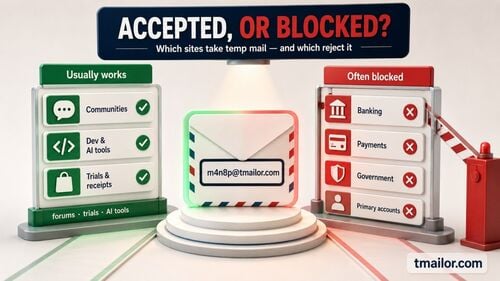
- Some websites do not accept disposable addresses. If a site's terms say so, use a real address — that is a policy, not a puzzle to solve.
What is a random email address?
A random email address is a machine-generated inbox you use once and abandon — for a registration, a download, or a test. Nothing about it is tied to your name or your real mailbox. With a temp mail service, the address exists the moment you ask for it; messages land in seconds, and they are deleted automatically about 24 hours later, so nothing accumulates.
The trade-off is baked in: an inbox that disappears is exactly what you want for a one-time code, and exactly what you do not want for an account you intend to keep.
New to the idea? The temp mail explainer covers how disposable inboxes work before you generate one.
When should you use one?
Use a random address when you need a working inbox, when the sender does not need to know who you are, and when losing that inbox tomorrow would cost you nothing. That single test sorts almost every case.
- Signing up for trials, newsletters, or forums you don’t fully trust
- Receiving verification or OTP codes without exposing your real inbox
- QA and testing of sign-up flows
- Reducing spam to your primary email
Avoid it for banking, government services, work logins, primary social profiles, or anything that may need a password reset months from now. A disposable inbox cannot be a recovery address, and treating it like one is how people lose accounts.
Three safe ways to generate random email addresses
There are three practical methods, and they are not interchangeable. One gives you a throwaway inbox in a second, one organizes mail inside the inbox you already have, and one gives you addresses on a domain you own.
Method A — Use a Temp Mail Generator (fastest)
- Open the random email generator — an address is created automatically as the page loads.
- Copy the address and paste it wherever a short-term inbox is needed.
- Read incoming messages right in the browser. Each one is deleted automatically about 24 hours after it arrives, so copy the code or click the link while it's in front of you.
- Save the Access Token only if you may need that same address again later.
Why this works well on Tmailor
- No registration and no password — the address exists one second after the page opens.
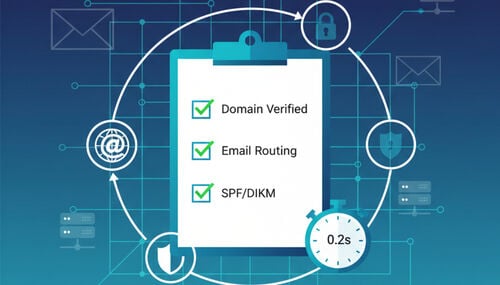
- Inbound mail is routed through Google-MX infrastructure, so verification messages usually land in seconds rather than minutes.
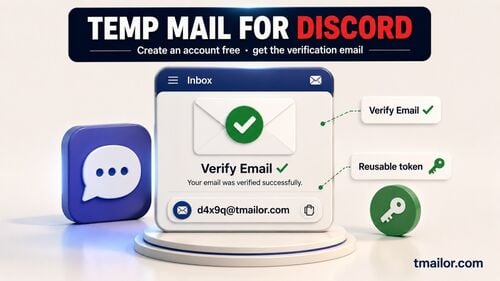
- You can reuse a saved address from another browser or device with its Access Token. The token is a reuse key, not a password: it does not lock anyone else out, and if you lose it, no one can restore that inbox for you.
- Receive-only by design. Tmailor cannot send or reply, and inbound attachments are stripped — you can never open or download a file sent to the address. There is also no spam folder and no filters: every message that arrives is simply shown.
Need a one-shot inbox with a fixed time window? See 10 minute mail, where the address and its messages are deleted when the timer ends.
Method B — Gmail “plus addressing” (for filtering)
Add a tag after your username, as in name+shop@…, and mail still lands in your real inbox where you can filter it. It is genuinely useful for one thing: if name+shop starts receiving spam, you know exactly which service leaked or sold your address.
What it is not is anonymity. Delete the tag and your real address is right there — the alias is a label on your mailbox, not a shield in front of it, and plenty of signup forms strip or reject the plus sign outright.
For readers exploring Gmail-based disposable options, see the related guide: temp Gmail account guide.
Method C — Your own domain for temp aliases
If you own a domain, you can point its MX record at Tmailor and receive mail at your own address instead of a shared one, with the same receive-only, temporary inbox behind it. This suits QA work and project signups where you want an address on a domain you control rather than a disposable one, and reuse still works through a saved Access Token. It requires a domain you can edit in DNS, so it is the slowest of the three to set up and the most durable once it is done. Start with the custom domain setup guide.
How to choose a random email generator (checklist)
Most generators look identical on the surface. These are the five things that actually differ between them, and the ones worth checking before you trust a service with a verification code.
- Speed: the inbox should exist immediately and mail should arrive in seconds, with no signup step in between.
- Retention policy: know exactly how long a message stays readable. On Tmailor it is about 24 hours from arrival.
- Reusability: can you get back to the same inbox later? Tmailor does this with an Access Token; many services have no way back at all.
- Domain model: random addresses are drawn from a large rotating pool of domains, while the custom-name option exposes only a few. No provider can promise that a particular website will accept a particular address, and any service claiming otherwise is guessing.
- Attachment handling: if a service will send you a file, a disposable inbox is the wrong tool — Tmailor strips inbound attachments, so use a regular mailbox instead.
Setup: generate → verify → reuse (step-by-step)
The whole workflow is three steps and takes under a minute. The only part worth slowing down for is the token — it is the difference between an inbox you can return to and one you cannot.
- Generate a fresh address with the web temp mail generator. It is created for you as the page loads.
- Verify that it works: paste it into the signup form you are filling in and watch the confirmation code or link arrive in the inbox below.
- Reuse: if you may need this address again, save the Access Token somewhere safe — a password manager, not a screenshot — and reopen the inbox later from the reuse temp address page. Messages still expire on schedule, and a lost Access Token cannot be recovered by anyone, including the service itself.
Limits & compliance (what to expect)
A random address is a genuinely useful tool with four hard edges. None of them are secrets, and knowing them up front is what keeps you from being caught out.
- Service rules: Acceptance varies between websites and can change without warning. Some platforms decline disposable addresses to cut spam or because identity verification is part of their signup. If a site's terms say it does not accept disposable email, use a real address — cycling through generated addresses to get around a rule a service has clearly stated is not what temp mail is for.
- Receive-only: Tmailor cannot send or reply, and inbound attachments are stripped, so a file sent to the address can never be opened or downloaded. Plan around that before you use one for anything that involves a document.
- Inbox behavior: There is no spam folder and no filters. Every inbound message is shown as it arrives, which also means advice like "check your spam folder" simply does not apply here.
- Data lifecycle: Messages are deleted automatically about 24 hours after they arrive. Copy anything you need before then, because there is no archive and no way to bring a message back.
Random vs Temp Mail vs 10 Minute Mail vs Burner/Fake Email
These four labels overlap so heavily that most articles use them interchangeably. They are not the same thing: one describes how the address is made, one describes the inbox model, one describes the timer, and two are just slang.
- Random email address: describes how the address is created — generated rather than chosen. Usually short-term.
- Temp mail: describes the inbox model — disposable, receives immediately, and on Tmailor can be reopened later with an Access Token.
- 10 minute mail: the same model on a strict timer. When it ends, the address and everything in it are gone. Good for a single verification, bad for a slow email.
- Burner / fake email: informal terms for the same idea. "Fake" is a misnomer — the address is real and really receives mail. It is temporary, not fake.
Frequently Asked Questions
What is a random email address used for?
Mainly for quick sign-ups, keeping your real inbox out of spam lists, and testing email flows. It is best for anything where you need to receive one message from a service you do not expect to hear from again.
How long do emails last on Tmailor’s temp mail?
Each message is deleted automatically about 24 hours after it arrives. Saving the Access Token keeps the address reachable, but it does not extend that window for the messages inside it.
Can I reuse a random email address later?
Yes — save the Access Token and reopen the same inbox from the reuse temp address page. Store it somewhere safe: a lost Access Token cannot be recovered by anyone, and messages still expire on schedule.
How many domains are available?
Random addresses are drawn from a large rotating pool of active domains, while the custom-name option exposes only a few. The live list is not published, and no temp mail provider can promise that a given website will accept a given address.
What is the difference between random, temp, and 10-minute mail?
"Random email" describes how the address is created: generated rather than chosen, and used short-term. "Temp mail" describes the inbox itself: disposable, receives immediately, and, on Tmailor, can be reopened later with an Access Token; messages are visible for about 24 hours. "10 minute mail" is the same model on a much shorter timer — when it expires, the address and its messages are deleted.
Can I use a burner email for social media verification?
It is usually a bad idea, even when the code arrives. A social account is exactly the kind of account you will one day need to recover, and a disposable inbox cannot serve as a recovery address — the reset email may be long gone by the time you need it. Some platforms also decline disposable addresses outright, and if that is their policy, use a real address you control.
Does Tmailor allow sending emails?
No — Tmailor is receive-only. It cannot send or reply to mail, and inbound attachments are stripped, so you cannot open or download a file sent to a Tmailor address.
What is Gmail “plus addressing,” and is it like temp mail?
It lets you tag your own address (name+tag@gmail.com). Messages still reach your real inbox, so it is a filing tool, not an anonymous one — remove the tag and the real address is visible. For disposable Gmail-style options, see the related guide: temp Gmail account guide.
Can I set up my own domain with Tmailor for random emails?
Yes — see the custom domain setup guide. You point the MX record of a domain you own at Tmailor and receive mail at your own address, with the same receive-only inbox behind it.
Is using fake or burner emails legal?
Using a temporary address to protect your own privacy is legitimate and ordinary — for newsletters, one-off downloads, testing, and keeping spam away from your real inbox. What is not acceptable is using one for spam, fraud, impersonation, or to sidestep a verification requirement a service is legally obliged to run. The address is a tool; the intent behind it is what matters, and the terms of the site you are signing up for still apply.

Marcus Lee writes Tmailor's step-by-step guides — signing up to apps and platforms with temp mail, using the mobile app and Telegram bot, custom domains, reusing addresses, and getting the most out of disposable email day to day.