Quick and Easy Guide to Creating a Free Temporary Email
You don't need to fill out a form, verify your phone, or create an account to get a temporary email address. The entire process takes less time than reading this paragraph. This quick guide walks you through creating a free temp email address using three methods — the tmailor.com website, the mobile app, and the Telegram bot — with step-by-step instructions for each. You'll also learn how to save your Access Token so you can reopen the same inbox later, and when to generate a new address rather than reuse an existing one.
Quick access
Introduction to the Concept of Temporary Email
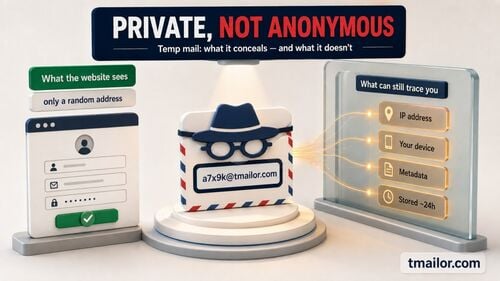
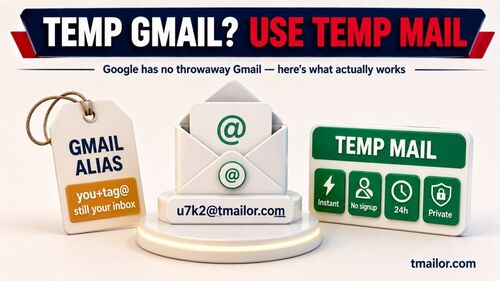
A temporary email is a short-term address you use in place of your personal inbox for low-risk sign-ups, one-time codes, and newsletter confirmations. On Tmailor, it is free and needs no registration: open the site and an address is generated for you. The inbox is receive-only, and incoming messages are deleted automatically about 24 hours after they arrive.
What is a Temporary Email?
Temp Mail is a service that provides a short-term email address, usually to receive one-time emails, without requiring registration or official account creation. It is useful when you want to keep your primary inbox out of a sign-up form, but it is not a replacement for a real mailbox: after a certain period, the messages it receives are permanently deleted.
Benefits of Using Temporary Email
- Avoid spam: When subscribing to non-essential online services, you won't have to worry about receiving spam or unwanted ads.
- Protect personal information: There is no need to provide a primary email address, which helps you avoid the risk of data theft.
- Easy account registration: Save time by simply using a temporary email to receive a confirmation code or complete the registration process.
Why Use Temporary Email?
People reach for temporary email when they need to receive one message — a confirmation link, an OTP, a download — from a service they may never hear from again. It keeps that traffic out of the mailbox that matters, and it means a future data breach at that service does not expose your real address.
- Privacy protection: Temporary email saves you from having to provide your primary email address, thereby avoiding the risk of personal information being exposed or tracked online.
- Avoid spam and unwanted ads: When registering on unfamiliar websites, temporary emails help you avoid spam and annoying ads sent to the primary mailbox.
- One-time use, no need to worry about long-term management: Temporary emails are created for short-term use, so you don't need to manage or clean up an inbox afterward.
Steps to Create a Free Temporary Email
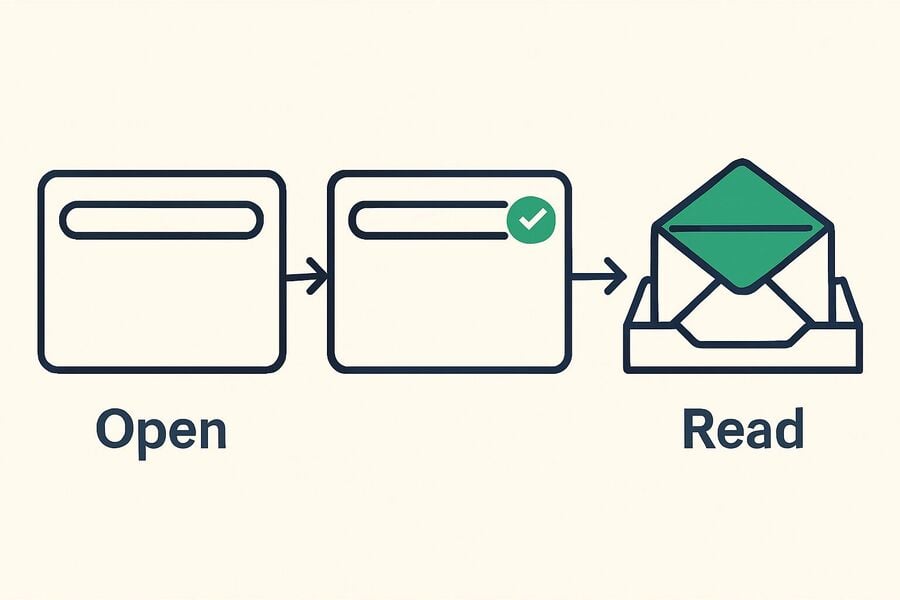
Creating a free temporary email on Tmailor is a one-step process: open the homepage and an address is already waiting to be copied. There is no form, no password, and no personal detail to hand over. The four steps below cover the whole flow, from copying the address to saving the Access Token if you may need that inbox again.
- Open the site: Visit the free temporary email generator on the homepage.
- Get an email address: An address is generated automatically the moment the page loads and is shown at the top. Copy it exactly as it appears.
- Use the email address: Paste it into the sign-up, newsletter, or verification form you are filling in. Incoming messages appear in the inbox below the address, usually within seconds.
- Back up your access: If you may need this address again, open the share panel and save the Access Token somewhere safe. The Access Token is a reuse key: it lets you reopen the same inbox later on another browser or device. It is not a password, and it does not lock the inbox — anyone holding the Access Token can read that mailbox, so keep it private. If you lose it, no one can restore that address for you.
Create a Temp Email on the Web
The web version is the fastest route and the one most people use. Open the homepage, copy the address at the top, and leave the tab open while you wait — new mail appears in the list without a page refresh. If you want a different address, use the change button to generate a new one.
Create a Temp Email on Android or iPhone
The Android and iOS apps follow the same flow, with one advantage: the app keeps every address you create on the device, so you can switch between several inboxes without typing an Access Token each time, and push notifications tell you when a message lands.
Create a Temp Email in Telegram
If you already live in Telegram, the Telegram temp mail bot generates an address inside a chat and replies with its Access Token. The same rules apply everywhere: the inbox is receive-only, and messages clear about 24 hours after they arrive.
What If a Website Won't Accept Your Temporary Email?
Some sites keep lists of known disposable domains, so a particular address may be turned away at the form. If a single domain is the problem, generating a new address is normal troubleshooting — the same thing you would do with any address a form dislikes.
But read what the site is actually telling you. If its terms say it does not accept disposable or temporary email addresses, that is a policy, not a glitch, and the right move is to sign up with your real address. Working through address after address to get around a rule a service has clearly stated is not what temp mail is for, and it usually ends with the account being removed anyway.
Notes on Using Temporary Email
Temporary email is built for low-stakes, short-lived tasks. On Tmailor, the inbox is receive-only — you cannot send or reply — and inbound attachments are stripped, so you can never open a file sent to the address, and there is no spam folder or filter: every message that arrives is simply shown. Those limits decide what the service is good for.
Don't Use Temporary Emails for Important Accounts
Why and When Shouldn't You Use a Temporary Email Address?
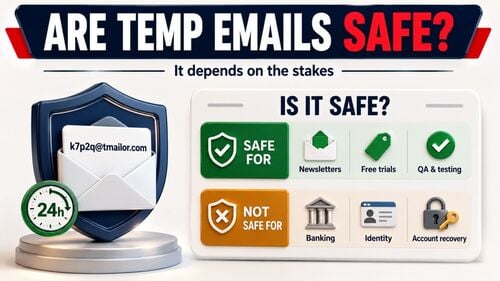
Temporary emails are designed for short-term activities only, like signing up for a service you expect to use once. When you use one for something confidential — banking, government portals, a work login — losing access to the inbox seriously affects your security and your ability to recover the account. Critical services rely on email for password resets and security alerts. If that email is a temporary one, those messages may be gone by the time you need them.
Accounts to Avoid Using Temporary Emails:
- Bank accounts, e-wallets.
- Official business or personal emails.
- Primary social media accounts.
- Services that require high security, such as insurance or government.
Temporary Emails May Be Deleted After a Short Time
Short Storage Time:
Retention differs from service to service — some inboxes last ten minutes. On Tmailor, each incoming message is deleted automatically about 24 hours after it arrives. Saving the Access Token keeps the address reachable, but it does not extend that 24-hour window for the messages inside it.
Risks from Email Deletion:
If you don't read a message before it ages out, the confirmation link, invoice, or OTP code it carried is gone, and you may not be able to finish the registration you started. The habit that avoids this is simple: copy the code or click the link while the message is in front of you, rather than planning to come back to it tomorrow.
Unrecoverable After Email Deletion
Data Cannot Be Recovered:
Once a message is deleted, it is gone — there is no archive, no trash, and no support request that will bring it back. A temporary inbox has no recovery system of the kind you take for granted in a normal mailbox, which is exactly why it should never sit behind an account you may need to reclaim later.
Considerations Before Use:
Because a temporary address is disposable by design, think before you use it for anything transactional. Do not have invoices, contracts, or legal documents sent to one — and remember that a Tmailor address cannot receive files at all, since inbound attachments are stripped before the message is shown. If a service needs to send you a document, or you may need to reply to it, use a regular email account instead.
Benefits of Using Temporary Email Provided by tmailor.com
Tmailor's advantages are speed, no registration, and the ability to come back to the same address later with a saved Access Token. The trade-offs are just as important: it is receive-only, it cannot receive attachments, and messages clear after about a day. Knowing both halves is what lets you use it well.
- No duplicate addresses: Every address is checked against the ones already issued before it is handed out, so two people are not given the same temporary address. If you pick a custom name that is already taken, the site tells you and asks for another.
- Come back to the same address: Each address comes with an Access Token that lets you reopen a saved inbox later, on another browser or another device. Store it in a password manager — a lost Access Token cannot be reissued by anyone, including the site's owner.
- A large, rotating pool of domains: Random addresses are drawn from a wide pool of domains that changes over time, while the custom-name option exposes only a few. That is the mechanism; no temp mail provider can promise that a given site will accept a given address.
- Protection of privacy and personal information: Using a temporary address means not handing your primary email to every service you try, which keeps it out of marketing lists and out of that service's next data breach.
- Save time and simplify the sign-up process: No account to create, no password to invent, no phone number to confirm — a working address exists a second after the page opens.
- Available wherever you are: The same inbox model works on the web, on Android and iOS, and through the Telegram bot, and one Access Token opens an address on any of them.
Conclusion
The convenience of temporary emails: Temporary email is a fast way to protect your privacy and keep spam out of the inbox you actually read. There is no account to create and nothing to clean up afterward — you get an address, receive what you needed, and walk away.
Know the limits before you rely on it: The inbox is receive-only, files sent to it cannot be opened, messages disappear about 24 hours after they arrive, and a lost Access Token cannot be recovered. Use a temporary address for the sign-ups and codes it was built for — and use your real email for banking, work, government services, and anything you might need to recover a year from now.
Try the temporary email service provided by tmailor.com. It is free, requires no registration, and takes a single step to use. Other services such as Temp-Mail and 10MinuteMail cover similar ground and are worth a look if you want a different retention window. Whichever you choose, treat a temporary address as what it is: a short-term tool, not a place to keep anything you cannot lose.

Marcus Lee writes Tmailor's step-by-step guides — signing up to apps and platforms with temp mail, using the mobile app and Telegram bot, custom domains, reusing addresses, and getting the most out of disposable email day to day.