TMAILOR BLOG

Can I Use Temp Mail for OTP Verification Codes Safely? What Works and What Fails

Minh NguyenFounder of Tmailor

Yes — temp mail can receive most OTP and verification codes, and they usually arrive in seconds. The two things that break the flow are domain blocking and inbox timing, both of which are preventable. This guide shows when OTP works, why it fails, which inbox to choose, and how to fix codes that never arrive.

Quick access

Key Takeaways

Quick answers for anyone deciding whether their next verification code will land in a disposable inbox.

  • Most OTP codes work with temp mail because delivery uses the same standard email routing as any other inbox — the code only fails when the sending platform blocks the disposable domain.
  • Domain blocking is the most common reason OTPs fail; switching to a fresh domain from a large pool usually resolves the issue.
  • Inbox timing is the second failure mode — a 10-minute inbox can expire before a delayed code arrives, while a reusable inbox with a saved Access Token gives delayed emails time to land.
  • Most codes stay valid for only 2 to 15 minutes, depending on the action, so both provider speed and inbox lifetime matter.
  • Pick the inbox type by the job: a timed inbox for one-off reads, a reusable address for anything you may need again.
  • Some platforms add a short delivery delay, so wait a couple of minutes before hitting resend.
  • If several domains fail in a row, the platform likely bans disposable email entirely — doing so risks the account, so use a different signup method.
  • Never use temp mail OTPs for banking, government, healthcare, or any account you need to recover later.

Can Temp Mail Receive OTP Codes?

The short answer is that the technology is rarely the problem.

Yes, temp mail can receive OTP and verification codes. A disposable inbox accepts mail through the same standard SMTP path as a permanent mailbox: the platform composes and routes the message, and the temp mail server accepts it. If the domain is not on a blocklist and the server is running normally, the code arrives within seconds. Whether OTP works is rarely a question of temp mail capability — it is a question of whether the sending platform accepts the address. For a step-by-step version of this, our full OTP and account-verification walkthrough covers resend timing, domain choice, and mobile flows.

When OTP Delivery Usually Works

The platforms and conditions that reliably deliver verification codes to disposable inboxes.

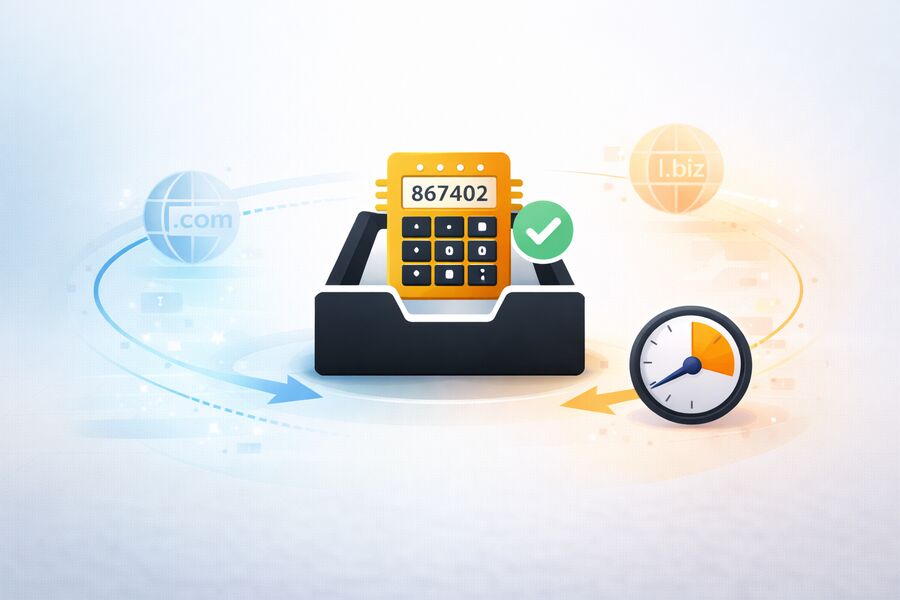
An OTP code chip arriving smoothly in a disposable inbox alongside smaller icons for domain variety and fast server delivery showing the conditions for successful verification delivery

OTP delivery to temp mail works whenever the sending service does not screen for disposable domains and the receiving server is fast and well-maintained. Smaller SaaS products, free-trial signups, indie forums, content-gated sites, coupon stores, and newer startups rarely run aggressive blocklists, so codes reach virtually any valid address, including a disposable one.

Why Domain Pool Size Matters

A provider with hundreds of rotating domains, rather than a handful, improves OTP reliability because a single stale, overloaded, or recently filtered domain does not stall the whole flow. That is the practical advantage of a 500+ domain pool over a five-domain one. When a platform accepts disposable email, but a single domain is having delivery trouble, rotating to a fresh domain gives you another legitimate address to try. If a platform clearly refuses disposable email, stop and use a permanent address instead.

Speed Factor

OTP codes are time-sensitive, so provider speed eats directly into your window. A fast temp mail inbox running on solid infrastructure delivers the code within seconds. At the same time, a slow provider can burn half the validity window before the message even appears — even when the platform never blocks the domain.

Why OTP Codes Fail

The real reasons a verification code does not arrive, and why blaming "temp mail" is usually an oversimplification.

When an OTP does not reach a disposable inbox, the cause almost always falls into one of four buckets. Identifying which one you face determines the fix. The failures are multi-factor, so treat "temp mail just does not work" as a starting hypothesis, not a conclusion.

Domain Blocklisting

This is the most common cause. Large platforms — major social networks, financial services, and enterprise SaaS — check signups against internal or third-party disposable-domain blocklists, such as those maintained by services like Kickbox. If your domain is on the list, the OTP is never generated: the platform rejects the address at signup or silently drops the email. The fix is a different, unblocked domain. If you want the mechanics, our guide on why websites reject disposable domains explains how detection works.

Delayed Sending

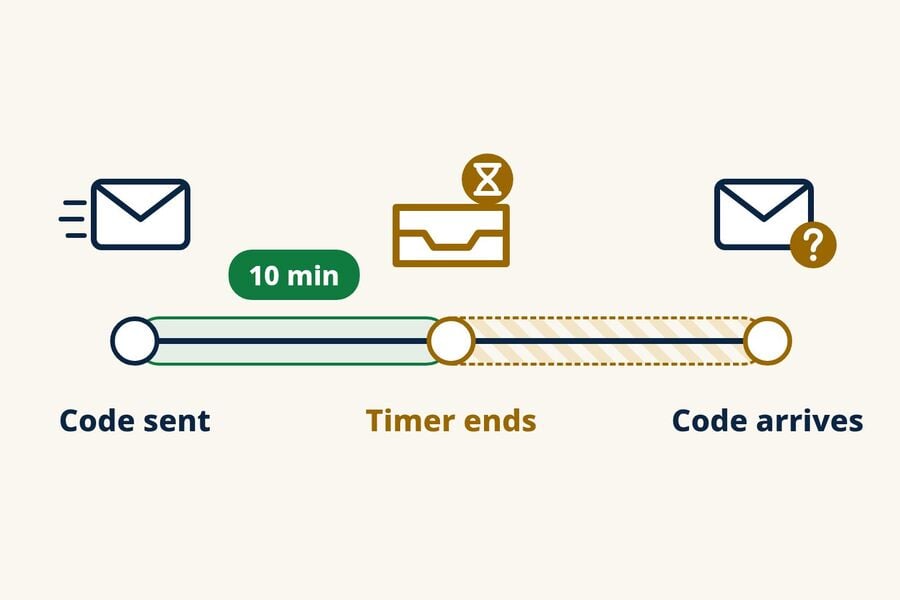
Some platforms send codes with a short delay because of queueing, throttling, or anti-abuse checks. That is harmless for a 24-hour inbox, but it can kill a 10-minute inbox if delays stack up. If you are in a timed inbox and the code arrives late, the window may already be closed.

Greylisting

Greylisting is a spam-prevention technique where the receiving server temporarily returns a soft failure and expects the sender's mail server to retry a little later. A well-run receiving service recognizes the retry and accepts the message; a sender that retries slowly, changes sending IPs, or does not retry at all can delay or drop a time-sensitive OTP.

Sender Rate Limiting

If you request several codes quickly — clicking "resend" repeatedly — the platform may throttle delivery to that address or domain. Wait a few minutes, or generate a new address and restart. For a platform-by-platform breakdown, the guide to 12 reasons an OTP stalls covers gaming, fintech, and social apps specifically.

OTP Reliability by Inbox Type

The same provider can be reliable or risky for OTP depending on which inbox model you use.

Not all temp mail behaves the same for verification. The deciding factors are how long the inbox lives, how large the domain pool is, and whether you can reopen the address later. The table below compares the three common models on exactly those points; for a ranked, by-need pick, see the best temp mail for OTP breakdown.

The pattern is consistent: a larger domain pool raises the odds that the code is accepted, and a longer, recoverable retention window raises the odds that the inbox still exists when the code lands. A head-to-head on the timing question is in temp mail versus 10-minute mail.

Inbox model Typical retention Domain pool OTP reliability Reuse Best for
Timed inbox (10-minute mail) ~10 minutes Usually small Fine for instant codes; risky if delivery is delayed No One-off reads you will never revisit
Reusable inbox (Tmailor) Messages clear after ~24h; address reopened with a saved Access Token 500+ domains High — larger time window plus domain variety Yes, with saved token Signups you may need again, multi-step flows
Public shared inbox Varies; readable by anyone Small, well-known Domains are commonly blocked Public, not private Low-stakes throwaway tests only

How Long OTP Codes Stay Valid

Validity windows are short and vary by action, which is exactly why inbox timing matters.

OTP and verification-code lifetimes are set by the sending platform, not by your email provider, so treat email-delivered codes as short-lived. NIST SP 800-63B is a useful security context, but it does not define universal minute-by-minute windows for email codes — it caps out-of-band authentication at roughly 10 minutes and treats email confirmation and recovery codes separately from authentication. As a rough guide to what you will meet in practice:

  • Login and 2FA codes: assume only a few minutes unless the screen shows a different timer.
  • Payment and transaction approvals: use the platform's required authenticator or a permanent inbox — do not rely on temp mail for financial approvals.
  • Account recovery and email verification: often more forgiving than login codes, but the exact window is service-defined, so check the platform's expiry text.

Because the shortest windows are so tight, a delivery delay on the provider's side or an inbox that expires mid-flow can cost you the code even when the platform accepts your domain. That is why a fast provider and a recoverable inbox matter.

Fix Checklist When an OTP Doesn't Arrive

A short routine that recovers most failed verification codes without having to start over.

When a code does not land, work through these steps in order before assuming temp mail is the problem.

Step 1: Wait Before Resending

Give the email at least two full minutes. Many delayed-send systems take 30 to 90 seconds, and clicking "resend" immediately often triggers rate limiting, worsening the problem.

Step 2: Switch Domains

If nothing has arrived, generate a new address on a different domain from your provider's pool and re-enter the signup form. This helps when the first domain is stale, overloaded, or misclassified. If the platform says disposable email is not allowed, stop and use a permanent address.

Step 3: Check Spam or Secondary Folders

Some temp mail interfaces have a spam or "other" tab. If the provider's own filtering flagged the code, it may be sitting there rather than in the primary inbox.

Step 4: Use a Reusable Inbox

If you were on a timed inbox and the code never came, switch to a reusable temp mail address with a longer retention window so that a delayed email has time to arrive before the inbox disappears beneath it.

Step 5: Recognize a Platform Block

If three or more domains have failed, the platform is blocking all known disposable providers. More attempts will not help, and going around a deliberate block can result in the account being suspended later. At that point, switch to a different signup method. The platform-specific troubleshooting guide shows which services this applies to.

Timed vs Reusable Inbox: Which to Use for OTP

Timed inboxes raise OTP risk — here is when to choose a recoverable address before you sign up.

The real question is not whether temp mail can receive a code — it usually can — but whether the inbox will still exist when the code arrives or when you need a second verification later. A reusable inbox you can reopen with a saved Access Token keeps that path open; a timed inbox does not. The security and privacy trade-offs between the two models are covered in the reusable versus short-lived inboxes section.

Multi-Step Verification

Some platforms send a confirmation email, then a separate OTP, then a setup message. On a 10-minute inbox, you might catch the first and miss the OTP that arrives three minutes later. A 24-hour reusable inbox handles multi-step flows without breaking.

Re-Verification and Security Alerts

Social and SaaS platforms often re-verify when you log in from a new device. If your original signup address is no longer available, you cannot complete the check and will lose access. A recoverable inbox keeps that route available.

Password Reset Safety Net

A password reset email goes to the address you signed up with. A timed inbox will be long gone; a reusable inbox with a saved token can still receive the reset as long as the retention window has not passed.

The Simple Rule

If you answer "maybe" or "yes" to either question, use a reusable inbox: (1) Will I need this address again after the next 10 minutes? (2) Will I want to keep this account? For one-time downloads, throwaway coupons, and newsletter previews, a timed inbox is fine.

OTP on Specific Platforms

Where OTP behavior differs enough to need platform-specific advice.

Delivery works the same way technically everywhere, but blocklist aggressiveness varies widely by category. Social networks sit in the middle: many accept disposable domains, some reject them, and the right move is usually to rotate domains. Our guide to social network signups covers those flows, while gaming and fintech apps — which tend to block hardest — are handled in the platform-by-platform troubleshooting guide above. If you want to know in advance where a disposable address is likely to be refused, which sites accept temp mail is a practical 2026 directory.

What Not to Use Temp Mail OTP For

The accounts where a disposable inbox is the wrong tool, no matter how well the code delivers.

Temp mail is built for privacy-conscious signups and low-stakes accounts, not for anything you need to recover. Even when an OTP technically arrives, using a disposable address for the wrong account creates real risk. Do not use temp mail OTP for banking, payment, government, healthcare, or any primary account tied to your identity: these services require a permanent, verified address, and a disposable one leaves you unable to complete recovery or future re-verification. This is a limitation to respect, not a barrier to work around — temp mail is a privacy tool for accounts you can afford to lose, not a way past verification systems that exist for good reasons.

OTP Testing for QA and Development Teams

Verification-heavy signup testing has its own failure modes and metrics.

Teams that run signup flows through disposable inboxes for QA or UAT hit OTP problems at scale — resend storms, domain exhaustion, and unclear ownership of failures. The fixes are procedural: rotate domains on a schedule, cap resend attempts, and track time-to-first-OTP as a metric to make regressions visible. A ready-made OTP risk checklist for teams lays out the full protocol.

Frequently Asked Questions

Direct answers to the OTP and temp mail questions people search for most.

Do all temp mail services support OTP?

Mostly. Most legitimate temp mail services can receive OTP codes because they use standard email delivery. The variables are whether the sending platform accepts the domain, whether the provider is online, and whether the inbox stays available long enough, not whether the service can handle OTP messages.

Why does my OTP arrive in my regular email but not my temp mail?

The platform has likely blocklisted your disposable domain. Generate a new address on a different domain from your provider's pool and try again. If several domains fail, the platform is probably blocking all known disposable email services.

Is it safe to use temp mail for OTP?

It is safe for low-stakes signups where you do not need long-term recovery — such as free trials, forums, newsletters, and coupons. It is not appropriate for banking, government, healthcare, or any account tied to your identity, because a disposable address cannot support secure recovery later.

Can I use temp mail OTP for banking or financial services?

No. Banking and financial platforms require a permanent, personally verified email address. Even if the OTP arrives, using a disposable address violates the platform's terms and poses a serious risk to account recovery.

How long does an OTP code usually remain valid?

It depends on the platform and the action. Treat email-delivered login or signup codes as a few-minute window unless the screen shows a timer; recovery and email-verification links may last longer. The sending platform sets the expiry, not your email provider.

What should I do if the OTP arrives after my 10-minute inbox expires?

Once a timed inbox expires, the message is lost. The prevention is to use a reusable temp mail address with a longer retention window for any signup where OTP timing is uncertain.

Does clicking "resend code" help if the first OTP did not arrive?

Sometimes, but not if the domain is blocked — resending fails the same way. Wait at least two minutes before resending, and if the second attempt also fails, switch to a new address on a different domain before trying again.

Is there a way to know in advance if a platform blocks temp mail?

Not reliably. Some sites show an error like "disposable email not allowed" at signup, but many silently accept the address and then never send the OTP. Trial and error across different domains is the most practical approach, and a directory of known blocking sites helps you plan.

Can I receive OTP codes on a temp mail mobile app?

Yes. Temp mail apps for Android and iOS, as well as the Telegram bot, receive email the same way the web version does. If the code reaches the address, it appears in the mobile inbox — the sending platform does not know or care which device you check from.

Which temp mail is most reliable for OTP?

The most reliable choice combines a large rotating domain pool with a long, recoverable retention window, so codes are accepted and the inbox survives a delay. A reusable inbox on a 500+ domain pool outperforms a small-pool timed inbox for verification that must not be missed.

The Bottom Line

Temp mail handles OTP well — the failures stem from domain blocking and inbox timing, both of which are preventable.

You can use temp mail for OTP verification, and in most cases, the code arrives as fast as it would in a regular inbox. The two things that break the flow are domain blocklisting, which you fix by switching domains, and inbox expiration, which you fix with a reusable address. Save your Access Token, pick a provider with a large domain pool, and wait a couple of minutes before hitting resend. That routine handles the vast majority of OTP scenarios — and for the accounts that truly matter — banking and identity — use a permanent inbox you control instead.

Minh Nguyen
About the author
Founder of Tmailor

Minh Nguyen is the founder of Tmailor and the developer who publishes the Tmailor temp mail apps on the App Store and Google Play. He has built and operated Tmailor's free, receive-only disposable email service since 2022, focusing on reliable OTP delivery, inbox privacy, and reusable temp mail addresses.

See more articles

Why Websites Block Temp Mail Domains 2026 Guide
Article

Why Websites Block Temp Mail Domains (2026 Guide)

Why is your temp mail blocked? Learn how sites detect disposable email, the real reasons they reject it, and what to do when an address won't go through.

Temp Mail for E-Commerce Safer Checkouts Less Spam
Article

Temp Mail for E-Commerce: Safer Checkouts & Less Spam

Shop online without sharing your real email address. Use temp mail for promos and signups, rotate domains for OTPs, and keep a reusable inbox for receipts.

Mail Forwarding Digital vs Physical Solutions Guide
Article

Mail Forwarding: Digital vs Physical Solutions Guide

Digital vs physical mail forwarding compared. Learn how email forwarding, temporary inboxes, and postal forwarding work and when to use each solution.

Which Sites Accept Temp Mail and Which Block It 2026
Article

Which Sites Accept Temp Mail (and Which Block It) — 2026

A practical 2026 directory of where temporary email works, where it gets blocked, and exactly what to do when a website rejects your disposable address.

Temp Mail Alternatives by Need 2026 Best Pick Per Job
Article

Temp Mail Alternatives by Need (2026): Best Pick Per Job

Not every temp mail alternative fits every job. Compare the best disposable email options by need — one-off OTPs, address reuse, privacy, and custom domains.

Temp Mail and Online Privacy Complete Guide 2026
Article

Temp Mail and Online Privacy: Complete Guide (2026)

How does temp mail enhance online privacy? Learn how disposable email blocks spam, tracking pixels, and data-broker exposure with a practical layered strategy.

Temporary Email Guide Protect Privacy Stop Spam
Article

Temporary Email Guide: Protect Privacy & Stop Spam

The complete 2026 guide to temporary email: what it is, how it works, how to create one, a 5-point safety checklist, provider comparison, and when to avoid it.

Temp Mail for Crypto Safe for Exchanges Wallets
Article

Temp Mail for Crypto: Safe for Exchanges & Wallets?

Is a temp mail safe for crypto exchanges and wallets? Learn when temp mail protects your privacy — and when it risks locking you out of funds, OTP recovery.

The Evolution of Temp Mail A Brief History
Article

The Evolution of Temp Mail: A Brief History

How did temp mail evolve from a 1990s workaround to a privacy essential? Trace the history of disposable email from spam shields to modern token-based inboxes.

How Email Works SMTP DNS and Why Temp Mail Exists
Article

How Email Works: SMTP, DNS, and Why Temp Mail Exists

How does email actually work? A clear walkthrough of SMTP, MX records, DNS routing, and how this infrastructure makes temporary email services possible.