Вакытлыча электрон почтаны фриланс маркетплейслары өчен ничек кулланырга (Upwork, Fiverr, Freelancer.com)
Фрилансерлар клиентларның ышанычын саклап, OTP, вакансияләр һәм акцияләр белән жонглёрлык итә. Әлеге белешмәдә вакытлы электрон почтаны шәхесегезне яклау, кертү тавышын киметү һәм зур базарларда верификацияне ышанычлы тоту өчен ничек кулланырга икәнлеге күрсәтелә.
Тиз керү
TL; DR / Төп нәтиҗәләр
Ни өчен фрилансерларга шәхси тормыш катламы кирәк?
Ирекле эш өчен вакытлы электрон почтаны ничек урнаштырырга
Платформага хас сценарийлар
Чиста, профессиональ эш процессы төзегез
OTP ышанычлылыгы һәм җитештерүчәнлеге
Клиентлар белән ышаныч һәм профессиональлек
Конфиденциальлек, шартлар һәм этик кулланылыш
Фрилансерлар өчен вакытны һәм чыгымнарны экономияләү
Фриланс вакытлы электрон почтаны ничек көйләргә
Еш Сораулар һәм җаваплар
Нәтиҗә
TL; DR / Төп нәтиҗәләр
- Теркәлү, чакырулар һәм промо-шау-шуларны шәхси почта ящикларыннан читләштерер өчен вакытлыча электрон почтаны кулланыгыз.
- Домен әйләнеше һәм кыска вакытлы кабат җибәрү тәртибе ярдәмендә OTP тапшыруның ышанычлы булуын тәэмин итегез.
- Контрактлар һәм счет-фактуралар өчен кабат кулланыла торган кертү тартмасы квитанцияләрне һәм бәхәсле дәлилләрне саклый.
- Клиентларның ышанычын ныгыту өчен күләм имзаланганнан соң брендлы адреска күчә аласызмы?
- Рәхим итегез, бернинди хәбәр дә үтеп китмәсен өчен, маркировканы чиста һәм гади тикшерү темпын саклагыз.
Ни өчен фрилансерларга шәхси тормыш катламы кирәк?

Эзләү һәм платформа турында кисәтүләр зур электрон почта күләмен булдыра.
Тәкъдимнәр, лид-магнитлар һәм акцияләрдән спам
Питчинг тиз шау-шу тудыра: эш турында кисәтүләр, информацион бюллетеньнәр алмашу, бушлай "лид магнитлар" һәм салкын җаваплар. Бер тапкыр кулланыла торган катлам трафикны төп кертү ящикын пычратмасын өчен саклый, шуңа күрә сез игътибарны түләүле Эшкә юнәлтәсез.
Мәгълүмат брокерлары һәм яңадан сатылган исемлекләр
Исемлек агып чыкса яки яңадан сатылса, шартлау радиусын минимальләштерә. Кирәкмәгән почта арта башласа, дистәләгән язылучыларны тикшерү урынына доменнарны әйләндерегез.
Эзләү һәм җибәрүне бүлү
Иртә эзләү һәм сынау белән аралашуларны аерым почта аша үткәрегез. Клиент кул куйгач, брендыгыз белән бәйле профессиональ адреска күчегез. Вакытлы почта белешмәсе белән мөмкин түгел.
Ирекле эш өчен вакытлы электрон почтаны ничек урнаштырырга
Һәр этап өчен дөрес почта ящиклары моделен сайлагыз.
Бер тапкыр кулланыла торган һәм күп тапкыр кулланыла торган кертү ящиклары
- Бер тапкыр кертү ящикы: тиз сынаулар, пассив эш турында кисәтүләр яки пропаганда экспериментлары өчен бик яхшы.
- Кабат кулланыла торган кертү ящиклары: Кәгазь эзләре саклансын өчен контрактлар, түләү квитанцияләре, этапларны раслау һәм бәхәс нәтиҗәләре турында мәгълүмат бирегез.
Керү токеннары һәм тотрыклы почта тартмалары
Керү токенын кулланырга планлаштырган вакытлы почта тартмалары өчен саклагыз. Ул вакытлы почта адресын кабат кулланып, счет-фактураларны, раслауларны һәм ярдәм алмашуларын бер урында сакларга мөмкинлек бирә.
Керү ящиклары гигиенасы һәм маркировкасы
Платформа һәм этап буенча лейбл: Upwork — эзләү , Fiverr—Орденнар , Фрилансер — счет-фактуралар . Командадашлар (яки киләчәк үзең) аларны тиз таба алсын өчен, токеннарны парольләр менеджерында саклагыз.
Платформага хас сценарийлар
Һәр базарның аерым кисәтү шаблоннары бар – кертү ящикларыгызны алар тирәсендә планлаштырыгыз.
Upwork — верификация һәм эшкә чакырулар
OTP/верификация агымнары, әңгәмәгә чакырулар, контракт контримзалары, этапларда үзгәрешләр һәм түләү белдерүләре көтелә. Эш документлары (контрактлар, эскроу, акчаны кире кайтару) белән бәйле нәрсә өчен кабат кулланыла торган почта тартмасы саклагыз. Күләм һәм түләү шартлары расланганнан соң гына брендлы электрон почтага күчегез.
Fiverr — Керүче запрослар һәм тапшыру потоклары
Концертлар һәм заказлар яңалыклары сөйләшергә мөмкин. Табыш өчен вакытлы почтаны кулланыгыз. Сатып алучы конвертациягә күчкәч, илтеп бирү һәм проекттан соң ярдәм күрсәтү өчен тотрыклы адреска күчегез – клиентлар электрон почтаның тотрыклылыгын җаваплылык белән тиңли.
Freelancer.com — Заявкалар, бүләкләр һәм вакыйгалар
Сез заявкаларны раслау, бүләкләү турында кисәтүләр һәм мөһим вакыйгалар турында финанслау/чыгару турындагы электрон хатларны күрәчәксез. Өзлексез кертү ящикы чарджбэкларны һәм күләмне ачыклауны гадиләштерә; Бәхәс уртасында адресны әйләндермәгез.
Чиста, профессиональ эш процессы төзегез
Аны көн саен тоту өчен гади булыгыз, бернәрсә дә таймасын өчен.
Эзләү һәм клиентлар: кайчан күчәргә
Питчинг һәм сынаулар вакытында бер тапкыр кулланыла торган кертү тартмасын кулланыгыз. Клиент имза куйгач кына профессиональ адреска күчә. Бу мизгелдә фикерне «өйрәнү»дән «җаваплы партнер»га күчерә.
Юкка чыгарылган хәбәрләрдән качыгыз
Алдан фаразлана торган тикшерү каденциясен (мәсәлән, иртән, төшке аш, төштән соң соң) урнаштырыгыз һәм кушымта белдерүләрен кабындырыгыз. Сәяхәт итсәгез яки вакытны җыелсагыз, ышанычлы командадашыгызга яки икенчел почта ящикына җибәрү кагыйдәсен булдырыгыз.
Керемнәр, контрактлар һәм нормативларны үтәү
Квитанцияләрне, имзаланган күләмнәрне һәм бәхәсләр нәтиҗәләрен кабат кулланыла торган электрон почта ящикында саклагыз. Фриланс өчен аны "аудит папкасы" дип кабул итегез.
OTP ышанычлылыгы һәм җитештерүчәнлеге
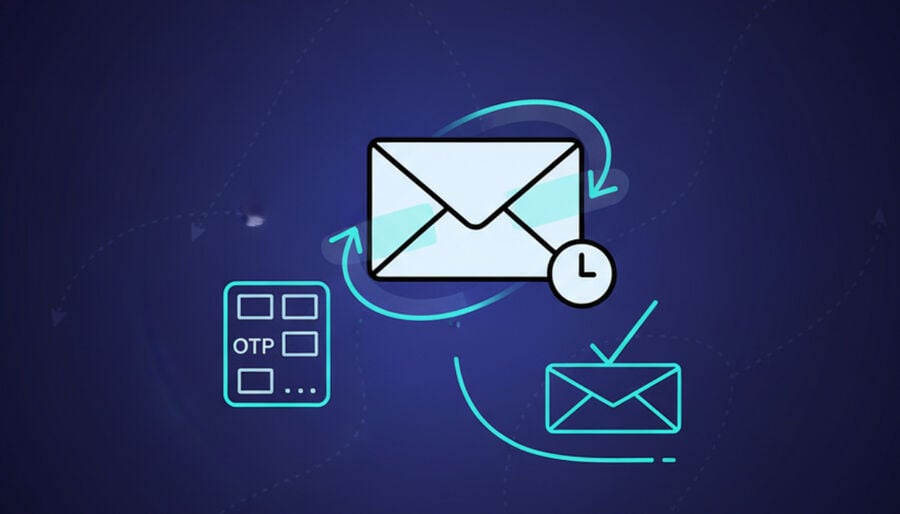
Кечкенә гадәтләр кодларыгызның беренче тапкыр килеп чыгу ихтималлыгын арттыра.
Домен сайлау һәм әйләндерү
Кайбер доменнар тарифлар буенча чикләнгән яки билгеле бер җибәрүчеләр тарафыннан өстенлекле түгел. Код туктап калса, доменнарны әйләндерегез һәм яңадан карагыз. Гамәли киңәшләр өчен верификация кодларын укыгыз һәм алыгыз.
Әгәр OTP килеп җитмәсә
60-90 секунд көтегез, яңадан җибәрү, төгәл адресны яңадан кертегез һәм икенче доменны кулланыгыз. Шулай ук реклама стилендәге папкаларны сканерлагыз – фильтрлар кайвакыт транзакцияле почтаны ялгыш классификацияли. Сайт домен гаиләсен блоклаган очракта блокланган мәсьәләләрне карагыз һәм шуңа бәйле рәвештә күчегез.
Күп санлы кертү өчен исем бирү конвенцияләре
Гади, истә калырлык ярлыклар кулланыгыз.upwork-prospect , Фиверр ордерлары , Freelancer-счет-фактуралар —һәм шул ук кертү ящикын шунда ук яңадан ачу өчен этикетка янындагы токеннарны сакларга.
Клиентлар белән ышаныч һәм профессиональлек
Шәхси тормыш ышанычны төшерергә тиеш түгел.
Тынычландыра торган электрон почта имзалары
Исемегезне, ролегезне, портфолио сылтамасын, сәгать поясын һәм җавап тәрәзәсен күрсәтегез. Авыр брендинг таләп ителми, бары тик оештырылган икәнлегеңне күрсәтә торган чиста, эзлекле элементлар.
Имзадан соң брендлы электрон почтага тапшыру
Клиент өлкәгә кул куйгач, барлык тапшыру һәм ярдәм темаларын һөнәри адресыгызга күчерегез. Бу проект үскән яки озак вакытлы хезмәт күрсәтүгә мохтаҗ булган очракта дәвамлылыкны яхшырта.
Тәкъдимнәрдә ачык чикләр
Дәүләт өстенлекле каналлар (тиз пинглар өчен платформа чаты, раслау өчен электрон почта, активлар өчен проект үзәге). Чикләр аңлашылмаучанлыкны киметә һәм тизрәк җибәрергә ярдәм итә.
Конфиденциальлек, шартлар һәм этик кулланылыш
Вакытлы почтаны җаваплы кулланыгыз – платформа кагыйдәләрен һәм клиентларның ризалыгын хөрмәт итегез.
- Теркәлү, ачышлар һәм түбән куркыныч сынаулары өчен бер тапкыр кулланыла торган кертү ящикын кулланыгыз; Платформа коммуникация сәясәтеннән качу өчен аны кулланмагыз.
- Информацион бюллетеньнәр яки киң яңалыклар өчен ризалык раслаучы документларны саклагыз; сатып алучыларны автоматик рәвештә язылмагыз.
- Кирәкле әйберләрне генә саклагыз: контрактлар, квитанцияләр, раслау һәм бәхәсләр журналлары. Йомшакларны ирекле рәвештә юк итегез.
Фрилансерлар өчен вакытны һәм чыгымнарны экономияләү
Азрак спам, игътибарны читкә юнәлтү һәм чиста аудит эзе тиз җыела.
- Кертү ящиклары төшә: язылудан баш тарту һәм кул белән фильтрлау азрак.
- Онбординг тизләшә. Шул ук шаблонны теләсә кайсы яңа базарда кабат кулланыгыз.
- ROI яхшыра. Кергән эшләр өчен экономияләнгән вакыт турыдан-туры түләүле эшкә китә.
Фриланс вакытлы электрон почтаны ничек көйләргә

Кабатлана алырлык, платформага бәйле булмаган җайланманы бүген куллана аласыз.
- Вакытлы адрес булдырыгыз һәм вакытлы почта белешмәсе белән кабул ителгән доменны сайлагыз.
- Бу адреска OTP җибәреп, үзегезнең Marketplace аккаунтыгызны раслый аласызмы?
- Соңрак шул ук кертү ящикын яңадан ачу һәм вакытлы почта адресын яңадан куллану өчен керү токенын саклагыз.
- Парольләр менеджерында (Upwork/Fiverr/Freelancer) платформа буенча ярлыклар.
- Документларны саклау өчен контрактлар һәм түләүләр өчен кабат кулланыла торган кертү ящикын өстәгез.
- Көненә 2-3 тапкыр өстәмә белдерүләр урнаштырыгыз.
- OTP туктап калса, доменны әйләндерегез; Бер тапкыр сынау өчен 10 минутлык кертү ящикын кулланыгыз.
- Клиент кул куйган вакытта брендлы электрон почтага күчегез.
Чагыштыру: Һәр этапка кайсы Inbox моделе туры килә?
| Куллану очрагы / функциясе | Бер тапкыр кертү | Күп тапкыр кулланыла торган кертү ящиклары | Электрон почта псевдонимнары хезмәте |
|---|---|---|---|
| Тиз сынаулар һәм кисәтүләр | Иң яхшы | Яхшы | Яхшы |
| Контрактлар һәм счет-фактуралар | Зәгыйфь (вакыты чыга) | Иң яхшы | Яхшы |
| OTP ышанычлылыгы | Әйләнеш белән көчле | Стронг | Стронг |
| Спамны изоляцияләү | Көчле, кыска вакытлы | Көчле, озак вакытлы | Стронг |
| Клиентлар белән ышаныч | Иң түбән | Югары | Югары |
| Көйләү һәм хезмәт күрсәтү | Иң тиз | Тиз | Тиз |
Еш Сораулар һәм җаваплар
Ирекле платформаларда вакытлыча электрон почта рөхсәт ителәме?
Теркәлү һәм табу өчен вакытлы адресларны кулланыгыз. Платформа хәбәрләшү кагыйдәләрен хөрмәт итегез һәм өлкәгә кул куйганнан соң профессиональ адреска күчегез.
Вакытлы почта куллансам клиент хәбәрләрен югалтырмынмы?
Көндәлек тикшерү ритмын көйләп, кушымта белдерүләрен кабындырсагыз юк. Язмалар саклансын өчен, кирәкле темаларны кабат кулланыла торган кертү тартмасында саклагыз.
Вакытлы электрон почтадан брендлы электрон почтага ничек күчергә?
Проект имзаланганнан соң үзгәрешләр турында игълан итегез һәм имзагызны яңартыгыз. Квитанцияләр өчен вакытлы кертү тартмасын саклагыз.
ОТП килеп җитмәсә, нәрсә эшләргә?
60-90 секундтан соң яңадан җибәрергә, адресны тикшерергә, доменнарны әйләндерергә һәм акцияләр стилендәге папкаларны тикшерергә.
Контрактларны һәм счет-фактураларны вакытлы почта тартмасында саклый аламмы?
Әйе, контрактлар, счет-фактуралар һәм бәхәсләр буенча аудит эзе саклансын өчен, даими кертү ящикын кулланыгыз.
Күпме вакытлы кертү ящикларын тотарга кирәк?
Икедән башлагыз: берсе эзләү өчен, икенчесе контрактлар һәм түләүләр өчен кабат кулланыла. Эш процессы таләп иткән очракта гына күбрәк өстәгез.
Вакытлы почта минем һөнәри имиджемә зыян китерәме?
Килешүдән соң брендлы адреска күчсәгез юк. Клиентлар ачыклыкны һәм эзлеклелекне кадерли.
Платформа шартларына ничек туры килергә?
Вакытлы почтаны шәхси мәгълүматны һәм спамны контрольдә тоту өчен кулланыгыз.
Нәтиҗә
Вакытлыча электрон почта эш процессы сезгә шәхси мәгълүмат, чиста юнәлеш һәм ышанычлы аудит эзе бирә. Скаутинг өчен бер тапкыр бирелә торган кертү тартмаларын кулланыгыз, контрактлар һәм түләүләр өчен кабат кулланыла торган кертү ящикына күчегез, һәм өлкә имзаланганда брендлы адреска күчегез. Гади әйләнеш тәртибе белән OTPларны эшләтеп торыгыз; Шау-шуга батмыйча барып җитә аласыз.