How Tmailor's Temp Mail Domains Work — Pool Size, Types, and Your Choices
Tmailor draws every address from a large pool of public domains on Google's mail infrastructure. Here is how many there are, which types you get, and how much you can choose.
Quick access
Key Takeaways
The short version of how Tmailor's domains work before the details.
- Tmailor offers 500+ public domains, all on Google MX infrastructure for reliable inbound delivery.
- Addresses use ordinary .com-style domains; Tmailor does not offer .edu addresses.
- You get a random domain by default, but you can switch to a supported domain and, on those that allow it, set a custom name instead of a random one.
- Switching domains creates a new inbox — save your access token if you will need the old one back.
- Some sites still block disposable domains; if one is rejected, pick another and try again.
How many domains does Tmailor offer?
Why a large pool matters for getting your mail through.
Tmailor offers more than 500 public temp mail domains, all running on Google MX infrastructure. A large, rotating pool improves the odds that a signup form accepts your address: if one domain is rejected, you are not stuck with a single option. The size of the pool is about reliable delivery for everyday signups, not about hiding who you are.
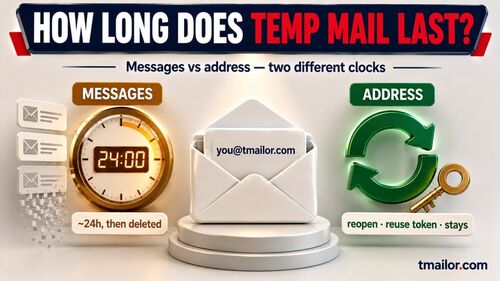
In practice, "500+ domains" means variety in the part of your address that comes after the @ symbol, not 500 separate inboxes. Every address you create still behaves the same way: it receives mail for 24 hours, strips attachments, and can be reopened later with an access token.
What domain types are available — and why not .edu?
Which extensions will you see, and which will you not?
Tmailor's domains are ordinary public domains, mostly .com-style names chosen for broad acceptance across websites. Tmailor does not offer .edu addresses. The .edu extension is reserved for accredited educational institutions, so that no legitimate temporary email service can issue one. If a form specifically requires a verified .edu address, temp mail is not the right tool.
For most newsletters, trials, shopping, and account signups, a standard .com-style domain is exactly what services expect, which is why Tmailor's pool focuses on that.
Can you choose your domain or email name?
How much control do you have over what your address looks like?
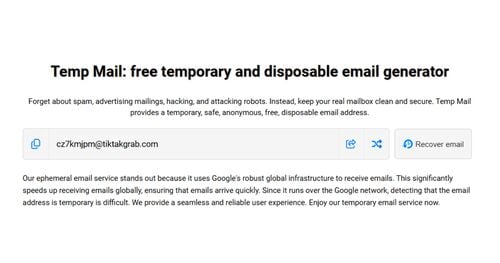
By default, Tmailor generates a random address, which keeps creation instant and helps prevent abuse of predictable names. When you create an address, you can open the custom option to choose from supported domains and set your own name instead of a random string, as long as it fits a few formatting rules (lowercase letters, numbers, dots, and underscores, within a sensible length).
Not every domain in the pool allows custom names — that setting is enabled on a subset of public domains. If you want full control over the name on every address, the cleaner route is to your own private domain, which is a separate feature covered below.
How to change the domain to a new address
Switching to a different domain takes a few clicks.
To use a different domain, choose one from the new-address screen rather than accepting the default. Each domain gives you a separate inbox, so changing the domain effectively starts a fresh address. If you need to return to a previous inbox, save your access token first — that token is the only way back to an inbox once you have moved on or after the 24-hour window has passed.
This public-pool switching is different from connecting to a domain you own; you do not need to set up MX records to switch to a different shared domain.
What if a site blocks a Tmailor domain?
A quick fix, plus where to read more.
If a website rejects your address, the domain is on a disposable email blocklist. Switch to a different domain in the pool and try again, as acceptance varies from site to site. Tmailor rotates domains partly to reduce these false rejections, but no temporary email service is accepted everywhere. For the full picture, see why sites block disposable domains and how domain rotation improves the odds that codes arrive.
Want a domain only you control?
When the public pool is not enough, bring your own.
If you need a domain that is exclusively yours — for a private inbox or a branded address — Tmailor lets you connect your own domain with custom MX records. That is a separate setup from the public pool described above, and it is the better choice when you want complete control over the domain rather than picking from shared ones. Everything else stays the same: receive-only delivery, attachment stripping, and token-based reuse.
Limitations
What domain choice cannot do for you.
- Choosing a domain improves acceptance, but does not guarantee it — some services block all disposable domains.
- There are no .edu or other institution-only domains.
- Changing the domain creates a new inbox; without the saved access token, the old one is gone after 24 hours.
- Custom names are available only on domains that allow them, or on your own connected domain.
- Temp mail stays receive-only, no matter which domain you use.
Frequently Asked Questions
How many domains does Tmailor have?
Tmailor offers more than 500 public temp mail domains, all on Google MX infrastructure. The pool is rotated so that if a site rejects one domain, you can switch to another and still receive your mail.
Does Tmailor offer .edu or .com email addresses?
Tmailor provides standard .com-style public domains that most websites accept. It does not offer .edu addresses, because .edu is reserved for accredited institutions, and no legitimate temp mail service can issue one.
Can I choose my own email name on Tmailor?
Addresses are random by default. On supported domains, you can open the custom option and set your own name using lowercase letters, numbers, dots, and underscores. For full control over the name on every address, connect your own private domain instead.
How do I change the default domain on Tmailor?
Pick a different domain from the new-address screen instead of the random default. Each domain is a separate inbox, so save your access token first if you want to return to the previous one. You do not need MX records to switch between shared public domains.
What should I do if a site blocks my Tmailor domain?
Switch to another domain in the pool and try signing up again. Site acceptance of disposable domains varies, so a different domain often works where the first did not. No temp mail service is accepted everywhere.
The Bottom Line
Tmailor's 500+ public domains help deliver your mail without exposing your real address. You can use the default random domain, switch to a supported domain, and sometimes set a custom name — and if one domain is blocked, another usually works. For a domain that is exclusively yours, connect your own domain with custom MX records. Either way, create a temp mail address and save your access token so you never lose an inbox you care about.

Marcus Lee writes Tmailor's step-by-step guides — signing up to apps and platforms with temp mail, using the mobile app and Telegram bot, custom domains, reusing addresses, and getting the most out of disposable email day to day.