Temp Mail for Instagram: Create an Account Safely (Step-by-Step)
Create an Instagram account with temp mail in 2026 — when a disposable address works, how to get the verification code, how to reuse the address via an Access Token, and when a permanent email is safer.
Quick access
Key Takeaways
Temp mail lets you create an Instagram account without exposing your personal inbox.
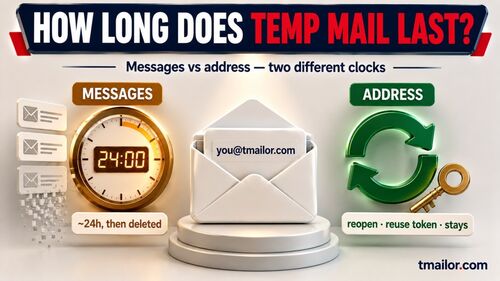
Temp mail for Instagram covers the email step of signup: you enter a disposable address, Instagram sends a confirmation code, and you enter that code from the temp inbox, as long as Instagram accepts the address. Save the Access Token so you can reopen the same address later. Because messages clear about 24 hours after they arrive, a temp Instagram account suits tests and throwaway profiles, not a main profile.
- Keep signup mail separate. A disposable inbox keeps Instagram confirmation and promotional mail out of your personal email. New to the idea? Start with free temp mail.
- Save the Access Token and keep it private. It reopens the same address for a new code or a reset, and anyone who has it can read that inbox. If you lose it, Tmailor cannot recover it for you, unless you created the address while signed in to a free Tmailor account, which keeps the address under Created Emails.
- Know the limits. Messages stay visible for about 24 hours from arrival; the service is receive-only, and Instagram may not accept every disposable address.
- Recovery is the weak point. Instagram's signup help tells you to use an email only you can access, because you need that inbox to get back in after a forgotten password.
- Later checks are separate from signup. Recovery can involve a login link, support questions, or a video selfie, and Instagram may ask some people to confirm their age with an ID or a video selfie. Temp mail only covers the email part.
Does Temp Mail Work for Instagram?
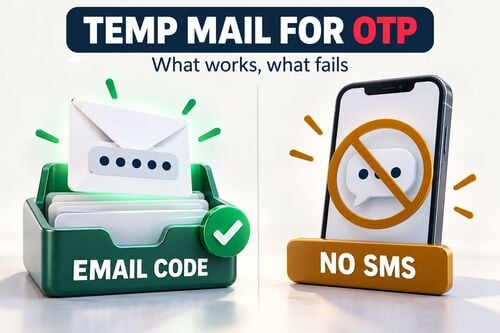
Yes, temp mail can work for Instagram's email confirmation when the address is accepted at signup. Instagram sends a confirmation code to the address you enter, and you read it in the temp inbox. Instagram's Help Center does not publish a list of accepted email providers, so acceptance and delivery can vary; if one disposable address is refused or no message arrives, trying another Tmailor domain is a reasonable next step. Tmailor cannot complete phone verification.
Whether you call it temp mail for Instagram, temp mail Instagram, Instagram temp mail, tempmail for Instagram, or a temporary email for Instagram, the requirement is the same: Instagram must accept the address, and its confirmation code must reach the inbox while you can still open it. This guide covers creating a new account; temporarily hiding an existing profile uses Instagram's separate deactivation setting in Accounts Center.
Why Use Temp Mail for Instagram?
Use temp mail for Instagram when you want a quick, low-stakes signup, privacy from promotional email, or a reusable test inbox you can reopen later. It is the wrong setup for a main, business, or creator profile, because recovery depends on an inbox whose messages clear after about 24 hours.
Three motivations drive most temp mail Instagram signups, and each is a legitimate, privacy-focused use.
- Privacy. You keep your real Gmail or Outlook address off yet another platform, so the new account is not tied to your main inbox.
- Spam control. New accounts attract promotional mail; a disposable inbox that clears itself keeps that noise out of your primary mailbox.
- Testing. Developers and QA testers can check a signup or notification email flow without filling a personal inbox. If you genuinely run more than one profile, read our guide to multiple Instagram accounts and Instagram's terms first.
How Instagram Uses Your Email
Your Instagram email matters well beyond signup: it is where confirmation codes, login links, and recovery messages go. Instagram's account-creation help says that if you sign up with email, you should choose an email address that only you can access, because you will need that inbox to get back in if you log out and forget your password.
- Signup confirmation: you can create an account with an email address or a mobile number, then enter the confirmation code Instagram sends to it.
- Password recovery: the "Forgot password?" flow can send a login link to the email address or phone number on the account.
- Support and identity checks: if a login link is not enough, Instagram's support process may ask for the email or phone number you signed up with and the type of device you used. For an account with photos of you, it may ask for a video selfie.
- Changing it later: your email lives in Accounts Center under your personal details, where you can replace a temporary address with a permanent one.
A Tmailor Access Token is a reuse key, not a password: it reopens the same address, and anyone who obtains it may be able to read later messages, including Instagram login links. Keep it private, store it securely, and remember that Tmailor cannot recover a lost token.
Before You Sign Up: Age and Account Rules
Temp mail changes which inbox receives Instagram's code, but it does not change Instagram's rules. In most regions, you must be at least 13 to sign up, and Instagram asks for your own birthday, even for an account about a business or a pet. Accounts for people aged 13 to 17 are Teen Accounts with more protective settings, and teens under 16 need a parent's or guardian's permission to make those settings less protective. In some regions or situations, Instagram may ask you to confirm your age with an ID or a video selfie.
Instagram's Terms of Use say you do not have to disclose your identity, but your registration information must be accurate and up to date. Separately, if the account becomes important, move it to an email address you expect to keep, so you do not lose access to future login or recovery messages. The Terms also bar creating accounts in unauthorized or automated ways, opening a new account after Instagram disabled yours for violating its policies, and buying or selling accounts.
How to Create an Instagram Account with Temp Mail (Step by Step)
To create an Instagram account with temp mail, generate a disposable address, enter it during Instagram signup, read the confirmation code in the temp inbox, and complete the account details. Save the Tmailor Access Token if you may need another code later. The order below follows Instagram's signup help for the app; screens and their order can vary by app, website, region, and account state.
Step 1: Generate a temporary address
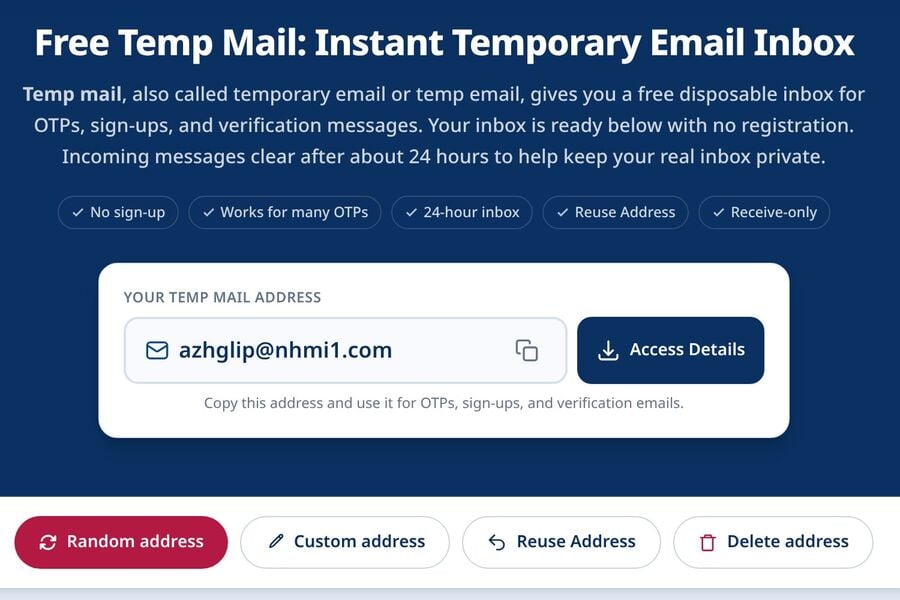
Open free temp mail for a random inbox and copy the address. Keep the tab open so the code appears live.
Step 2: Begin the Instagram signup
Open the Instagram app or instagram.com, choose to create a new account, and enter your temporary email address instead of a mobile number.
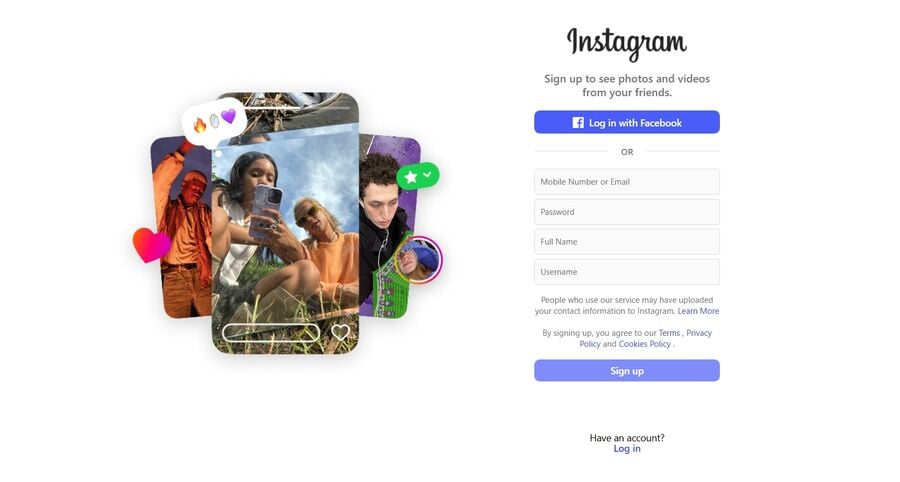
Step 3: Check for Instagram's code
Switch back to the temp inbox. The Instagram email often arrives quickly; if it does not, wait briefly and refresh before requesting a new code.
Step 4: Confirm the account
Copy the confirmation code and enter it in Instagram to verify the email address.
Step 5: Provide account details
Create a strong password, enter your own birthday, add your name, choose a username, and accept Instagram's terms.
Step 6: Save your Access Token
To keep using the same address, save the Access Token so you can reopen the inbox later for a new code or reset. Store it where only you can reach it, like a password manager.
Instagram's verification message often arrives quickly, but timing and format can vary. Copy the code as soon as it appears, because the message is cleared from the inbox about 24 hours after it arrives. If nothing shows up, request a new code and refresh before switching to another domain.
For platform-specific guidance, see how to set up a Facebook account with temp mail. Discord has its own flow, covered in our Discord signup guide. For a side-by-side view of the big social apps, see temp mail for social media signups.
Temp, Throwaway, or Reusable: Which Instagram Setup Fits
Match the address lifespan to how long the Instagram account matters. A one-time address suits a quick test; a reusable one suits anything you may need to return to.
The account-related terms all describe the same lightweight setup built on a disposable inbox: a temp Instagram account for a single test or low-stakes profile. A temporary Instagram account or disposable Instagram account follows the same logic: use it for low-stakes experiments, not for an identity you need to keep. A throwaway or burner Instagram account should never hold your main identity, business page, or ad billing. If you may need the same Instagram temp mail address later, save its Access Token; without it (and without a Tmailor account that saved the address), Tmailor cannot recover the address for you.
Shared or purchased "temp Instagram ID and password" lists are unsafe, because whoever controls the email behind them can take the account back, and Instagram's Terms prohibit buying or selling accounts.
The Password-Recovery Catch (Why Temp Mail Suits Throwaways)
Password recovery works only while you can still open the inbox. With a saved Access Token, you can reopen the address and request a fresh login link or code, but any message older than about 24 hours is gone, and Tmailor cannot reissue a lost token.
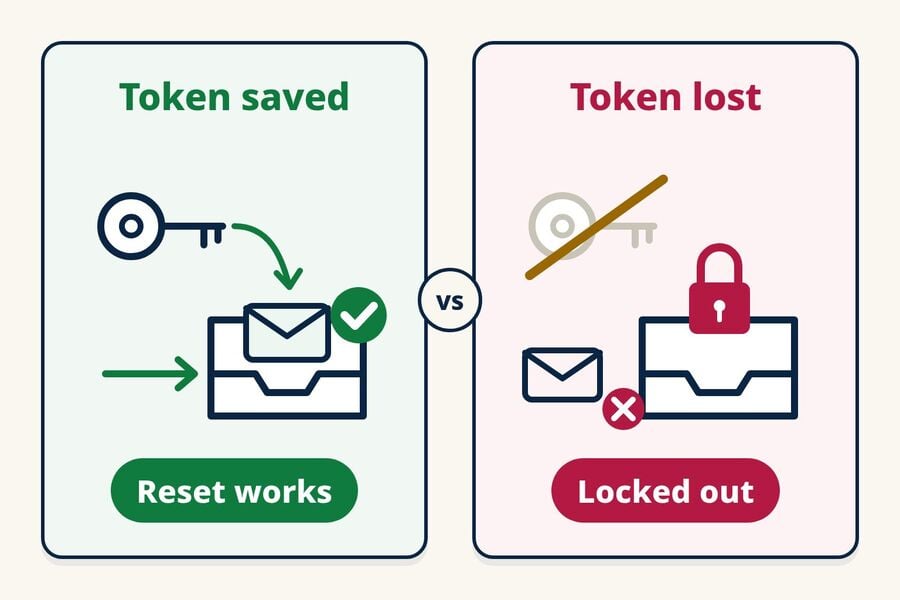
Plan for four practical failure modes:
- Lost token: you can no longer reopen the address, so login links and codes sent to it are out of reach.
- Shared or leaked token: anyone holding it can read your login links, which is the opposite of an email only you can access.
- Old messages: a reset email from last week has already cleared, so always request a new one rather than searching for an old one.
- Identity checks: if Instagram asks for the email you signed up with, your device type, or a video selfie, a forgotten throwaway setup makes that harder.
Use temp mail for experiments and short-term profiles, not for a presence you cannot afford to lose.
Temp Mail vs 10-Minute Mail vs Permanent Email for Instagram
Disposable email is not one thing. The right choice depends on how long the account needs to live and whether you will need to recover it.
| Setup | Best for | Reuse / recovery | When to avoid |
|---|---|---|---|
| Reusable temp mail | Test profiles and low-stakes secondary profiles | Yes, if you saved the Access Token (messages still clear after 24 hours) | Main identity, business/creator account, ad billing |
| 10-minute mail | A single sign-up finished in one sitting | No practical recovery after the session | Anything that may need a later reset |
| Permanent email | Your main Instagram, long-term or professional use | Best recovery path | When you only need a low-stakes test account |
Verdict: for most low-stakes Instagram signups in 2026, the best temp mail for Instagram is a reusable address with a saved Access Token and many domains. Use a 10-minute inbox only for a one-sitting throwaway profile, and a permanent email for a main, creator, business, or ad-linked account.
Safer Alternatives for a Long-Term Instagram
For an Instagram profile you intend to keep, the safer setup is a permanent inbox you control, with two-factor authentication and a recovery method you can still reach in a year. Temp mail is for the accounts you can afford to walk away from, not for the ones that hold your audience, your work, or your money.
For an account you want to keep, a stable email is the responsible choice. Gmail and Outlook remain the standard, and Gmail's plus-addressing (name+ig@gmail.com) gives you multiple aliases that still land in one inbox, though some services normalize or reject them. If you started with a temp address, switch the email in Accounts Center under your personal details while you can still read the confirmation code.
If you want to receive temporary mail on a domain you own, a custom private domain gives you control of the domain used for the address. Tmailor's normal limits still apply: the inbox is receive-only, messages clear about 24 hours after arrival, and you need the Access Token to reopen the address. For the Gmail route, see creating a temp Gmail account.
When a Domain Is Rejected (and Best Practices)
If a disposable address is refused at signup or the verification message does not arrive, the fixes are simple. In Tmailor, every inbound message lands in the same inbox view, with no spam folder or custom filter to check, so wait briefly, refresh, request a new code, or try another Tmailor domain. Instagram does not promise that any particular email provider will be accepted, so treat a rejected domain as normal rather than as an error on your side.
- Try another domain. If one address is rejected or slow, a new address on a different Tmailor domain may work; there is no guarantee.
- Save the Access Token immediately and verify the account the same day you register.
- Copy codes and reset links the moment they arrive; they clear about 24 hours after arrival.
- Never tie a business or creator identity to a disposable address; move it to a permanent email if the account becomes important.
- Keep the use legitimate. Temp mail is for privacy, testing, and short-term profiles, not for spam, automation, or returning after Instagram has disabled an account.
For codes that still do not show up, our guide to OTPs that never arrive walks through the common causes.
Frequently Asked Questions
Does temp mail work for Instagram?
Yes, for the email step. Instagram sends a confirmation code to the disposable address, and you enter it from the temp inbox. If an address is rejected, try another Tmailor domain. Tmailor cannot complete phone verification.
Does Instagram block temporary email domains?
Instagram does not publish a list of accepted or blocked email providers, and some temporary addresses do not work consistently at signup. A provider with many domains helps: if the first address is refused or the message does not arrive, switch to a different Tmailor domain.
What if the Instagram verification code is not arriving?
Open the inbox before requesting the code, wait briefly, and request a new one. If it still does not arrive, try a different Tmailor domain, since acceptance and delivery can vary.
Can I reuse the same temp address for Instagram later?
Yes, if you saved the Access Token, you can reopen the same address and receive new codes. Messages older than about 24 hours are not kept.
Why is password recovery unreliable with temp mail?
Recovery depends on your continued access to the inbox. A new reset email works only if you can reopen the address with its Access Token, old messages clear after about 24 hours, and a lost token for a guest address cannot be recovered, which is why temp mail suits throwaway accounts, not a main profile.
Can I switch from temp mail to Gmail after signing up?
Yes, and you should if the account matters. Change the email in Accounts Center under your personal details while you can still read the confirmation code, so future recovery no longer depends on a temporary inbox.
Is 10-minute mail enough for an Instagram signup?
It may work for the one-time verification if the address is accepted and the message arrives before the inbox expires, but it does not help with recovery. For anything you may revisit, use a reusable address. See 10 Minute Mail.
Is temp mail okay for my main Instagram account?
Not recommended. Use a disposable address for tests and short-term profiles; keep your main, business, or creator account on a permanent email with two-factor authentication.
Can I sign up for Instagram using email instead of a phone number?
Yes. Instagram documents signup with either an email address or a mobile number, confirmed with a code. It may still ask for more verification later, such as an age check or an identity check during recovery, and the available steps can vary, so do not plan on a phone-free account for life.
The Bottom Line
Temp mail for Instagram is a quick way to create a test or throwaway account without using your personal inbox. Open the disposable inbox first, try another domain if the code does not arrive, and save the Access Token in case you need to reopen the same address. Instagram asks for an email only you can access and for accurate, current account details, so move any account you actually care about to a permanent email. A temp address is a convenience tool, not a foundation.

Marcus Lee writes Tmailor's step-by-step guides, signing up to apps and platforms with temp mail, using the mobile app and Telegram bot, custom domains, reusing addresses, and getting the most out of disposable email day to day.