How to Generate Random Email Addresses — Random Temp Mail Guide
Random email addresses are helpful whenever you need a working inbox that isn't connected to your real identity — for signups, software testing, privacy protection, or just keeping your primary email clean. The challenge is finding a method that's fast, reliable, and doesn't require you to register for yet another account. This guide shows you how to generate random email addresses using temp mail services, covering web-based generators, mobile apps, Telegram bots, and 10-minute mail options. You'll learn how randomization works, how to save an address for reuse with an access token, and when to use a custom domain for better deliverability.
Quick access
TL;DR
- “Random email addresses” are short-term inboxes for quick sign-ups, testing, and privacy.
- The easiest method is a temp mail generator: you get an inbox instantly, no sign-up, emails auto-delete after ~24h.
- On tmailor.com, you can Reuse Your Temp Mail Address via an access token (while messages still expire on schedule).
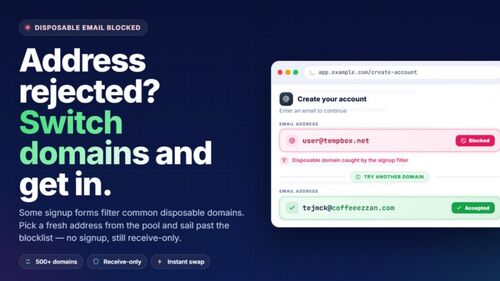
- Some websites may block disposable emails; always follow the site’s terms.
- Consider a custom domain on Tmailor for more control over your aliases.
What is a random email address?
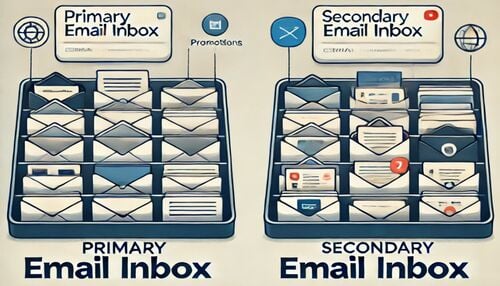
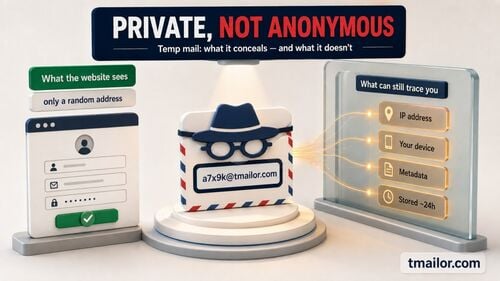
A random email address is a temporary, often anonymous inbox created for short-term use (e.g., one-off registrations, downloads, or tests). With temp-mail style services, messages arrive instantly and are automatically deleted after ~24 hours to reduce retention and spam exposure.
Start here: /temp-mail — quick definition + generator page.
When should you use one?
- Signing up for trials, newsletters, or forums you don’t fully trust
- Receiving verification or OTP codes without exposing your real inbox
- QA/testing sign-up flows and email deliverability
- Reducing spam to your primary email
(Avoid for banking, long-term accounts, or anything requiring reliable recovery.)
Three safe ways to generate random email addresses
Method A — Use a Temp Mail Generator (fastest)
- Visit /temp-mail → a random inbox is created instantly.
- Copy the address and use it anywhere you need an email.
- Read messages in the browser; messages auto-delete after ~24h.
- Save the access token to return to the same address later.
Why this works well on Tmailor
- Hosted on Google’s global server network for speed/reliability.
- Reuse Your Temp Mail Address via access token across sessions/devices.
- Receive-only by design (no sending / no attachments) to limit abuse.
Need a one-shot inbox with a fixed time window? See 10-minute mail.
Method B — Gmail “plus addressing” (for filtering)
Add a tag after your username, e.g., name+shop@…; emails still land in your real inbox, letting you filter by tag. Use this when you want tracking/filters but not full anonymity. (General technique reference: sub-addressing).
For readers exploring Gmail-based disposable solutions, see the related guide: How to Create a Temp Gmail Account or Use a Temporary Email Service.
Method C — Your own domain for temp aliases
Point your domain to Tmailor’s temp mail and create on-brand, disposable aliases you control; still benefit from access-token reuse and central management. Start by introducing Tmailor’s Custom Domain Temp Email Feature (Free).
How to choose a random email generator (checklist)
- Speed & reliability: global infrastructure / fast MX (Tmailor runs on Google’s network).
- Retention policy: clear auto-delete window (~24h).
- Reusability: access-token or equivalent to reopen the same inbox later.
- Domain breadth: diverse domains to reduce false blocks (Tmailor lists 500+).
- Abuse controls: receive-only mode; attachments disabled.
Setup: generate → verify → reuse (step-by-step)
- Generate at /temp-mail.
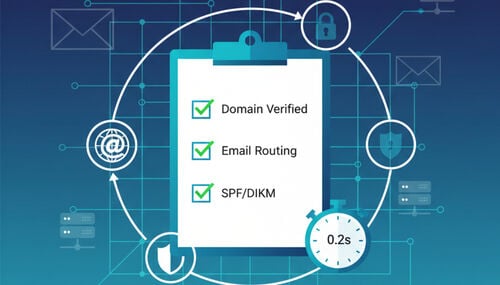
- Verify by sending a test message from another account; read it online instantly.
- Reuse: save your access token (bookmark the page or store the token); reopen the same inbox later via /reuse-temp-mail-address. (Emails still expire on schedule.)
Limits & compliance (what to expect)
- Service blocks: Some platforms block disposable addresses to reduce spam or enforce KYC; this is common and documented.
- Receive-only: No sending/outgoing mail and no attachments on Tmailor; plan your workflow accordingly.
- Data lifecycle: Emails are auto-deleted after ~24 hours; copy anything important before expiry.
Random vs Temp Mail vs 10-Minute Mail vs Burner/Fake Email
- Random email address: any generated address, usually short-term.
- Temp mail: a disposable inbox you can receive immediately; on Tmailor, reuse via token is supported.
- 10-minute mail: strictly time-boxed inbox (good for one-shot verifications).
- Burner / fake email: colloquial terms overlapping with temp mail; intent is privacy and spam control.
Frequently Asked Questions
What is a random email address used for?
It’s mainly for quick sign-ups, protecting your real inbox from spam, or testing email flows.
How long do emails last on Tmailor’s temp mail?
Emails are automatically deleted after about 24 hours.
Can I reuse a random email address later?
Yes — save your access token and reopen the same inbox via /reuse-temp-mail-address.
How many domains are available?
Tmailor provides more than 500 domains for flexibility and deliverability.
What is the difference between random, temp, and 10-minute mail?
- Random email = any generated short-term address
- Temp mail = disposable inbox with ~24h lifespan
- 10-minute mail = stricter, expires in ~10 minutes (see /10-minute-mail)
Can I use a burner email for social media verification?
Sometimes yes, but some platforms block disposable emails.
Does Tmailor allow sending emails?
No — it’s receive-only, with no outgoing or attachments.
What is Gmail “plus addressing,” and is it like temp mail?
It lets you create tags (name+tag@gmail.com). Messages still reach your real inbox, but it’s not anonymous. For disposable Gmail-style solutions, see this related guide: How to Create a Temp Gmail Account or Use a Temporary Email Service.
Can I set up my own domain with Tmailor for random emails?
Yes — see /temp-mail-custom-private-domain. You can map your domain and manage aliases.
Is using fake or burner emails legal?
It depends on the context. Using them for spam, fraud, or evading compliance is not allowed. Temporary mail is designed to be legal for safe cases (testing, personal privacy). (Always follow the terms of the website you’re signing up for.)

Marcus Lee writes Tmailor's step-by-step guides — signing up to apps and platforms with temp mail, using the mobile app and Telegram bot, custom domains, reusing addresses, and getting the most out of disposable email day to day.